
How To Use QR Codes on Shipping Labels for Tracking

Harshajit
Last updated: May 18, 2026
11 min read
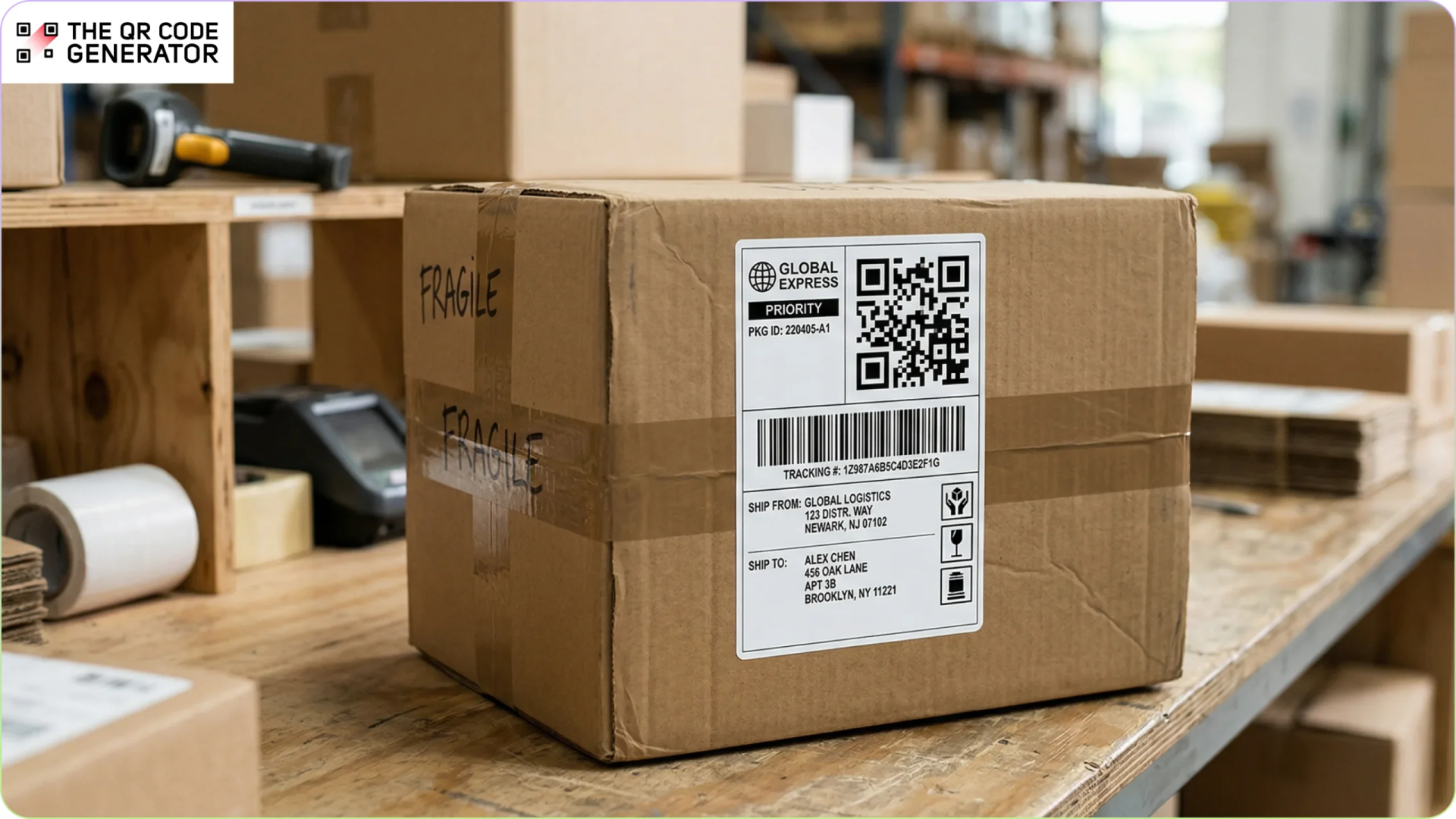
Shipping delays are one of the biggest frustrations in logistics. 91% of consumers actively track their packages according to Verte Research, often checking multiple times a day. When tracking is unclear or shipments are delayed, it leads to frustration and more support requests.
Traditional shipping labels make the problem worse. They rely on barcodes or printed details that need special scanners or manual checks. When labels are damaged or incomplete, tracking breaks down, and delays become more likely.
QR Codes offer a better approach. They store detailed shipment information in a small, scannable format, helping carriers and delivery teams access accurate data quickly and keep packages moving.
The guide explains how QR Codes improve shipping labels and how to use them effectively.
Problems companies face with traditional shipping labels
Shipping labels carry the information that warehouses, carriers, customs officers, and delivery drivers use to route shipments.
Traditional labels rely on basic barcodes and printed text. They were not designed for today’s shipping volumes or higher delivery expectations. As a result, tracking slows down and delays become more common.
Here’s where traditional shipping labels fall short.
Traditional barcodes can’t store complex delivery instructions
Standard 1D barcodes on most shipping labels store only basic tracking numbers, usually around 20 to 30 characters. They cannot hold delivery instructions or extra context.
Important details are often printed as text or stored in separate systems that drivers must check manually. For example:
- Leave at the side door
- Signature required on delivery
- Call the recipient before arrival
- Access codes for gated communities
- Business delivery hours
Without this information at the point of delivery, drivers may need to contact dispatch or try again later. That adds delays and slows down delivery routes.
Customers have limited access to real-time package status
83% of consumers expect regular updates about their deliveries. Yet many still need to enter long tracking numbers on carrier websites, which becomes harder when multiple carriers are involved.
Even after entering the number, customers often see only basic updates such as “shipment picked up,” “out for delivery,” or “delivered.” Limited visibility creates uncertainty, leading more customers to contact support and increasing the workload for service teams.
Paper documentation slows customs and international shipping
International shipments still rely on printed documents that travel with the package, such as commercial invoices, certificates of origin, and customs forms.
Customs officials review each document and check shipment details. They must confirm that everything matches before approval. If anything is missing or incorrect, the shipment is held until it is fixed. Communication often happens through email or fax, which slows the process.
Paper-based workflows lead to delays, especially as cross-border e-commerce grows.
Multi-carrier handoffs create tracking blind spots
Many shipments pass through multiple carriers before reaching their destination. A package may start with a regional courier and then move to another carrier for long-distance transport or final delivery.
Each handoff can create a gap in tracking. Updates may pause for hours or even days, making the package appear stuck even when it is still moving. Without a single tracking method tied to the package, these gaps remain a common problem.
Two ways QR Codes are used in shipping and why the difference matters
Before looking at the benefits, it helps to clear up a common point of confusion. QR Codes are used in two different ways in shipping, and each serves a different purpose.
- QR Code on a physical label: A QR Code printed on the shipping label that travels with the package. It can be scanned by warehouse staff, carriers, or customers to access tracking details, delivery instructions, customs documents, or a returns page. This is the focus of this guide.
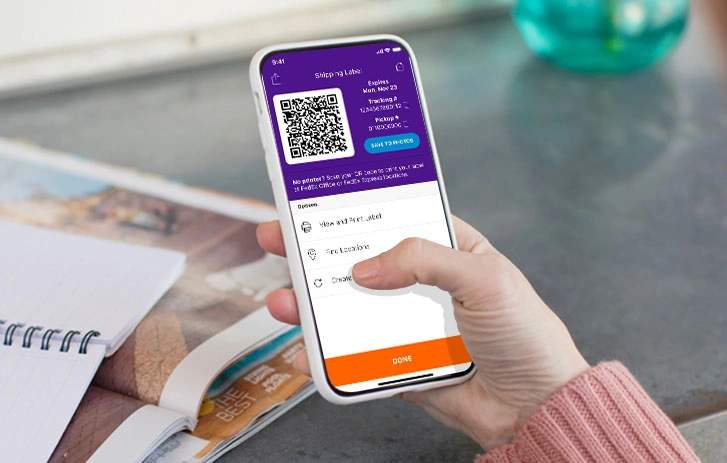
- QR Code used for label-free shipping or returns: In this model, there is no printed label at first. The shipper receives a QR Code or mobile code on their phone and shows it at a carrier location. A staff member scans the code and prints the label.
Carriers such as USPS (Label Broker), FedEx, and UPS support this through label-free shipping or return options. Shipping tools such as Shippo, EasyPost, and ShipStation also support similar workflows.
Both approaches use QR Codes, but they solve different problems. This guide focuses on QR Codes printed on shipping labels.
How shipping labels with QR Codes improve logistics operations
Logistics teams handle high shipment volumes and growing pressure to deliver faster with better visibility. Traditional labels were not built for this.
QR Codes help by storing more information and linking packages to digital systems.
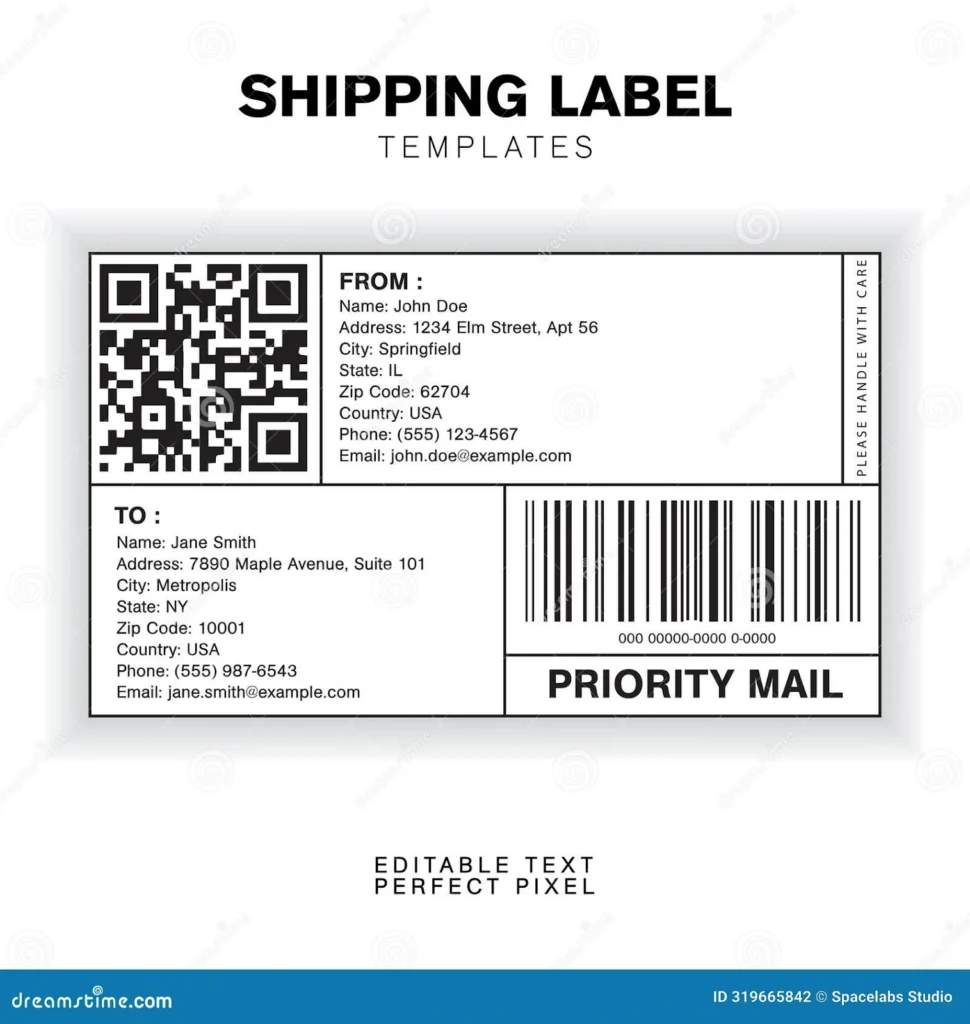
(Example of a QR Code on a shipping label via Dreamstime)
Here’s how QR Codes improve operations.
Faster warehouse processing
QR Codes can store more package information in one scannable label. This can include weight, destination details, or handling instructions.
Workers no longer need to rely on small text or check multiple systems. They can scan once and get the information they need, which speeds up sorting and routing. It also makes it easier to spot exceptions, such as oversized or high-value items.
Processing becomes faster, even during busy periods. New or temporary staff can follow instructions without needing to learn complex sorting rules.
Customers can scan to track deliveries
Instead of entering tracking numbers, recipients can scan a QR Code on the package using their phone. The scan opens a tracking page with details such as the current location and delivery status. Some systems also show updates on delays or delivery attempts.
In some cases, customers can change delivery options after scanning. They may choose a new delivery time or send the package to a pickup location.
Carriers such as FedEx offer this through tools like FedEx Delivery Manager, which lets customers track shipments and manage delivery preferences online.
Simplified returns for customers and merchants
Returns are one of the most expensive parts of ecommerce. QR Codes on shipping labels make the process easier for both customers and merchants.
For customers, a QR Code on the package or shipping label can link to a returns page. They can start the return without printing a label and drop the package at a carrier location. In fact, 84% of consumers are more likely to shop with a retailer that offers box-free, label-free returns and faster refunds.
For merchants, label-free returns help reduce costs. Postage is only charged when the return is scanned at drop-off. It also removes the need to include a prepaid label in every package.
Fewer printed labels also mean less paper use. Drop-off returns can help carriers group shipments, which improves efficiency. Shipping tools like ShipStation, EasyPost, and Shippo support label-free returns, often through carrier QR Codes or mobile code systems.
Faster customs checks with digital documents
International shipping often requires documents such as invoices and customs forms. These usually travel with the package as printed paperwork.
QR Codes on shipping labels can link to digital documents that are easy to view by scanning. This helps speed up checks and reduces delays caused by missing or incorrect paperwork.
If there is an issue, shippers can be notified sooner instead of finding out days later.
Companies such as DHL use QR Codes to give quick access to shipment information and support digital workflows.
Mobile proof of delivery
At delivery, drivers can scan the QR Code on the package to record important details such as delivery time or a photo. For some shipments, recipients can sign on the driver’s device, and the record is stored digitally.
Carriers such as Amazon Logistics use app-based scanning to confirm deliveries and store proof of delivery.
Unified tracking across multiple carrier networks
Packages often move between different carriers. Tracking can break during these handoffs.
A QR Code on the shipping label can link to a single tracking page. Each scan updates the same record, so customers do not need to switch between carrier sites.
How to create QR Codes for shipping labels
Adding QR Codes to shipping labels does not require a large IT project. With a clear goal and the right tool, you can get started quickly.
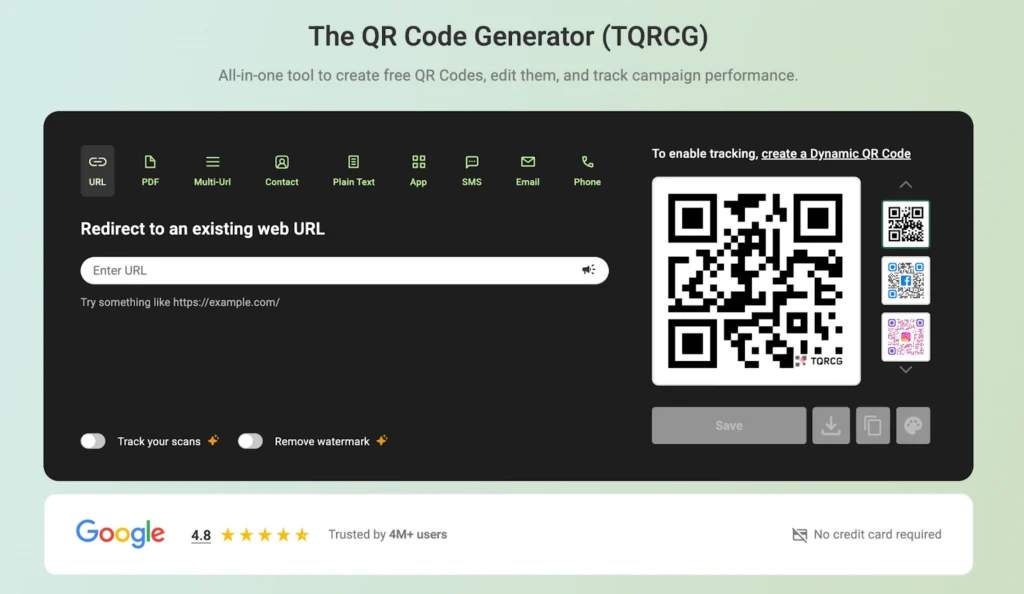
Tools such as The QR Code Generator (TQRCG) let you create QR Codes and customize them for your brand. Most platforms are simple to use and can support bulk QR Code creation for multiple shipments.
Step 1: Define the logistics goal for your shipping labels
Each label must serve one clear purpose. The goal decides what the QR Code links to and how it is used during delivery.
Common use cases include:
- Package tracking: Link to a live tracking page so shipment status is easy to check
- Handling instructions: Share details for safe handling or sorting
- Returns: Direct users to a returns page
- Compliance documents: Link to customs or regulatory forms
- Support content: Provide access to product or warranty information
Keep the goal specific. “Let customers scan and view shipment status” is clear, while “Improve tracking” is too vague to act on.
Step 2: Choose the content and generate dynamic QR Codes
Once the goal is set, decide what the QR Code should open. In most cases, it links to a webpage, such as a tracking page, returns page, or document.
For shipping labels, dynamic QR Codes are usually the better choice. A label is printed once, but shipment details can change. Static codes cannot be updated after printing. Dynamic codes use a link you can edit, so the destination can change when needed. This makes it easier to update information during shipping.
For example, you can change tracking details or link the same code to a returns page after delivery.
Tools such as TQRCG support dynamic QR Codes and let you manage links after printing. Many shipping tools, including ShipStation and Shippo, also support workflows where each shipment can be assigned a unique QR Code.
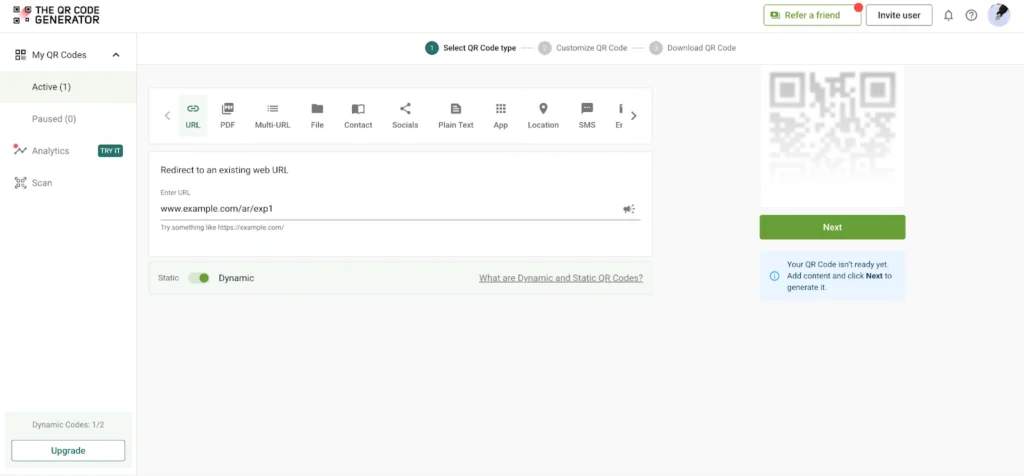
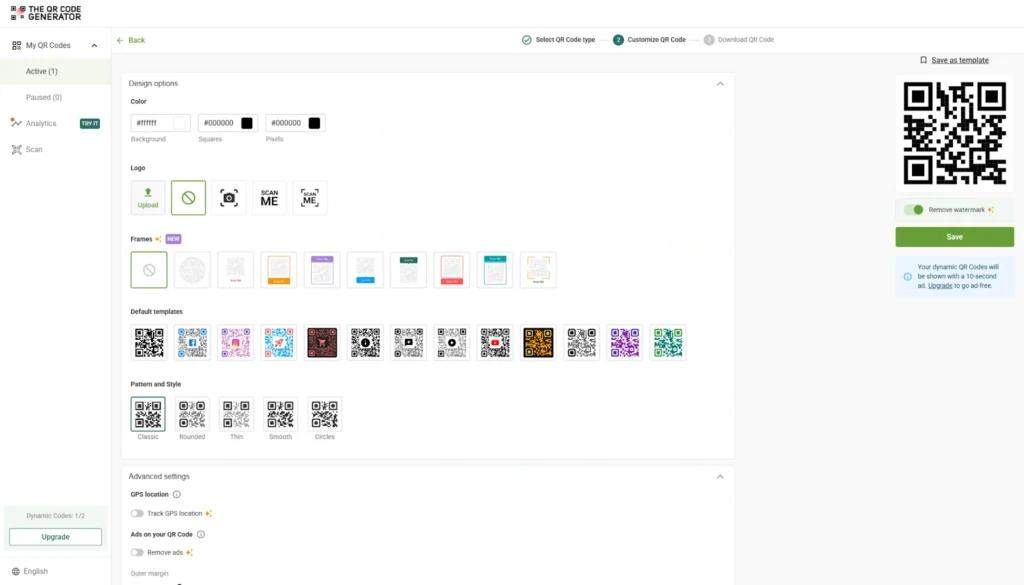
Step 3: Customize the QR Code for shipping labels
For shipping labels, focus on clarity and reliability over design. A simple, high-contrast QR Code works best in warehouse and outdoor settings.
With TQRCG, you can adjust the size and contrast to make the code easier to scan. You can also add a short prompt, such as “Scan to track your package” or “Scan for returns,” to make its purpose clear.
Download the QR Code in a high-resolution format. SVG is a good choice because it scales without losing quality.
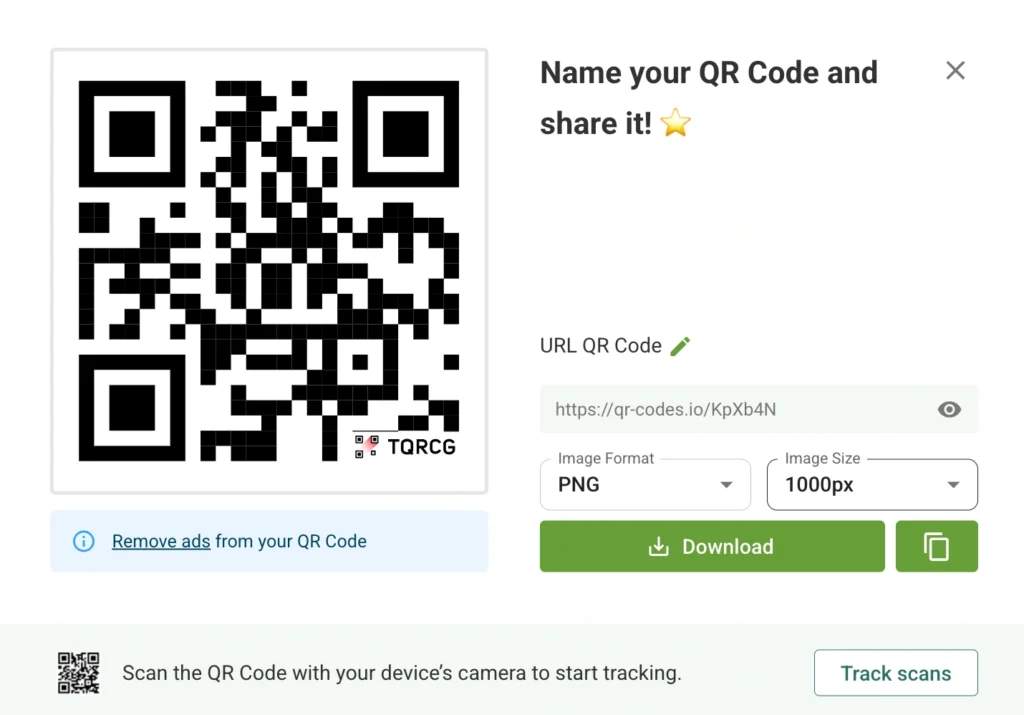
Before using it at scale, test the QR Code on printed labels. Make sure it scans well with both warehouse scanners and smartphones.
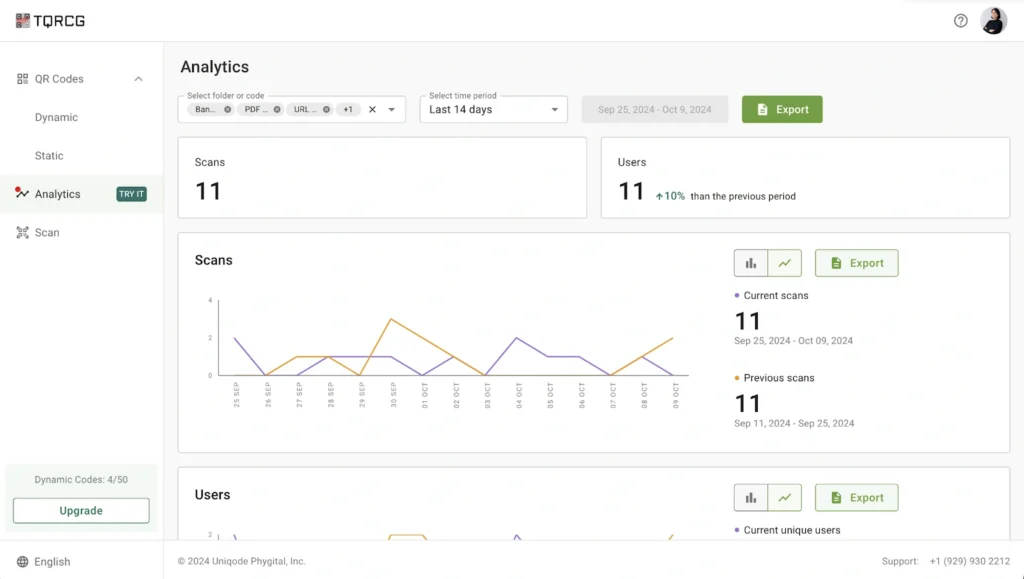
Step 4: Monitor performance with QR Code analytics
After adding QR Codes to shipping labels, track their use. TQRCG provides analytics that show when and where codes are scanned. This data helps you understand how packages move through the delivery process. You can see scan activity at different stages and spot gaps in tracking.
Over time, these insights can help improve workflows and make shipment tracking more reliable.
Best practices for using QR Codes in logistics
QR Codes improve shipment visibility and make operations more efficient, but only when used correctly. A QR Code for logistics must be deployed carefully because warehouses and transit environments can be tough on labels.
Use durable labels and proper sizing
Shipping labels need to withstand transit and handling. Use materials that resist moisture and heat so the QR Code stays readable.
Make the QR Code large enough to scan easily. In most cases, at least 1.5 in × 1.5 in works well. Larger QR Code sizes help when packages are stacked or scanned from a distance.
Integrate QR Code generation with logistics systems
QR Codes work best when they are generated automatically within existing logistics software. Integrating with a warehouse management system (WMS) or a transportation management system (TMS) ensures that each label is created using real-time shipment data.
It also reduces manual data entry and ensures every code contains accurate information.
Match the scan experience to the user
Different people scan the same code for different reasons. The content must match what they need.
Staff may need routing details or alerts. Customers usually want tracking updates or return options. Keeping these views clear helps avoid confusion.
Use higher error correction for better scan reliability
Shipping labels can get scratched or worn during transit. QR Codes with higher error correction can still be scanned even if part of the code is damaged. This helps keep scanning reliable when packages go through multiple handling steps.
Keep printed details as a backup
QR Codes should support, not replace, standard label information. Include important details such as the address and tracking number. This helps keep operations running if a code cannot be scanned or a device is not available.
Create QR Codes for shipping labels with TQRCG
Shipping labels have carried the same basic information for years, such as an address or a barcode. QR Codes add a flexible layer that can link to tracking, returns, or important documents.
They help reduce manual work, simplify returns, and improve shipment visibility without changing your existing setup.
You don’t need a complex system to get started. Tools like The QR Code Generator (TQRCG) let you create dynamic QR Codes that you can update and track over time.
Sign up to create your QR Code for shipping labels and get started
Frequently Asked Questions
What information can a QR Code on a shipping label store?
A QR Code on a shipping label stores a URL that links to information, not the information itself. This means the destination can include anything, such as a real-time tracking page, handling instructions, customs documentation, return authorization links, or product setup guides.
Should I use a static or dynamic QR Code on shipping labels?
Dynamic, in nearly every case. A static QR Code hardcodes a fixed URL that cannot be changed after printing. A dynamic QR Code encodes a short redirect URL you control through your TQRCG dashboard. Dynamic codes also provide scan analytics (scan count, location, device type, and time), which are essential for monitoring logistics performance.
What is the minimum size for a QR Code on a shipping label?
For close-range warehouse scanning, 1.5 cm × 1.5 cm (0.6 in) works reliably. For labels also scanned by drivers or customers at arm’s length, use at least 2 cm × 2 cm (0.8 in). As a rule, the QR Code should be one-tenth of the expected scanning distance. Maintain a quiet zone of at least four modules wide.
Can QR Codes on shipping labels work alongside existing barcodes?
Yes. QR Codes and traditional 1D barcodes serve different functions and coexist on the same label without conflict. The barcode carries a standardized identifier for warehouse and carrier systems; the QR Code adds a richer layer linking to web-hosted content.
Are QR Codes on shipping labels safe? Do they expose personal data?
A well-implemented QR Code on a shipping label links to a URL and doesn't expose raw personal data, such as names or addresses. Best practice is to use HTTPS-secured destination pages and avoid embedding personally identifiable information directly in the code. With TQRCG, you control the destination URL and can update it at any time.
Do QR Codes on shipping labels expire?
It depends on how they're generated. Carrier-generated label QR Codes (such as those from Stamps.com for USPS or UPS) typically expire within seven days if unused. Dynamic QR Codes created through TQRCG don't expire. The code remains active as long as your account is active, and you can update the destination URL at any time.
How do I track whether shipping label QR Codes are actually being scanned?
Use dynamic QR Codes with a platform that provides scan analytics. TQRCG’s analytics dashboard tracks every scan in real time and reports on total and unique scans, geographic location, device type, and time of scan.