
Free Image QR Code Generator
Redirect to an existing web URL
To enable tracking,


Sharing an image usually requires you to upload it to the cloud and create a link. Or, you could send it to individuals as attachments.
Visual communication has been a top priority for everyone, lately. So, why not make it easy to access instantly by scanning a QR Code?
Here’s everything you need to know about creating Image QR Codes.
What is an Image QR Code?
An Image QR Code is a QR code that, when scanned, directly opens an image file. Instead of manually typing a URL or searching for a picture, you simply scan a QR Code through your smartphone camera and instantly view the image.
Image QR Codes are usually used to share photos, digital portfolios, event collaterals, etc. They’re also great for artists who want to display their art while maintaining high-quality imagery.
How do you create a QR Code for an image?
Here are the simple steps to create a QR Code by simply uploading an image file:
Step 1: Log in to The QR Code Generator.
Step 2: After logging in, you’ll see the options for creating various QR Codes. Select the “File” option.
Step 3: Upload the image you want to create a QR Code for.
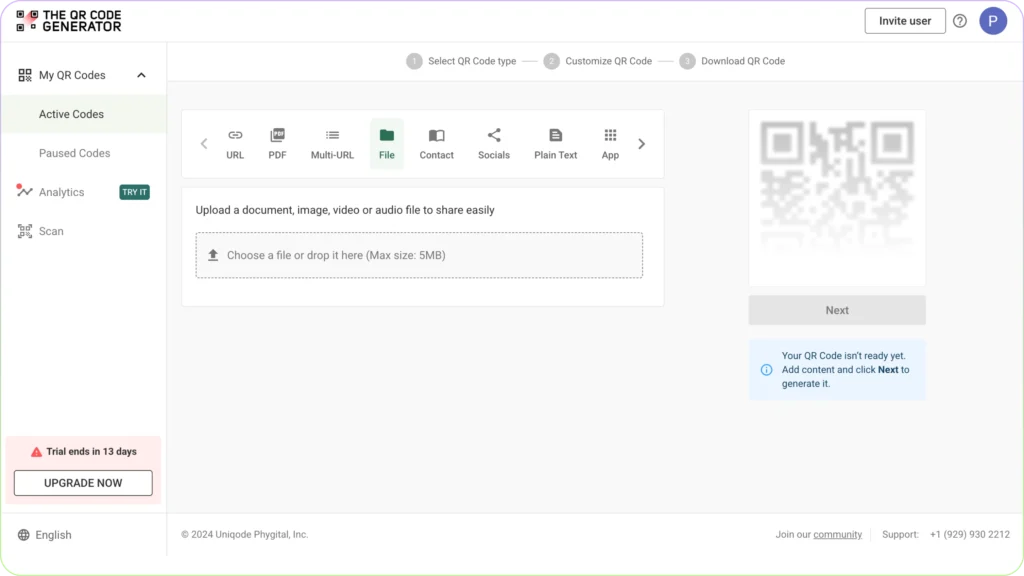
Step 4: After uploading the file, click on ‘Next’ on the right-hand side of the screen. The customization options will appear then.
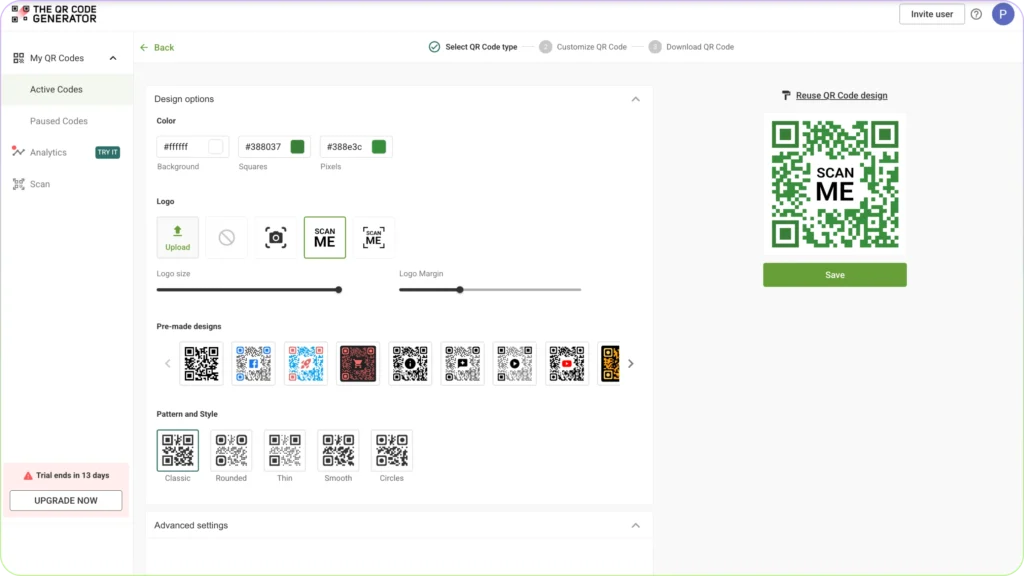
Step 5: Add your required personalization like color, logo, pattern, styles, margins or just choose from pre-designed templates.
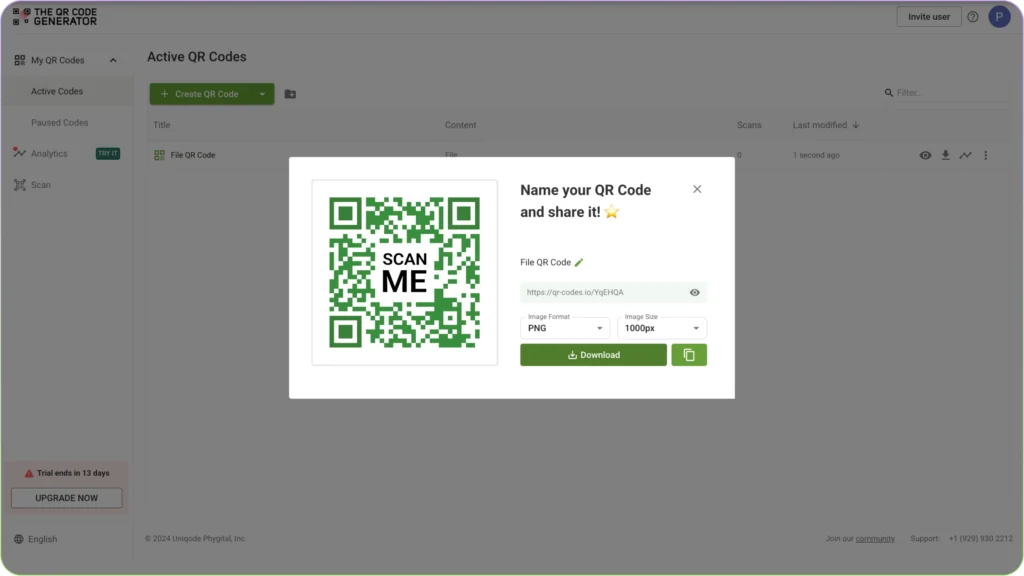
Step 6: Once done, click on ‘Save’ and then choose the QR Code image format (PNG/SVG) and size and then click on ‘Download’.
Can you add a picture, logo, or graphic to an image QR Code?
Yes, you can definitely add a picture, logo, or any graphic to your image QR Code to personalize your brand identity further.
To do this, you can log in to The QR Code Generator and select an existing QR Code to edit or create a new QR. In the next step, you’ll be able to customize your QR.
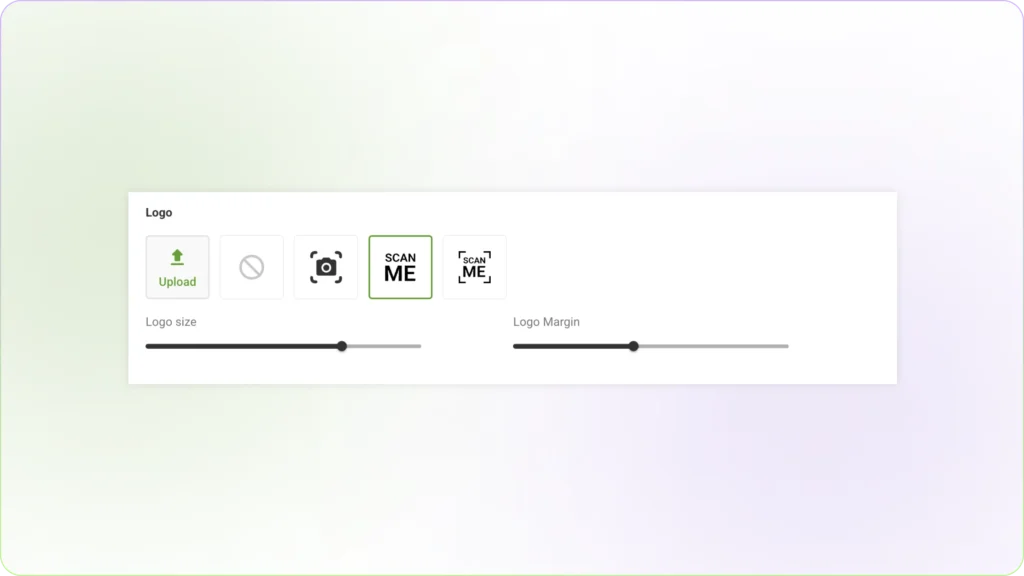
Under the logo section, you can upload any graphic you want or use the templates provided. You can also customize the logo size and margin as per your requirements.
Benefits of using image QR Codes
People create QR codes for images for several reasons such as:
- Easy Sharing – QR codes allow quick access to an image without needing to send a file or link manually.
- Marketing & Branding – Businesses use them on posters, flyers, and packaging to direct users to product images, infographics, or promotional visuals.
- Space-Saving – Instead of displaying a large image, a QR code can be printed on limited-space materials.
- Security – QR codes can link to an image stored online instead of embedding the image directly, reducing file tampering risks.
- Interactive Experiences – Museums, galleries, or educational institutions use them to provide additional context, high-resolution versions, or augmented reality experiences.