
How Hospitals Use QR Codes To Improve Waiting Room Experience

Shreesh
Last updated: March 2, 2026
11 min read
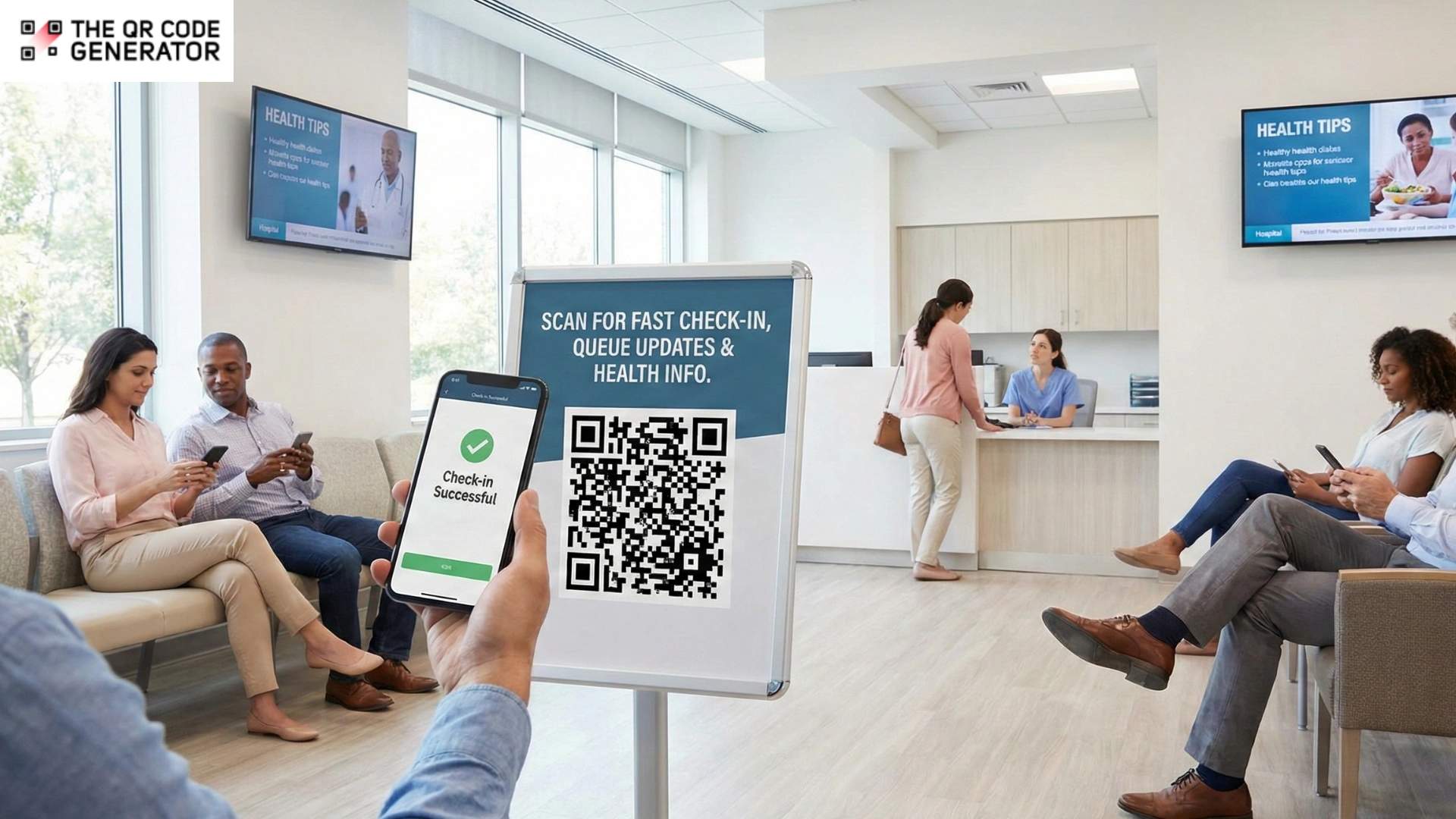
Long wait times, other than being an inconvenience, are the fastest way for hospitals to lose patient trust.
Over a third of patients walk out of a doctor’s appointment, and more than half say repeated delays push them to find a new provider. Meanwhile, staff juggles check-ins, paperwork, and constant questions, often relying on processes that were never designed for today’s patient volume.
When check-ins slow down, paperwork piles up, and updates are unclear, waiting rooms turn into pressure points for both patients and staff. QR Codes offer a simple way to reduce that friction.
Curious to see how they work and why your hospital needs QR Codes in its waiting room? Let’s find out.
Why traditional waiting rooms quietly create operational strain
Many waiting room problems go unnoticed because they feel routine.
Paper forms, long check-in processes, unclear wait times, and passive waiting experiences are familiar in most healthcare settings. But these everyday issues still slow down staff, frustrate patients, and make operations harder than they need to be.
Let’s look at the cost of having an outdated waiting room.
Paper-based intake slows patient flow and adds extra work for staff
The clipboard-and-pen approach creates problems at multiple points.
Staff spend time manually entering handwritten information into EHR systems. This is slow, repetitive work that takes attention away from patients. If the handwriting is unclear, teams must track down patients for clarification or risk introducing errors into medical records.
Also, paper forms do not directly connect with your digital database. Patients often have to repeat the same insurance details, medication lists, and contact details at every visit. This repetition lengthens check-in times and adds frustration before the appointment even begins.
These delays add up quickly. In a clinic seeing 60 patients a day, even 10 extra minutes per patient can mean 10 hours of lost time daily.
Lack of updates leaves patients confused during long waits
When patients do not know how long they will have to wait, uncertainty increases anxiety. They often sit without clear updates, unsure of what comes next or whether anyone is aware they are waiting.
Research published in PubMed Central found that patients who were informed about delays were more than twice as likely to report higher satisfaction than those kept in the dark.
One survey response from that same research highlights the impact:
“(Patient’s) mother completed the survey. She was very upset with the scheduling of the after-hours radiology staff. Her child was in severe pain… it took nearly 13 hours to get a scan and admission… the delay caused the health condition to worsen.”
Experiences like this show how a lack of communication can deepen frustration during already stressful moments.
Static materials limit patient education opportunities
Patients rarely engage with static posters about flu shots or chronic disease management. Printed materials cannot be tailored to individual needs, and staff in busy waiting rooms do not have time to provide tailored education before appointments.
The typical 15 to 30 minutes patients spend waiting is often wasted time rather than an opportunity to inform or prepare them for care.
Shared intake tools increase hygiene and infection risks
Shared clipboards, pens, and kiosk touchscreens pass through many hands each day, creating hygiene concerns. In fact, one study found that 100% of healthcare workers’ cell phones were contaminated with bacterial pathogens. Shared intake tools face similar exposure.
In environments where infection control is critical, reliance on shared tools can increase risk and raise patient concerns.
With all these disadvantages, contactless alternatives are a reasonable expectation. And this is where QR Codes can play a role.
How QR Codes in waiting rooms improve patient experience
On the surface, QR Code technology is quite simple. But in waiting rooms, that simplicity leads to clear and practical improvements.
Digital check-in makes patient registration faster and easier
Place a hospital registration QR Code on signage near the entrance or check-in desk. Patients can scan it with their phones and land on a mobile-friendly intake form. They can complete paperwork while seated in the waiting room, or even from the parking lot before walking in. Form data is sent directly to your system. This removes manual transcription and speeds up registration. It also eliminates problems caused by illegible handwriting.
Now, you have fewer patients needing help at the front desk, reducing congestion and letting your staff focus on more meaningful interactions.
Many HIPAA-compliant platforms support this workflow. Healthcare facilities can convert existing paper forms into secure digital versions that patients access through a QR Code or direct link.
Real-time wait time updates keep patients in the loop
A QR Code placed in the waiting area can link to a live queue tracker or SMS notification signup. Patients scan to see their approximate position in line. They can also receive a text when their turn approaches. This changes how waiting feels. Patients do not worry about missing their turn if they step away briefly. They can grab food, take a call, or relax while staying informed.
Even if the actual wait time stays the same, the experience improves. Uncertainty often drives frustration more than the wait itself.
Condition-specific health education reaches patients at the right moment
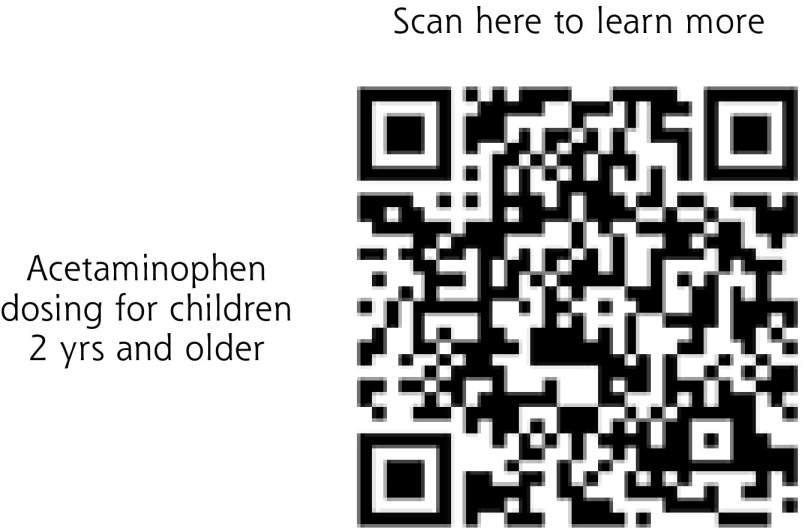
QR Codes on posters, brochures, or even chair-back signage can link to videos, articles, or interactive guides tailored to specific conditions or procedures. For example, a patient waiting for a cardiology appointment could scan a code to access heart health resources.
QR Codes help turn idle time into preparation time. Patients arrive better informed and engaged in their care. Staff spend less time explaining basics and more time addressing individual concerns.
A rural family medicine clinic in Southwest Iowa implemented this model. They placed QR Codes in their waiting room linking to health information resources. They rotate the content seasonally, such as influenza information in winter and sunburn prevention in summer. Staff and patients reported positive feedback.
Patient feedback reaches you while the experience is fresh
A QR Code placed near the exit or on discharge paperwork can link to a short satisfaction survey. Patients can respond before leaving the building.
Using QR Codes works better than mailed surveys or paper forms handed out by busy staff. The feedback is immediate and more accurate because the experience is still fresh. Hospitals receive clearer insights into what is working well and what needs improvement.
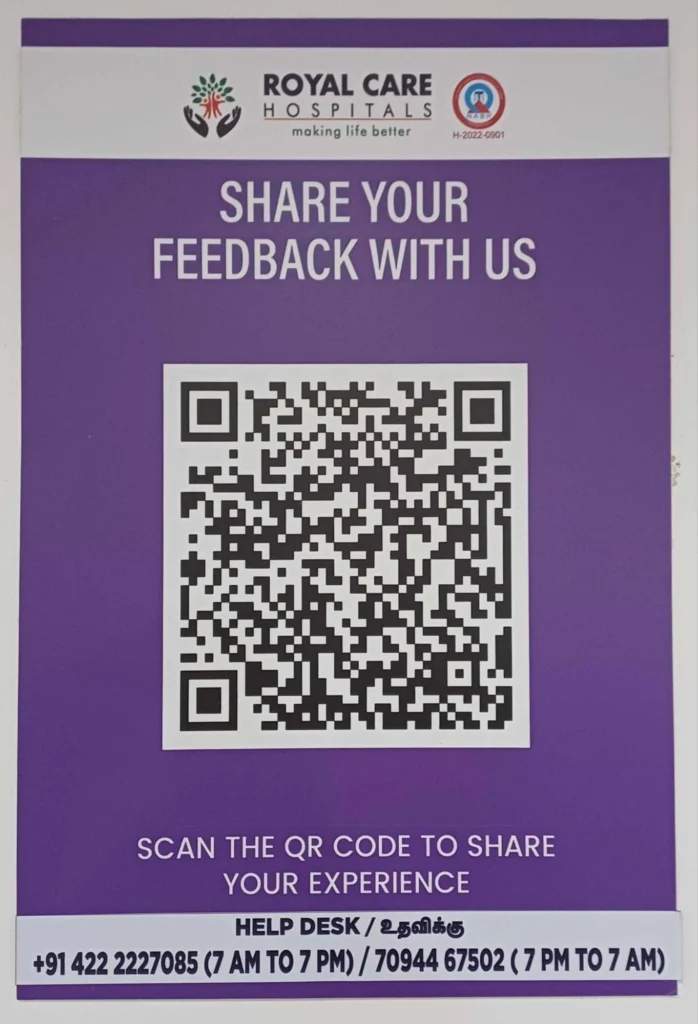
Some hospitals, such as Royal Care Hospitals in India, already use feedback QR Codes in their waiting areas to make it easier for patients to share their experience in real time.
The benefits of QR Codes speak for themselves. Now, let’s look at how to build them.
How to create QR Codes for hospital waiting rooms
QR Codes are straightforward to use. But you need a strategy and a tool to build and design them.
Here’s how to build your QR Codes for your hospital waiting rooms using a simple tool such as The QR Code Generator (TQRCG).
Step 1: Define the purpose of your QR Code
Before creating a QR Code, decide what you want it to do. You might want to reduce check-in time, decrease infection risk, provide access to lab reports, or simply improve patient education.
Choose a dynamic QR Code whenever possible. Dynamic codes let you change the destination URL without reprinting the code. This is especially useful in healthcare settings where information changes frequently or seasonal content needs to be updated.
Platforms like The QR Code Generator (TQRCG) provide dynamic code generation (for free) along with built-in analytics.
Step 2: Sign up to TQRCG
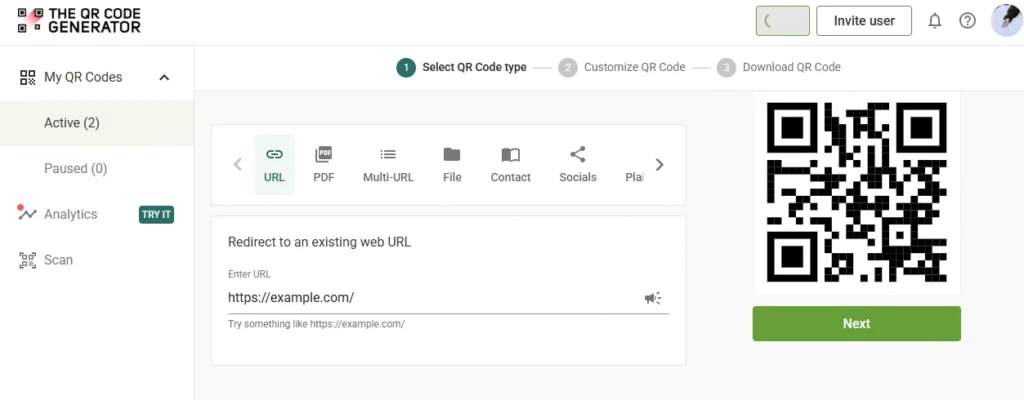
Log in to The QR Code Generator and select the QR Code type that matches your use case.
For example:
- Use URL QR Codes for intake forms, lab report access, or survey links.
- Use Wi-Fi QR Codes so patients can connect without typing passwords.
- Use PDF QR Codes for educational handouts or pre-procedure instructions.
- Use Multi-URL QR Codes to share several resources from a single scan.
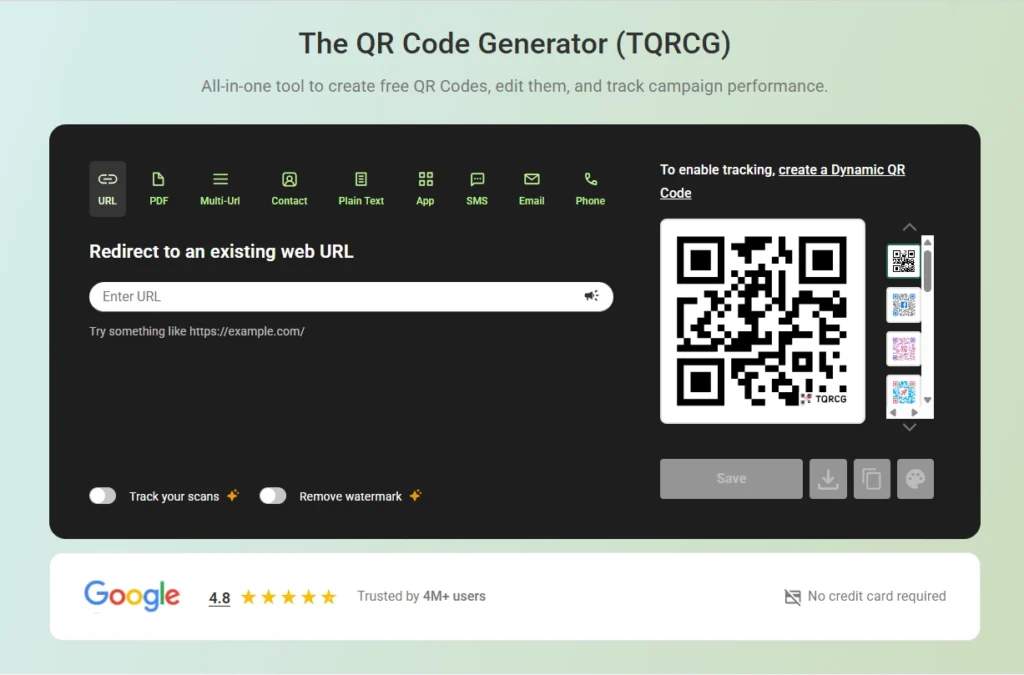
Once you choose the type, paste your destination link into the dashboard and click Next.
Step 3: Customize for accessibility and scannability
Standard black-and-white QR Codes work, but branded codes help build trust. Adding your hospital’s colors or logo to the QR Code makes it look official and easier for patients to recognize.
TQRCG allows color customization and logo placement. Templates are available if you prefer a ready-made design.
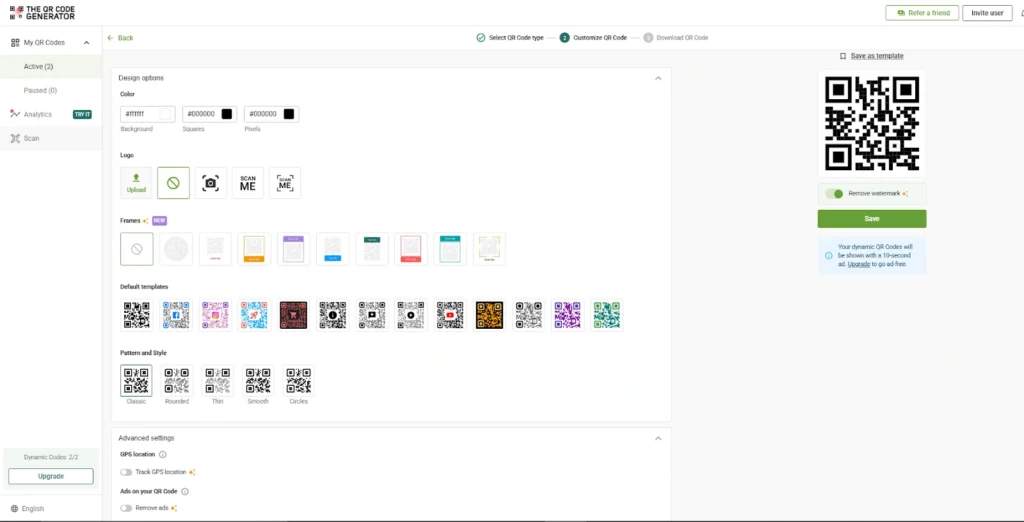
Keep customization simple. The priority should always be scannability and clarity.
Step 4: Download and place QR Codes where patients naturally look
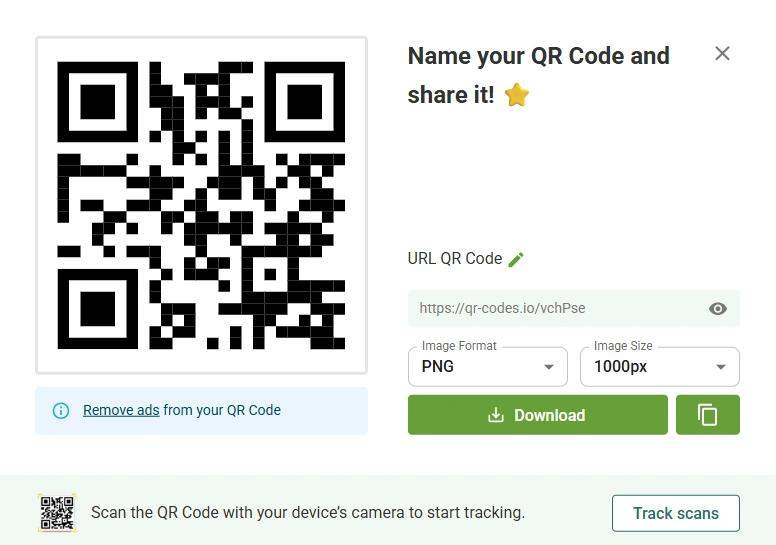
Download your QR Code in the highest available quality to avoid scanning issues after printing. Low-resolution images can become blurry when scaled.
High-resolution PNG and SVG (vector) formats help maintain clarity on both small labels and larger signage.
The placement of your QR Code matters as much as its appearance. Trace the typical patient journey through your waiting room and identify the logical touchpoints.
| Location | Suggested QR Code purpose |
|---|---|
| Entrance signage | Check-in and intake forms |
| Reception desk | Insurance verification, portal login |
| Seating area | Wait time tracker, health education |
| Near restrooms | Wayfinding map |
| Exit door | Feedback survey |
| Chair-back or table tents | Condition-specific education, appointment prep |
Step 5: Track performance and optimize continuously
Once you have placed your QR Codes, you need to know whether they are working as expected. Analytics help with that.
Track metrics such as:
- Total scans per code
- Scan timing (peak hours or day-of-week patterns)
- Completion rates for forms or surveys
- Differences in performance between placement locations
With TQRCG’s trackable QR Codes, you can see scan totals, user counts, location data, and device types.
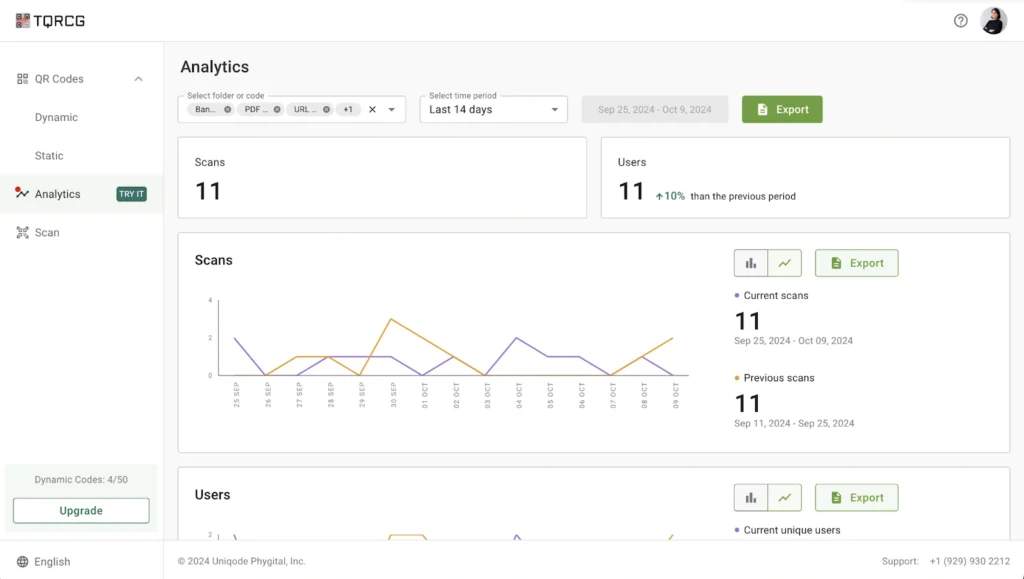
If scan rates are low, placement is often the issue rather than patient behavior. Hidden signage or lack of staff guidance can also reduce usage. Frequent failed scans on older devices may indicate that the code is too small or lacks contrast.
How to use QR Codes effectively in healthcare settings
Beyond basic implementation, there are a few practices that set well-performing QR Codes apart from those that see limited adoption.
1. Emphasize touch-free use to reduce infection risk
During flu season, disease outbreaks, or even as a standard practice, emphasize the hygiene benefit of QR Codes. Messaging such as “Touchless check-in available. Scan to protect yourself and others” resonates with patients who are already aware of surface hygiene in healthcare settings.
This framing serves two purposes. It communicates the convenience of digital check-in while reinforcing that your facility takes infection control seriously.
2. Rotate your QR Code content every season
Educational content can quickly become background noise if it never changes. Seasonal rotation helps keep QR Code content useful and noticeable.
For example:
- Flu prevention in the fall
- Allergy management in spring
- Heat safety in summer
Dynamic QR Codes make this simple. Update the destination link monthly or quarterly, and the same printed signage continues to stay relevant.
3. Provide alternatives for patients without smartphones
Not everyone carries a smartphone, and not everyone who does knows how to scan a QR Code. Elderly patients, in particular, may need guidance or alternatives.
Best practices include:
- Add simple visual instructions next to the code showing how to scan.
- Include a short text URL below the code for manual access.
- Train front-desk staff to assist patients when needed.
- Maintain paper options for patients who cannot use digital tools.
Your goal is to be digital-first, not digital-only.
4. Use multi-URL QR Codes to improve accessibility across devices
QR Code accessibility is not just about making a code scannable. Patients use different devices and operating systems, and content should work smoothly across all of them.
Multi-URL QR Codes allow you to route users to different destinations based on device type. For example, iPhone users can be directed to one experience and Android users to another when forms or apps behave differently across platforms. Desktop users who manually enter the link can also be redirected to a web-friendly version.
How hospitals have used QR Codes in practice
Boston Children’s Hospital used QR Codes outside patient rooms during the COVID-19 pandemic to communicate with patients. Families could scan a code and instantly join a Zoom call with the care team; specialists could participate remotely, and family members could attend from home.
In the UK, the NHS Scan4Safety program relied on barcode scanning across six NHS trusts for patient treatment, medical supplies, and equipment management. The results were impressive:
- The Royal Cornwall Hospitals NHS Trust reduced medication errors by 76% after implementing barcode scanning in its dispensing workflow.
- Leeds Teaching Hospitals NHS Trust also cut the average time for product recalls from over eight days to under 35 minutes.
- Across all pilot trusts, the program freed up 140,000 hours of clinical time and generated nearly £5 million in inventory savings.
These examples are not limited to waiting rooms, but they show the same idea in action. When hospitals use scannable codes to reduce manual work and improve communication, both staff and patients benefit.
Improve the hospital waiting room experience with QR Codes
QR Codes make a noticeable difference in hospital waiting rooms. They reduce manual work, improve communication, and give patients clearer next steps while they wait.
With The QR Code Generator, you can create branded, dynamic QR Codes that you can update without reprinting, track scan performance across locations, and optimize based on real data.
Start with your first healthcare QR Code today, and turn every waiting room into an opportunity to improve care.
Frequently Asked Questions
Are QR Codes HIPAA-compliant?
QR Codes themselves are not inherently HIPAA-compliant or non-compliant. Compliance depends on the platform used and how the QR Code is implemented.If you create and manage QR Codes using a HIPAA-compliant platform that includes encryption and appropriate access controls, then the workflows built around those QR Codes can meet HIPAA requirements. Platforms such as The QR Code Generator (TQRCG) offer HIPAA-compliant QR Codes.
What if elderly patients don't know how to scan QR Codes?
To solve this, you need to offer visual instructions next to the QR Code showing how smartphone cameras can scan it directly. Include a short text URL as an alternative for manual entry. Train front-desk staff to offer assistance when needed and maintain paper options for patients who cannot or will not use digital tools.
Can QR Codes integrate with your existing EHR system?
QR Codes can link patients to secure workflows that your EHR already supports, such as patient portals, intake forms, appointment check-ins, or lab result pages.In practice, you create a URL QR Code that directs patients to a secure web page connected to your EHR. When patients complete forms or access information through that page, the data flows into your existing system based on how the EHR is configured.As long as the destination link is secure and properly integrated with your EHR, QR Codes can act as an access point for patients without changing your underlying workflows.
How do I track which QR Codes get the most scans?
Use dynamic QR Codes from a provider that offers analytics. The QR Code Generator and similar services track scan counts, timing, and geographic distribution for each code. This data lets you identify which placements perform best and where improvements are needed.