
How To Maximize Giveaway Participation With QR Codes

Shreesh
Last updated: January 23, 2026
15 min read
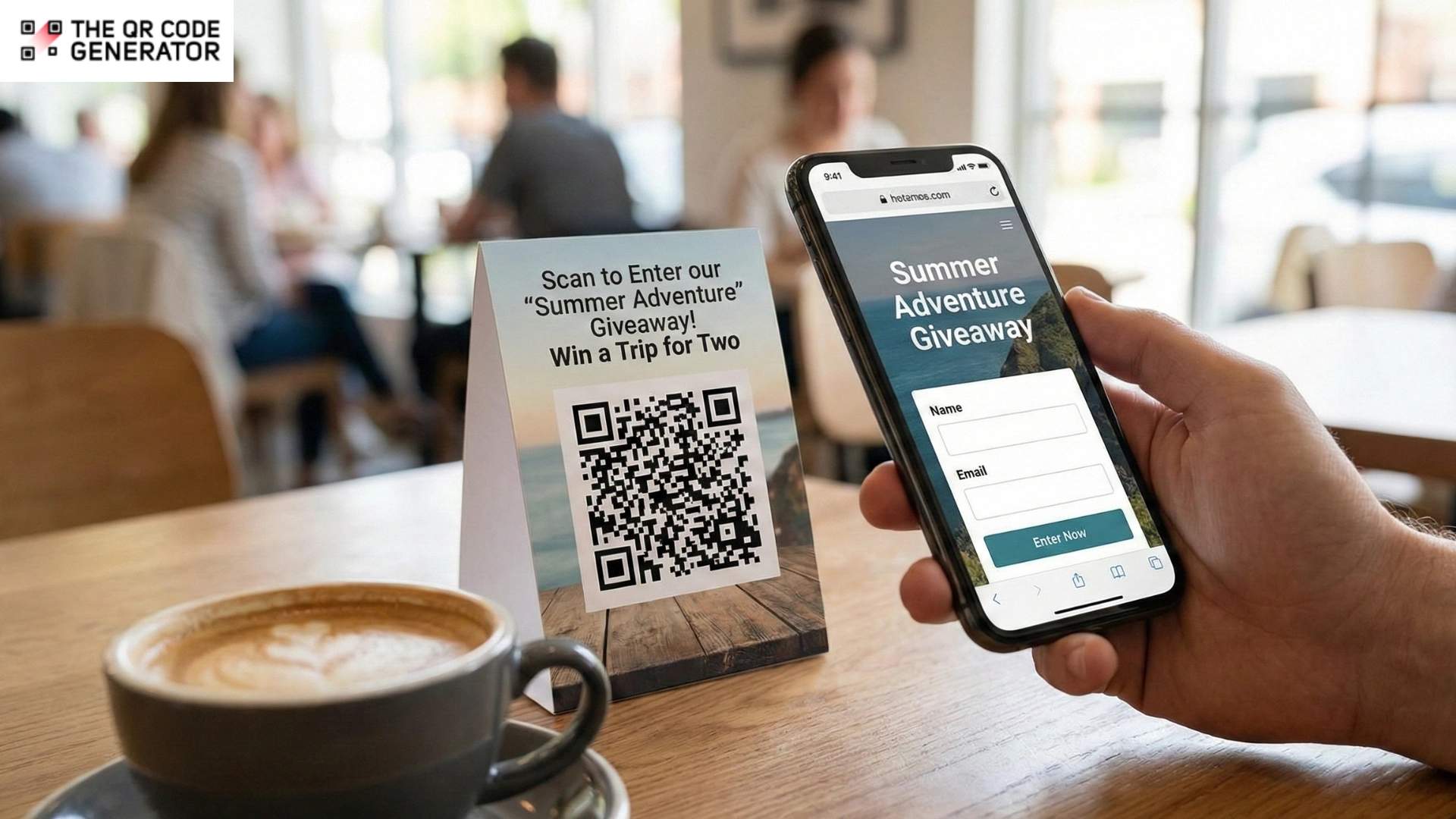
Most giveaways fail because of a simple problem: they’re too hard to enter.
A customer sees your prize, gets interested, then has to click a link in bio or type out a long URL. Most won’t bother. Every extra step you add costs you entries.
QR Codes solve this. Scan, enter, done.
You can place them on packaging, posters, social posts, or anywhere your audience already is. There is no typing, searching, or friction between seeing your giveaway and entering it.
This guide shows you how to create QR Codes for giveaways and use them to increase participation. We’ll cover the technical setup and the strategic placement that actually drives results.
How QR Codes make giveaways more accessible and fun
QR Codes capture giveaway interest before it fades, while tracking which of your placements actually convert.
Let’s look at all the benefits of using QR Codes in giveaway campaigns.
Reduce entry friction to increase participation
Every additional step in a giveaway entry process costs participants. Ask someone to type a URL, and they will likely lose interest. Similarly, ask them to remember to visit a site later, and most will forget entirely.
However, with QR Codes, the process changes entirely. They compress the entry process into a camera scan followed by a tap.
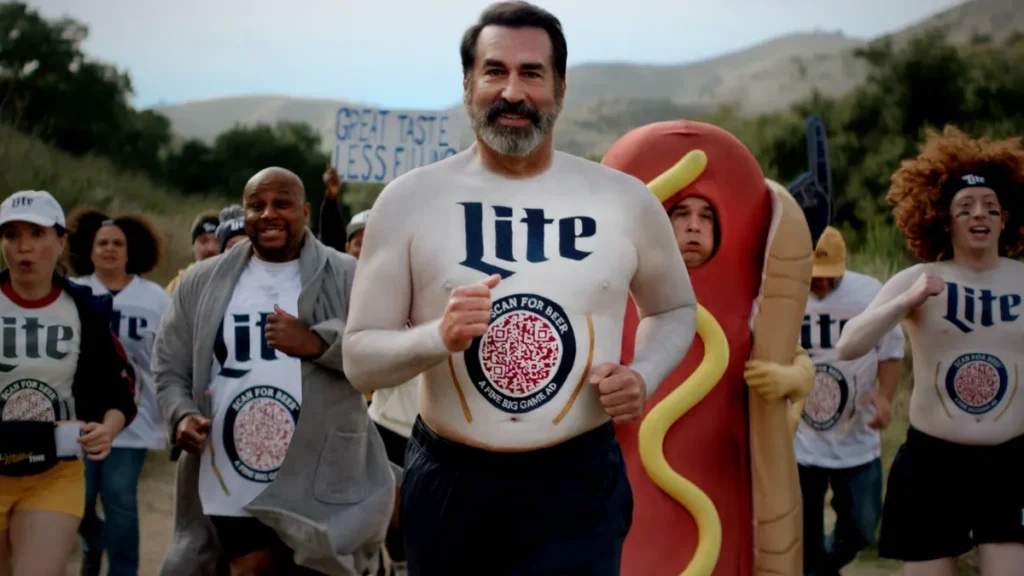
Miller Lite tested this during Super Bowl 2024. Instead of buying a $7 million TV spot, they sent 1,000 fans branded jerseys with QR Codes on them. During commercial breaks, those fans went on beer runs while wearing the jerseys. Anyone nearby could scan the code and enter for a chance to win a share of $170,000 in prizes. The campaign turned fans into walking entry points and rewarded spontaneous participation.
Shake Shack ran a campaign featuring QR Code billboards across New York City. Participants could scan the code for the chance to win $2,000 and promo codes to be used at the chain.
These giveaways worked because they aligned with how people actually use their phones. Scanning feels natural compared to typing a URL into a browser while standing in front of a poster.
Turn physical materials into active entry points
Printed materials already reach customers at key moments in the buying journey. Packaging connects with them at the point of purchase. Receipts reach them after a transaction. Posters and signage capture attention as people browse.
QR Codes turn all of these touchpoints into active entry points. Instead of passively delivering information, they invite immediate action. A quick scan lets people enter a giveaway, sign up, or engage on the spot, without needing a specific checkpoint or extra instructions.
McDonald’s Philippines placed oversized QR Codes outside select restaurant locations as part of a discount giveaway campaign. Scanning led directly to their app, where customers could claim savings of up to 40% on menu items. The physical signage served as both a promotional tool and an entry point.
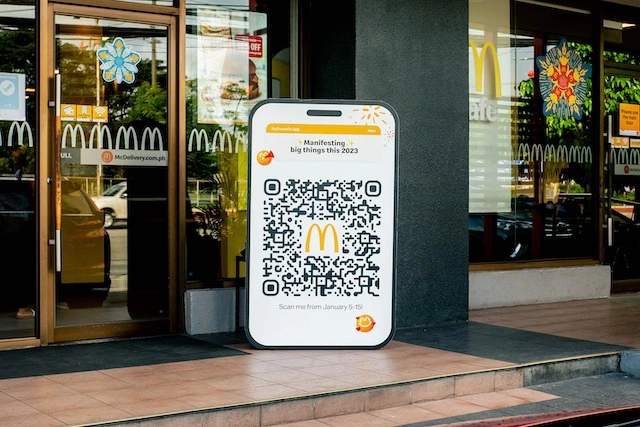
This approach multiplies the value of materials you already produce. A poster with a URL hopes people remember to visit later. A poster with a QR Code captures entries immediately. The same printing cost yields very different results.
Track campaign performance with real-time analytics
Dynamic QR Codes provide visibility into campaign performance that static URLs cannot match. You can monitor total scans, unique visitors, geographic distribution, and device types as the campaign runs. This data reveals which placements generate traffic and which fall flat.
The analytics become actionable when patterns emerge.
If one retail location generates 10 times as many scans as another, your marketing team can investigate what makes that placement more effective. If scans spike on weekends, you can time social media pushes accordingly. If many people scan but few complete the entry form, the landing page likely needs revision.
VivoCity, a shopping mall in Singapore, tracked this closely during a QR Code giveaway. They required participants to like their Facebook page before entering. The result was over 4,000 new followers and over 8,600 scans. Because they tracked everything centrally, they could see exactly how the campaign built momentum and where the engagement came from.
Gather attribution data by QR Code placement
Assigning unique QR Codes to different locations or channels creates clean attribution data. A code on in-store signage generates separate tracking from a code on Instagram. When campaign results arrive, you know precisely whether foot traffic or social media drove more entries.
This level of attribution proves difficult with standard URLs. UTM parameters help, but people sharing links or typing them manually introduce noise into the data. However, unique QR Codes per placement maintain clean separation between channels.
And it is this insight that shapes budget allocation for future campaigns. If retail placements consistently outperform digital channels, you can invest accordingly rather than guessing where promotional dollars work hardest.
Now that we know the benefits, let’s see which type of giveaway campaign best fits specific business objectives.
6 types of QR Code-based giveaway campaigns
Not every giveaway works the same way. The format you choose depends on what you’re trying to achieve, how quickly you need results, and where your audience will encounter the code.
Here are the most common formats and when each one makes sense.
1. Instant win
In this format, participants scan, and they find out immediately whether they’ve won. No waiting, no drawing dates, no checking back later. This format works because it delivers dopamine on the spot. People engage when the payoff is immediate.
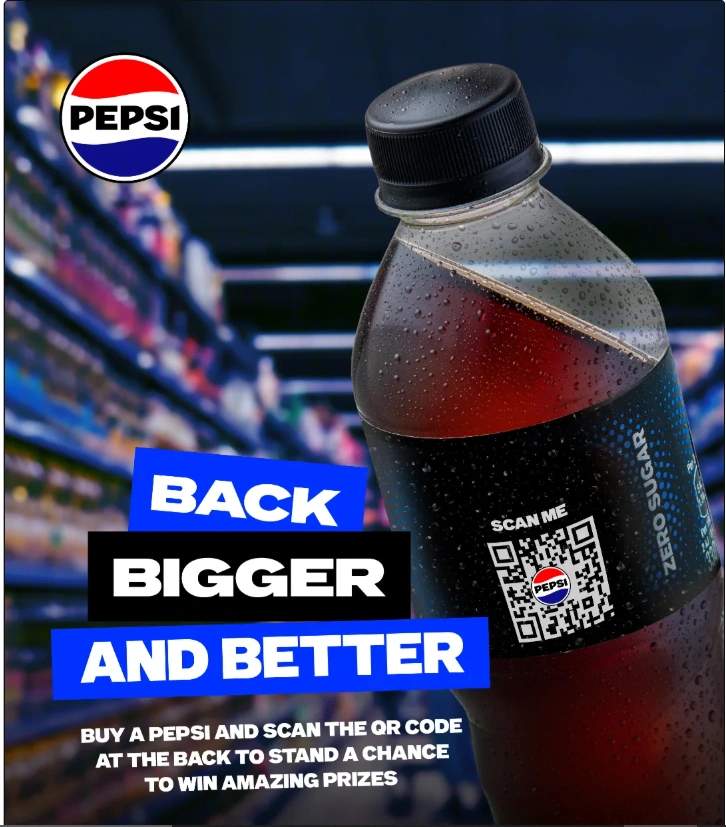
PepsiCo’s 2025 Bottle Lotto campaign used this approach: customers scanned QR Codes on specially marked bottles, played a digital scratch card, and instantly saw if they’d won cash prizes.
The format thrives in environments where decisions happen quickly: convenience stores, vending areas, and checkout lines. The short feedback loop captures impulse participation that longer-form campaigns would lose.
Best suited for: Retail locations, product packaging, high-traffic events, and any environment with short attention spans.
2. Sweepstakes and lucky draws
Here, participants scan and submit their details for entry into a drawing held at a later date. Winners are selected at random or in accordance with to campaign rules after the entry period closes.
This format collects more data than instant-win style giveaways because participants are expected to fill out a form. You get names, emails, and whatever else you ask for in exchange for a chance at a bigger prize.
Best suited for: Longer campaigns focused on list building and situations where legal compliance requires controlled winner selection.
3. Social media engagement
In this type of giveaway, the QR Code directs participants to follow, like, comment, or share before their entry is confirmed. The giveaway doubles as an audience-building mechanism.
This format makes sense when reach matters more than raw entry volume. You trade some participation friction for social proof and ongoing access to participants through their social channels. The VivoCity campaign mentioned earlier required a Facebook follow before entry and generated over 4,000 new followers as a direct result.
Best suited for: Brand awareness campaigns and situations where building a social following holds long-term value
4. Feedback and survey giveaways
Participants complete a short questionnaire to unlock their entry in this format. The QR Code leads to a survey form, and submitting the form counts as participation. Tools such as Google Forms QR Codes or SurveyMonkey QR Codes simplify implementation.
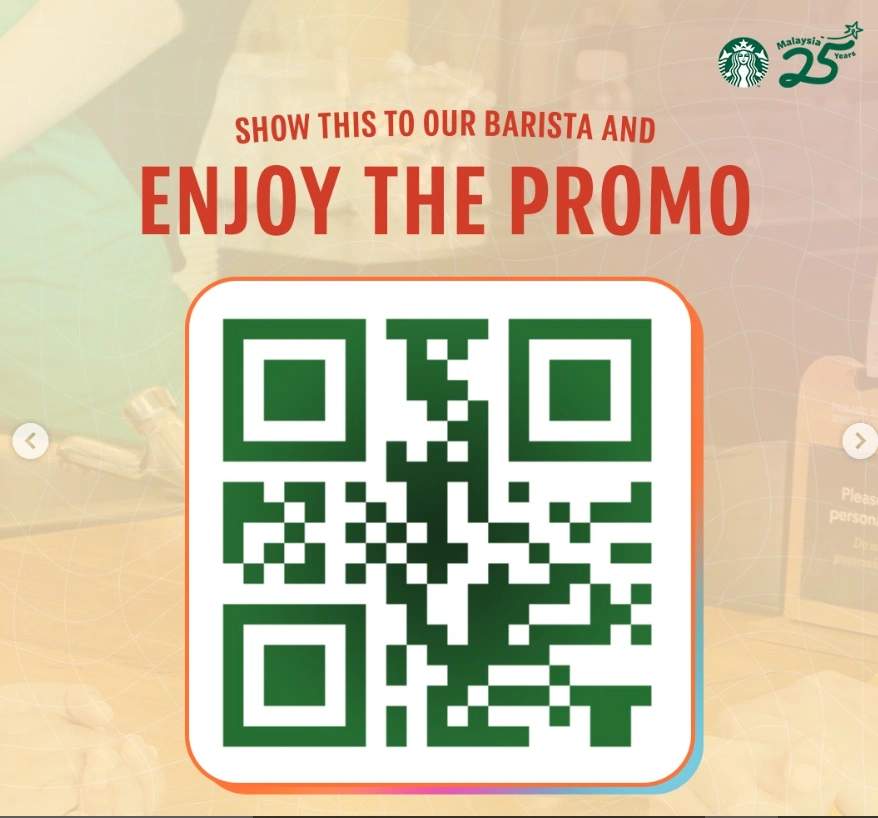
Starbucks runs this continuously through its MyStarbucksVisit program. Customers scan a code or enter a receipt number, answer questions about their experience, and receive a validation code for a free drink or discount.
Best suited for: Brands seeking customer insights alongside engagement and situations where feedback data holds strategic value.
5. Product launch and trial giveaways
In this type of giveaway campaign, the QR Code unlocks samples, early access, or exclusive trials tied to a new product. Participation feels like getting something special rather than entering a lottery.
Studies show that 14–33% of people who try a free sample online later purchase the product, indicating that the trial experience can strongly influence buying behavior.
This format suits beta programs, limited releases, or any situation where you want to capture high-intent users. The people who scan are already curious about the product; the giveaway converts that curiosity into action.
Best suited for: New product introductions, limited edition releases, and beta testing programs.
6. Event and location-based giveaways
Event- and location-based giveaways use QR Codes available only at a specific place or time, such as a store opening, trade show, or pop-up event. You place the QR Code on signage or booths, and people scan it on-site to enter a giveaway, which helps you drive foot traffic and capture highly relevant leads. Because scans happen at a physical location, you know participants are genuinely engaged, not just browsing online.
Best suited for: Brands that want to drive in-person engagement, increase foot traffic, or capture leads at a specific location or event.
Step-by-step guide to launch a QR Code-based giveaway campaign
This isn’t the hard part. But it’s quite easy to mess up and derail your giveaway, too. So just follow these steps, and you’ll be golden.
Step 1: Know what you’re trying to achieve
Before you create anything, get specific. Your goal shapes every subsequent decision, including the entry form, where you place the codes and what you track. Vague objectives like increase engagement provide no guidance, but specific targets do.
Effective goals look like this:
- collecting 500 email addresses for a product launch list
- generating 1,000 entries from in-store placements, achieving a 25% scan-to-entry completion rate
- gaining 200 new social media followers
Select two or three metrics that matter most and build the campaign around them.
Step 2: Build a mobile-first entry flow
The vast majority of scans will come from smartphones, so design the entry page accordingly. It should load quickly, display correctly on small screens, and need very little scrolling to complete.
Keep entry forms short. Every additional field costs entries. Name and email typically suffice. Requesting complete mailing addresses, phone numbers, and birthdays will result in noticeable drops in completion rates.
You can build such entry pages using platforms such as Typeform, Google Forms, or Wix, and even dedicated giveaway tools like Gleam or KingSumo. You have to choose based on the complexity of rules and integrations the campaign requires.
Step 3: Create your QR Code using The QR Code Generator (TQRCG)
You need a QR Code generator that lets you track scans, update links after printing, and customize the design, without paying enterprise prices.
Head to The QR Code Generator (TQRCG) and select URL as your QR Code type. Paste the link to your entry page. TQRCG is straightforward, the free tier is really useful, and you’re not locked into a subscription just to run one campaign.
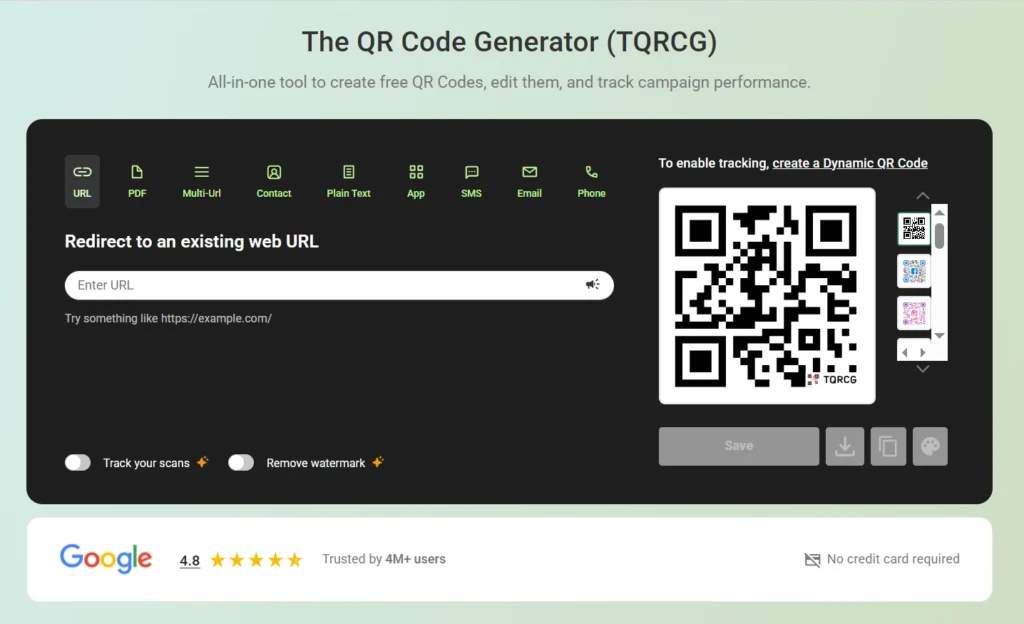
Choose dynamic rather than static. This distinction matters significantly. A static QR Code embeds the URL permanently. A dynamic QR Code routes through TQRCG’s system, which means:
- You can edit the destination anytime
- You get real scan data
TQRCG’s dashboard tracks every scan in real time, including total scans, unique users, locations, devices, and timestamps. You’ll know exactly which placements are driving entries.
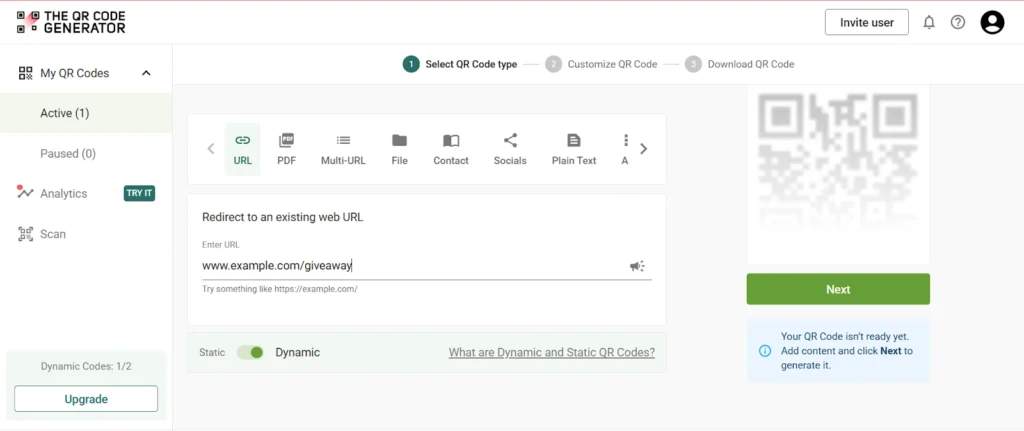
TQRCG offers two free dynamic QR Codes that never expire with full analytics included. For most single-campaign giveaways, this covers requirements without any paid subscription.
Step 4: Customize the QR Code
Generic black-and-white QR Codes work, but branded QR Codes perform better.
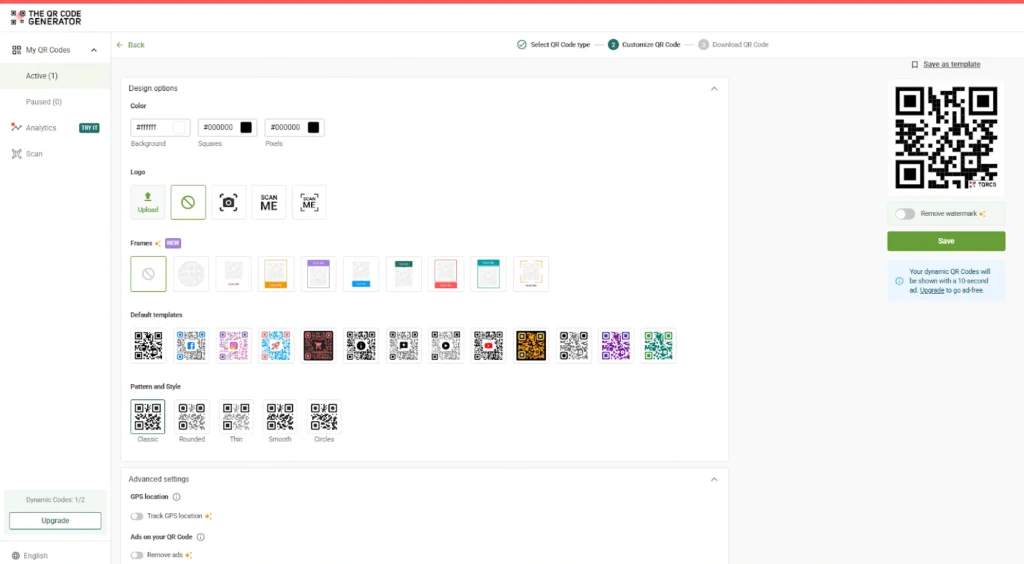
TQRCG lets you change colors, adjust the pattern style, and add your logo directly to the center of the code.
A few QR Code best practices to keep in mind:
- Maintain a strong contrast between the code and background (dark pattern on light background works best)
- Keep your logo under 25% of the code’s area so it stays scannable
- Use the live preview to test before downloading
Step 5: Tag your campaigns with UTM parameters
If you’re placing QR Codes in multiple spots (posters, packaging, social media), you’ll want to know which one drove the most entries.
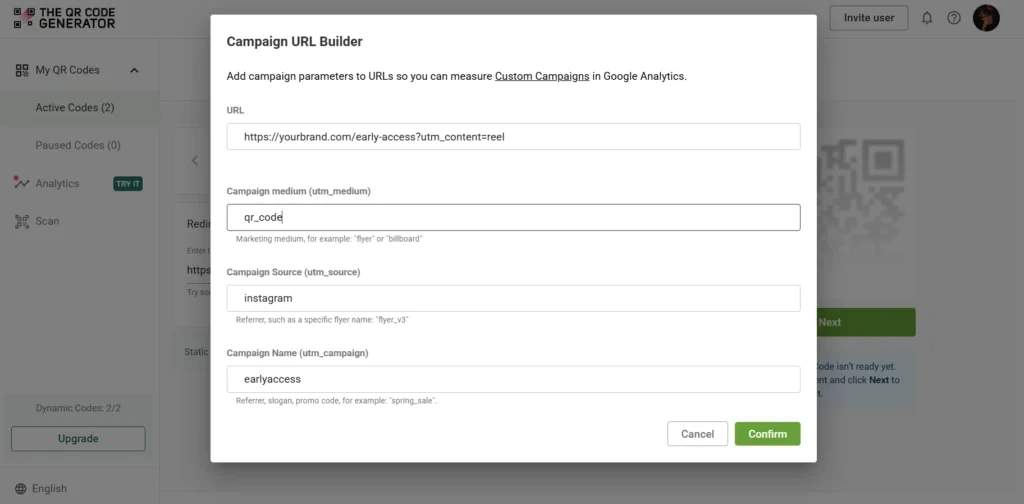
TQRCG has a built-in UTM link builder. Click the campaign icon next to the URL field, add your source, medium, and campaign name, and it’ll generate the tagged link automatically.
These UTMs track where each giveaway entry comes from, and that data goes straight into Google Analytics. Combined with TQRCG’s scan tracking, you can see both how many people scanned each placement and how many completed the entry process.
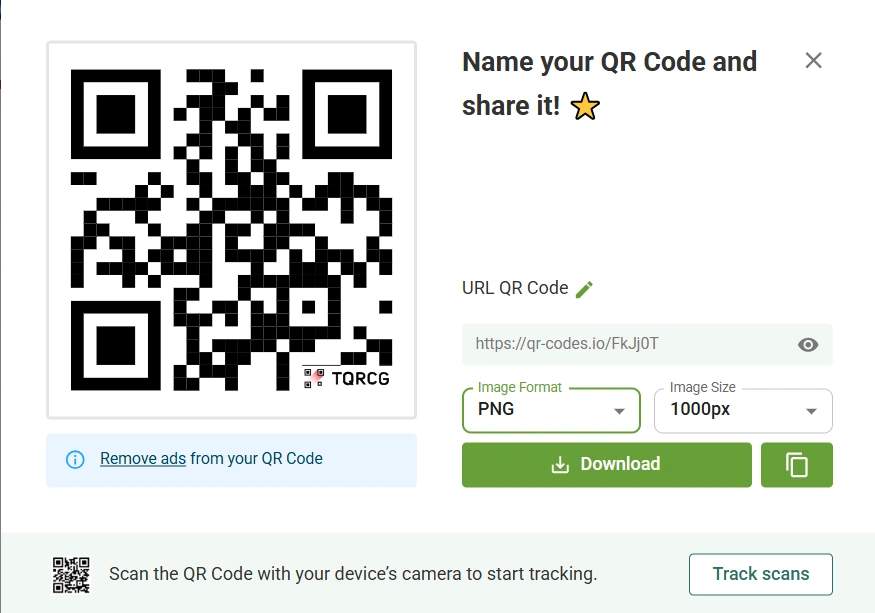
Step 6: Download in the correct format and size
Use PNGs for digital channels such as social posts, emails, and websites. For print materials, choose SVG or a high-resolution PNG.
As a rule of thumb, the size of the QR Code should be at least 1 × 1 inch in print and 300 × 300 pixels on screens. If people will scan from farther away, increase the size accordingly.
Step 7: Place the QR Code correctly
A QR Code on a checkout counter makes sense. A QR Code buried in the footer of an email doesn’t.
Good spots include:
- Posters at eye level
- Product packaging
- Event booths
- Receipts
- Table tents
- Instagram stories and
- Email headers.
Place QR Codes where your audience already is, and make sure there’s enough light for phone cameras to work. QR Codes in dim corners don’t get scanned. If you’re using multiple placements, this is where those UTM tags pay off. You’ll be able to compare performance across locations and double down on what’s working.
Step 9: Test everything before you launch
Scan the code yourself with multiple phones, on different networks, and in the lighting conditions where people will actually scan it.
Once your giveaway is live, check TQRCG’s analytics dashboard regularly.
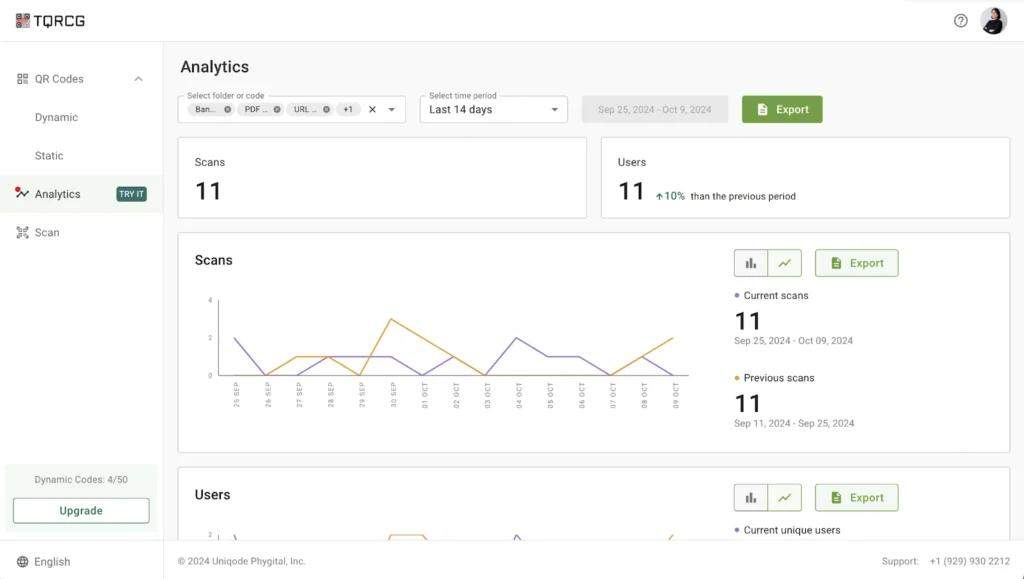
You’ll see
- Total scans vs. unique users
- Location data
- Device breakdown
- Time patterns
This data helps you optimize your QR Code while the campaign is still running. If your poster in Location A has 200 scans and Location B has 12, you know where to focus. If scans spike on weekends, maybe that’s when you push harder on social media.
Step 10: Close it out and announce the winners
When the giveaway ends, log-in to The QR Code Generator and update the destination of your dynamic QR Code.
With a dynamic code, you can redirect it to a winner announcement page, a results page, or a clear “contest closed” message without reprinting or replacing any materials. This ensures that anyone scanning an old poster or package always lands on a relevant page, never on a 404 page.
Announcing winners promptly and explaining how they were selected builds trust and increases participation in your next giveaway.
Beyond these implementation steps, follow these best practices to create high-performing campaigns.
How to design your QR Code giveaway for the best results?
Most QR Code giveaways fail not because of the code, but because of what surrounds it: poor placement, broken links, no tracking, unclear entry flows. The following basics separate campaigns that convert from ones that get ignored.
- Always use dynamic QR Codes rather than static ones. Static QR Codes lock the campaign to a single URL permanently, while dynamic ones allow destination updates, error corrections, and traffic redirection after the campaign ends. No reprinting is required when circumstances change.
- Place codes where scanning is practical. High visibility, strong contrast between code and background, and sufficient size all matter. Test codes under real-world conditions, including actual lighting, expected scanning distance, and surrounding visual clutter. Codes that prove difficult to scan get skipped.
- Track everything as it happens. Monitor scans, completed entries, and the drop-off between them in real time. If something breaks or underperforms, the data reveals the problem while there’s still time to fix it.
- Communicate data collection practices clearly. Tell participants what information the campaign collects and how it will be used. Transparency builds trust, and trust drives completion rates.
- Run controlled tests when scale permits. Try different placements, calls to action, or landing page designs. Let the data reveal what works rather than guessing.
Launch your first QR Code-powered giveaway campaign today
You don’t need enterprise software or a big budget to run a QR Code giveaway that actually works. You need codes that track scans, update when needed, and look professional on branded materials.
The QR Code Generator (TQRCG) gives you all that.
With TQRCG, you can create dynamic QR Codes, customize them with your brand colors and logo, and track scans in real time. The free tier includes two dynamic codes with full analytics, which is enough for most single-campaign giveaways.
For example, let’s suppose you’re a beauty brand. You can run a scan-to-win giveaway by adding a branded dynamic QR Code made with TQRCG to product packaging or in-store displays. Customers scan to enter a giveaway, such as a chance to win a full-size serum. You can easily track scans in real time to see engagement and update the landing page anytime without reprinting.
Sign up to create your first giveaway QR Code for free and start capturing more entries today.
Frequently Asked Questions
How do I set up a basic QR Code giveaway?
To set up a basic giveaway using QR Codes, define your goal, build a mobile-friendly entry page, and create a dynamic QR Code linking to it. Place the code where your audience can see it, track participation, and select winners according to your rules.
What should participants see after scanning?
After scanning a QR Code, your audience should see a fast-loading and mobile-optimized page that clearly explains the giveaway and allows immediate entry. Display a confirmation message once submission completes, so participants know their entry has been registered successfully.
Where should I place the QR Codes for a giveaway?
You should place your QR Codes where your audience already interacts with your brand, such as product packaging, in-store displays, mirrors, receipts, or event booths. You can also add them to social posts, emails, and ads to capture both offline and online entries.
How do I know if the giveaway is working?
To see if your giveaway is working, track scans and completed entries, and the drop-off between them. If lots of people scan but few finish entering, your landing page needs work. Lastly, compare results against your original goal to measure success.
Can I use QR Codes for both online and in-person giveaways?
Yes. QR Codes work across physical and digital surfaces. Someone can scan a code on a poster in your store or tap one embedded in an email. The entry experience stays consistent either way.
Do I need paid software to run a QR Code giveaway?
No, you do not always need paid software to run a QR Code giveaway. For example, TQRCG offers two free dynamic QR Codes with scan tracking, which covers most small campaigns. You only need to upgrade if you're running multiple codes, need team collaboration, or want advanced analytics.