
How Augmented Reality QR Codes Work with Real Life Examples

Shanti Nair
Last updated: April 10, 2026
10 min read
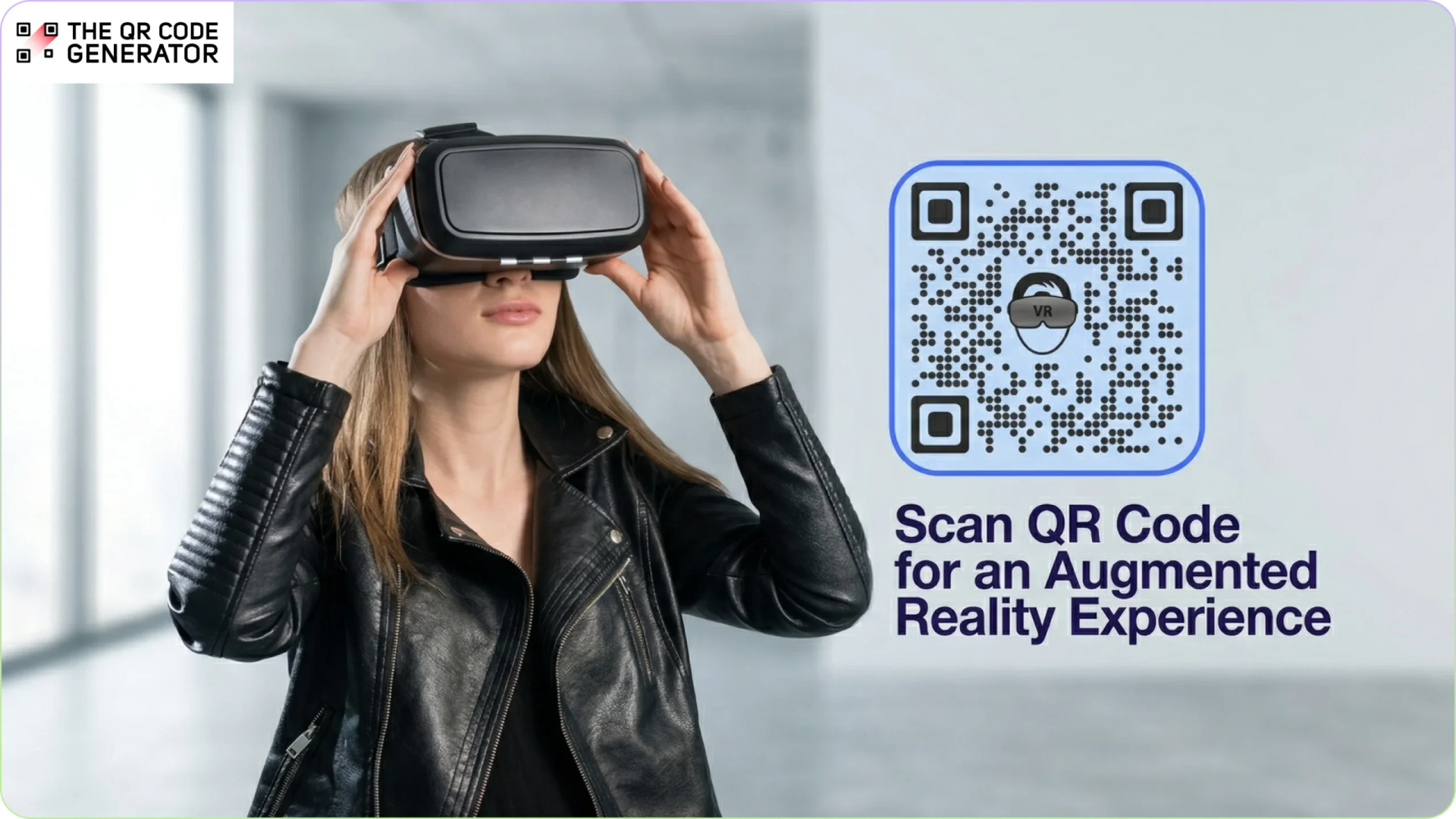
Imagine standing in the cereal aisle at a supermarket. You notice a small QR Code under the nutrition label and scan it out of curiosity. Your phone screen suddenly fills with a cartoon mascot doing backflips atop the very box you’re holding, and then a recipe appears beside it. The cereal box just came to life through your camera, without an app download.
That’s the idea behind an augmented reality (AR) QR Code.
Today, AR QR Codes show up on product packaging, museum exhibits, concert tickets, and restaurant menus. They turn a simple scan into something more interactive and visual.
This guide explains what AR QR Codes are, how they work, where businesses use them, and how you can create and launch your first one.
What is an AR QR Code?
An AR QR Code is a QR Code that opens an augmented reality experience on your phone. Instead of taking you to a regular webpage, it shows digital content in your camera view.
For example, you might see a 3D model, an animation, or an overlay placed on top of the real world around you.
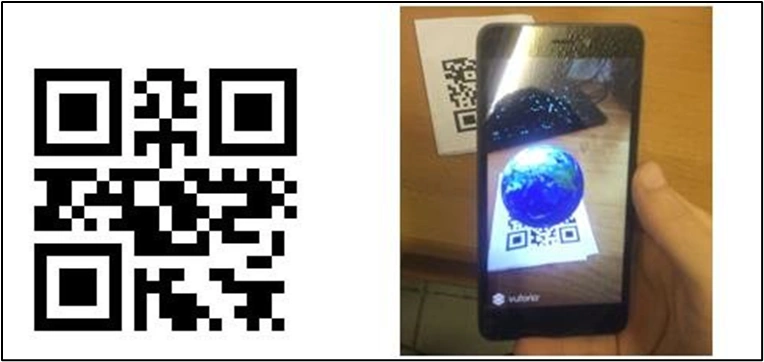
An AR QR Code looks just like any other QR Code. The difference is what happens after you scan it. It usually opens a link that loads a web-based AR experience instead of a standard page. Because most modern smartphones support AR in their browsers, people can view these experiences without downloading an app.
In simple terms, an AR QR Code connects a physical item, like a poster, product label, or business card, to a digital experience that appears right in front of you.
How are AR QR Codes different from regular QR Codes?
A regular QR Code stores simple data, usually a link or short text. When you scan it, your phone opens that link or shows the information. The experience is straightforward and mostly static.
An AR QR Code also contains a link. But instead of opening a normal webpage, it loads an augmented reality scene through your camera.
The key differences lie in these areas:
| Aspect | Regular QR Codes | AR QR Codes |
|---|---|---|
| Destination | Opens a standard webpage | Opens a 3D or camera-based AR experience |
| Interaction | Read and tap | Look, move your phone, and interact |
| Content | Text, images, or video on a page | Digital elements placed in the real world |
| Technology | Any smartphone with a camera | Same scan method, but requires AR support (most phones after 2018) |
| User experience | Informational | Interactive and immersive |
The simplest way to think about it: regular QR Codes give you information, while AR QR Codes give you an experience.
Why businesses are adopting Augmented Reality QR Codes
More businesses are finding new ways to integrate AR into the customer journey. This popularity is driven by the positive business outcomes of AR, combined with how QR Codes are easy to use.
Below are the main reasons behind the rapid adoption.
Stronger customer engagement
AR content holds attention longer than static media.
The Snap Consumer AR Global Report found that AR experiences generate nearly 2x the levels of visual attention compared to non-AR equivalents. Shopify also reported that products featuring 3D content saw a 94% higher conversion rate.
When users interact with a product in three dimensions (rotating it and placing it in their space), they spend more time with the brand and develop stronger purchase intent.
Immersive marketing campaigns
Traditional print ads are static. An AR QR Code on a billboard, magazine spread, or direct mail piece turns that static surface into an interactive experience. Customers can explore products and content directly through their camera, rather than just viewing a static ad.
Grand View Research estimated the global AR market at over $120 billion in 2025, with growing use cases across retail, entertainment, and marketing. For brands still relying on static print, standing out is getting harder. AR QR Codes give print a clear next step: something people can scan, explore, and spend time with.
Interactive product visualization
One of the biggest barriers in e-commerce and in-store retail is the imagination problem. The issue is that customers struggle to visualize how a product will look in their actual environment. AR QR Codes solve that.
Furniture retailers let shoppers place a couch in their living room before buying, and cosmetics brands let users preview shades on their own face. According to a NielsenIQ survey, 51% of respondents said they would rely on AR to assess products.
This leads to fewer returns and more confident purchases.
Richer product experiences without extra packaging
Physical packaging has limited real estate. To bypass that, an AR QR Code printed on a label can unlock assembly instructions, usage tutorials, sourcing stories, or promotional content, all without adding a single extra insert to the box.
This supports a brand’s sustainability goals by reducing printed materials while still giving customers access to more information.
No app required
WebAR has removed the need for app downloads, which once slowed down AR adoption. When users scan the QR Code with their phone’s default camera, the experience opens directly in the browser and renders on screen.
Apple’s ARKit and Google’s ARCore are built into iOS and Android, respectively, so most modern smartphones already support these experiences.
Engagement at the moment of attention
The timing of an AR QR Code scan is valuable, too. The user is already engaged; they are holding the product or reading the poster.
AR greets them at that moment with deeper engagement rather than redirecting them elsewhere. This is why AR QR Codes outperform general web links in point-of-sale and point-of-experience contexts.
Now, let’s understand the mechanism behind these codes.
How do Augmented Reality QR Codes work?
The experience starts with a scan. When a user points their camera at an AR QR Code, it opens a web-based AR experience directly in their mobile browser, no app needed. The phone uses its camera and built-in sensors to understand the environment and place digital content, such as a 3D object, animation, or video, on top of what the camera sees in real time.
Depending on the experience, the content might appear anchored to a specific image, like a product label (marker-based AR), or placed on detected surfaces, such as a table or floor (markerless AR). Either way, users can interact with it by rotating objects, tapping through animations, or capturing photos, all within the same experience.
Types of AR QR Code Experiences
AR QR Codes can trigger different types of augmented reality content, each suited to specific use cases and audience expectations.
Here’s a quick comparison of the most common formats.
| Type | What it does | How users interact | Common use cases |
|---|---|---|---|
| Image overlay AR | Adds digital content on top of a specific image (marker) | Point the camera at an image to trigger animations, text, or graphics | Product labels, magazines, posters |
| 3D model AR | Places a 3D object in the user’s environment | Move around the object, view from different angles, and see real-world scale | Furniture, automotive, consumer electronics |
| Video AR | Plays video within the AR scene, tied to an object or surface | Scan and watch a video anchored to a label or space | Packaging storytelling, wine labels, brand campaigns |
| Interactive AR (gamified) | Turns the experience into a game or interactive journey | Tap, move, or complete actions like puzzles or object collection | Events, promotions, and experiential marketing |
Now that you’re familiar with the different types of AR QR Code experiences, the next step is learning how to create and deploy them.
How to create your own AR QR Code
Creating an AR QR Code doesn’t require a development team or a large budget. With the right tools, you can set one up in a few steps.
Step 1: Define the experience
Start by deciding what the user should see and do. This could be a 3D product, a short animation, or a video overlay.
If you are using marker-based AR, prepare the image that will trigger the experience. Once your AR content is ready and hosted, you will have a URL to work with.
Step 2: Create your QR Code
Go to The QR Code Generator and select the URL QR Code.
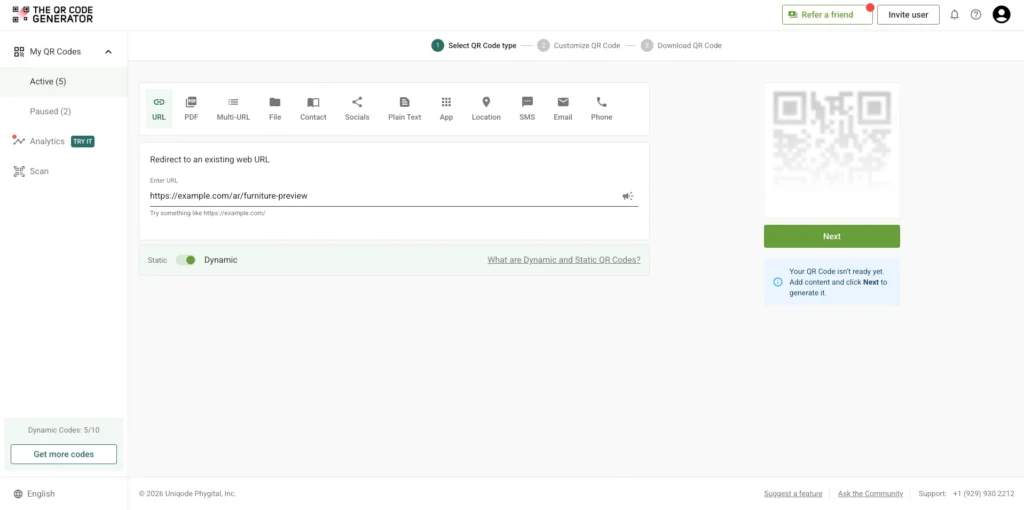
Make sure the QR Code is dynamic, then paste the URL of your AR experience. This allows you to update the destination later without reprinting the code.
Step 3: Customize the design
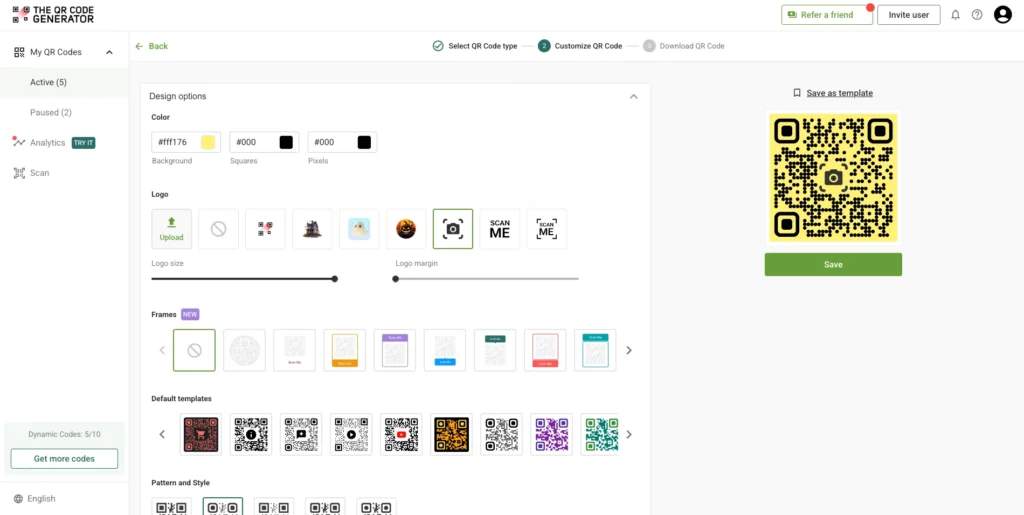
Adjust the QR Code to match your brand. You can change colors, add a logo, and include a short call to action so users know what to expect when they scan.
Step 4: Download and place the QR Code
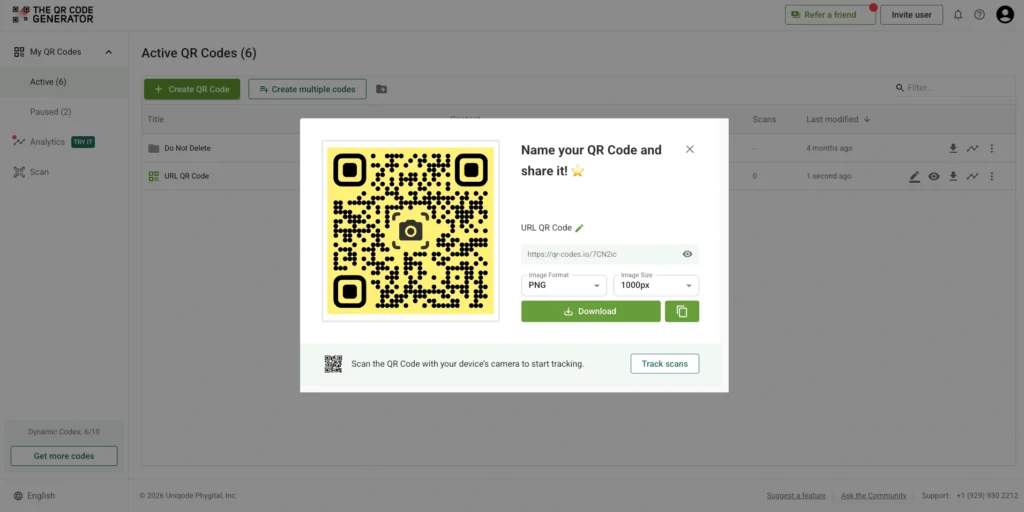
Download the QR Code in a high-resolution format and add it to your packaging, print materials, or digital assets.
Make sure it is placed in an area that is clearly visible and easy to scan from a normal viewing distance.
Step 5: Track and improve performance
Use the analytics provided by your QR Code platform to track scans and engagement.
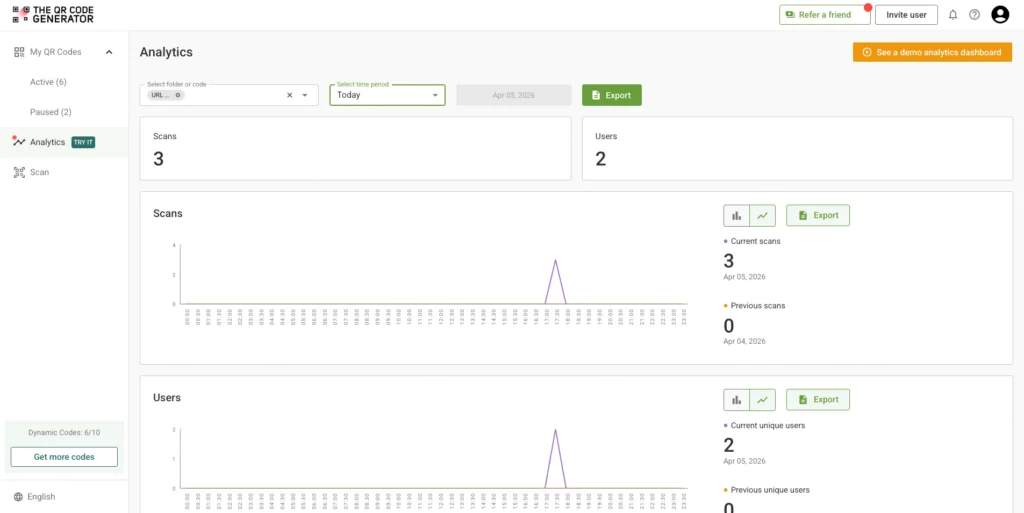
Based on the data, refine your placement, messaging, or AR content to improve results.
Applications of Augmented Reality QR Codes
AR QR Codes have moved well beyond proof-of-concept and are now in widespread use across industries such as retail and design.
Here are the industries and businesses where AR QR Codes can be put to work.
Retail and product visualization
Some of the biggest names in retail have already shown what AR can do. IKEA’s Place app lets customers visualize true-to-scale furniture in their own rooms, and Amazon’s AR View lets shoppers preview products in their space before buying.
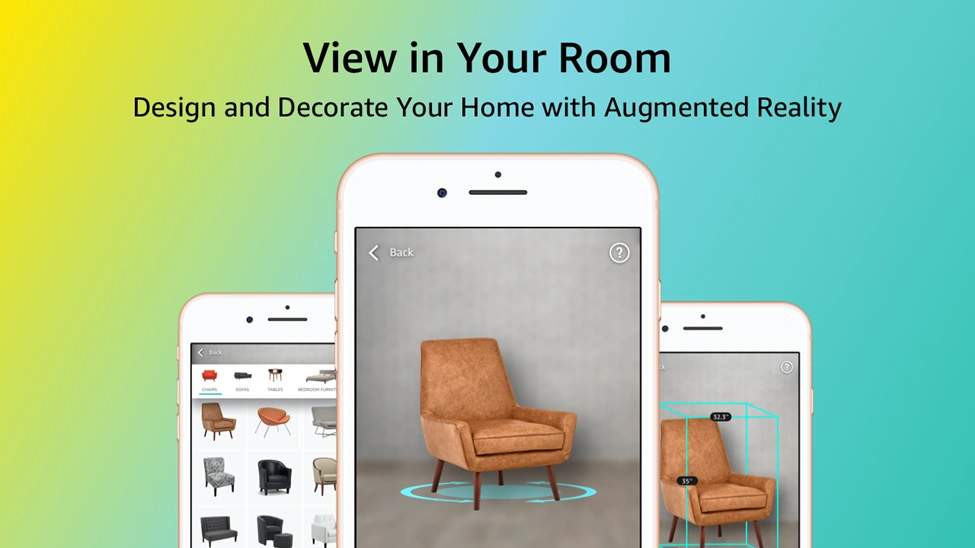
An AR QR Code on a product tag or packaging can bring that same experience to any retailer, no dedicated app required: scan, point, and see the product in your space instantly.
Sephora’s Virtual Artist lets customers try on makeup shades virtually via the front-facing camera. An AR QR Code on a shelf display or product card could bring that same try-before-you-buy moment to any cosmetics or fashion brand.
Marketing and print media
Burger King’s “Burn That Ad” campaign showed how far a print surface can go: scanning a competitor’s ad made it burn away in AR to reveal a coupon underneath.
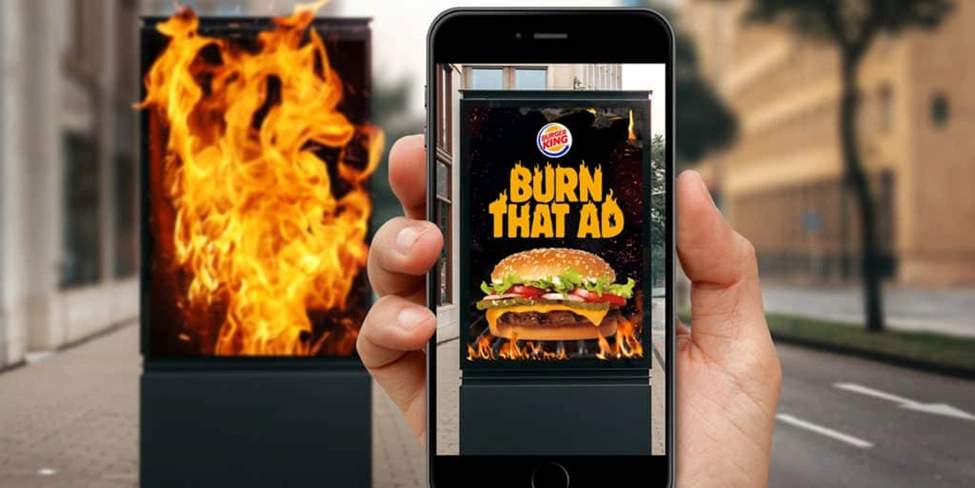
Burger King’s “Burn the ad” campaign Via DigitalBodies
Pepsi has pushed AR into packaging and out-of-home advertising with its AR bus shelter campaign to a similar effect.
An AR QR Code on any print asset, from a magazine spread to a direct mail piece, can deliver that same level of interactivity: animations that leap off the page, videos anchored to a label, or shareable branded filters, all triggered by a simple scan.
Education and training
Pearson Education has explored AR overlays in learning materials, where a textbook diagram becomes a 3D model students can rotate and explore.
Boeing has used AR to guide technicians through complex assembly tasks by overlaying visual instructions directly on equipment.
An AR QR Code next to any printed diagram, manual, or training card can open the same experience, making technical content far easier to absorb without a trainer in the room.
Real estate and hospitality
AR QR Codes on yard signs let potential buyers scan and instantly view an immersive AR model of a home’s interior. This eliminates the need for in-person visits and increases buyer confidence before they ever step through the door.
In hospitality, placing AR QR Codes in lobbies and guest rooms unlocks 3D property maps, AR-guided tours of nearby attractions, and interactive room service menus where guests can preview dishes in 3D before ordering.
Events and entertainment
An AR QR Code on a ticket, lanyard, or piece of in-venue signage can let fans unlock exclusive content: player stats, behind-the-scenes footage, and AR photo moments that extend the event’s reach well beyond the venue itself.
Automotive
Porsche ran a WebAR print campaign where readers scanned a QR Code in a magazine ad and watched a classic Porsche transform into the all-electric Taycan in real time.
Any automotive brand can do the same: an AR QR Code in a brochure or showroom display brings the full configurator experience to wherever the customer is reading.
Get your first AR QR Code working with TQRCG
The workflow is simpler than it might look:
- Build your AR experience using a no-code WebAR platform like ZapWorks, Hololink, or Blippbuilder.
- Get the URL of your hosted AR experience.
- Create a free dynamic QR Code at The QR Code Generator (TQRCG), customize it to match your brand, and add a clear scan CTA.
- Test on both iOS and Android before printing.
- Print, place, and track performance in your TQRCG analytics dashboard.
TQRCG handles the QR Code side of the equation: creation, customization, dynamic updates, and analytics, so you can focus your energy on the AR experience itself.
Frequently Asked Questions
Where would you typically find an AR QR Code?
On product packaging, print advertisements, retail shelf tags, event tickets, real estate signage, business cards, museum exhibits, restaurant menus, and educational materials. Anywhere a physical surface meets a moment of user attention is a candidate.
Do users need an app to experience AR QR Codes?
In most cases, no. Modern AR QR Code experiences use WebAR, which runs directly in mobile browsers. Users scan the QR Code with their phone's native camera, and the AR experience loads in Safari (iOS) or Chrome (Android) without requiring a separate app download.
Can AR QR Code content be updated after printing?
Yes, if you use a dynamic QR Code. A dynamic QR Code lets you change the destination URL at any time without reprinting the physical code. You can update the AR experience, swap in seasonal content, or redirect to a new AR scene whenever you need to.
What's the difference between WebAR and a native AR app?
A native AR app (like the IKEA Place app) is downloaded from the App Store or Google Play and has access to all of the device's capabilities. WebAR runs inside a mobile browser with no download required. WebAR is more accessible and far faster to deploy, which is why it's the standard for QR Code-triggered AR campaigns. Native apps are better suited to complex, high-performance experiences where the development investment is justified.
How much does it cost to create an AR QR Code experience?
The QR Code itself is usually free or low-cost. The main cost comes from the WebAR platform used to build and host the experience.Pricing ranges from free tiers and basic plans starting around $25–$50 per month to more advanced platforms in the $100–$300+ range. For high-end or commercial deployments, some platforms charge additional licensing fees that can push costs to several hundred dollars per project per month.Most SMBs can start with a free or low-cost plan to test a simple experience before investing in more advanced features.
How small can an AR QR Code be and still scan reliably?
The minimum recommended size is 2 cm × 2 cm (approximately 0.8 inches) for scanning at arm's length. For larger distances, scale proportionally: as a general rule, the QR Code should be at least one-tenth of the expected scanning distance.
Is it safe for customers to scan AR QR Codes?
Yes, when the QR Code comes from a trusted source. The QR Code itself is not the risk, as the destination URL is what matters. Always ensure your AR experience is hosted on a secure HTTPS connection, use a branded QR Code so customers can identify the source, and include clear context about where the code leads.