
How To Use QR Codes on Prescriptions to Guide Patients

Shreesh
Last updated: March 6, 2026
10 min read
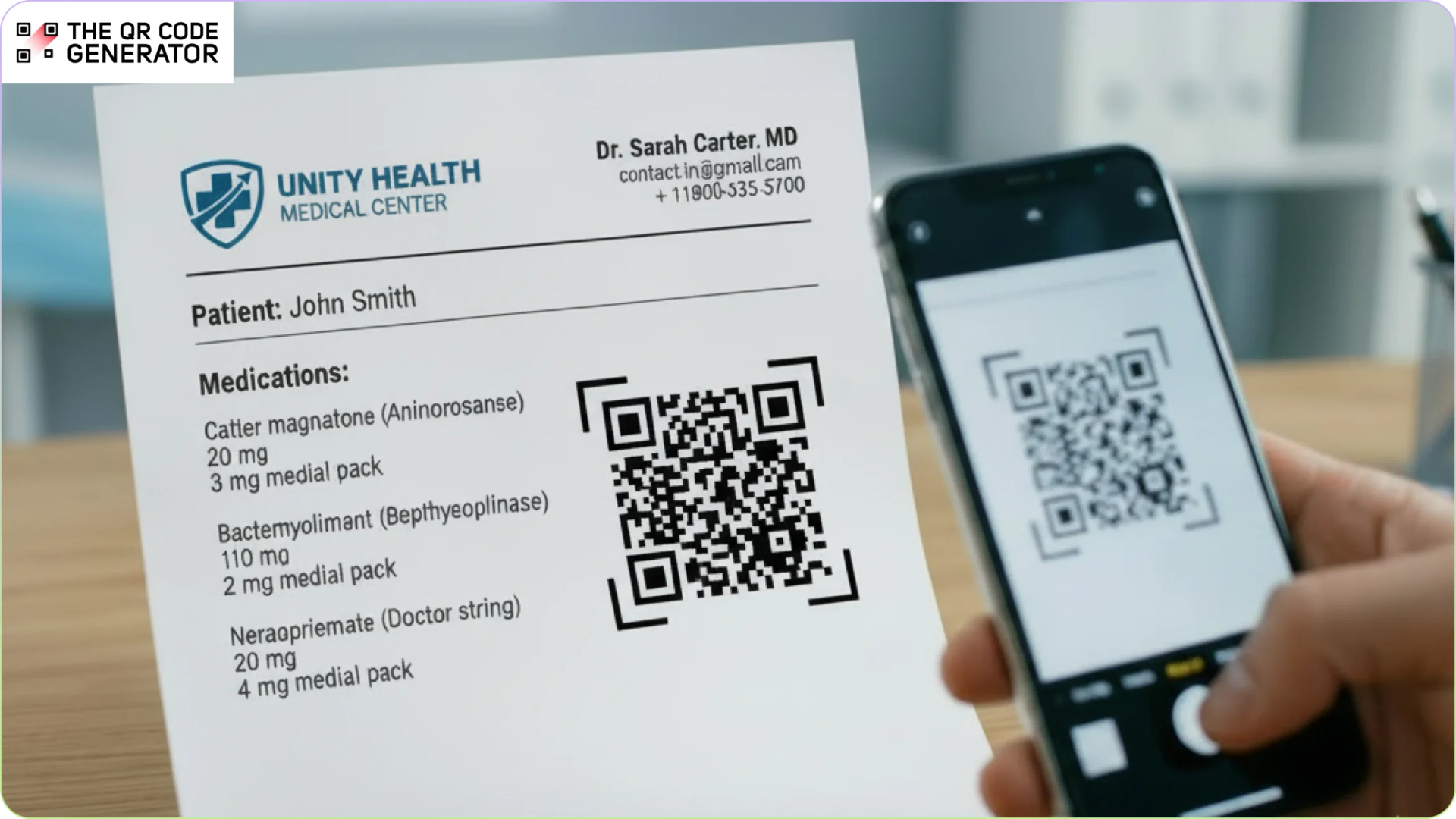
Research suggests that for every 100 prescriptions filled, only 25 to 30 are taken as prescribed. In the U.S., about 125,000 deaths each year are linked to people not taking their medications as directed.
The gap often begins after the appointment ends. Patients leave with complex instructions delivered in a short time frame. Details about dosage, timing, or side effects can be misunderstood or forgotten once they leave the pharmacy.
QR Codes on prescription labels and discharge papers offer a practical solution. With a quick scan, patients can access clear, personalized care instructions, short video demonstrations, and direct contact information for their care team.
Yet many healthcare providers still rely primarily on printed handouts and verbal explanations. In this article, we explore how QR Codes on prescriptions can improve follow-through, strengthen patient understanding, and make care guidance easier to access when it matters most.
Limitations of paper-only prescriptions
With paper-only prescriptions, patients have no easy way to revisit medication guidance after leaving the pharmacy. Questions often come up later, when instructions are no longer in front of them. Providers also lose a simple way to reinforce education after the visit.
Let’s look at the gaps that show up in everyday pharmacy and discharge workflows.
Paper instructions are easily lost
Patients leave the pharmacy with printed medication guides, separate from the prescription bottle. Once they get home, those papers are not always easy to find. They may stay in the pharmacy bag or get mixed in with other documents.
When a question comes up about dosage or timing, the instructions are no longer within reach. Some patients call for clarification. In other cases, they guess and take the medication anyway.
Language and health literacy barriers
Standard prescription labels use medical terminology that can confuse patients. The problem runs deeper than most providers realize. According to the National Assessment of Adult Literacy, only 12% of Americans have proficient health literacy. Over 90 million Americans struggle to understand and use the health information they receive.
For patients with limited English proficiency, the risk is even greater. Dosage instructions may be misunderstood or treatment may be stopped early because the guidance is unclear. These gaps increase the likelihood of medication errors and health problems.
No clear channel for follow-up questions
Once a patient leaves the pharmacy, there is rarely an easy way to ask follow-up questions about their medication.
Some patients search online, but the information they find is not always reliable. Others wait until their next appointment to raise concerns.
Unanswered questions about side effects, food interactions, or timing can lead to uncertainty. In some cases, patients skip doses or stop treatment because they are unsure how to proceed.
Missed opportunities for patient education
When prescription labels contain only basic text, patients leave the pharmacy without an easy way to learn more about their medication.
Helpful resources do exist. There are videos that show how to use inhalers correctly, guides that explain side effects, and information about programs that help patients afford treatment. But most patients never find these materials because the prescription label does not point them to where the information lives.
For many patients, the prescription is the only physical reminder of their treatment between appointments. When it only lists instructions, it cannot guide patients to the additional information that could help them use the medication correctly.
Now, let’s understand how QR Codes address most of these issues that plague both healthcare providers and patients.
How QR Codes on prescriptions improve patient care
QR Codes on prescriptions give patients an easy way to review medication guidance after leaving the pharmacy. A scan can open up a page with clear instructions on how and when to take the medication. The information can also be presented in the patient’s preferred language and at their reading level.
Having these instructions available at home reduces confusion and helps patients know when they should contact their care team.
QR Codes link to video care instructions
When QR Codes are placed on prescription bags or labels, patients can scan them to watch short videos that explain how to take their medication.
Videos can clearly show each step, helping patients follow instructions more accurately at home. This is especially useful for treatments that require technique, such as insulin injections or post-surgical wound care. Patients can replay the videos whenever they need a reminder. Providing videos in multiple languages can also improve understanding.
A study at Parkland Health and Hospital System in Dallas tested QR Codes on prescription bottles paired with low-health-literacy flashcards. Scanning the code opened short videos explaining how to take the medication and why it was prescribed. Researchers measured adherence using the proportion of days covered (PDC). After 180 days, patients in the QR Code group reached 71% adherence, compared with 44% in the control group.
QR Codes provide multilingual medication guides
QR Codes can link to digital medication guides that explain how the medication works, how to take it safely, and when to contact a doctor. These guides can be offered in multiple languages so patients can read the information in the language they understand best.
Patients with limited English proficiency or lower health literacy can access explanations that are easier to follow. This helps reduce medication misuse and early treatment abandonment.
Unlike printed inserts, digital guides can also be updated when information changes using dynamic QR Codes. New languages, clearer explanations, or improved resources can be added without reprinting prescription materials.
To create a multilingual prescription QR Code, use a multi-URL QR Code with The QR Code Generator (TQRCG). Configure each URL to link to the same medication guide in a different language. When patients scan the code, they can select their preferred language and view instructions they understand.
QR Codes enable medication reminders
QR Codes on prescription labels can link patients to medication reminder apps or text-based reminder services. These tools help patients keep track of their treatment schedule.
Patients can use them to:
- Set reminders for each dose
- Record when they take their medication
- Receive refill alerts before the prescription runs out
To set this up, create a QR Code that links to your medication management platform or patient sign-up page. Place the code on the prescription label, bag, or an insert card with a clear prompt.
For example:
- “Never miss a dose. Scan for refill alerts on your phone.”
- “Scan here to track your medications and stay on schedule.”
Reminder systems have been shown to improve medication adherence. A research review found that medication use increased from 54.7% to 66.6% when reminders were used. One real-life example is DosePacker, which includes QR Codes on medication dose cups that patients can scan to access reminders and dosing schedules through a mobile app.
QR Codes connect to telehealth support
Questions about side effects, missed doses, or food interactions often arise later. QR Codes can link directly to telehealth portals or secure pharmacist messaging. This gives patients a simple way to ask questions after leaving the pharmacy, without needing to schedule another visit.
Use a dynamic URL QR Code that points to your telehealth booking page or pharmacist Q&A portal. The destination URL can be updated without replacing the printed code if the telehealth provider changes later.
QR Codes help track patient engagement
QR Codes on prescription labels can direct patients to telehealth consultations or secure messaging with their pharmacist. When patients scan these codes, providers understand how often the resources are used. This information can highlight which medications generate the most patient questions or support requests.
Access to timely guidance can reduce confusion and help prevent incorrect medication use. These insights can also help care teams identify patients who may need additional follow-up.
How to create QR Codes for prescriptions
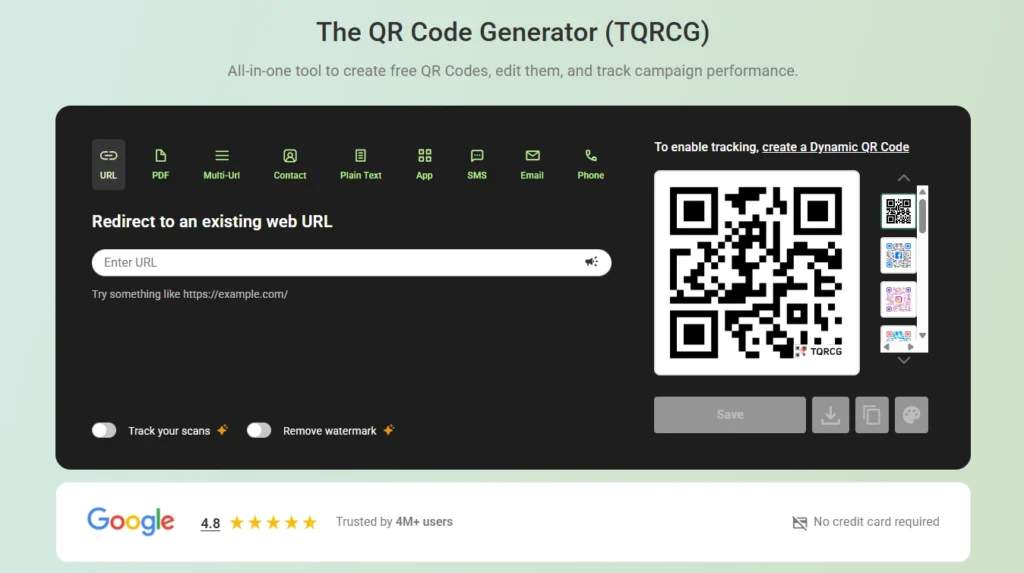
To build an effective prescription QR Code campaign, you don’t need a massive IT budget or months of development. With a platform like The QR Code Generator (TQRCG), you can have QR Code-embedded prescriptions ready in minutes.
Step 1: Set one patient-care goal
Start with the outcome you want to improve. Choose one primary goal, such as:
- Improve correct dosing in the first 14 days
- Increase first-refill pickup
- Reduce post-discharge confusion
A single goal keeps your QR Code content focused and easier to measure.
Step 2: Sign up for TQRCG and choose the QR Code type
Sign up for The QR Code Generator and choose the QR Code type based on where you want to redirect your patient after the scan.
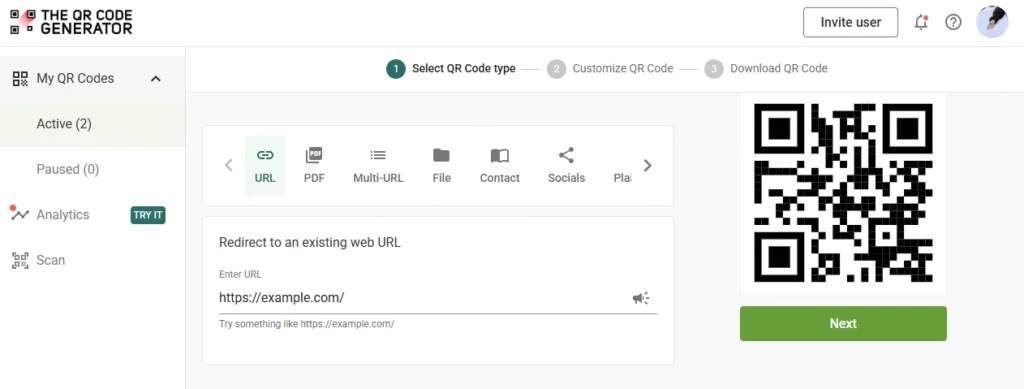
Ensure you pick a dynamic QR Code. Dynamic QR Codes allow you to update the destination later without reprinting labels or discharge sheets. This is useful if instructions change or new languages are added. You can also track scan activity to see whether patients are using the code.
Step 3: Customize the QR Code for patient trust
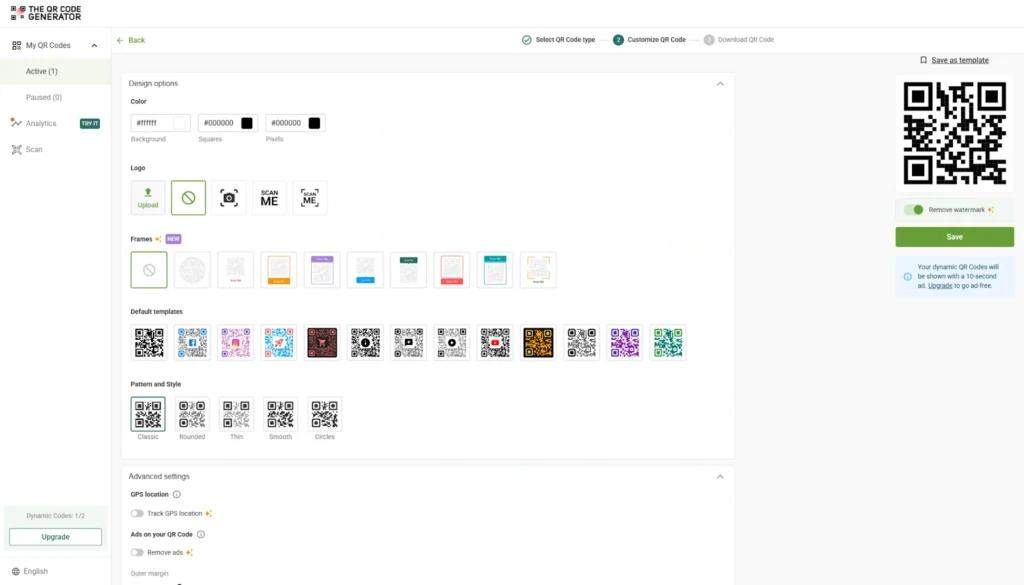
Customize your QR Code by adding branding elements, such as a logo or frame, so patients recognize it as coming from a trusted source. Use high contrast, such as a dark code on a light background. Keep the code large enough for older phones and low-light environments.
Step 4: Download and choose where to place your QR Code
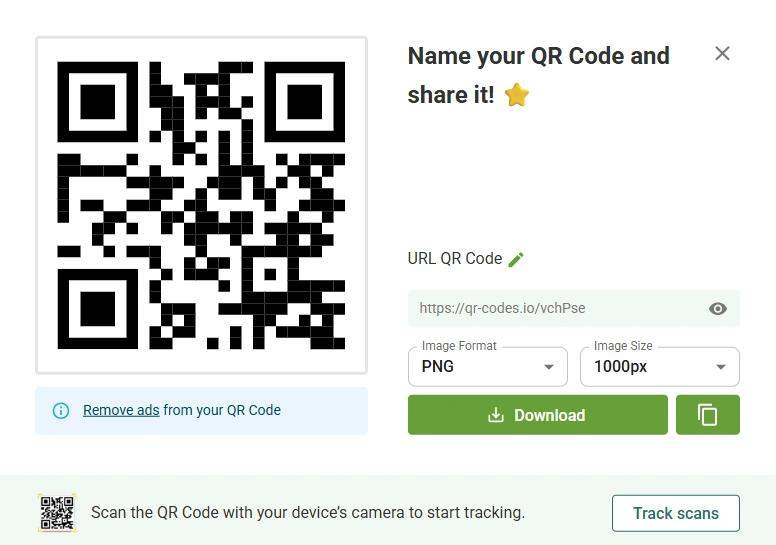
After designing your branded QR Code, you are ready to download it. For printing, download a crisp file format. TQRCG supports high-resolution PNG and SVG (vector) downloads, helping the code stay sharp on small labels and on larger discharge sheets.
Place the QR Code where it is visible, such as the following places.
- On the prescription label near the medication name.
- On the pharmacy bag with a large “Scan for directions” line.
- On the discharge paperwork, next to the medication list.
- On medication packaging inserts for new starts.
Make the benefit obvious in one sentence right next to the code (example: “Scan to watch how to take this medication safely”).
Step 5: Track and scale your QR Code after launch
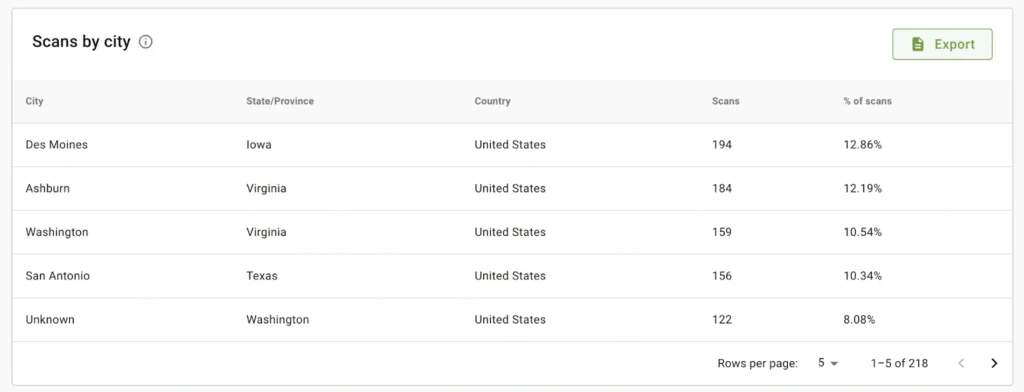
After QR Code launch, watch two things: scans and patient follow-through. In TQRCG’s analytics dashboard, you can review scan trends such as location and device type. If scans are high but patients still call with questions, your landing page is unclear. If scans are low, improve placement and the one-line prompt.
With TQRCG set up, keep the following best practices in mind as you create QR Codes.
Best practices for using QR Codes on prescriptions
Using QR Codes on prescriptions works best when three fundamentals are in place: the code must be easy to scan, the linked content must be immediately useful, and patient privacy must always be protected.
| Best practice | What to do | Why it matters |
|---|---|---|
| Assign one clear purpose per QR Code | Link each code to one task (instructions, refill, or pharmacist contact). | Patients are more likely to scan when the outcome is clear. |
| Design for mobile reading | Keep landing pages short with simple headings and minimal scrolling. | Most patients scan on their phones and need quick answers. |
| Show key medication guidance first | Start with how and when to take the medication. | Critical safety information appears immediately after scanning. |
| Add a clear prompt beside the code | Use simple text such as “Scan for medication instructions.” | A clear prompt increases scan rates. |
| Protect patient privacy | Avoid personal data in the QR Code or destination URL. | Supports HIPAA compliance and patient trust. |
| Test before rollout | Scan the code across multiple phones and under different lighting conditions. | Prevents scan failures after printing. |
Get started with prescription QR Codes
QR Codes are a low-effort, high-impact tool for healthcare providers looking to close the gap between prescription and adherence. When the hospital QR Code is easy to scan, and the content is clear, patients feel more confident, follow directions better, and need fewer clarification calls.
If you want a simple way to pilot this fast, use dynamic codes from The QR Code Generator (TQRCG). You can launch, measure scans, and improve the experience without reprinting labels or paperwork.
Sign up to create your first prescription QR Code with TQRCG today.
Frequently Asked Questions
Do patients actually scan QR Codes on prescriptions?
Yes, patients do scan prescription QR Codes, especially when a pharmacist points it out at pickup, and the benefit is obvious. A simple prompt like “Scan for a short video on how to take this medication” removes hesitation and tells patients exactly why they should do it.
Is it HIPAA-compliant to put patient information behind a QR Code?
Yes, if you use encrypted links, HIPAA-compliant hosting, and avoid embedding protected health information directly in the URL. TQRCG provides HIPAA-compliant QR Codes.
What if patients don't have smartphones?
Offer alternative access if patients don't have smartphones. Print a short URL they can type on any device and send instructions via text message to a caregiver. You can also provide a printed backup with essential information.
Can I update the content after the prescription is printed?
Yes, dynamic QR Codes allow you to change the destination URL at any time without reprinting the prescription. This is particularly useful when you need to update safety alerts or add new patient resources after the original prescription has already been distributed.
How do I measure if this actually improves adherence?
To check if a QR Code is actually improving adherence, start by tracking scan rates and follow-up actions such as refill requests and telehealth bookings. You can also monitor how long patients spend engaging with the linked content. For a clearer picture of impact, correlate this data with refill compliance rates and re-admission metrics in your EHR system over time.