
How to Make a Time-Limited QR Code That Expires on Schedule

Harshajit
Last updated: October 1, 2026
12 min read
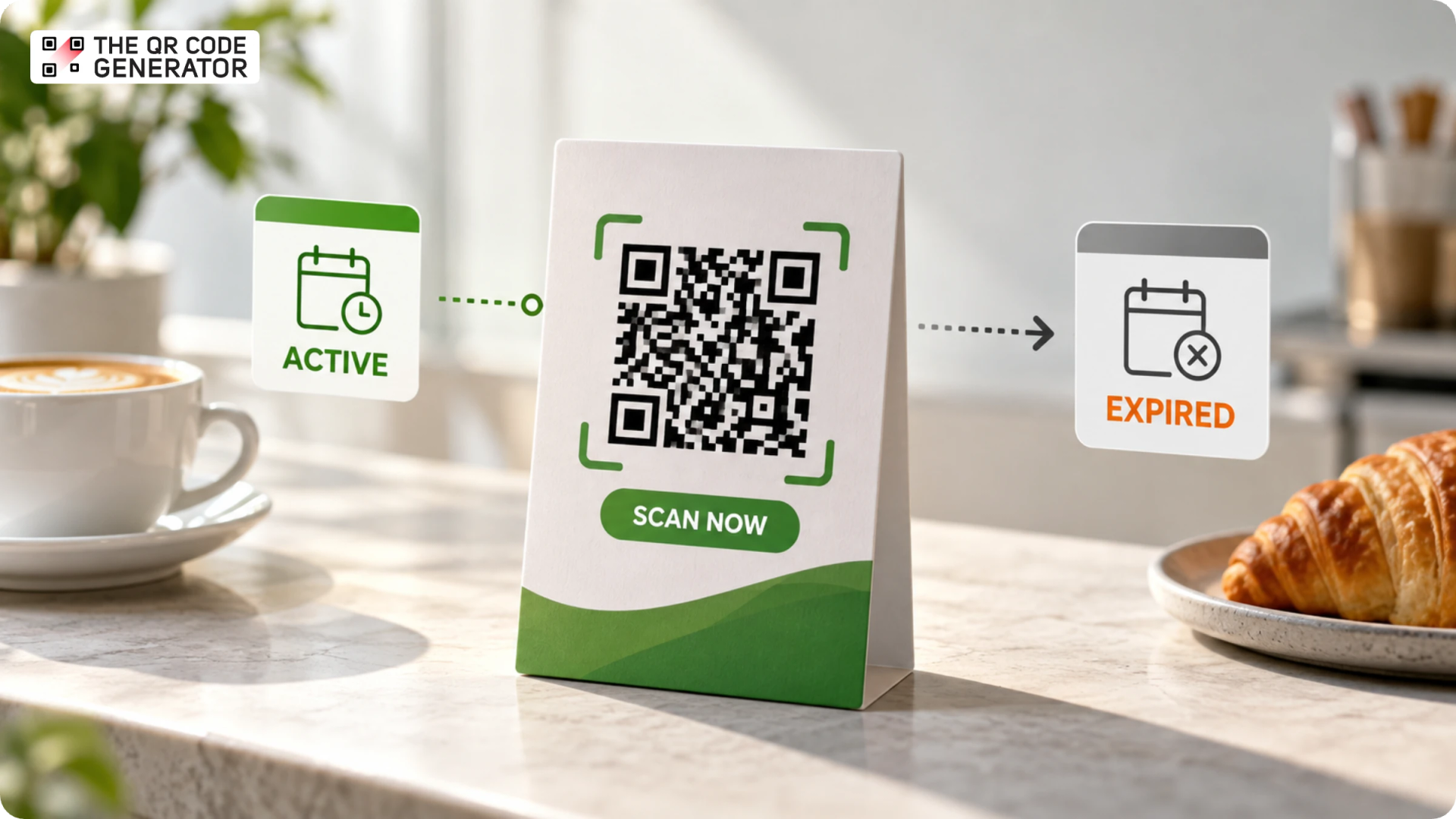
A cafe wants to pull a crowd on a slow Tuesday, so it makes a simple promise: the first 10 people through the door get a free coffee. There's a QR Code by the register. You scan it, fill in a quick form, and the barista calls your name. Lovely. But the trouble is that the eleventh person scans the same QR Code and expects the same coffee. And so does the fortieth.
A time-limited QR Code is how you keep that promise. It is a dynamic QR Code you can set to switch off on a date you choose or after a fixed number of scans, so once the tenth free coffee is claimed, the code bows out and sends latecomers to a "you just missed it" page instead.
In this guide, we’ll cover everything you need to know about how time-limited QR Codes work and how to create one.
What is a time-limited (expiring) QR Code?
A time-limited QR Code is a dynamic QR Code that stops working after a set condition, such as a specific date, time, or number of scans.
Only dynamic QR Codes can expire because the expiry rule lives in the redirect link, not in the QR Code pattern itself. When someone scans a dynamic QR Code, the scan first passes through a redirect before reaching the final destination. You can set that redirect to stop accepting scans or send people somewhere else when the specified condition is met. The printed QR Code does not need to change.
A static QR Code works differently. It stores the destination directly in its pattern, so there is no redirect that a QR Code platform can switch off or update. Once a static QR Code is created, it cannot be made to expire through the QR Code itself.
Related concepts like temporary QR Codes and single-use QR Codes serve distinct purposes. While a temporary QR Code operates within a limited timeframe, a single-use QR Code is designed to expire after a single scan. Enforcing these rules relies entirely on the specific capabilities of the QR Code generator.
Where temporary QR Codes make sense
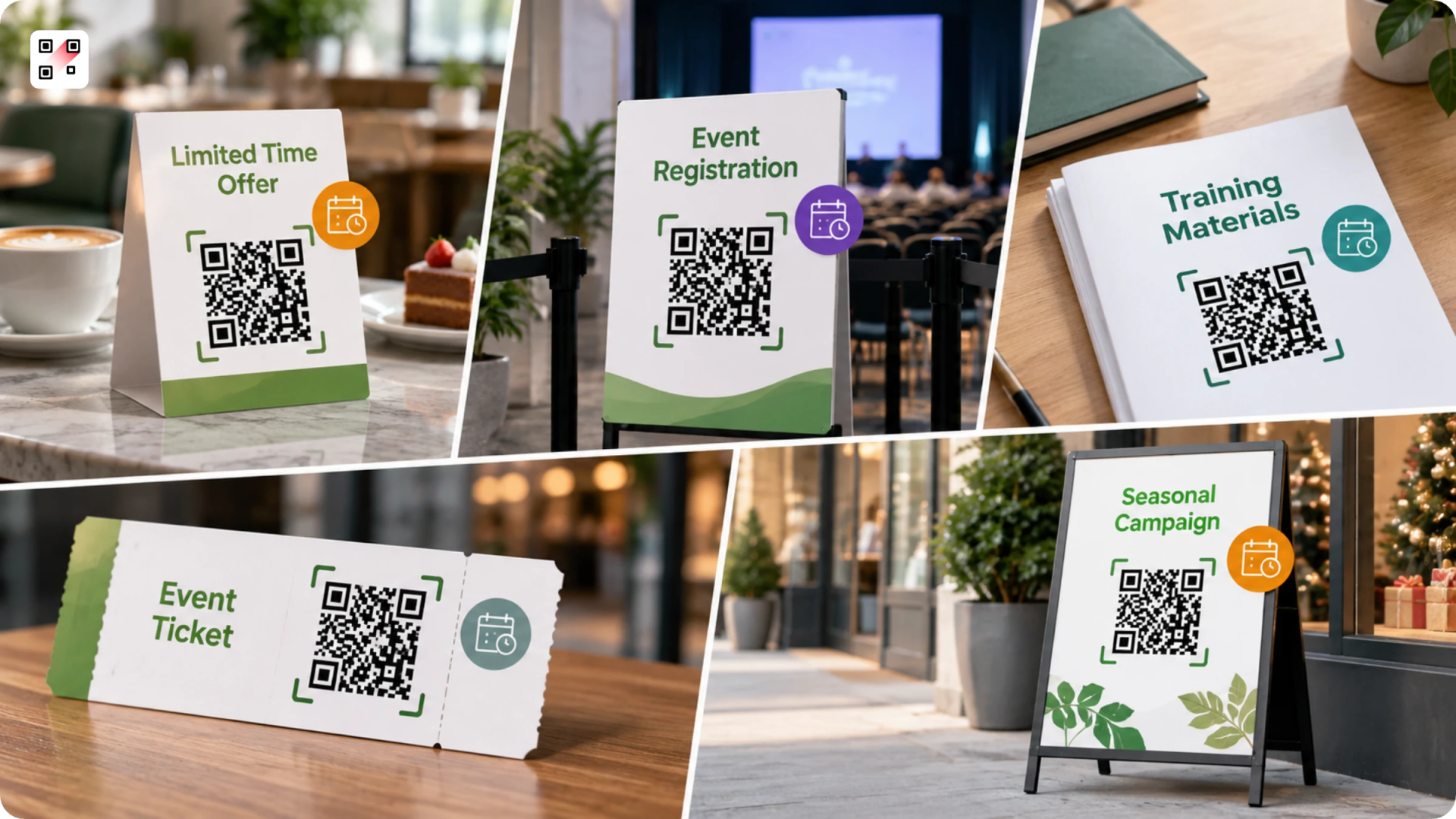
Time-limited QR Codes are useful whenever you want access to an offer, form, information, or resource to end at a specific point. Here are some practical examples.
Limited-time offers and promotions
A restaurant runs a three-day promotion offering a free dessert with every main course. The QR Code on its table tents opens the offer and lets customers claim it. The promotion ends on Sunday night, but the table tents stay in use for weeks.
Without an expiry rule, someone who scans the QR Code on Monday can still reach the old promotion. The restaurant then has to either honor an expired offer or explain that the QR Code is outdated.
A time-limited QR Code lets the restaurant set an end date that matches the promotion. The same approach works for flash sales, early bird discounts, seasonal promotions, limited quantity giveaways, and other campaigns with a defined closing date.
Event registration and check-in
An event organizer opens registration for a conference and puts a QR Code on printed flyers, posters, and email invitations. Registration closes three days before the event so the team has time to finalize the attendee list and prepare badges.
Because copies may remain online or in circulation, leaving the registration form open can result in late submissions. An expiry rule gives the QR Code a clear cutoff without requiring the organizer to remove every copy.
The same principle applies to post-event surveys. A QR Code displayed at the venue can collect feedback while the event is fresh, then expire a few days later.
Temporary access to documents and resources
A company runs a product training workshop for its distributors. Each attendee receives a printed workbook containing a QR Code that opens the presentation, product specifications, and supporting documents.
The material may only be relevant during the training, or the company may replace it with updated information later. A time-limited QR Code gives the printed material a defined access window, allowing the company to close the old link when the training ends.
Temporary locations and event information
A retailer sets up a temporary store for a weekend launch. A QR Code at the entrance provides opening hours, directions, product information, and event details.
The sign may be removed after the weekend, but photographs or printed copies can remain in circulation. An expiry date ensures the QR Code does not continue directing visitors to information about a store that no longer exists. Where supported, it can instead send them to the retailer's main website.
Time-bound forms and submissions
A school uses a QR Code on a notice asking parents to submit permission forms for a field trip by a specific date. Once the participant list is finalized, the form is no longer relevant.
Leaving the QR Code active can result in submissions after the deadline, creating unnecessary administrative work. The QR Code can instead expire when submissions close. This also works for registration forms, contest entries, appointment requests, applications, and surveys with a firm submission window.
Retiring old campaigns and printed material
Marketing campaigns often outlive their planned run because physical material cannot be removed all at once. A QR Code might appear on a store poster, trade show brochure, or promotional material distributed by a sales team.
Suppose a brand runs a six-week product launch campaign and uses a QR Code to send people to a launch page. After the campaign, it wants visitors to reach the product's main page instead. Reprinting every brochure or finding every poster is impractical.
A time-limited dynamic QR Code gives the campaign a defined endpoint. Once the campaign ends, the QR Code can stop serving the old experience or, where supported, direct future scans to a more relevant destination.
Product sampling and giveaways
A consumer brand runs a product sampling campaign at several stores and gives away a fixed number of samples at each location. The QR Code on the display lets shoppers register for a sample while supplies last.
Once the campaign ends or the allocation is exhausted, the QR Code no longer needs to collect claims. Expiry prevents people from discovering an old display later and assuming the giveaway is still running.
Appointment and booking windows
A clinic, salon, or service business puts a QR Code on a promotional flyer that lets customers book appointments for a specific campaign or event. The booking window closes once the available dates have passed.
Without an expiry date, someone could scan the old flyer months later and try to book an appointment that is no longer available. Expiring the QR Code keeps the booking journey aligned with the dates being offered.
Time-sensitive operational instructions
A business might place a QR Code on a temporary notice telling employees or visitors what to do during an operational change. For example, an office undergoing renovation could use a QR Code to show a temporary entrance, parking instructions, or access procedure.
Those instructions can become misleading once the work is complete. Setting the QR Code to expire with the temporary arrangement prevents an old printed notice from continuing to direct people using information that no longer applies.
Across these examples, the QR Code itself is not what becomes outdated. The purpose behind it does. Expiry lets the QR Code's availability match the lifespan of the offer, event, information, access, or action it supports.
How to create a time-limited QR Code
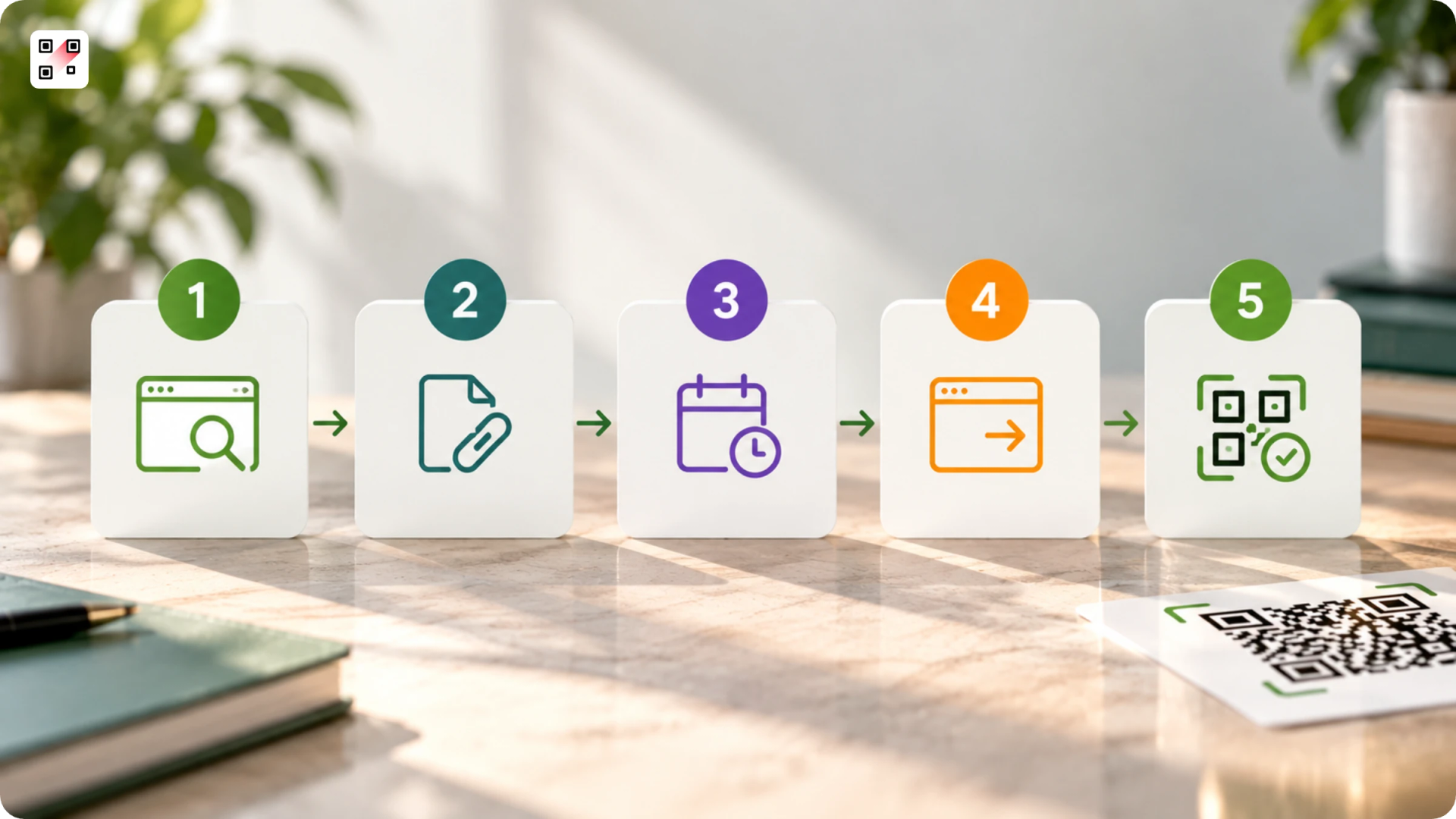
Creating a time-limited QR Code comes down to five choices you make during setup, and the first one decides whether the rest are even possible. You need a dynamic QR Code and a generator that lets you attach a rule to it.
Here's the sequence, whichever tool you land on.
Step 1: Pick a generator that supports expiry
Not every QR Code tool offers it, so check before you commit. You're looking for two things: dynamic QR Codes and a setting for scheduling or limiting scans.
Step 2: Create a dynamic QR Code
The expiry rule lives in the redirect, so this only works when there's a redirect to control i.e., when it is a dynamic QR Code. Choose the type you need, whether that's a link, a form, a PDF, or a landing page, and set your main destination.
Step 3: Set the expiry rule
Give the QR Code an end date if the offer has a deadline, or a scan limit if you're capping how many people can claim it. Many tools let you add a start date, too, so the QR Code stays dormant until your campaign goes live.
Step 4: Choose a fallback destination
Decide where latecomers land after the QR Code expires. A "you just missed it" page, your homepage, or the next campaign all beat a dead end. Skipping this is the most common mistake, since an expired QR Code with no fallback just frustrates whoever scans it.
Step 5: Test it, then ship it
Scan the QR Code yourself before it goes to print, and if you can, set a near-term expiry first to see exactly what happens afterward. Once it behaves the way you expect, download it in high resolution and add it to your artwork.
What happens when the QR Code expires?
When a QR Code expires, the QR Code itself doesn't change. It still scans and still opens on any phone; only the destination changes. The redirect stops serving the original link and does whatever you set it to do next.
The scanner sees one of two things, and you choose which. Set a fallback, and latecomers land where you sent them: a "this offer has ended" page, your homepage, or the next campaign. Leave the fallback empty, or delete the QR Code, and they hit a plain error instead. One feels intentional. The other feels like a mistake.
Date-based and scan-based expiry look the same to the scanner. Whether the end date has arrived or the tenth coffee has been claimed, they meet your fallback, not the original offer.
For you, expiry isn't the end. The QR Code is dynamic, so it stays in your account. Extend the date, lift the scan limit, or repoint it at any time. Delete one by mistake and restore it from Trash.
Best practices for time-limited QR Codes
A time-limited QR Code works best when the rule you set matches how people actually scan it. These 5 habits keep it from surprising anyone or closing at the wrong moment.
1. Print the deadline next to the QR Code: Add a line like "Offer ends March 30" or "First 100 scans only" right beside it, so people know the window before they scan, not after. A visible cutoff turns an expired scan from a letdown into something they were warned about.
2. Build in a grace buffer, and set the time zone: Give the expiry a little room past the real cutoff, and confirm which time zone the schedule runs on. That way a scan at 11:58 pm, or one from a customer two zones over, still counts instead of getting cut off by a clock they can't see.
3. Make the fallback do a job: An expired QR Code is still a moment of attention, so don't waste it on a bare apology. Send those scans to a "join the next drop" signup or an evergreen page, and a missed offer still earns you a lead.
4. Watch the scans before it closes: Because a dynamic QR Code stays editable, check the scan analytics partway through and extend the date if it's still pulling well. A campaign that's peaking shouldn't die on a schedule you picked weeks ago.
5. Don't mistake expiry for a lock: Expiry changes where the QR Code sends people, it doesn't wall off whatever sits at that URL. Keep genuinely sensitive material behind real access controls like a password or a login, not just an expired scan.
Time-limited vs. never-expiring: which do you actually need?
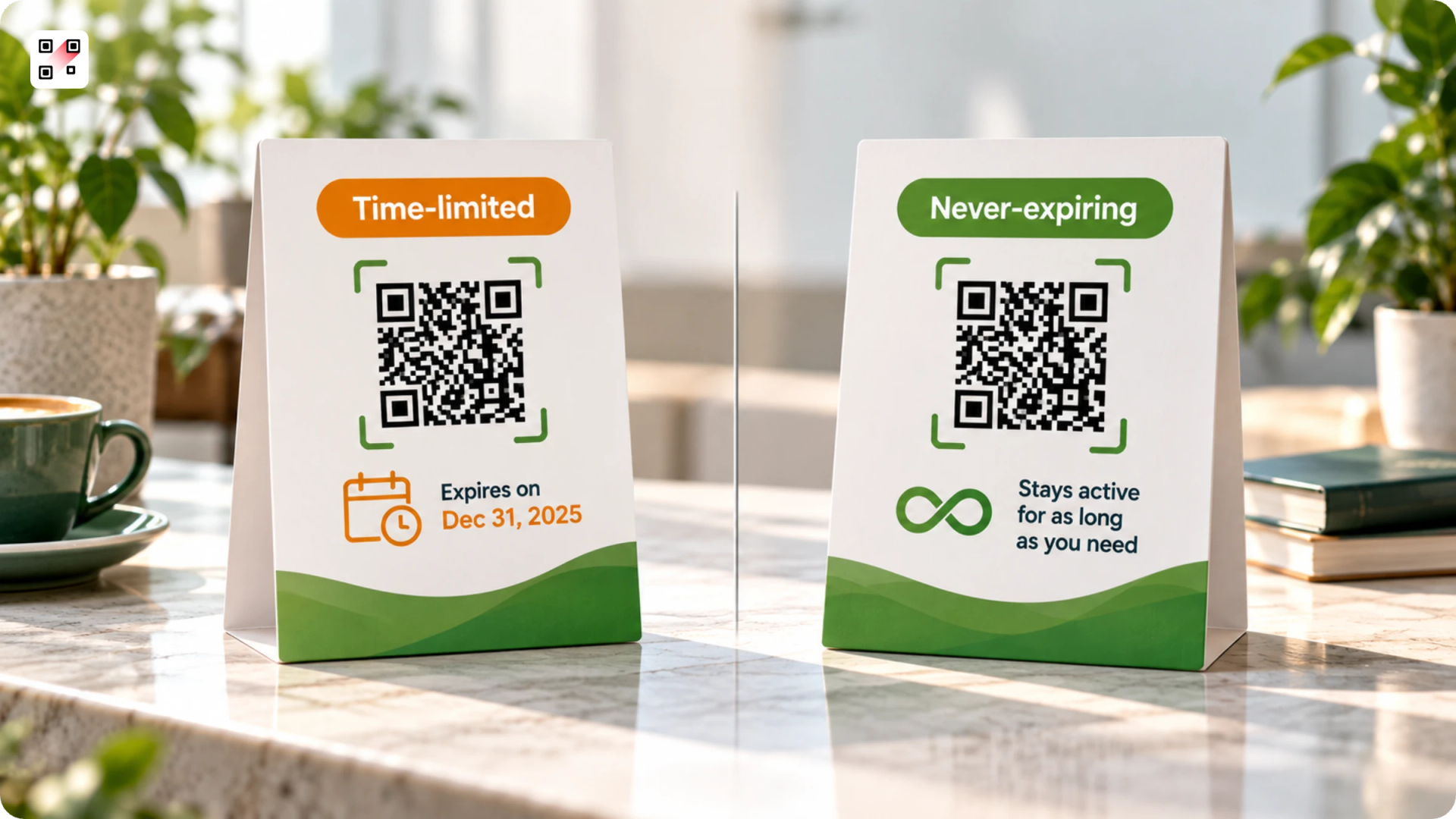
Most QR Codes should never expire. Expiry is the exception you reach for when something has a real end, and everything else, a menu, a business card, packaging, a sign on a wall, is meant to keep working for years. Putting an expiry on one of those is how you create the very problem people dread: a QR Code that goes dead while it's still in use.
There's an important difference between the two ways a QR Code stops working.
- One is the expiry you chose, a date or a scan limit you set on purpose.
- The other is expiry done to you, when a tool disables your dynamic QR Code once a free trial ends or a subscription lapses.
The first works in your favor. The second is the one to watch out for: your QR Code stops working while you still need it, sometimes on flyers or signs already printed and out in the world.
The QR Code Generator (TQRCG) is built so permanence is the default. A static QR Code never expires by nature, and a dynamic QR Code stays live for as long as you keep it, not just for a trial window. On the free plan, you get 2 dynamic QR Codes that never expire, with more available on the Core plan (powered by Uniqode) and the Plus plan (powered by Uniqode), where the time-limited controls also live. Your QR Codes don't stop working because a trial ran out, and they aren't switched off if you cancel.
Use a time-limited QR Code when the content has a real end date or limit. Keep everything else permanent.
Frequently Asked Questions
Does The QR Code Generator offer expiring or time-limited QR Codes?
Yes, on the Core and Plus plans, which are powered by Uniqode. You can set a start and end date on a dynamic QR Code, or use Smart Rules to close it after a set number of unique scans. The free plan is built around dynamic QR Codes that never expire, so expiry is something you add when a campaign actually needs it.
How many free QR Codes can I create on TQRCG, and do they expire?
TQRCG’s free plan includes 2 dynamic QR Codes that never expire, alongside unlimited static QR Codes that never expire by nature. Those 2 free dynamic QR Codes stay editable and trackable for as long as you keep them, with no trial clock attached. For more dynamic QR Codes, or for the time-limited controls, you upgrade to the Core plan (powered by Uniqode) or Plus plan (powered by Uniqode).
Do The QR Code Generator's QR Codes expire on their own?
Static QR Codes never expire. The 2 dynamic QR Codes included in the free plan also never expire. Dynamic QR Codes on paid plans remain active as long as the plan is renewed. If you do not renew the plan after it lapses, those QR Codes will no longer resolve.
Do free QR Codes expire?
That depends on the tool, not on QR Codes as a technology. A static QR Code from any free generator won't expire, but it also can't be changed or tracked. Free dynamic QR Codes are where tools differ, since some switch them off after a trial or on cancellation. The QR Code Generator gives you 2 dynamic QR Codes that never expire on the free plan, so you get permanence along with editing and tracking without paying.
Can a QR Code be set to expire after a single scan?
Yes, with the right generator. A single-use QR Code closes after one scan, which suits one-time coupons, unique tickets, or redeem-once links. On The QR Code Generator, you can access this capability through the Core Plan and Plus plan, both powered by Uniqode, and set the QR Code to stop working after a specified number of unique scans.
Can a printed QR Code stop working over time?
Yes, but that's wear, not expiry. A QR Code can fail to scan when the print is scratched, faded by sunlight, smudged, or partly covered, because the scanner can no longer read the pattern. This is a physical issue, separate from whether the QR Code is static or dynamic. Printing with strong contrast, clear space around the QR Code, and error correction keeps it readable far longer.
Will my QR Codes stop working if I cancel or downgrade my plan?
On The QR Code Generator, no. Static QR Codes never depend on a plan, and your 2 free dynamic QR Codes never expire, so they keep working whether or not you pay. Your QR Codes aren't deactivated when you cancel, which sets them apart from tools that switch off a dynamic QR Code the moment a trial or subscription ends.