
QR Code on Street Signs: Uses, Benefits, and Best Practices

Harshajit
Last updated: July 30, 2026
12 min read
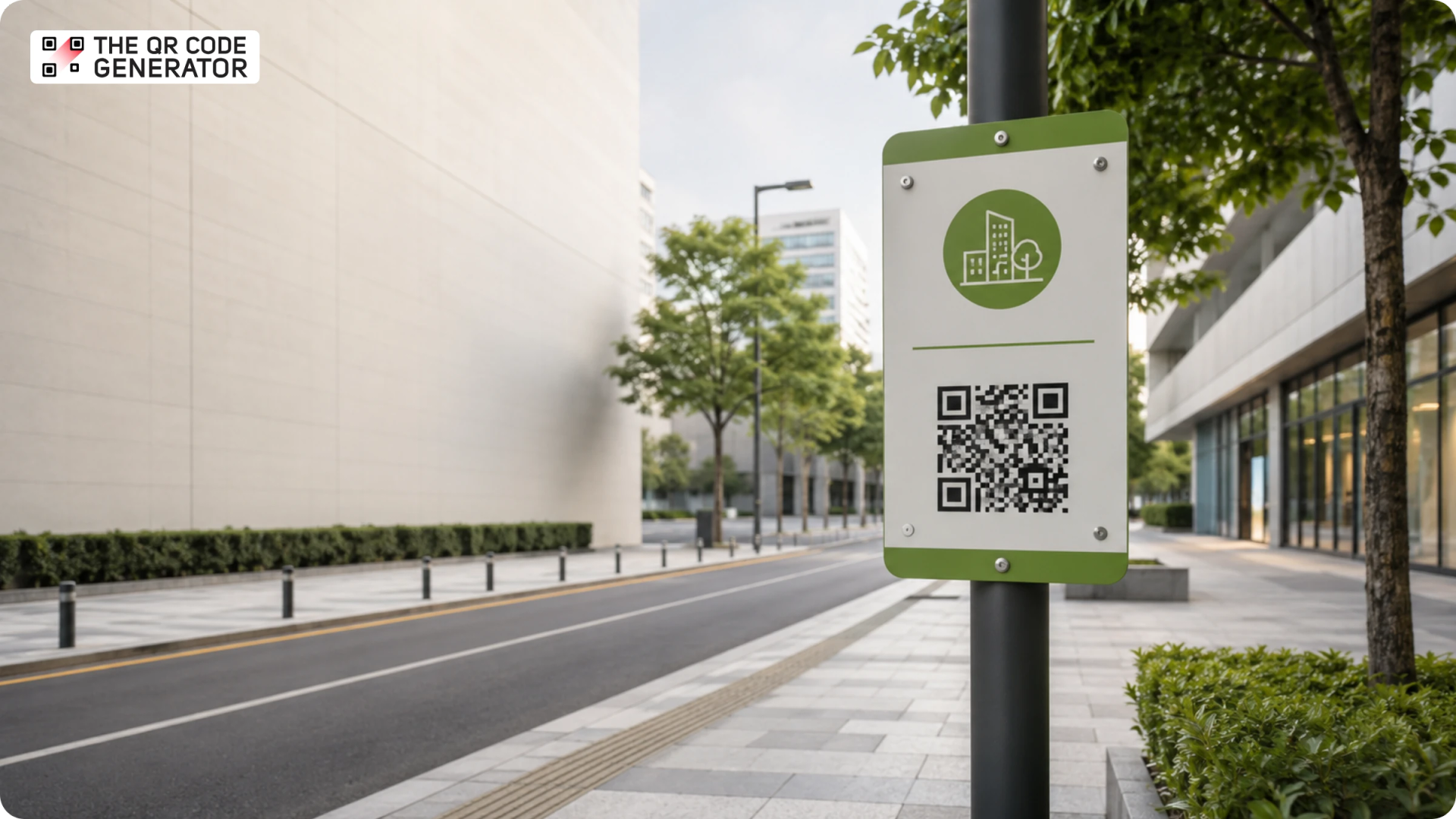
A street sign tells you where you are. It cannot tell you what's nearby, what's changed, or what to do next. A QR Code on a street sign solves that problem by turning the static surface into an instant digital information point.
QR Code street signage is a type of interactive urban signage that links physical signs to live digital content through a scannable QR Code. Cities and organizations already use QR Code street signs to deliver maps, transit updates, historical information, construction notices, and accessibility resources without replacing existing signage.
This guide covers practical use cases, examples, a step-by-step creation process, and the placement rules that make or break a street sign QR Code campaign. If you manage trail signage, tourism infrastructure, business district signs, or municipal communications, this guide will help you connect physical signs to digital experiences that serve residents and visitors alike.
What does a QR Code on a street sign actually do?
A QR Code on a street sign connects a physical sign to digital information that people can access instantly with their smartphone. The sign stays in place, but the information linked to it can be updated at any time.
Street signs are designed to identify places. They do that job well. What they cannot do is answer the questions people often have once they arrive: How far is the nearest bus stop? Is this trail open today? Why is this road closed? What is the history of this street?
A QR Code extends the usefulness of the sign by providing information that would never fit on the sign itself. Instead of relying on a few printed words, visitors can access maps, schedules, audio guides, project updates, and other location-specific content with a single scan.
Most street signage use dynamic QR Codes. Unlike static QR Codes, which require the sign to be reprinted when the destination changes, dynamic QR Codes allow the linked content to be updated from a dashboard without replacing the physical sign.
For example, a "Road Work Ahead" sign can link to a live project page with detour maps, construction timelines, and completion dates. When the project ends, the destination can be updated instantly while the QR Code on the sign remains the same.
Different types of street signs can deliver different experiences.
- Heritage markers link to audio guides, archival photographs, and local history.
- Bus stop signs link to real-time transit schedules and fare information.
- Park and trail entrances link to maps, current conditions, and accessibility details.
- Construction hoardings link to project timelines, budget summaries, and contact information.
- Welcome signs link to multilingual city guides and local event listings.
- Parking signs link to navigation directions and nearby parking facilities.
Where QR Codes on street signs work and where they don't
QR Codes on street signs belong on pedestrian-facing signage where people can safely stop, pull out a phone, and scan. They do not belong on high-speed road signs where scanning requires a driver to take their eyes off the road.
This distinction matters because safety is the most common concern raised about QR Code street signage. QR Codes are designed for pedestrian dwell zones, where people are already stopped or moving slowly on foot, not for drivers traveling at speed.
Best places to use QR Codes on street signs
The six best environments for QR Code street signs are:
- Pedestrian zones and sidewalks: High foot traffic and natural stopping points
- Bus stops and transit shelters: People are already waiting, making scanning safe and convenient
- Parks, beaches, and trailheads: Visitors are exploring at a slower pace and often looking for information
- Heritage walking tour markers: Tourists already stop to read these signs
- Construction site hoardings: Pedestrians pass slowly, and the signage already attracts attention
- Neighborhood welcome signs and business district signage: Low-speed environments that encourage exploration
For example, Richland County Regional Planning used QR Code signage on bike trail markers to help trail users locate nearby amenities and navigate the surrounding area. Users scan the code and are redirected to Google Maps for directions and wayfinding information.
Before installing any QR Code street sign, run through this placement checklist:
- Is the sign located in a pedestrian or cyclist zone rather than a vehicle traffic lane?
- Can someone stop safely at arm's length to scan without obstructing traffic?
- Is the sign positioned between 4 and 6 feet from the ground, roughly eye level for most adults?
- Is there enough ambient light for a smartphone camera to scan reliably?
Where not to put a QR Code on a street sign
QR Codes do not belong on highway directional signs, speed limit signs, or any sign visible only from a moving vehicle. A driver traveling at 40 mph cannot safely scan a QR Code on a road sign. In these environments, a QR Code becomes a distraction hazard rather than a useful information tool.
Avoid these installation environments entirely:
- High-speed road signs: Any sign viewed primarily from a moving vehicle
- Median-placed signage: No safe place to stop and scan
- Glossy or mirror-finish sign surfaces: Direct sunlight can create glare that interferes with scanning
8 ways to use a QR Code on a street sign
QR Codes on street signs support a wide range of use cases, from wayfinding and tourism to public communication and accessibility. Each use case extends the value of a physical sign by connecting it to information that can be updated and accessed digitally.
1. Wayfinding and navigation
A QR Code on a directional sign can link to an interactive map, a pre-filled Google Maps route, or a walking guide that updates in real time.
Istanbul Metro implemented QR Codes across its transit network, allowing commuters to scan signs and pay fares through a mobile app. Richland County, North Carolina, embedded QR Codes into bike trail markers that direct users to Google Maps for nearby destinations and route information. Both examples show how QR Codes can make navigation easier for visitors and first-time users.
2. Heritage and history storytelling
A heritage marker QR Code can link to an audio guide, archival photo gallery, or written history of a street, building, or neighborhood.
Abu Dhabi, for instance, embedded QR Codes on street name signs across the city. Scanning the code provides historical information about the street and its origin. For heritage trails and cultural districts, QR Codes allow cities to provide far more context than would fit on a physical sign.
3. Tourism and local business discovery
A QR Code on a welcome sign or public map can direct visitors to nearby attractions, restaurants, events, and local guides.
Rio de Janeiro placed QR Codes at beaches, viewpoints, public spaces, and iconic landmarks throughout the city. The QR Codes help visitors discover location-specific information and experiences. Similarly, Maine's Wine Trail program added QR Codes to winery signage, allowing visitors to access a digital passport, collect badges, and explore participating locations.
4. Real-time public alerts and construction updates
A construction hoarding QR Code can link to project timelines, detour maps, public notices, and contact information.
ETH Zurich research explored how QR Codes can support construction projects by linking physical building components to digital records. Scanning an engraved QR Code provides information about the materials and building parts used in the project. The example shows how QR Codes can give people access to detailed information directly from physical infrastructure.
5. Transit information
A bus stop or transit shelter QR Code can provide access to real-time arrival information, route maps, and fare schedules.
Seoul's public transit network uses QR Codes at stops and stations to provide route-planning tools and schedule updates.
6. Civic engagement and feedback
A civic feedback QR Code can connect residents to reporting forms, public consultations, surveys, and service requests.
For example, a "Scan to Report a Pothole" QR Code on a streetlight sign can direct residents to a reporting form. A QR Code at a park entrance can link to a visitor satisfaction survey, allowing municipalities to collect feedback at the point of experience.
7. Multilingual content delivery
A multilingual QR Code can display information in the user's preferred language without requiring multiple versions of the same sign.
Ho Chi Minh City, Vietnam, implemented QR Codes on street signs that provide information in both Vietnamese and English. The QR Codes display details such as the street's history, length, and width, making information accessible to both residents and international visitors.
8. Accessibility enhancements
An accessibility-focused QR Code can link to audio descriptions, large-print PDFs, or sign language video guides.
A trail entrance QR Code can provide an audio narration of the trail map for visitors with visual impairments. A heritage marker QR Code can link to a sign-language version of the site's historical information. When combined with accessible digital content, QR Codes can help public signage serve a broader range of visitors.
How to create a QR Code for a street sign with TQRCG
Creating a QR Code for a street sign takes six steps with The QR Code Generator (TQRCG): choose a dynamic QR Code, set the destination, customize the design, download the file, install the QR Code on the sign, and track performance after deployment.
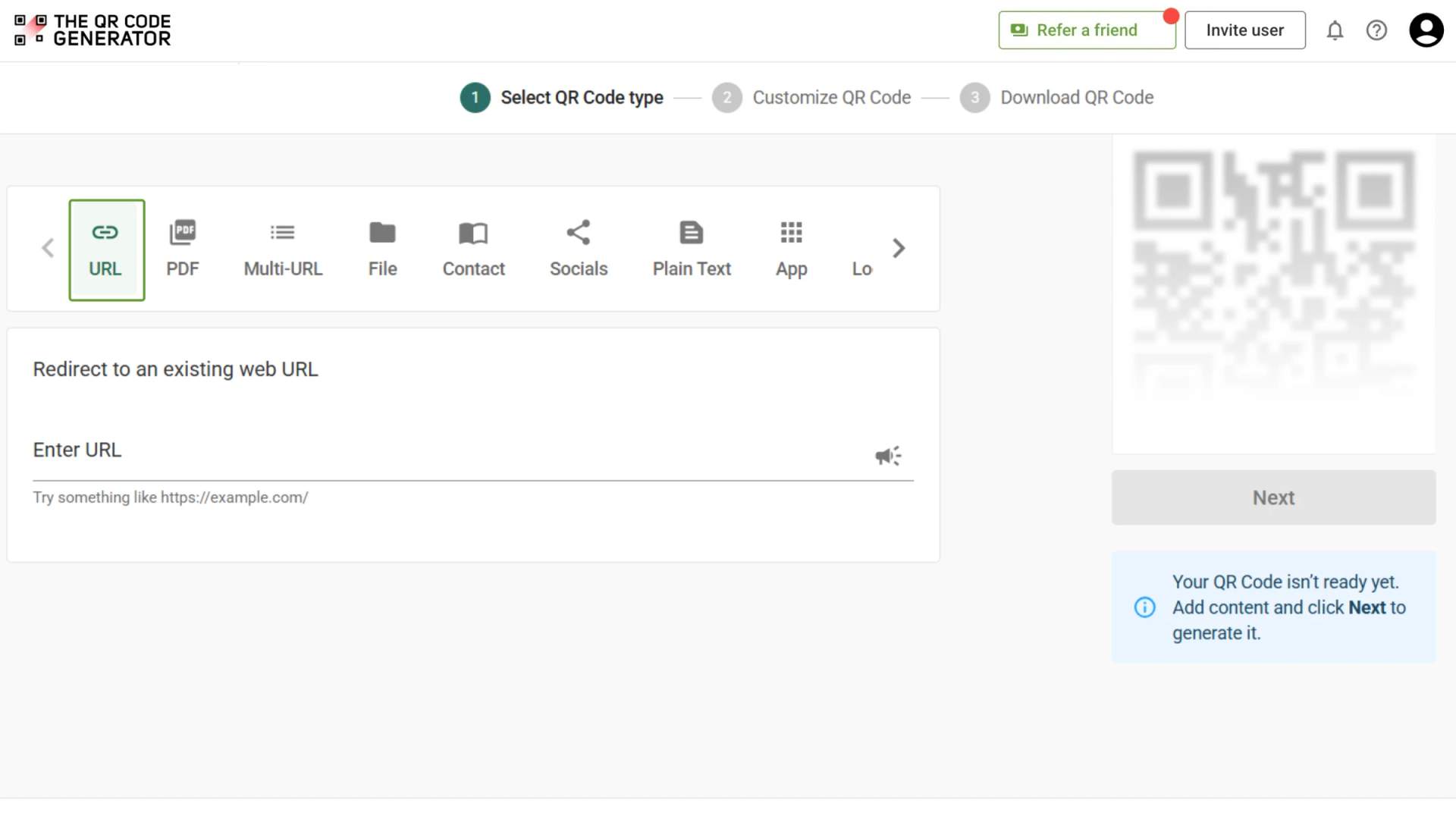
Step 1: Create a dynamic URL QR Code
- Log in to TQRCG and click + Create QR Code
- Select the URL QR Code type
Note: Ensure that you selected Dynamic QR Code from the drop-down next to + Create QR Code.
Dynamic QR Codes are the best choice for street signage because the destination can be updated after the sign is installed. If a trail map changes, a construction project ends, or a city event page needs updating, you can edit the destination from your dashboard without replacing the physical sign.
TQRCG gives you two forever-free dynamic QR Codes with no credit card needed.
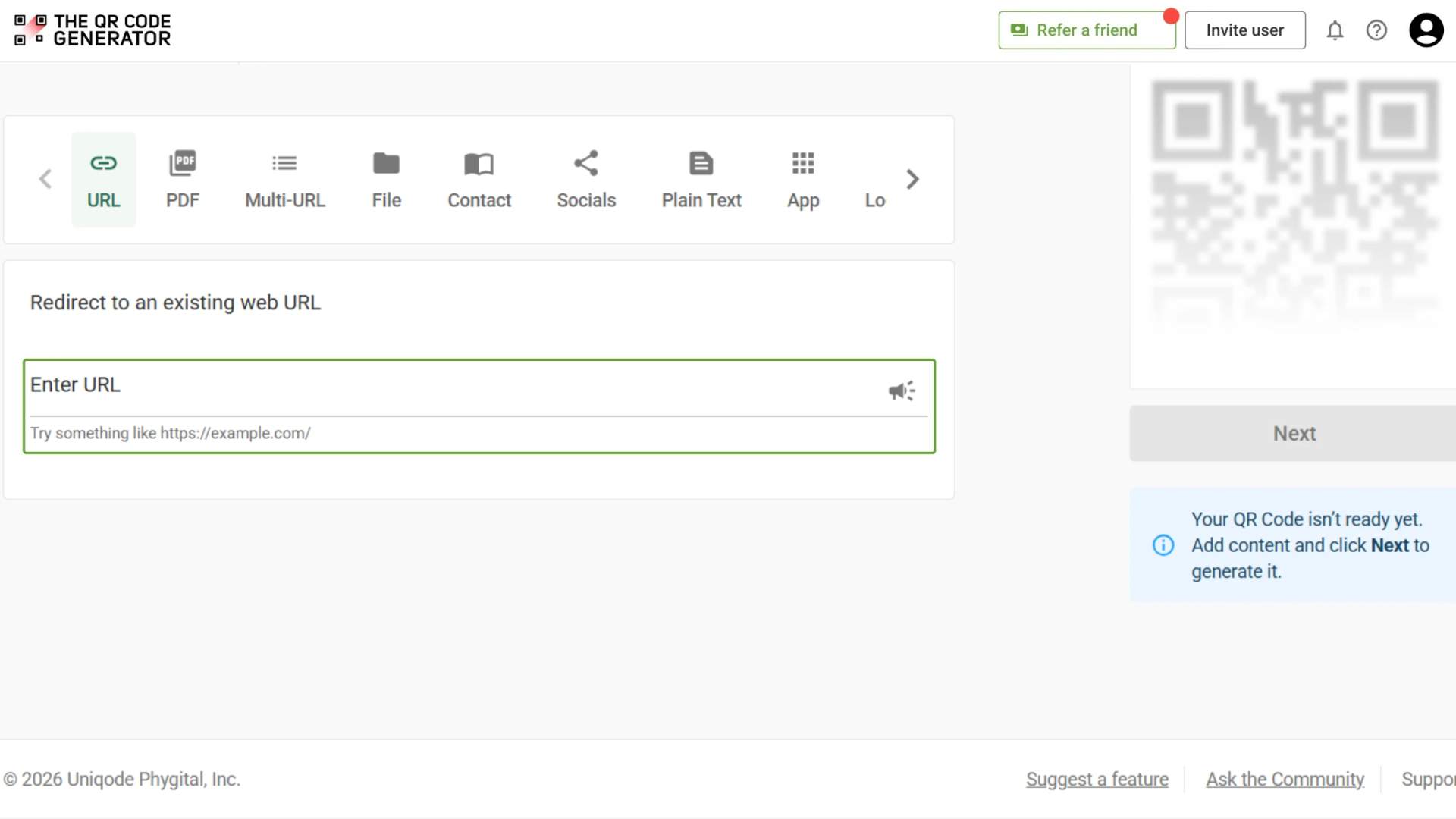
Step 2: Add the destination
Enter the destination people should reach when they scan the sign.
For street signage, common destinations include:
- Interactive maps
- Transit schedules
- Construction project updates
- Heritage information pages
- Event listings
- Feedback forms
TQRCG also supports PDF QR Codes, MP3 QR Codes, and Google Form QR Codes, enabling downloadable guides, audio tours, and public surveys to be delivered directly from a street sign.
Step 3: Customize the QR Code design
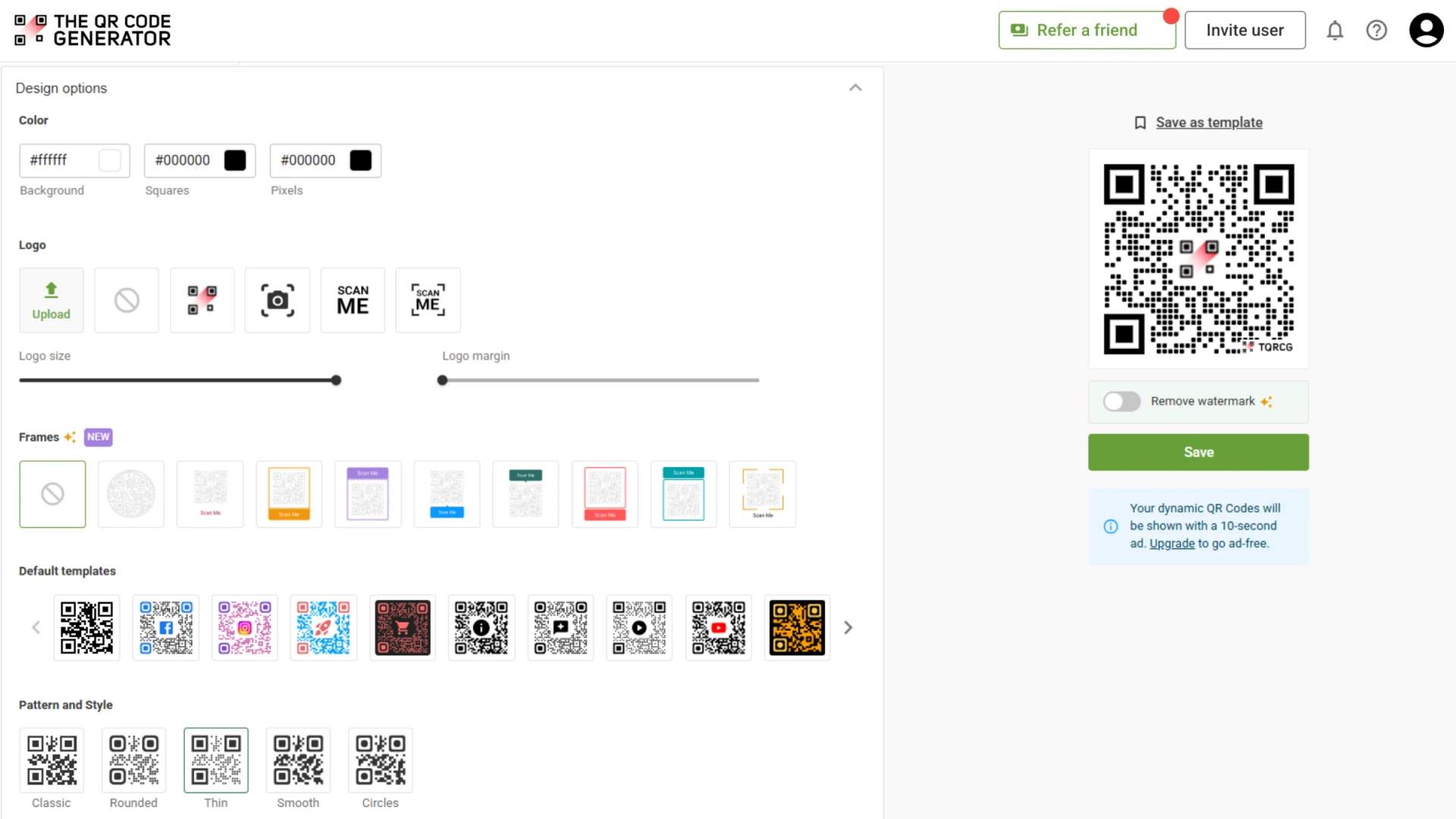
Use the customization tools in TQRCG to match the QR Code to your signage design.
For outdoor signs, prioritize scan reliability over decoration:
- Use a dark QR Code on a light background
- Avoid low-contrast color combinations
- Keep branding elements minimal
- Add a clear call to action, such as "Scan for trail map" or "Scan for bus times"
Before downloading, set the error correction level to the highest available option to improve scan performance in outdoor environments.
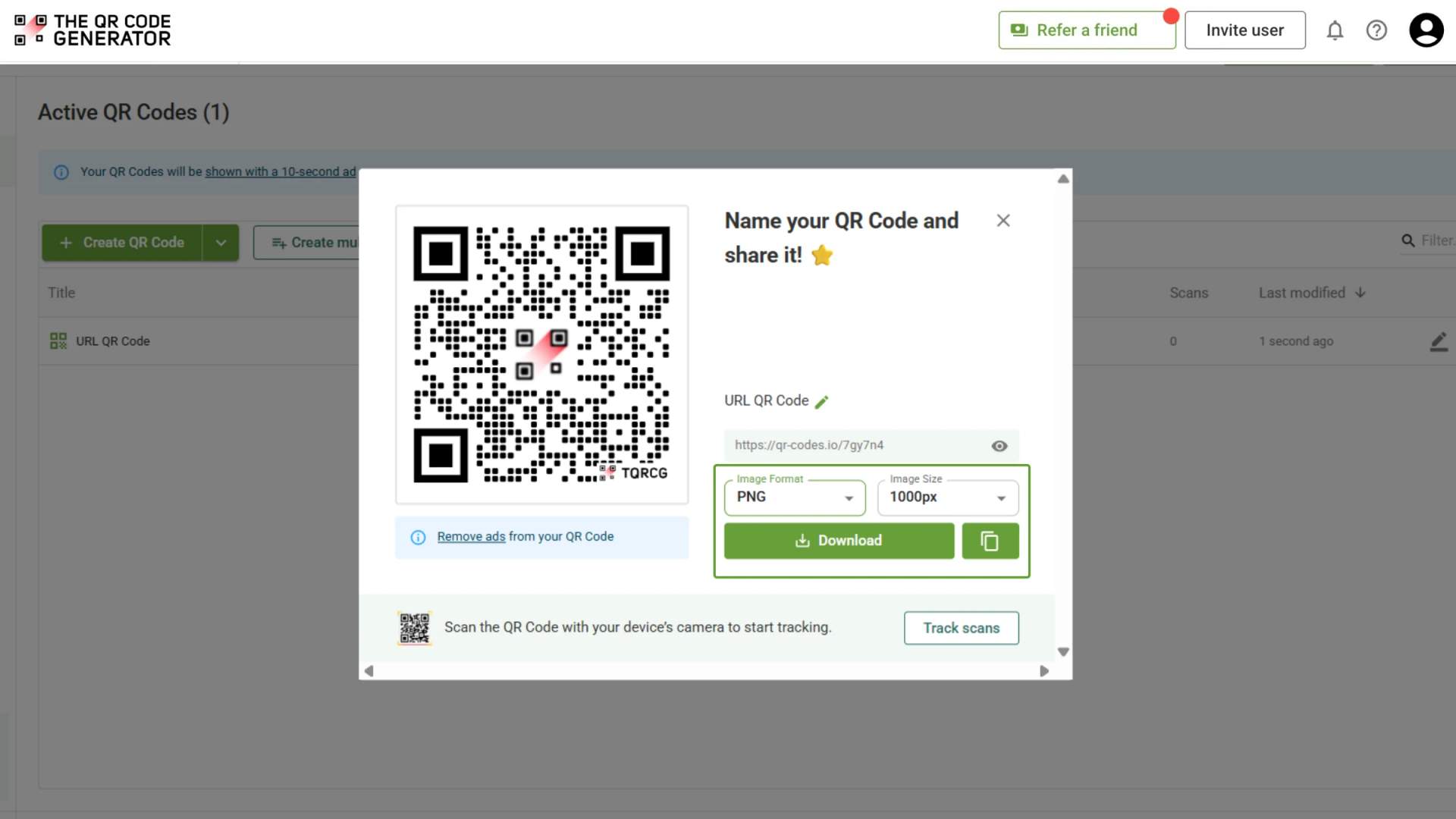
Step 4: Download the QR Code
Once the design is finalized, download the QR Code.
For professionally printed signs, choose SVG format. SVG files scale without losing quality and remain sharp at large sizes. PNG files work best for digital displays or smaller print applications.
Step 5: Add the QR Code to the street sign
Place the QR Code where pedestrians can easily see and scan it.
For best results:
- Install it at eye level
- Use weather-resistant printing materials
- Avoid reflective surfaces that create glare
- Test scanning in direct sunlight before deployment
A minimum size of 8 × 8 inches is recommended for most pedestrian-facing signs.
Step 6: Track scans and update content
After installation, monitor performance from the TQRCG dashboard. Analytics data can show the total number of scans, scan locations, device types, and scan times.
These insights help cities, tourism boards, and trail operators understand how people interact with their signage. If the linked content changes, simply update the destination from the dashboard without replacing the printed sign.
5 best practices for street sign QR Codes
QR Codes on street signs must be easy to notice, easy to scan, and safe to use. Follow these best practices before installing QR Codes on public signage.
1. Use dynamic QR Codes
Street sign information changes over time. Trail conditions, construction updates, transit schedules, and event information may all need updates after installation. Dynamic QR Codes let you update the destination without replacing the physical sign.
2. Add a clear call to action
People are more likely to scan a QR Code when they know exactly what they'll get. Instead of generic labels like "Scan Me," use specific calls to action such as "Scan for trail map," "Scan for bus times," "Scan for street history," or "Scan for construction updates."
3. Install QR Codes where people can stop safely
Place QR Codes only on pedestrian-facing signage where people can safely pause and scan. Avoid any location that requires users to stand in a traffic lane or scan from a moving vehicle. For most street signs, the ideal placement height is between 4 and 6 feet from the ground.
4. Test scanning in real-world conditions
Before installation, test the printed QR Code from a normal scanning distance in daylight, shade, and direct sunlight. Outdoor lighting conditions can affect scan performance, especially on reflective surfaces.
5. Review linked content regularly
A QR Code is only useful if the information behind it remains accurate. Regularly check that every linked page still works, loads properly on mobile devices, and contains current information.
QR Codes turn street signs into digital information hubs
A street sign can only display a limited amount of information. A QR Code removes that limitation by connecting the sign to maps, transit updates, historical content, public notices, accessibility resources, and other digital experiences.
Cities, tourism organizations, trail operators, and local businesses already use QR Codes to make signage more useful without replacing existing infrastructure. With a dynamic QR Code, the information behind the sign can be updated whenever needed, keeping content accurate long after the sign is installed.
The QR Code Generator (TQRCG) offers a forever-free plan that includes up to two dynamic QR Codes with no credit card required. You can create a QR Code, customize its design, update the destination after printing, and track scans from a single dashboard.
Frequently Asked Questions
1. Can you put a QR Code on a road sign?
Yes, but only on pedestrian-facing signs where people can safely stop and scan. QR Codes are not appropriate on high-speed road signs where scanning could distract drivers. Common placement locations include bus stops, trailheads, heritage markers, park entrances, construction signage, and neighborhood welcome signs.
2. What should a QR Code on a street sign link to?
A street sign QR Code should link to the most relevant information for that location. Common destinations include interactive maps, transit schedules, audio guides, construction updates, event listings, multilingual information pages, and public feedback forms. The content should be mobile-friendly and easy to access without downloading an app.
3. How do you make a QR Code weatherproof for outdoor use?
Use weather-resistant materials such as UV-resistant vinyl or aluminum, and apply a matte finish to reduce glare. For reliable scanning, test the QR Code outdoors in direct sunlight before installation. The code should also be large enough to scan comfortably from a normal standing distance.
4. What is a dynamic QR Code and why does it matter for street signs?
A dynamic QR Code allows you to change the destination after the sign has been installed. This is important for street signage because information often changes over time. Construction projects end, event schedules change, and trail conditions are updated. With a dynamic QR Code, you can update the linked content without replacing the physical sign.
5. Are QR Codes on street signs safe?
Yes, when they are placed on pedestrian-facing signage in low-speed environments. Suitable locations include sidewalks, parks, transit shelters, and heritage trails where people can stop safely to scan. QR Codes should never be placed where scanning requires someone to stand in traffic or interact with a sign while driving.
6. Which cities use QR Codes on street signs?
Several cities and organizations have implemented QR Code signage programs. Abu Dhabi uses QR Codes on street name signs to provide historical information. Ho Chi Minh City uses bilingual QR Code street signs that display information in Vietnamese and English. Rio de Janeiro installed QR Codes at tourist attractions and public spaces. Richland County, North Carolina, added QR Codes to bike trail signage to support wayfinding.