
How to Use QR Codes at Tourist Attractions for Self-Guided Tours

Harshajit
Last updated: May 25, 2026
11 min read
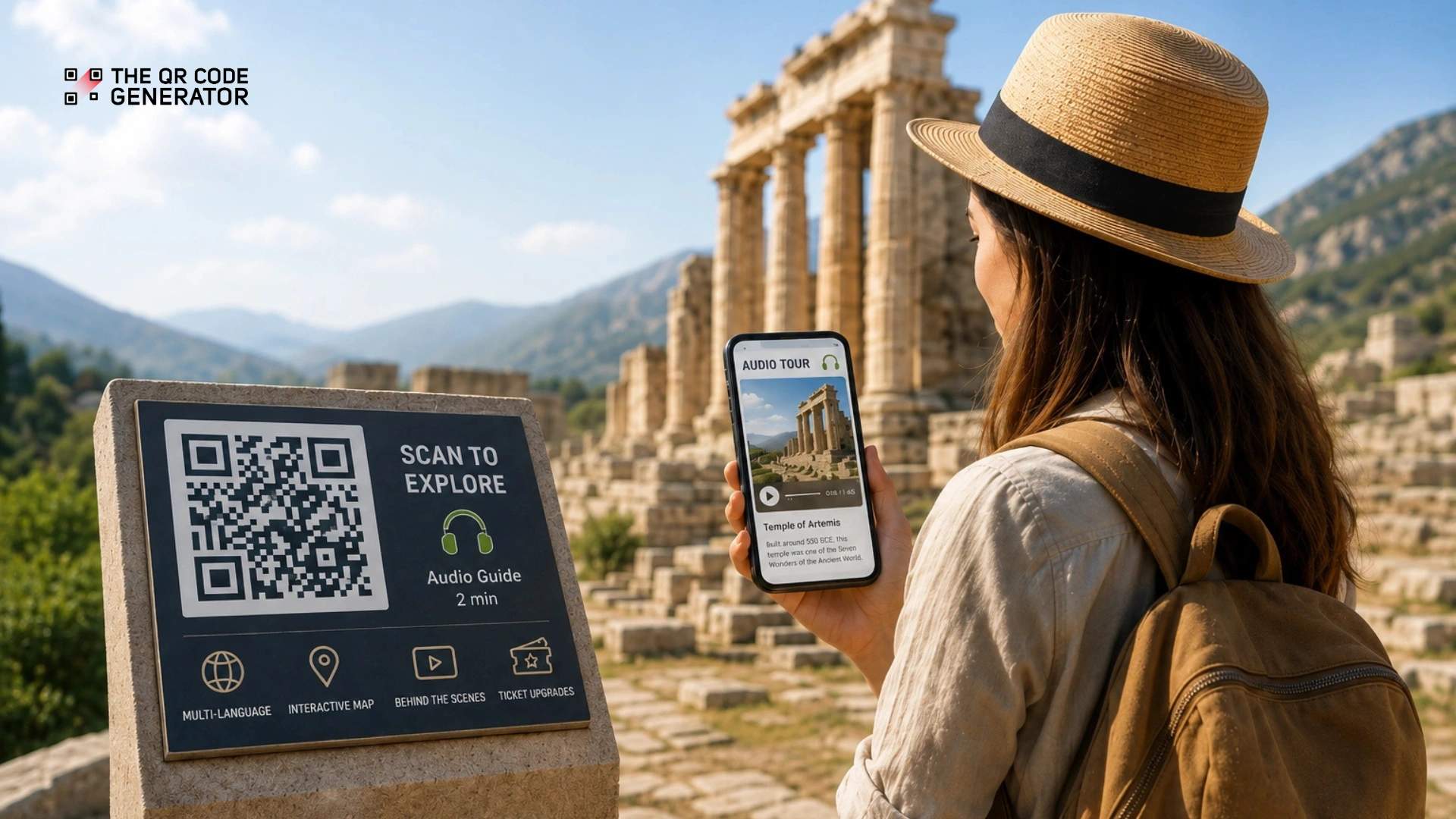
Tourist attractions such as heritage sites, museums, and archaeological parks attract curious visitors and promise rich stories, but the tools meant to deliver those stories fall short. Wall plaques cap out at a few lines, audio guides require queues and clunky devices, and multilingual access stays limited. Most visitors leave with only a fraction of the experience.
QR Codes for self-guided tours are a digital access solution that turns physical spaces into interactive, on-demand storytelling experiences. Visitors scan a code and instantly access audio, video, maps, or multilingual content on their own phones, with no apps or queues.
This guide shows you exactly how QR Codes address on-site tourist engagement gaps, plus a step-by-step process to creating, designing, and deploying them effectively.
How do traditional signs at tourist attractions limit visitor experience?
Traditional signs at tourist attractions limit visitor engagement by restricting access to information, slowing movement, and reducing overall experience quality. These signs provide only limited information and do not adapt to the needs of different visitors.
There are five main problems with traditional signs at tourist attractions: limited information, shared device hassles, long queues, language barriers, and confusing navigation.
Static signs limit the depth of information
Static signs at tourist attractions usually provide only a brief title and limited context. Visitors cannot access deeper historical background or detailed insights on-site with the signs alone.
Traditional signs also limit how much visitors can explore on their own. It also blocks richer content, such as videos, audio, or interactive timelines, which makes sites more engaging. Updating these signs adds cost and effort because teams must print and reinstall them each time details change.
Shared audio guide equipment creates friction
Shared audio equipment at tourist attractions slows entry and discourages use due to hygiene concerns and the extra steps required.
Visitor expectations now lean toward personal, mobile-based experiences inside attractions. A study by Axiell found that 50% of museums are investing in smartphone-based engagement to create more personalized visitor interactions.
That shift also makes shared devices feel outdated. Renting, handling, and returning equipment add unnecessary steps, increase wait times, and create operational overhead.
Long queues delay the visitor experience
Long queues at information desks waste valuable visit time. During peak season, visitors may wait a long time just to ask about exhibits or accessibility. This slows the visit before it even gets started.
These bottlenecks also create frustration. Visitors want quick answers. When they have to wait in line first, the experience feels less smooth and less welcoming.
Language barriers reduce engagement and revenue
Language barriers at tourist attractions limit how much visitors understand, explore, and spend. When information is available in only a few languages, large groups of international visitors cannot fully engage with exhibits.
Global tourism continues to drive significant revenue. According to the U.S. National Travel and Tourism Office (NTTO), international visitors have contributed over $250 billion to the U.S. economy in 2024.
When visitors cannot access content in their language, they spend less time at exhibits and are less likely to purchase tours, food, or merchandise. Lower understanding leads directly to lower participation and revenue.
Poor navigation frustrates visitors at large venues
Navigation at tourist attractions becomes confusing when visitors cannot find exhibits or facilities quickly. Large venues such as museums, zoos, and parks often rely on printed maps that do not update in real time.
Visitor expectations now center on instant, location-based guidance. Static maps cannot reflect closures, route changes, or special events. As a result, visitors waste time searching, miss key areas, and leave with a less complete experience.
How QR Codes at tourist attractions improve visitor experience
QR Codes solve many of the problems visitors face without incurring any high cost. Many tourist attractions have already proven these solutions at scale.
Let’s see how.
QR Codes for self-guided audio tours
QR Codes can launch audio narration directly on visitors’ smartphones, without the need for a full rental system. The content can also be updated seasonally without replacing the QR Code audio guides.
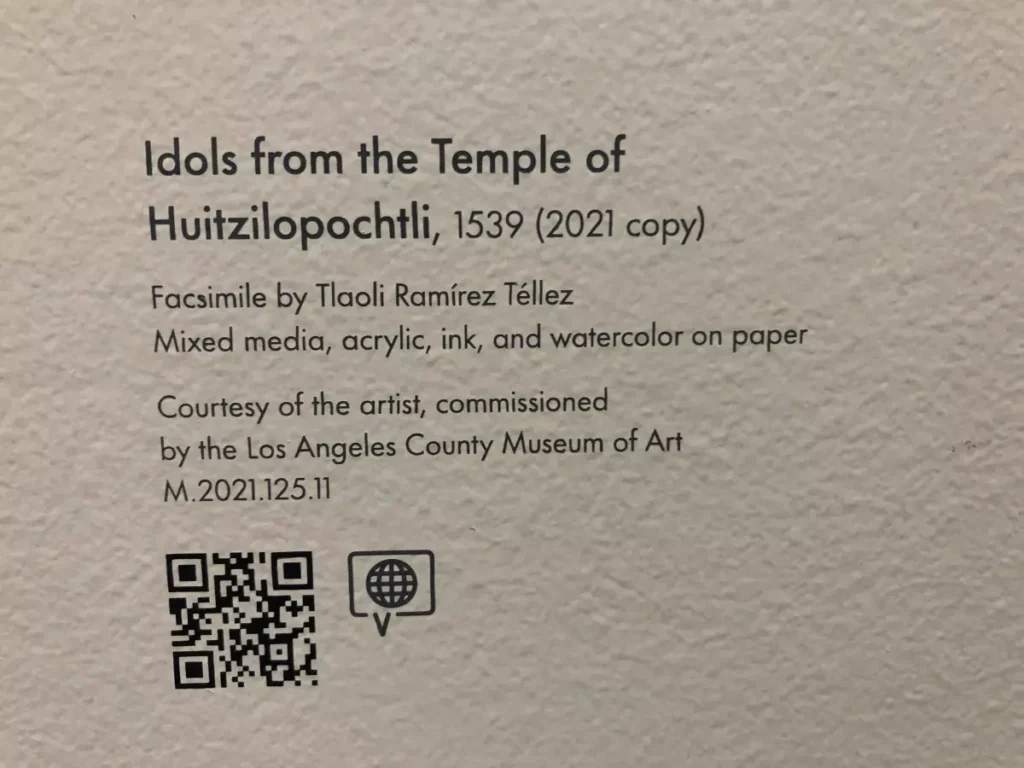
Third-party Louvre museum tours offer audio guides that visitors access directly on their own smartphones instead of separate rental devices. Similarly, the Whitney Plantation in Louisiana uses QR Codes throughout its exhibits; visitors scan codes to hear recorded interviews with descendants.
One dynamic QR Code can replace thousands of printed guides per season. Dynamic QR Codes let you update the destination content later without replacing the printed code.
QR Codes for inclusive design and accessibility
QR Codes can make site-specific content easier for visitors with low vision or mobility limitations to access. Once scanned, they can open content on the visitor’s own device in a format that can work with screen readers like VoiceOver and TalkBack.
With QR Codes, you can deliver captions, audio descriptions, and sign-language content in one place. For example, the Whitney Museum of American Art uses QR Codes for synchronized mobile captioning of video and sound works. It also offers an ASL mobile guide tour, along with verbal and audio descriptions, via its QR Code-linked digital guide.
QR Codes for multilingual content
QR Codes make it easy to deliver content in many languages without adding physical clutter. Visitors can scan a code and instantly access descriptions or instructions in their preferred language on their own device. This removes the need to rely on limited printed translations.
For example, the Acropolis Museum’s QR Codes let users instantly view information, images, and descriptions in multiple languages.
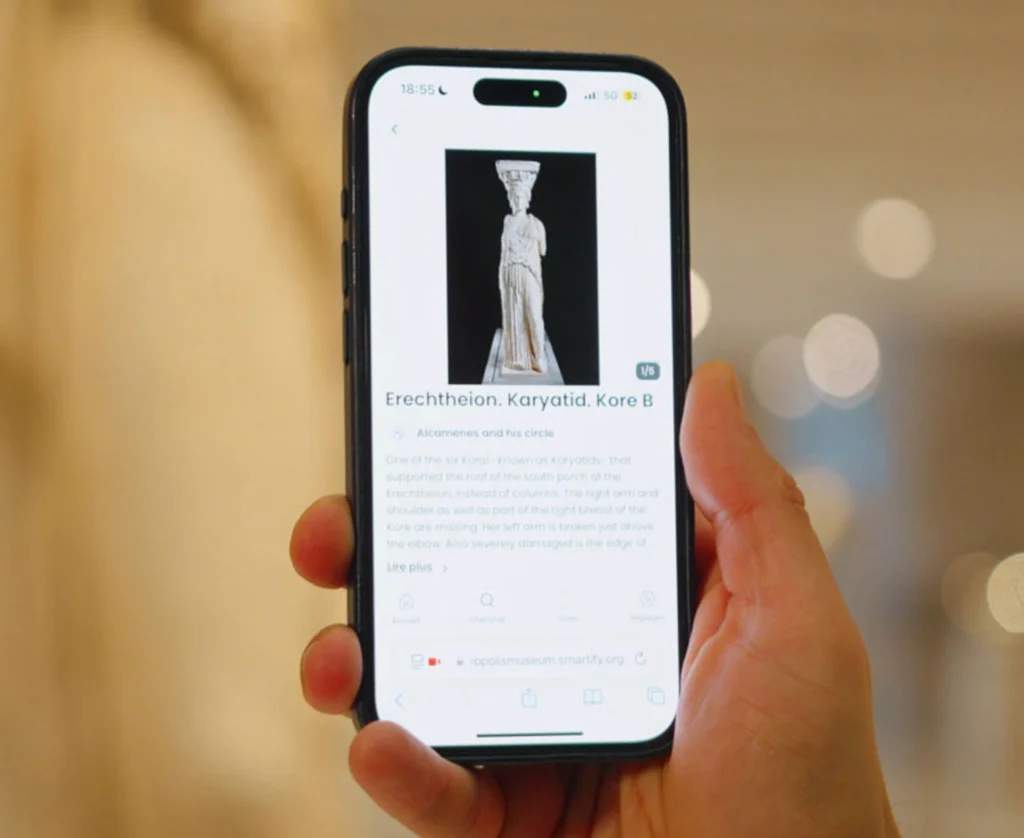
QR Codes can also allow content to adapt automatically. Some QR Code systems detect a visitor’s device language and display the right version without any extra steps. This helps visitors understand exhibits more easily and encourages spending across services like tours, shops, and food.
QR Codes for instant ticket upgrades and add-ons
QR Codes placed near premium experiences allow visitors to purchase upgrades directly from their phones at the moment of interest.
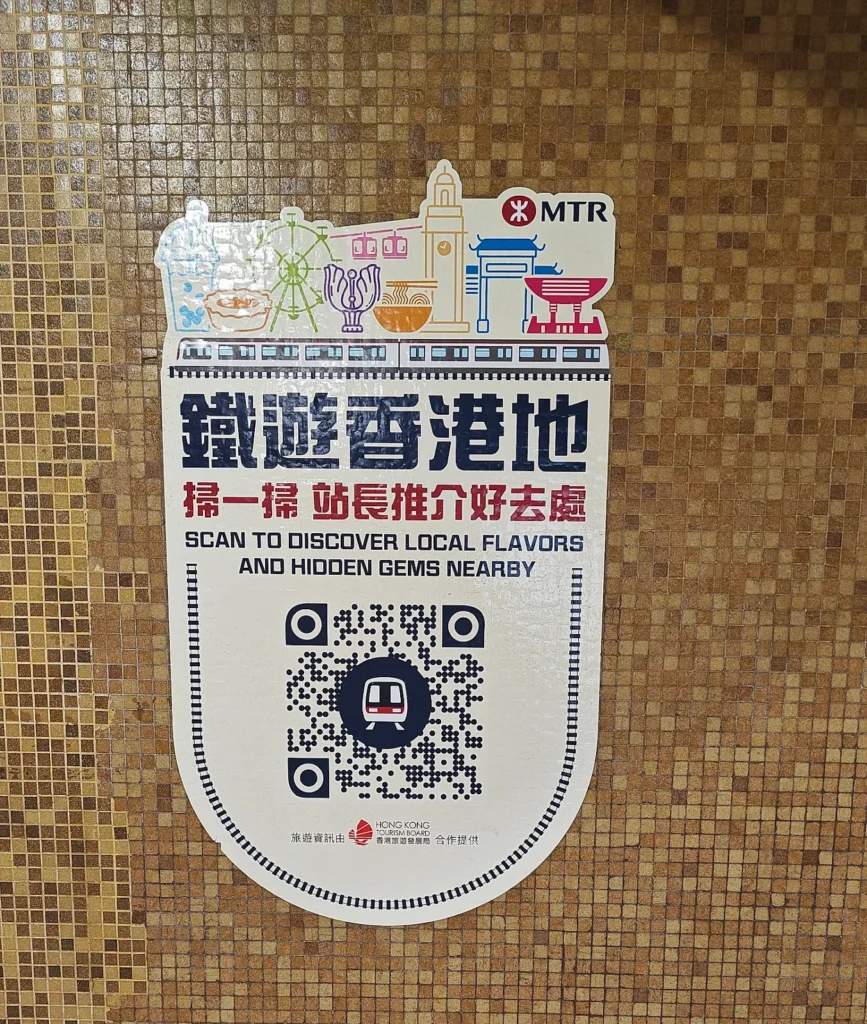
For example, Hong Kong’s Old Town Central tour, which has expanded to five themed walking routes, includes QR Codes linking to nearby restaurant discounts and partner experiences. Another example is Ocean Park Hong Kong, which uses QR Code-based ticketing and meal redemption systems that visitors access directly on their phones.
Using QR Codes this way extends the revenue angle beyond the attraction itself.
QR Codes for behind-the-scenes content
QR Codes can take visitors beyond what they see on display. They can open videos, reconstructions, curator talks, and 360-degree views that show how objects were made, used, or restored. This turns a simple visit into a more active and engaging experience.
For example, Pompeii Archaeological Park uses QR-Code-linked digital content to provide audio guides, images, and detailed explanations tied to locations throughout the site. This extra context helps visitors better visualize daily life in ancient Pompeii.
QR Codes for gamification and scavenger hunts
Tourist attractions can conduct QR Code scavenger hunts, placing codes near key exhibits, where each scan reveals a clue, trivia question, or challenge leading to the next stop. This approach encourages active exploration and measurably increases dwell time.
Attractions can even run multiple difficulty levels or launch seasonal hunts without reprinting materials.
How to create QR Codes for self-guided tours
Creating QR Codes for self-guided tours does not require a large budget or a complex setup. Most attractions can start with a small pilot and expand later based on visitor engagement.
For example, The QR Code Generator (TQRCG) offers two free dynamic QR Codes with no expiration. That is enough to test a self-guided tour for one exhibit, gallery, or walking route before scaling across the venue.
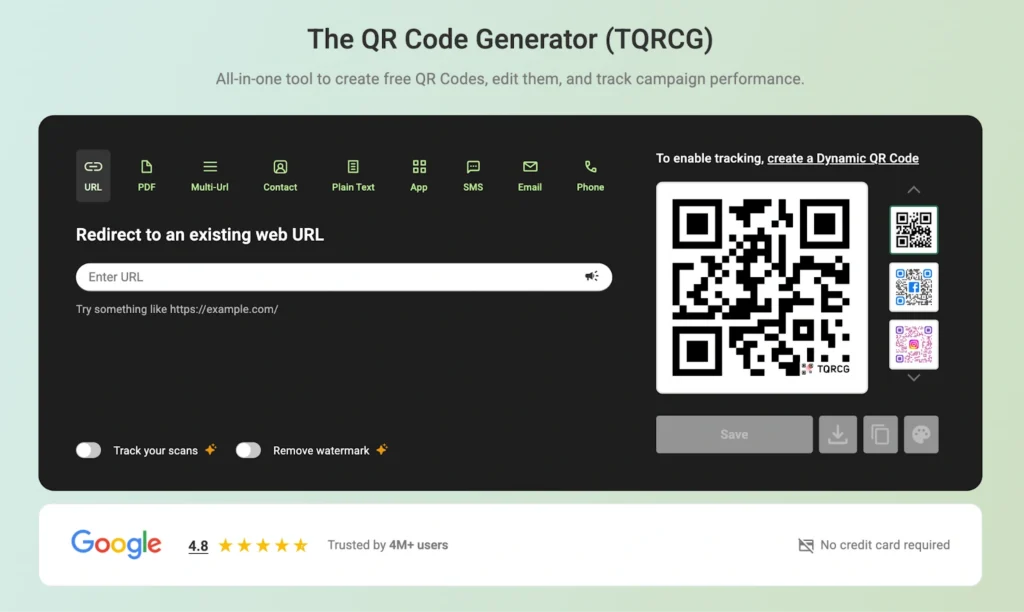
Follow these four steps to plan, create, and launch QR Codes for tourist attractions.
Step 1: Define the visitor experience
Start by deciding what visitors should access after scanning the QR Code.
Most tourist attractions use QR Codes for:
- Audio narration
- Video walkthroughs
- Interactive maps
- Downloadable guides
- Multilingual descriptions
- AR experiences
Then match each content type to a physical location inside the attraction. For example, audio narration works well at exhibit stops, while interactive maps work better near entrances and route junctions.
Step 2: Create a dynamic QR Code in TQRCG
Go to The QR Code Generator and choose the QR Code type that matches your content.
Common formats include:
- URL QR Codes for landing pages
- PDF QR Codes for downloadable guides
- Video QR Codes for multimedia content
Use dynamic QR Codes instead of static ones.
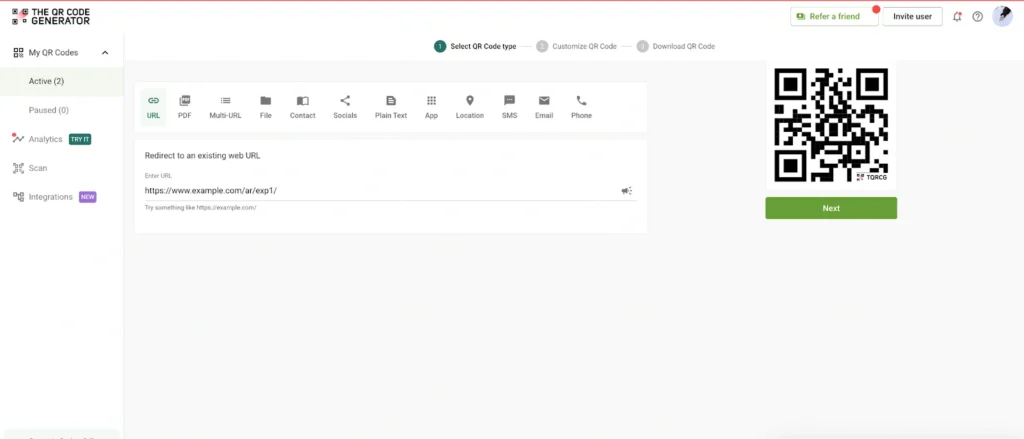
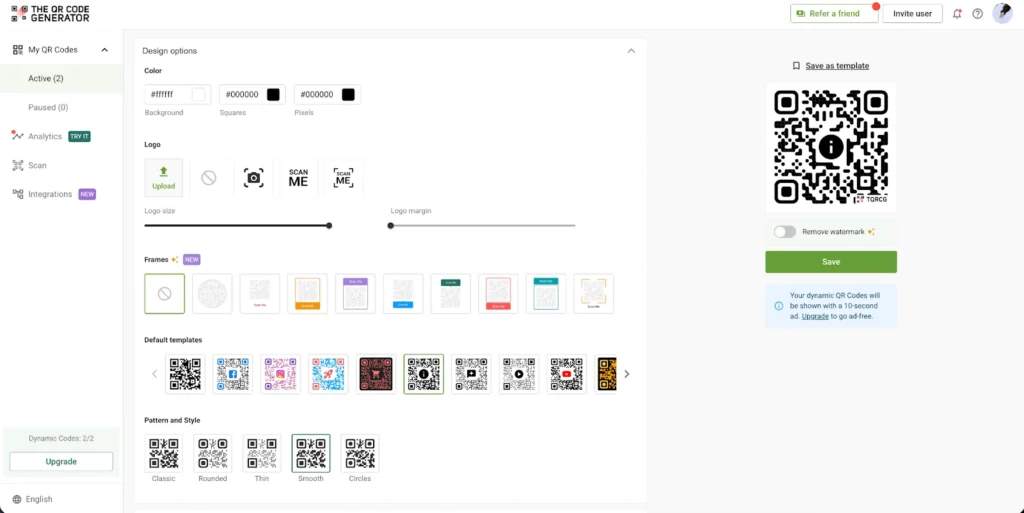
Step 3: Customize the QR Code design and download
Add your attraction’s logo, colors, and branding elements to the QR Code design. Branding is important because it signals legitimacy and increases scan rates.
You can also include a short call-to-action near the code, such as:
- “Scan for Audio Guide”
- “Explore This Exhibit”
- “View Interactive Map”
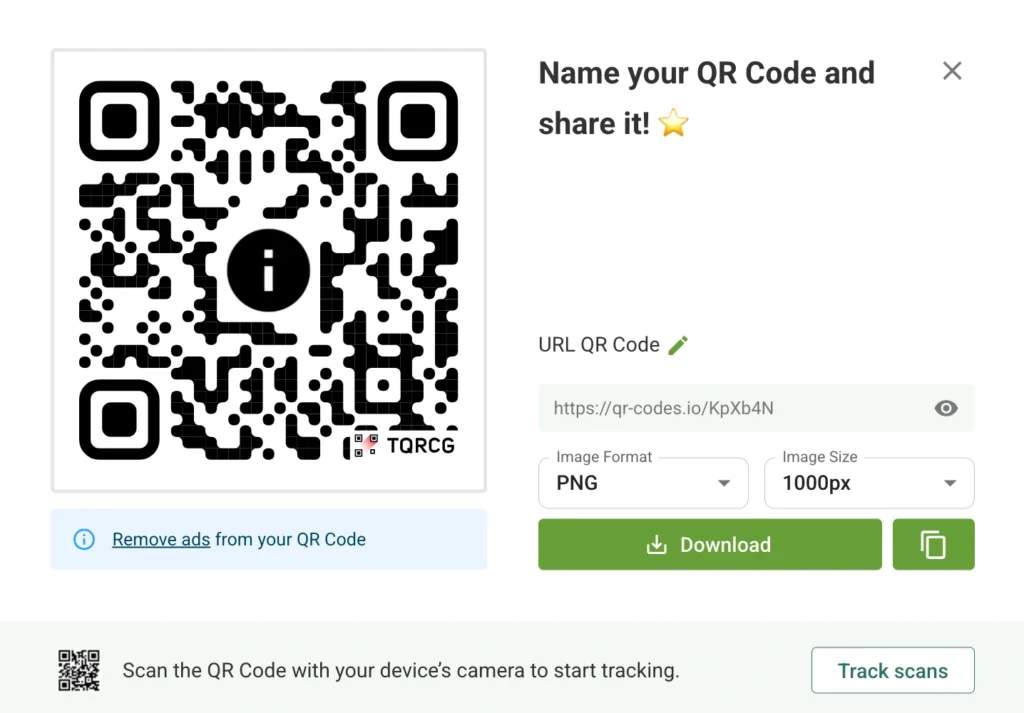
After customizing the design, download the QR Code in the correct format:
- SVG for printed signage
- PNG for websites and digital displays
Step 4: Test and place the QR Code
Before launching across the full attraction, test the QR Codes on different devices and screen sizes.
Check:
- Scan speed
- Mobile loading time
- Link accuracy
- Audio and video playback
- Accessibility compatibility
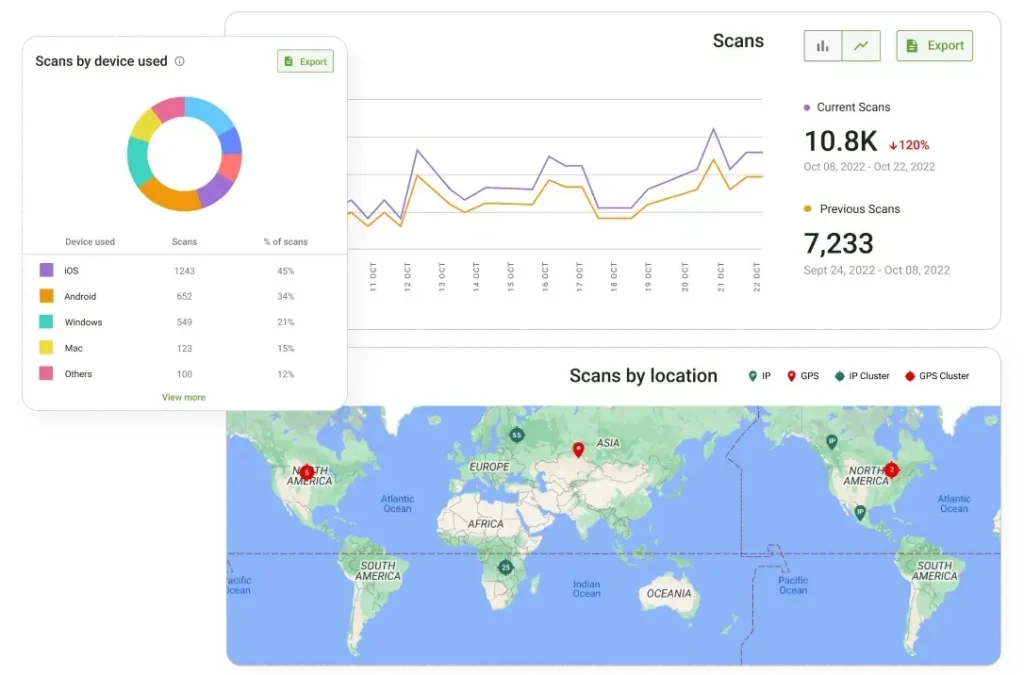
Once testing is complete, install the QR Codes in their planned locations and, through TQRCG’s analytics dashboard, monitor for scan rates, engagement time, and drop-offs. You can refine your QR Code based on real behavior, then expand across the attraction.
Best practices for using QR Codes at tourist attractions
Generating QR Codes is easy. Designing a self-guided tour that visitors actually use from start to finish takes more planning. The most successful QR Code tours focus on scan visibility, walking flow, connectivity, and visitor attention span.
The following best practices help tourist attractions create smoother self-guided tour experiences.
Position QR Codes where visitors naturally pause
Place QR Codes near exhibits, viewpoints, entrances, and transition points where visitors already stop to look around. Visitors rarely scan while actively walking.
Keep the QR Code close to the related object or landmark so the connection feels immediate. For outdoor attractions, avoid placing codes where direct sunlight creates glare during peak visiting hours.
Keep audio and video content short
Self-guided tour content works best in short segments. Most visitors will not stop for a 10-minute explanation in the middle of a walking route.
Break content into smaller sections instead:
- 30 to 90 seconds for audio clips
- Under 2 minutes for videos
- Short paragraphs for text descriptions
Shorter content keeps visitors moving while maintaining engagement across the full route.
Use clear prompts that explain the benefit of scanning
Many visitors ignore QR Codes when the purpose is unclear. Generic prompts like “Scan Me” do not create enough motivation.
Instead, explain exactly what visitors will get after scanning:
- “Hear the story behind this sculpture”
- “Watch how this site looked in 1850”
- “Listen to a 60-second audio guide”
Specific prompts increase scan rates because visitors know what to expect.
Design self-guided tours around the walking flow
Self-guided tours should follow a logical physical route. Visitors should not need to backtrack or search for the next stop.
Group QR Code stops by:
- Gallery sections
- Historical timelines
- Difficulty level
- Walking distance
- Tour themes
This structure makes the experience feel intentional instead of fragmented.
Prepare for weak connectivity in large or outdoor venues
Large tourist attractions often have poor cellular coverage in certain areas. Self-guided tours that rely entirely on streaming can break the experience midway.
Offer lightweight mobile pages and downloadable content whenever possible. Some attractions also ask visitors to preload tour content near the entrance before exploring deeper sections of the venue.
Track where visitors stop scanning
Scan analytics help attractions identify where visitors lose interest during the tour. High drop-off points often signal:
- Content that is too long
- Poor QR Code placement
- Weak signage
- Confusing route transitions
Review scan patterns regularly and adjust the route or content based on actual visitor behavior instead of assumptions.
Create uninterrupted self-guided tours with TQRCG
The National Museum of Scotland was among the early adopters of QR Codes in exhibition spaces during the early 2010s. Alice Taubman, Principal Curator of Communications, described the goal as wanting to, “not only give visitors more information about objects and stories, but also involve our visitors in adding their own responses to the objects, whether personal reflections or additional resources to let others find out even more.”
That vision is now within reach for any attraction. Travel QR Codes improve return visits, generate additional revenue, reduce operational costs, and produce actionable visitor data.
With The QR Code Generator (TQRCG), you can create dynamic QR Codes that link to audio guides, video content, multilingual pages, and interactive maps, and update the content anytime without reprinting.
Frequently Asked Questions
Do visitors actually scan QR Codes at tourist sites?
Yes. Since smartphone cameras began supporting native QR Code scanning in 2017, adoption has risen sharply. The National Museum of Scotland reported 26,000 scans across 65,000 exhibition visitors in a single exhibit. That shows how well-placed and clearly labeled QR Codes generate strong engagement.
What if tourists don't have data or Wi-Fi access?
If tourists don’t have access to data or Wi-Fi, provide venue Wi-Fi at the entrance and prompt visitors to connect before scanning. For areas with no connectivity, offer a downloadable content package that visitors can save over Wi-Fi before entering.
How do QR Codes work for visitors who don't speak the local language?
QR Codes can direct visitors to content in different languages without requiring separate signs for each translation. Attractions can use a multi-URL QR Code to route visitors to different landing pages based on their selected language.For example, one QR Code can open:- an English audio guide for English-speaking visitors- a Spanish landing page for Spanish-speaking visitors- a French video guide for French-speaking visitorsThis setup keeps signage clean while making self-guided tours easier for international visitors to follow.
Can QR Codes replace traditional audio guides completely?
In most cases, QR Codes can replace traditional audio guides. QR Code-based audio tours eliminate equipment costs and the hassle of rental logistics. Attractions should maintain fallback options, though, like staff-assisted tablets or printed guides.
How do I measure visitor engagement with QR Code content?
Dynamic QR Code platforms such as TQRCG provide scan analytics, including total scans, times, device types, geographic data, and engagement duration. These metrics let you identify what works and where to improve.
Are QR Codes safe to scan at tourist attractions? How do I know they are legitimate?
Yes, QR Codes are safe to scan at tourist attractions. Legitimate attraction QR Codes are branded with the venue's theme and display the destination URL beneath the code. Tamper-evident placements on permanent signage provide additional assurance.