
How to Write a QR Code Call to Action That Gets More Scans

Harshajit
Last updated: October 9, 2026
14 min read
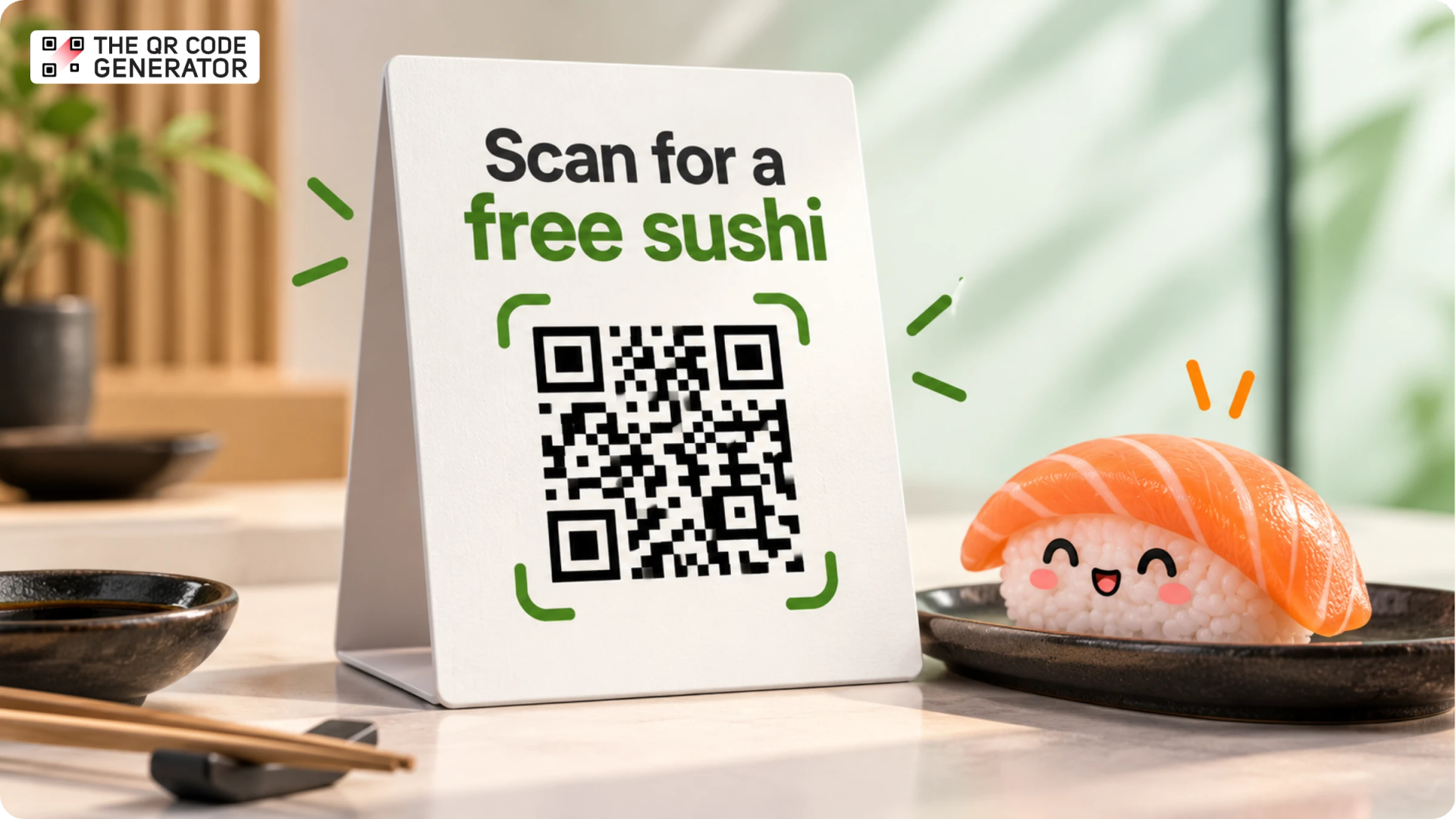
Imagine walking through a busy event hall. You spot someone wearing a T-shirt with a plain QR Code on the back. Would you scan it? Probably not. You have seen dozens of QR Codes already, and this one gives you no reason to stop.
A few steps later, you see another person wearing a QR Code with the words “Scan to grab some merch.” Better, but you can get free merch at almost every booth.
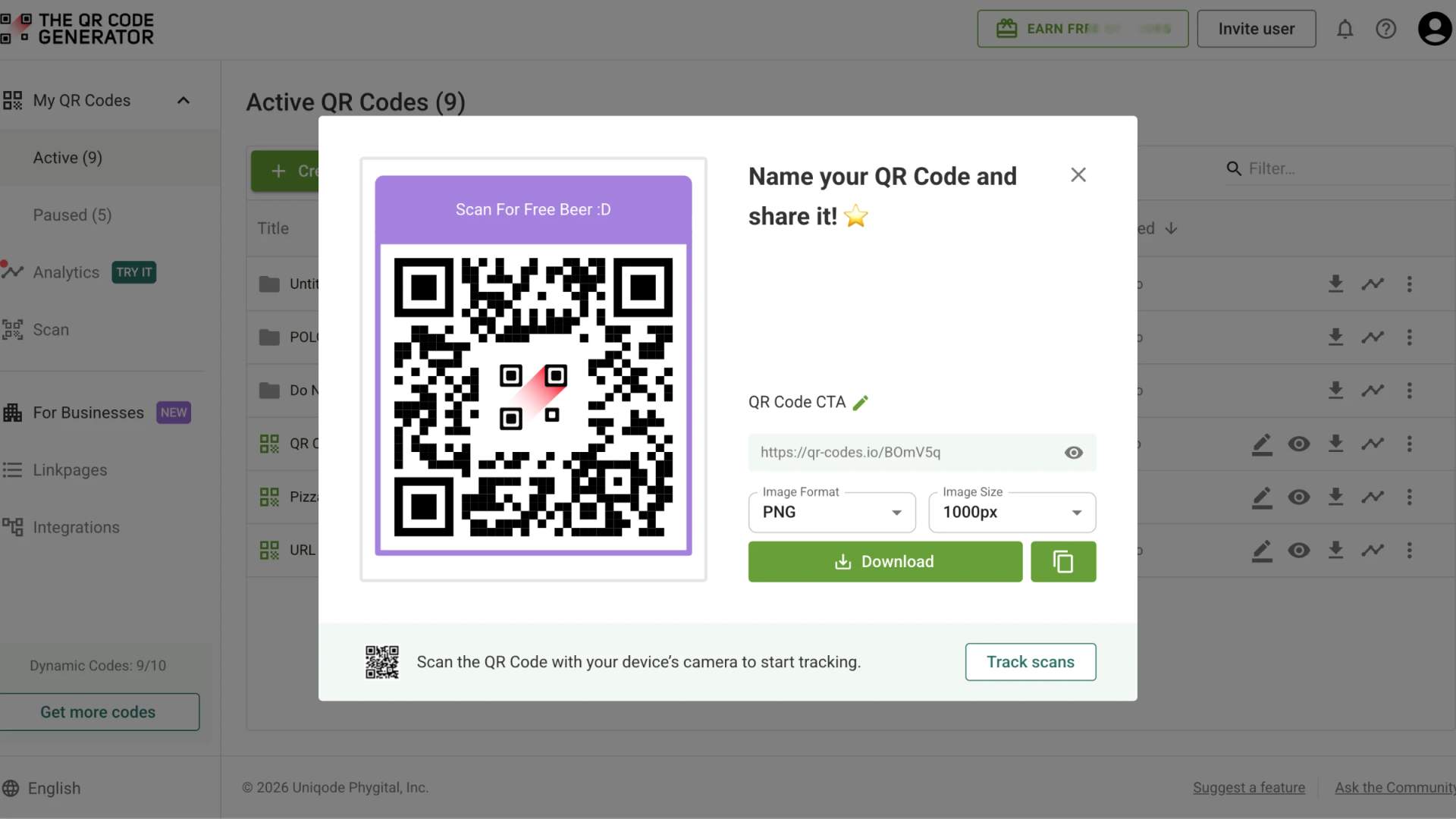
Then you spot a third person with a QR Code that says “Scan to get a beer.” Now that sounds interesting! You scan it, fill out a short form, and get a coupon to use at the brand’s booth. The prize turns out to be a stuffed beer mug, but that little line of text did its job.
That is the power of a good QR Code call to action (CTA). A few simple words can tell people what to do, give them a reason to scan, and show them what they will get in return.
In this guide, we will look at what makes a QR Code CTA work, share examples for different goals and channels, and explain how to design and place your CTAs so more people scan your QR Codes.
What is a QR Code call to action?
A QR Code call to action is a short instruction placed next to a QR Code that explains what people can access by scanning it. It pairs an action verb with a clear benefit, such as “Scan to view the menu” or “Scan for 15% off your first order.” The QR Code carries the link, while the call to action explains why someone should scan it.
An effective CTA combines three elements: an action, a benefit, and an optional reason to act now. The action tells people what to do, such as scan, tap, or point your camera. The benefit explains what they will get, such as a discount, a menu, a playlist, or event details. A nudge gives them a reason to act soon, such as a limited quantity or a closing date.
Why your QR Code needs a call to action
A QR Code call to action helps people understand what they will get from scanning, which can encourage more scans. Without that context, someone seeing a QR Code on a poster, flyer, or product label has to guess where it leads and decide whether scanning is worth the effort.
Trust is one factor in that decision. The FBI warned in 2022 that scammers tamper with public QR Codes to direct people to phishing pages. A clear call to action that names the destination or benefit helps set expectations and provides more context before people scan.
A specific CTA also helps your QR Code stand out when people have little time to notice it. For example, “Scan to watch the 30-second setup video” tells someone what they can access before their attention moves elsewhere.
Finally, the call to action should match the page people reach after scanning. “Scan to book a table” sets the expectation that the QR Code leads to a booking page. When the destination delivers on that promise, people can move directly to the action they came to take.
What makes a high-converting QR Code call to action
The lines that earn the most scans name one specific payoff and make acting on it feel effortless. For example, a real-estate lead program run by RSP USA put the line “scan to see what your home is worth” on direct-mail postcards, pointing the QR Code at a home-value estimate page. Across 90-day windows in 2024, homeowners who scanned and landed converted to listings at 13.6%, which the company reports as roughly five times the national average.
So, what worked? The CTA named the exact payoff in the reader’s own terms, so a homeowner weighing a sale knows what awaits on the other side before they lift their phone, rather than guessing at a vague “Scan here.”
Here are six aspects that shape whether a QR Code call to action performs well.
Name the exact reward in the reader’s own words
A generic prompt forces the reader to predict what they get, and that prediction is the effort that stops most scans. A gym that swaps “Scan here” on its street window for “Scan to book a free trial class this week” hands the passerby a concrete reason that matches why they paused at a gym window in the first place.
Write to the reader’s moment and how long they look
The surface tells you how much time you have and how far away the reader stands. A table tent reaches a seated guest up close, so it holds 5 to 7 words and a short instruction. A billboard reaches someone moving past in seconds, so it needs 3 or 4 large words. A product label sits in the hand, so it has room for a full payoff sentence.
State what opens and clear the app worry
Two common concerns can stop someone from scanning a QR Code: not knowing where it leads and wondering whether they need an app. Modern phone cameras can scan QR Codes without a separate app, so a short CTA such as “Scan to view the menu” may be enough. The wording should suit the setting and audience. A restaurant table tent, for example, calls for different phrasing than a product label or event poster.
Ask for one action and send it to one page
Every extra choice on arrival costs you the reader you just won. A QR Code on a concert poster that reads “Scan to buy tickets” belongs on the ticket page for that specific show, so the fan who scans lands one tap away from checkout instead of hunting through a venue homepage.
Use urgency only when it is true
A real deadline gives people a reason to act now. A countdown that resets on every visit teaches readers to ignore your deadlines, so reserve urgency for offers that genuinely end, as in “Scan to claim 20% off before Sunday.”
Make the first screen deliver the promise
The call to action sets an expectation, and the landing page has to confirm it right away. Someone who taps “Scan for the setup video” should see the video playing, not a blog index they have to search.
Put together, these choices turn a flat line like “Download our app” into “Scan to skip the line, no app needed.” The stronger wording names the payoff and clears the hesitation in eight words.
QR Code call-to-action examples worth copying
Every example below is real, pulled from packaging, signage, and print you might encounter on an ordinary day. Each of the eight works for a specific reason, and the reason matters more than the line itself.
Philz Coffee: scan to order and pick up at the bar
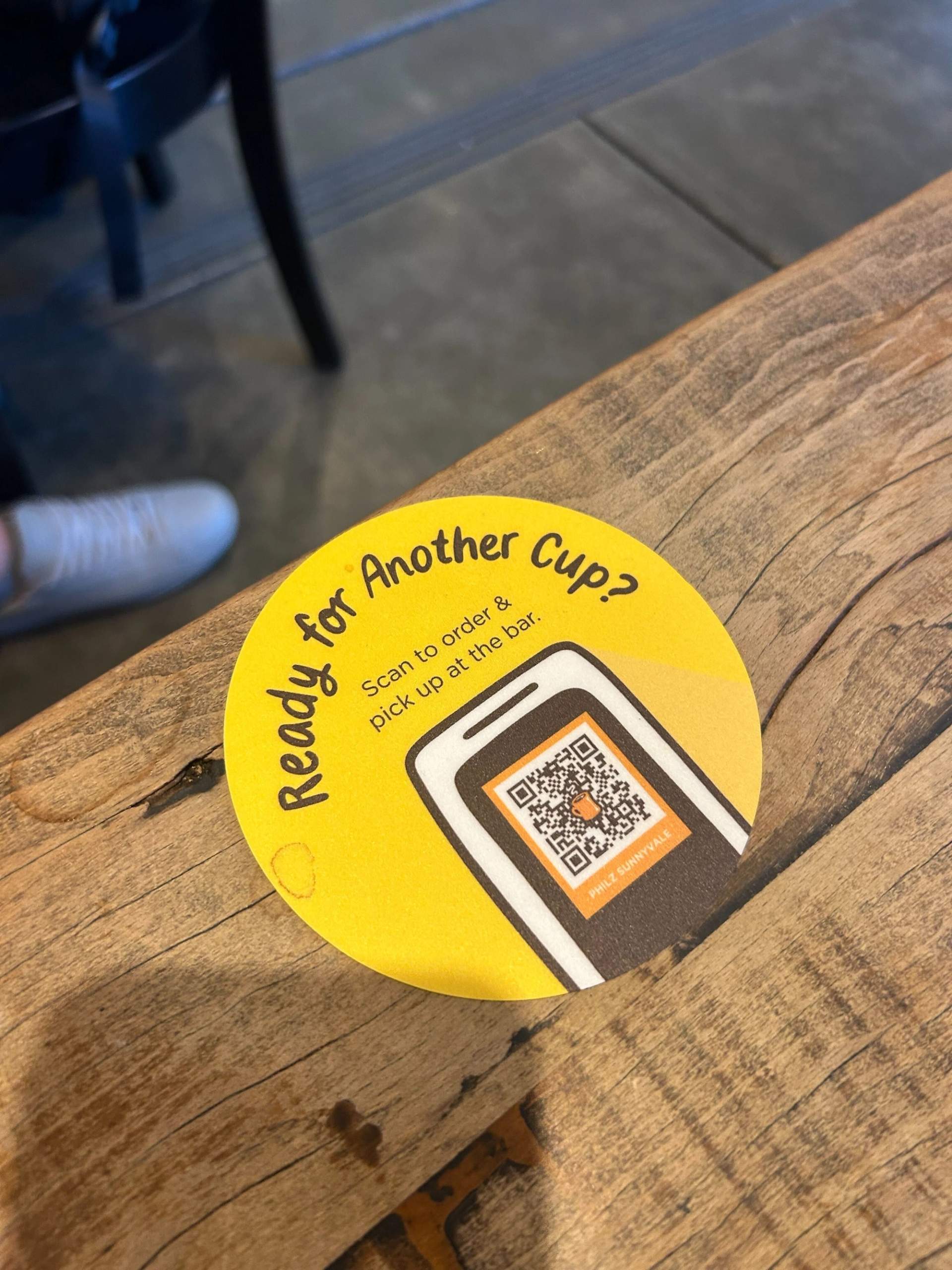
This is an in-store ordering prompt, printed on a round sticker stuck to the communal tables at Philz Coffee in Sunnyvale: “Ready for another cup? Scan to order and pick up at the bar.” The sticker reaches you at the exact moment the craving hits, when your cup is empty and the counter line looks long.
Its goal is the second order, and it gets there by turning a refill into a thirty-second task on a page tied to that specific store. It works because the prompt sits where the next decision already happens.
Gamehide: scan to win a $2,500 gift card
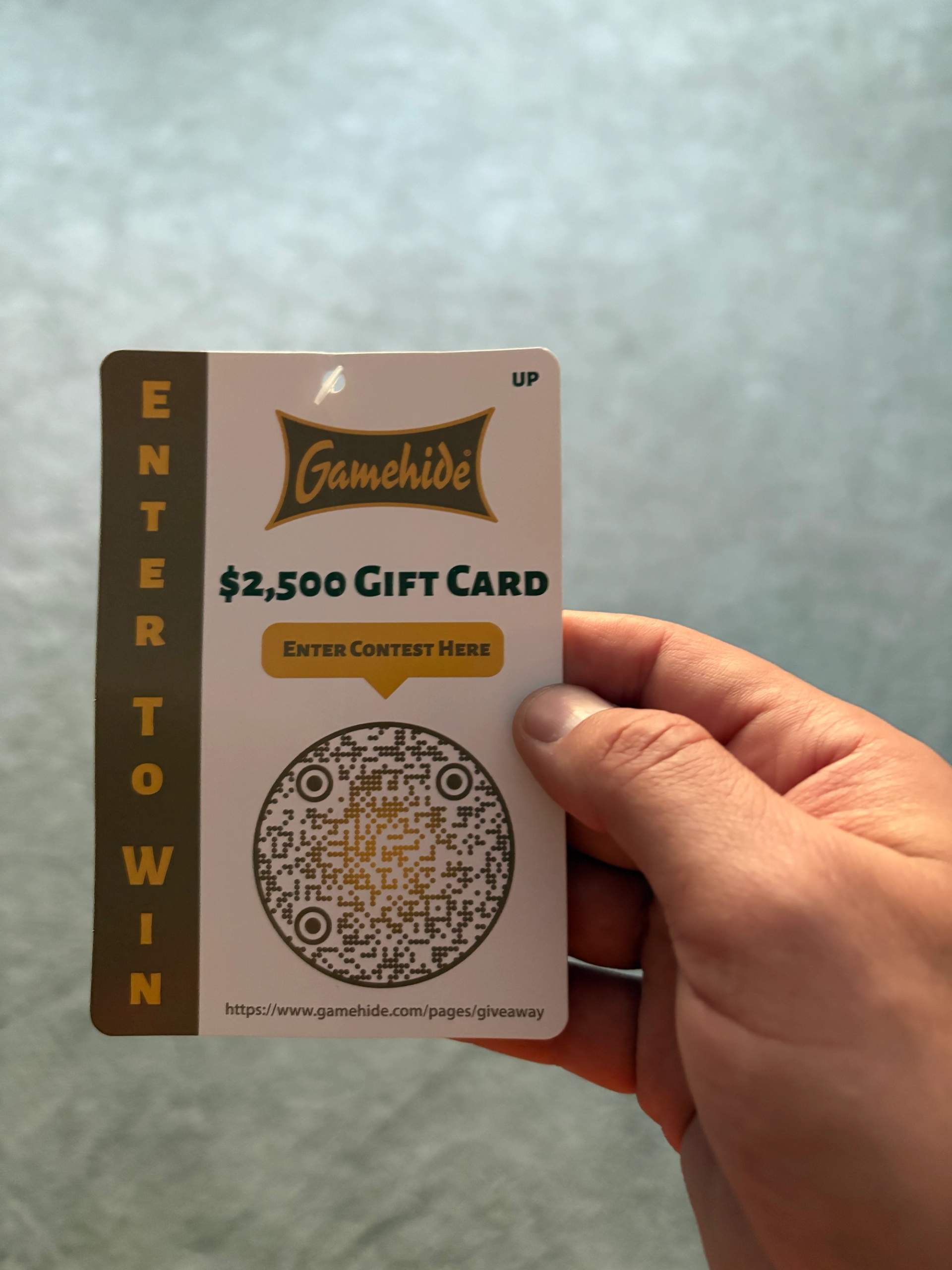
Gamehide runs a giveaway off a hang tag on its hunting apparel, a lead-capture play built around a prize. The tag reads “$2,500 gift card, enter to win,” with “Enter contest here” pointing at the QR Code. A prize that large and that specific is easy to act on, and every entry hands the brand a new contact to market to later. A concrete prize gives people a reason that the word “giveaway” on its own never provides.
Dyson: scan for your exclusive benefits
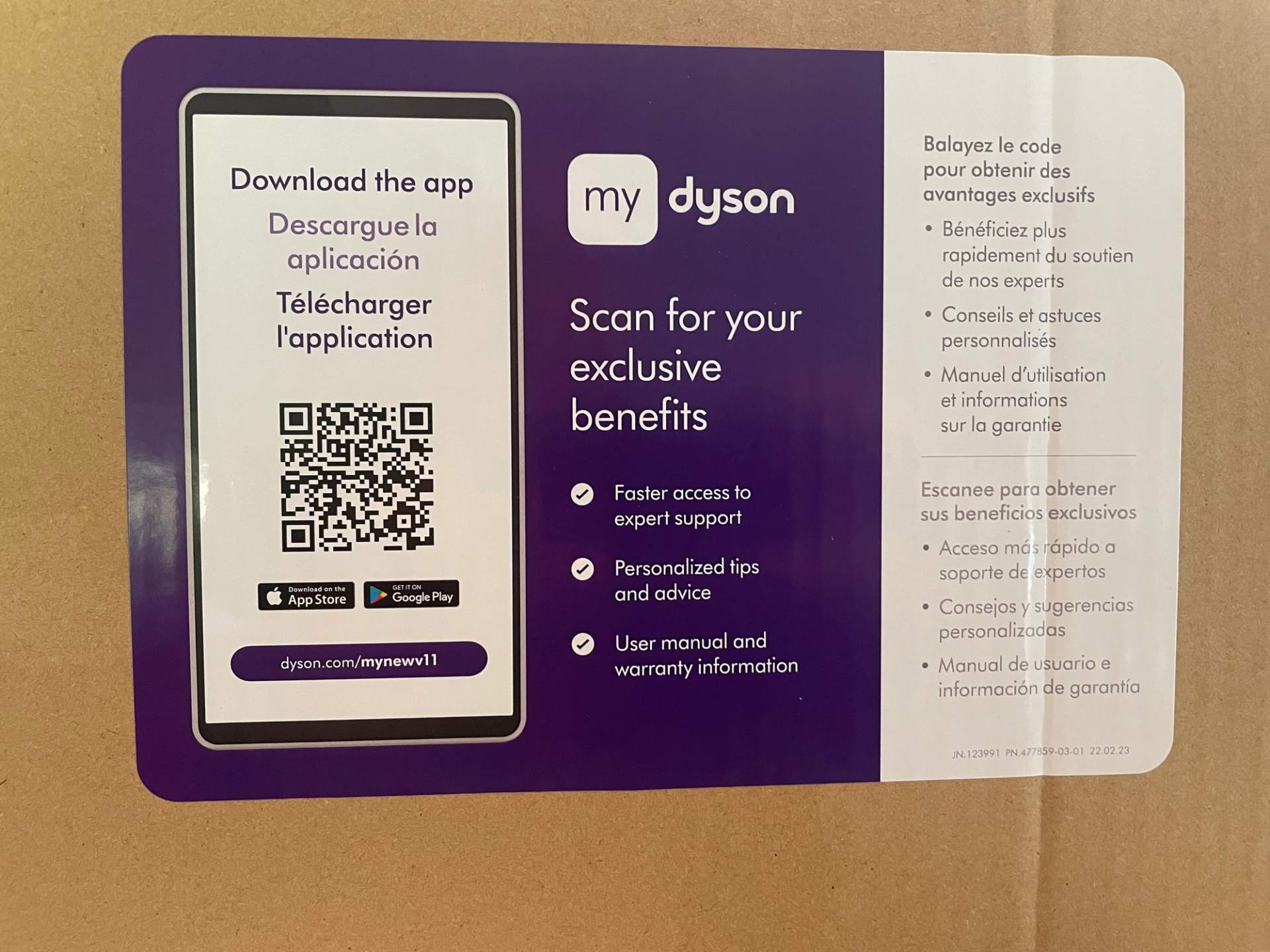
Dyson drops a card inside the box of a new machine, the kind of post-purchase nudge that turns a buyer into a registered owner. It says “Scan for your exclusive benefits,” then backs the headline with three bullets: faster access to expert support, personalized tips and advice, and user manual and warranty information.
The goal is app adoption and registration, and the bullets are what close it, naming the payoff before you decide. A short headline earns the scan once the specifics sit right beside it.
Ocean Spray: scan for our best recipes
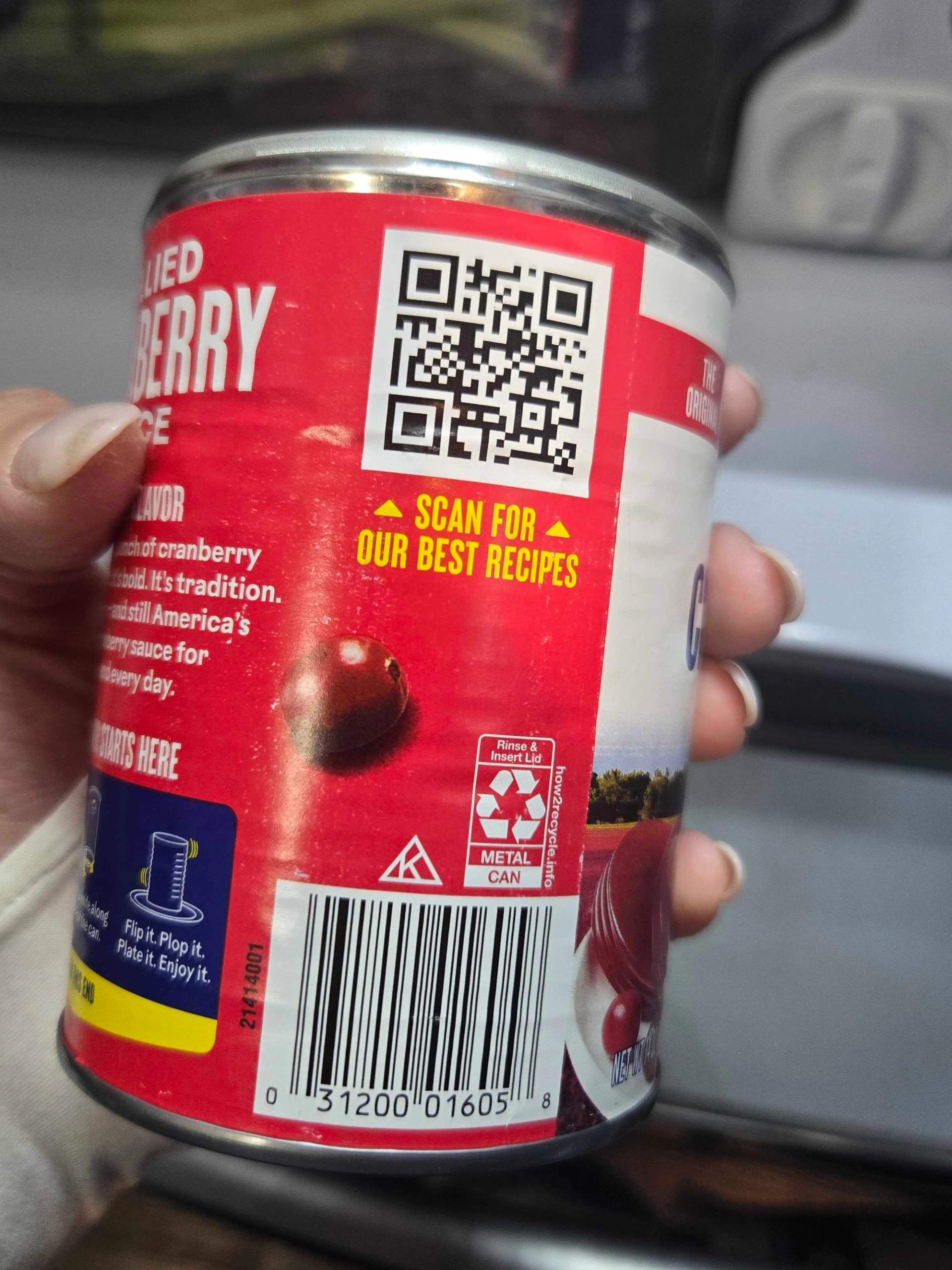
Ocean Spray prints “Scan for our best recipes” in bright yellow on the back of a can of jellied cranberry sauce, a packaging CTA aimed at what happens after the sale. Cranberry sauce shows up in most kitchens only a few times a year, so a recipe link gives people a reason to open the can more often and cook with it. The CTA turns a once-a-year purchase into something customers come back to.
Cointreau: a QR Code that previews the drinks
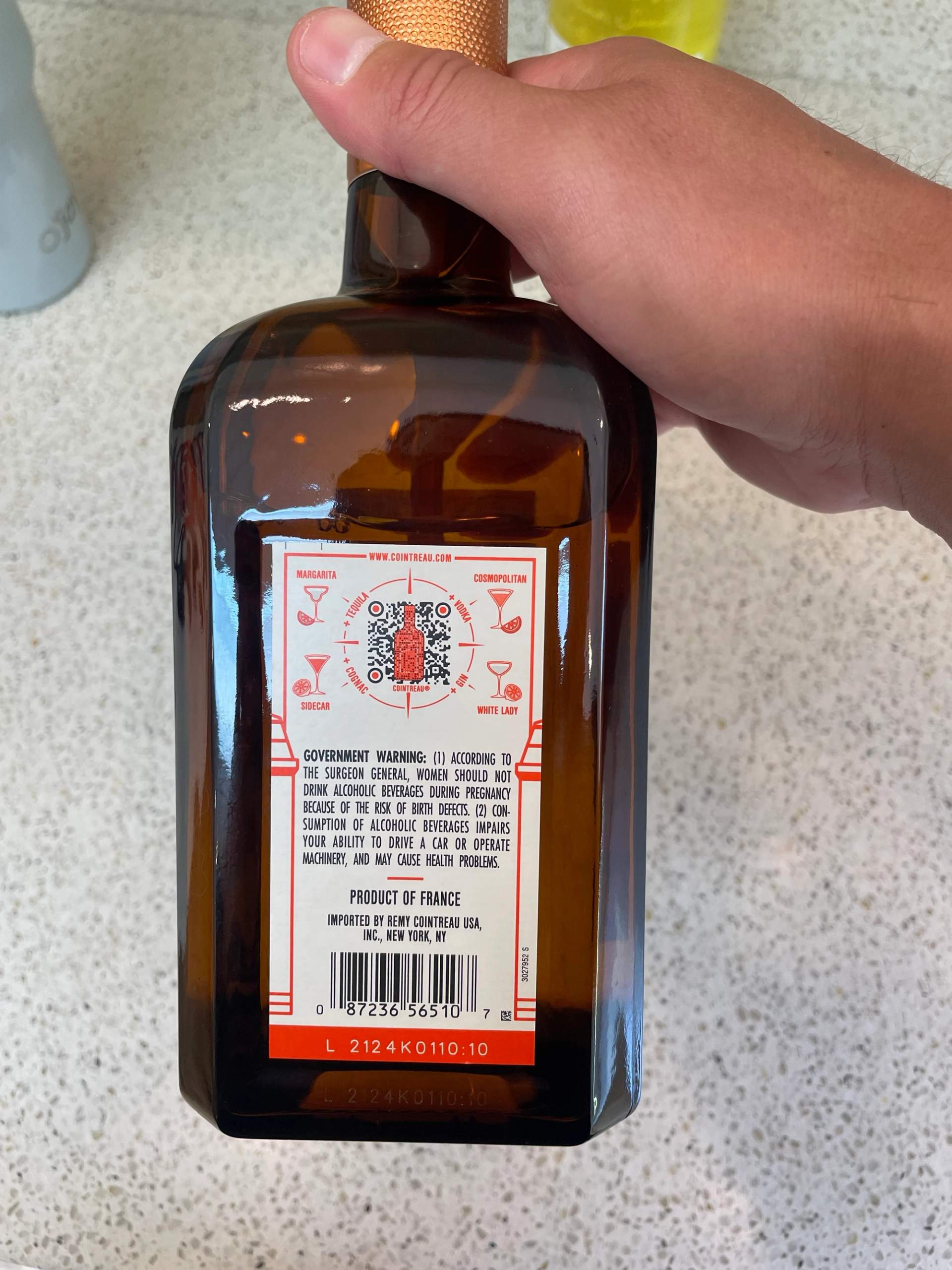
Cointreau builds recipe discovery into its bottle, wrapping the QR Code on the back label in a small compass of cocktails: Margarita, Cosmopolitan, Sidecar, and White Lady. The channel is the product itself, and the goal is to get people mixing drinks with it at home. Showing the destinations around the QR Code means you know it leads to recipes before you ever scan. Showing what waits on the other side can persuade as well as words do.
My Little Pony at Gardens by the Bay: scan to buy tickets
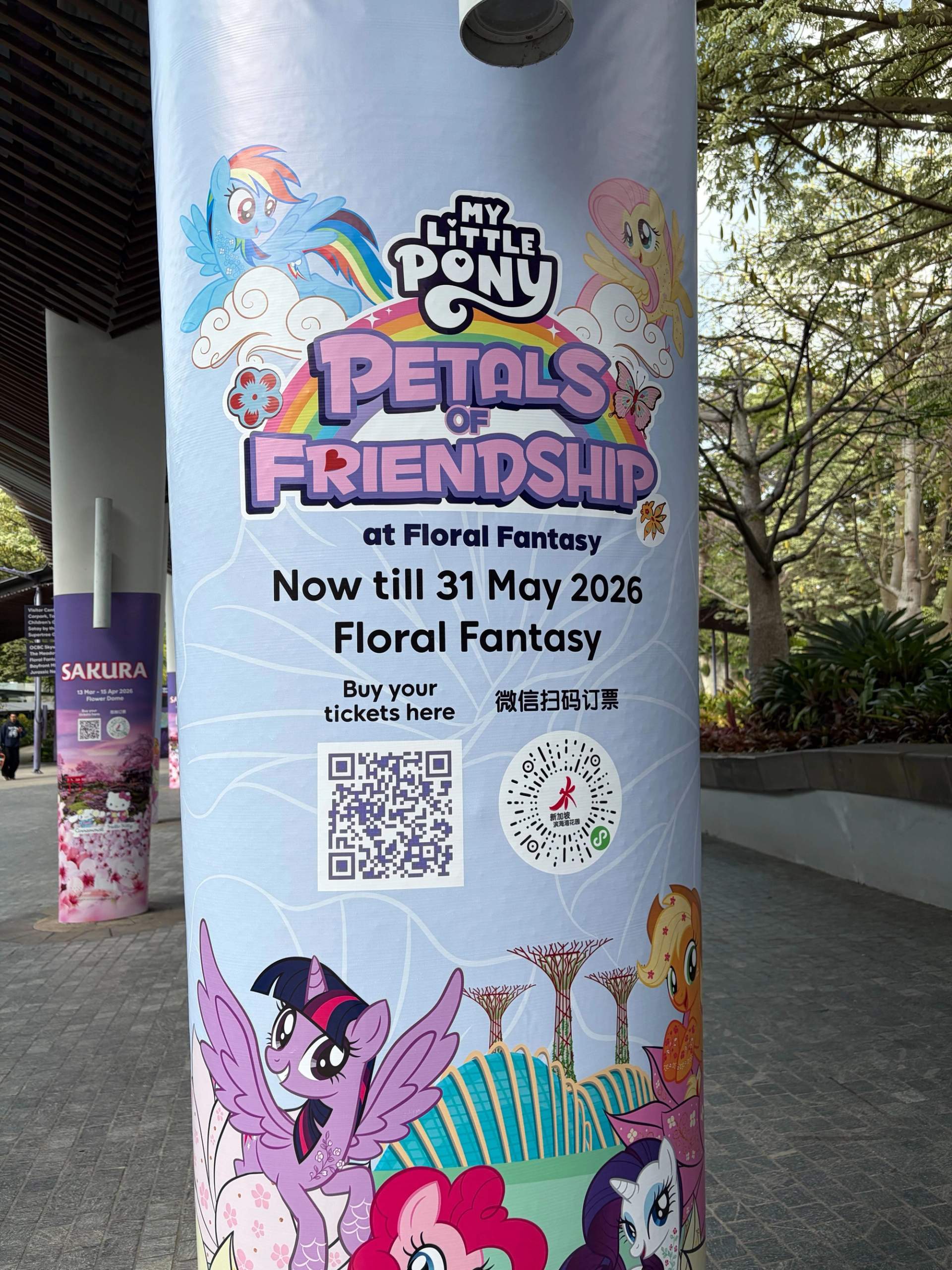
The My Little Pony: Petals of Friendship show at Gardens by the Bay in Singapore sold tickets straight off an outdoor pillar, with “Buy your tickets here” under the QR Code and a second QR Code for WeChat users. This is out-of-home advertising with a transactional goal, and the direct instruction matches the moment a visitor stands at the venue, deciding whether to go in. A buy-now line fits best where the audience can act on it immediately.
Gregory’s Coffee: scan to learn more about this blend
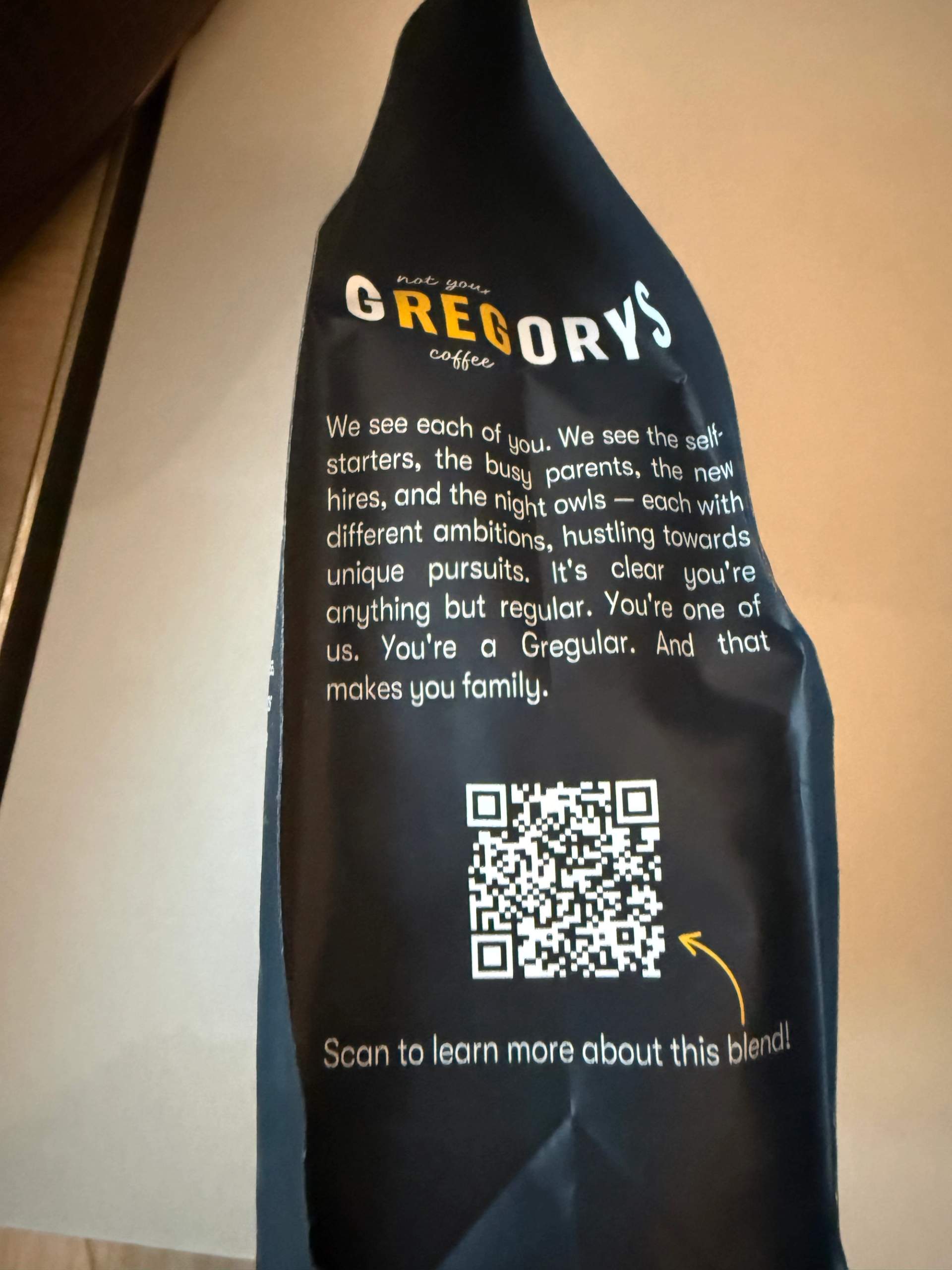
Gregory’s Coffee uses its packaging for storytelling, printing a short brand note on the back of its Night Vision espresso bag that ends with “Scan to learn more about this blend.” The copy builds a little affinity first, calling regulars “Gregulars,” so by the time you reach the QR Code, you are curious about the beans in your hand. The goal here is connection more than conversion, deepening the relationship with someone who has already bought. Context above the QR Code can do the persuading before the CTA is even asked.
Jovial: scan here for product details
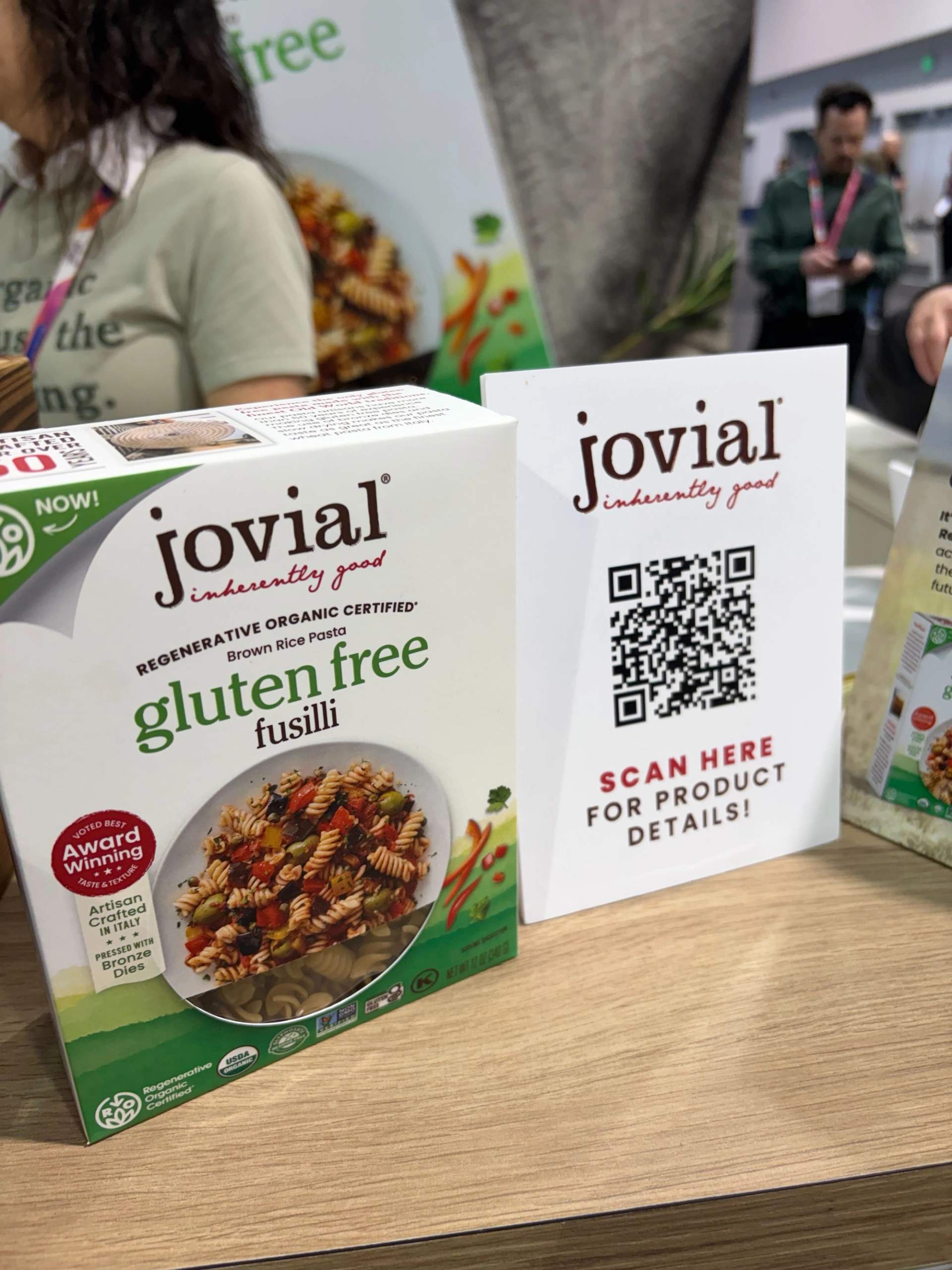
At a trade show booth, Jovial set a small card beside its gluten-free fusilli that reads “Scan here for product details.” The channel is the event floor, and the goal is for educate shoppers about sourcing and certifications. Booth visitors often have questions a busy rep cannot field in the moment, so the QR Code hands them the ingredients and details on their own phone. A card placed away from the product works by meeting people where they pause.
→ Related: How to Use QR Codes for Business, Marketing and Growth
How to add a call to action to your QR Code
The call to action lives in the frame around your QR Code, and the builder adds it in one extra step before you download.
Here is the full flow in TQRCG, from a blank dashboard to a finished QR Code with the CTA built in.
Step 1: Log in to the TQRCG dashboard, or sign up for free if you are new.
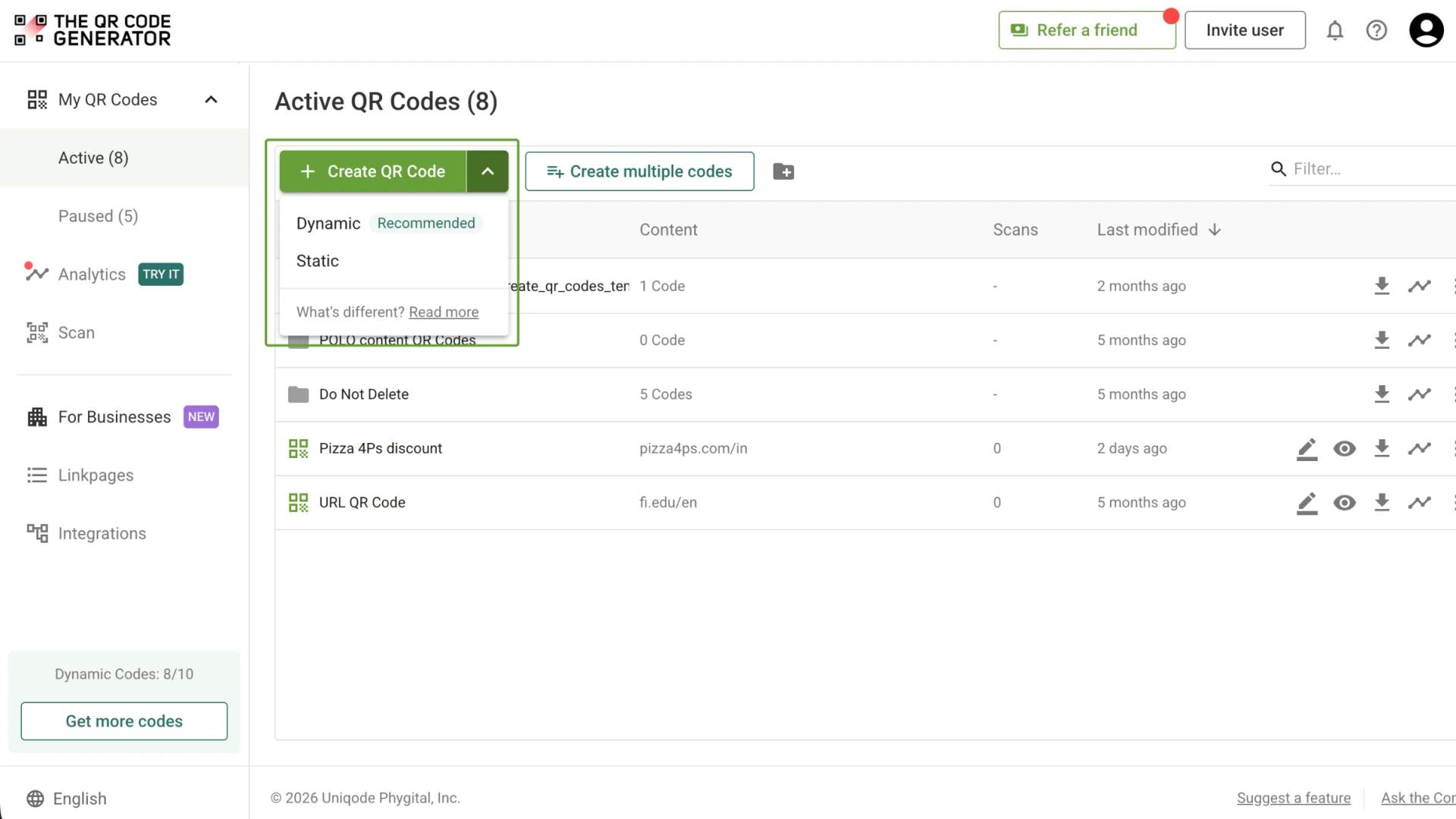
Step 2: Click + Create QR Code. You can also open the dropdown next to the button and choose Dynamic QR Code.
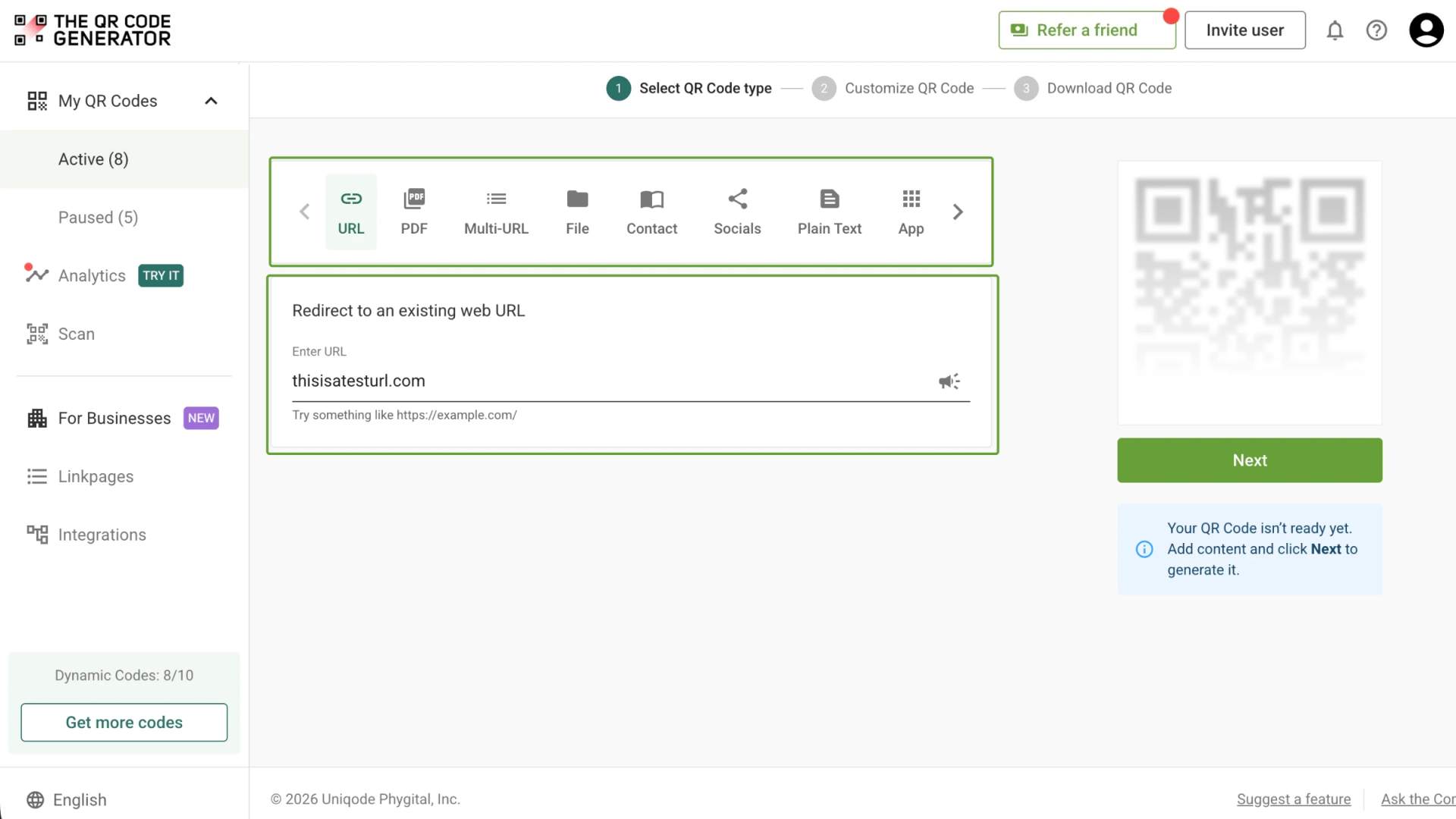
Step 3: Select the QR Code type. For a link, pick URL, enter your destination address, and click Next.
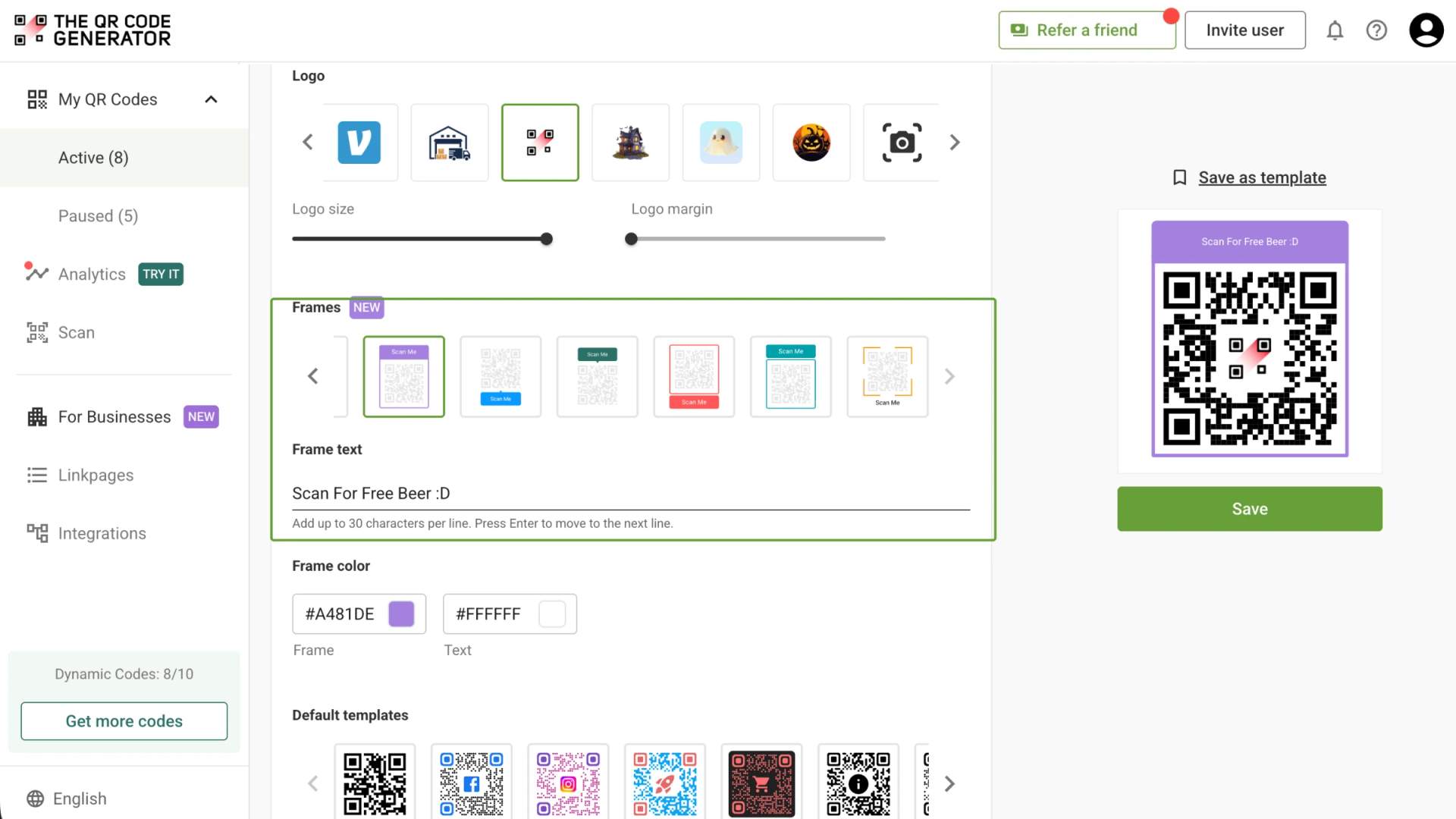
Step 4: Customize the look with your color, logo, pattern, style, and template so the QR Code suits both the brand and the surface it will live on.
Step 5: Choose a frame and type your CTA text into it, something like “Scan for free beer” or “Scan to get 15% off.”
Step 6: Download the finished QR Code as a PNG for print or an SVG.
What are the QR Code CTA best practices?
A CTA only pays off when the code reads on the first try, and the words stay legible from where people stand. These seven rules cover both the QR Code and the spot you put it in.
- Keep a high contrast between the QR Code and its background. Dark modules on a light background scan most reliably, and a pale QR Code printed over a busy photo often fails to read.
- Size the QR Code for the distance people scan from. A 10 to 1 ratio works well, so a QR Code read from 10 feet needs to be about 1 foot wide. A QR Code on packaging in someone’s hand can sit near 0.8 inches.
- Leave a clear, quiet zone around the QR Code. QR Codes need empty space on all four sides, usually about four modules wide, so scanners can find the edges.
- Place the QR Code within easy reach and good light. A QR Code above eye level, behind glare, or on a surface people cannot approach will not get scanned, however strong the offer.
- Set the CTA text right beside the QR Code, above, or below it. Keep the type large enough to read from the same distance the QR Code is scanned from, and hold its contrast as high as the QR Code itself.
- Add a small visual cue toward the QR Code. An arrow or a phone icon, like the arrow on the Gregory’s Coffee bag, pulls the eye to the action.
- Test a printed sample before the full run. Scan it with a few phones in the lighting where the QR Code will live, so you catch problems while they are cheap to fix.
→ Related: Best Practices for QR Code Design (+ Free Checklist)
How to test and improve your QR Code CTA
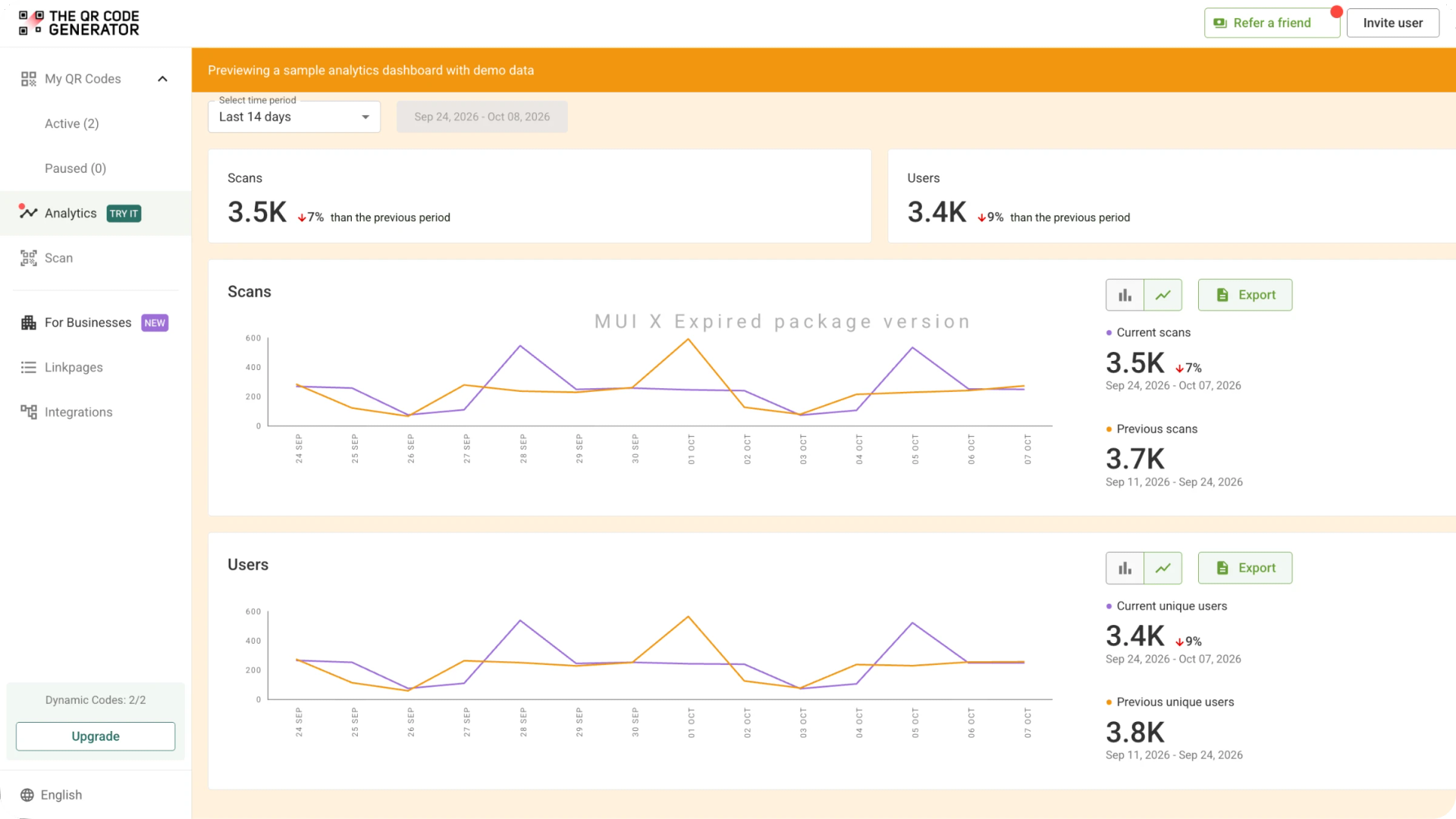
You can improve a QR Code call to action by testing different versions of a trackable QR Code and comparing their scan results. TQRCG's Analytics dashboard helps you monitor scan activity, and dynamic QR Codes let you update the destination without printing a new QR Code. You can use the two dynamic QR Codes on the free plan to try different approaches.
Start with an A/B test that changes one element at a time. Place two versions of a QR Code in similar locations, change only the CTA wording, and compare their scan counts over the same period. Once you identify the stronger version, test placement by moving the QR Code to a different position or surface while keeping the wording consistent.
Use TQRCG's Analytics tab to review total scans, unique users, and changes from the previous period. The Scans by city table helps you compare geographic engagement, while the Export button lets you download the data for further analysis or reporting.
To measure what happens after a scan, add UTM parameters to the destination URL and review the resulting traffic in Google Analytics. This helps you connect QR Code campaigns with outcomes such as sign-ups, purchases, and downloads.
Use these results to decide what to test next. You might adjust the wording, clarify the benefit, or change the QR Code's placement, then compare the new results with your earlier measurements.
Frequently Asked Questions
What is the best call to action for a QR Code?
The best call to action names the exact reward and the action in a few words, like “Scan to get 15% off” or “Scan to view the menu.” It works when the reader knows what they get before lifting their phone. Keep it short enough to read in a couple of seconds and match it to the place the QR Code sits.
Is a CTA the same as a QR Code?
No, they are two separate pieces that work together. The QR Code is the scannable graphic that stores the link, and the call to action is the short line of copy that tells people why to scan it. The QR Code carries the destination, and the CTA gives the human reason to act on it.
How do I create a call to action for a QR Code?
Open the TQRCG dashboard, click + Create QR Code, choose the type and destination, then select a frame and enter your CTA before you download.
Why are people not scanning my QR Code?
Most often, the QR Code gives people no reason to scan, so start by adding a call to action that names the payoff. Check the physical blockers next: low contrast, a size too small for the scanning distance, poor lighting, or a spot people cannot reach. Fixing the wording and the placement together usually lifts scans the most.
Do QR Codes made with TQRCG expire?
No, static QR Codes in general never expire, and the two free dynamic QR Codes that TQRCG’s free plan offers also never expire.
Is TQRCG free to use?
Yes, TQRCG is one of the best free QR Code generators, and you can make QR Codes without paying. TQRCG offers unlimited static QR Codes for free, and its free plan includes 2 dynamic QR Codes that never expire. More dynamic QR Codes are available on the Flex plan, Core plan (powered by Uniqode), and the Plus plan (powered by Uniqode).