
6 Best Canva QR Code Alternatives: Free and Paid (2026)

Harshajit
Last updated: May 22, 2026
9 min read
Key Takeaways
- Canva’s QR Code generator is free but only creates URL-only, static QR Codes. There is no scan tracking, no link editing, and no support for PDFs, vCards, or multiple URLs.
- TQRCG is the most practical free upgrade from Canva. TQRCG gives you 2 free dynamic QR Codes that never expire. Scan analytics are included on the free plan, with no account needed for static codes.
- QRCode Monkey is the go-to for free static QR Code design. It supports logo uploads, custom eye shapes, and SVG exports, with no signup required.
- Uniqode is built for enterprise teams. It covers SSO, SOC 2 Type 2, HIPAA compliance, CRM integrations, and bulk QR Code management.
- Flowcode suits small teams that need compliance. Its free plan includes 2 dynamic QR Codes, no scan limits, and built-in GDPR and CCPA standards.
- You can use any of these tools with Canva. Create the QR Code externally, download it as a PNG or SVG, and import it into your design like any other image.
Canva makes it quite easy to add a QR Code to a design. With its built-in QR Code generator, you can paste a URL, click generate, and the QR Code appears instantly in your flyer, poster, menu, or business card. But Canva only creates static QR Codes for URLs. You cannot edit the destination after printing, track scans, or create QR Codes for anything beyond a basic web link.
While Canva’s QR Code generator works well for one-off designs, it lacks the flexibility businesses need for campaigns, packaging, restaurant menus, and ongoing marketing. If you need editable, trackable, and scalable QR Codes, a dedicated QR Code platform is the better choice.
This guide covers the six best Canva QR Code generator alternatives, the key features each tool offers, and the specific Canva limitations that make switching worthwhile.
What is a Canva QR Code?
A Canva QR Code is a free, built-in feature in Canva that generates custom, scannable QR Codes within your designs. It lets you link to websites, portfolios, or contact information directly within your design, with options to customize colors and margins.
How to create a QR Code in Canva (step-by-step)
Creating a QR Code in Canva takes under a minute. Here is exactly how the process works.
- Open an existing Canva design or start a new one.
- Click Apps in the left sidebar and search for QR Code.
- Select the first result, labeled QR Code, click Open, and paste your destination URL into the provided field.
- Click Generate code. The QR Code appears directly in your design canvas.
- Click the Customize dropdown to adjust the available design options: background color, foreground color, and margin size. Click Update.
- Download your design as a JPG or PNG. SVG export requires a Canva Pro subscription.
The 6 best Canva QR Code generator alternatives
We tested six dedicated QR Code generators against Canva on criteria such as free-tier value, supported QR Code types, design customization options, dynamic code support, scan analytics, export formats, and ease of use.
| Tool | Dynamic QR Codes | Scan analytics | Free dynamic QR Codes | Logo integration | SVG export | Signup required | Starting price |
|---|---|---|---|---|---|---|---|
| QR Code Monkey | No | No | N/A | Yes | Yes (free) | No | Free |
| TQRCG | Yes | Yes | 2 | Yes | Yes (free) | No (for static QR Code) / Yes (for dynamic QR Code) | Free |
| QR Code Generator Pro | Yes | Yes | No (trial only) | Yes | Yes | Yes | $5/month (billed annually)/ $10/month (billed monthly) |
| Adobe Express | No | No | N/A | No (free tier) | Yes (free) | Yes | Free |
| Uniqode | Yes | Yes | Trial only | Yes | Yes | Yes | $9/month (billed annually) |
| Flowcode | Yes | Yes | 2 | Yes | Yes | Yes | Free |
1. QRCode Monkey
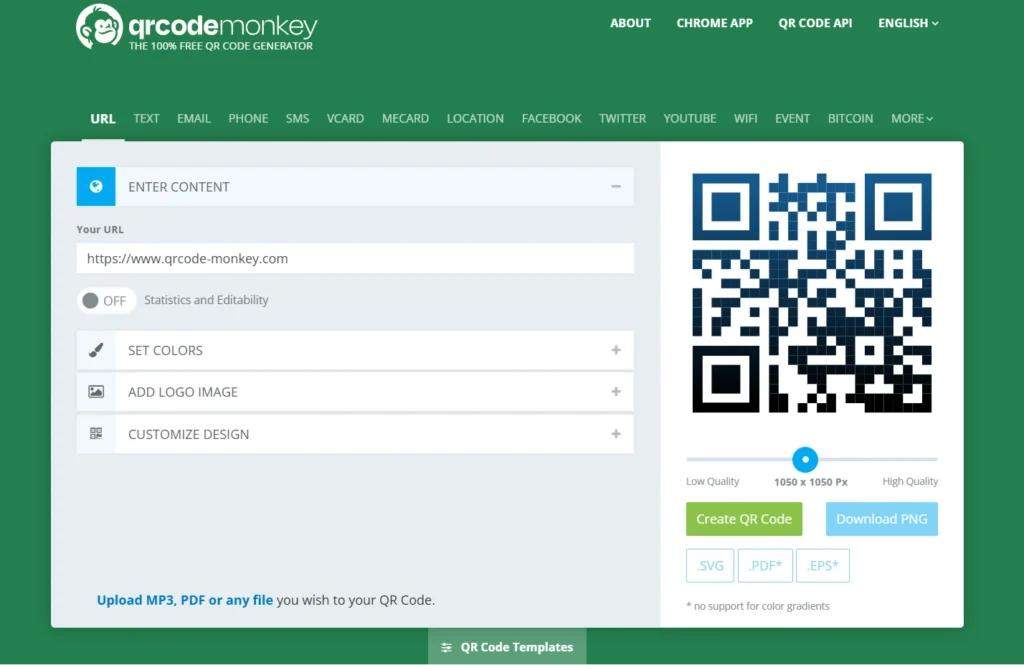
QRCode Monkey gives customers more QR Code design customization than Canva, including logo uploads, gradient colors, custom eye shapes, and SVG/PDF exports. The tool also creates static QR Codes for free without requiring an account.
QRCode Monkey does not support dynamic QR Codes or scan analytics. The tool works best for permanent links where the destination never changes and tracking is unnecessary.
Benefit over Canva: More design customization, logo uploads, and SVG/PDF exports
Strengths:
Free
No signup required
Print-ready formats
Limitations:
No dynamic QR Codes or scan analytics
2. The QR Code Generator (TQRCG)
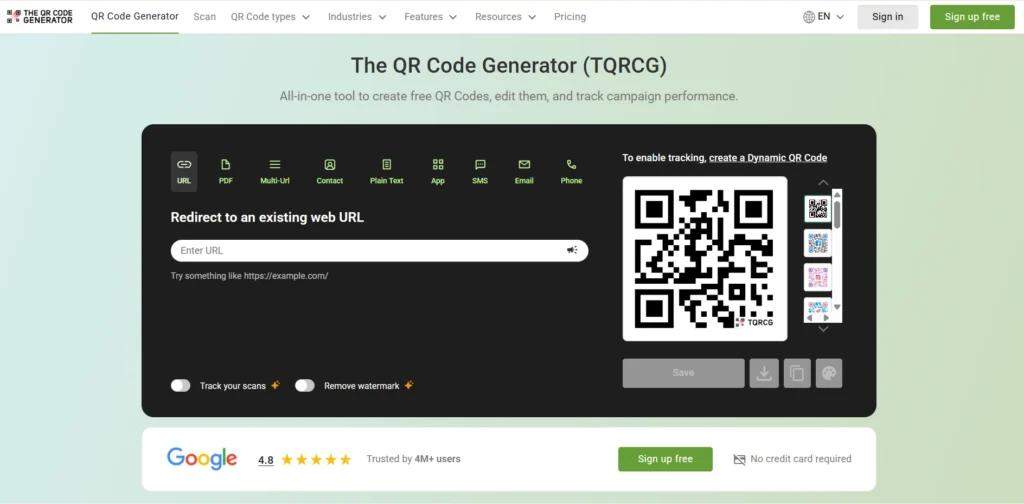
The QR Code Generator (TQRCG) is built for users who want more flexibility than Canva’s static-only QR Code tool without stepping into enterprise-level complexity. It combines a beginner-friendly setup with features that are usually locked behind paid plans in competing tools.
Unlike Canva, which only creates static URL QR Codes, TQRCG gives users two free dynamic QR Codes that never expire. That means you can change the destination after printing without having to replace packaging, posters, menus, or signage. For businesses running seasonal promotions, restaurant menus, real estate listings, or event campaigns, that flexibility can prevent expensive reprints.
TQRCG also includes scan analytics on the free plan, unlike Canva. Analytics help marketers understand which campaigns are actually driving engagement instead of treating QR Codes like static graphics. Users can track:
- Total scans
- Unique scans
Another major advantage is QR Code variety. Canva only supports URL QR Codes, while TQRCG supports multiple campaign types, including PDF, vCard, Multi-URL, Email, SMS, and Plain Text. That makes it more practical for businesses that need QR Codes across packaging, retail displays, events, hospitality, or lead generation campaigns.
TQRCG also leans heavily into usability. Static QR Codes can be created without an account, and campaigns can go live in minutes. Customization tools include branded colors, logos, and frames that improve scan visibility and brand consistency.
Users can also upgrade from TQRCG to Uniqode’s Core Plan (powered by Uniqode) or Plus Plan (powered by Uniqode) if they later need advanced analytics, integrations, team features, or larger-scale QR Code management.
Benefit over Canva: Free dynamic QR Codes with editable destinations, scan analytics, and support for multiple QR Code types beyond URLs
Strengths:
2 forever-free dynamic QR Codes
Unlimited static QR Codes
No account required for static QR Codes
Built-in scan analytics on the free plan
Supports PDF, vCard, SMS, app download, and multi-URL QR Codes
Branding customization with colors, frames, and logos
Upgrade to Uniqode
Limitations:
Advanced large-scale features require paid plans
Not designed as a full enterprise campaign management platform
3. QR Code Generator (QRCG) Pro
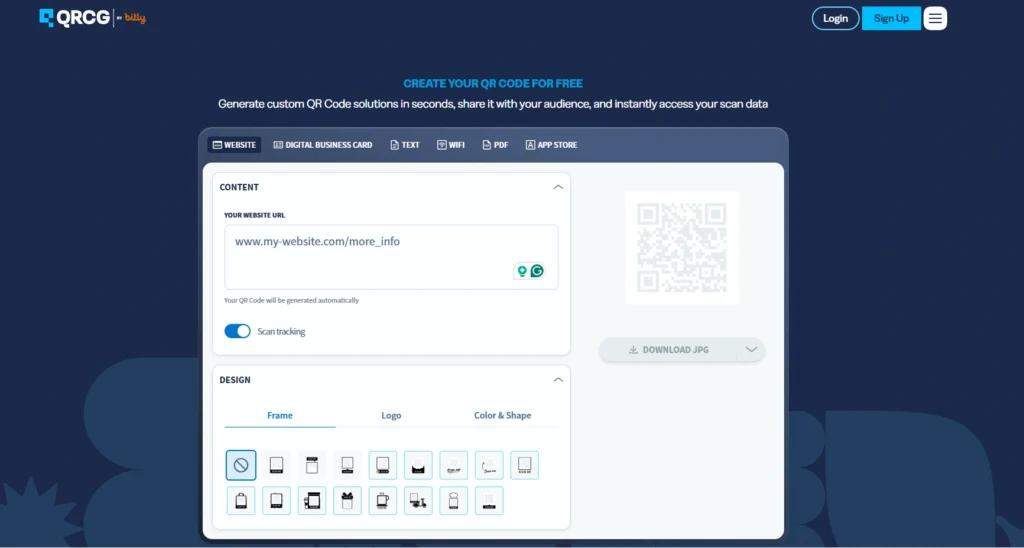
QR Code Generator (QRCG) Pro focuses on campaign management rather than one-off QR Code creation. Teams can organize QR Codes by campaign, edit destinations after printing, and track scan analytics from a centralized dashboard. These are capabilities Canva’s built-in generator does not offer.
QRCG Pro also supports bulk QR Code creation, making it more practical for larger campaigns or multi-location deployments. The free trial is limited, however, and most advanced features require a paid subscription.
Benefit over Canva: Dynamic QR Codes, bulk creation, and campaign
management tools that Canva does not provide
Strengths:
Multi-campaign organization
Scan analytics
Bulk QR Code generation
Limitations:
Free trial only
Most advanced features require a paid subscription
4. Adobe Express
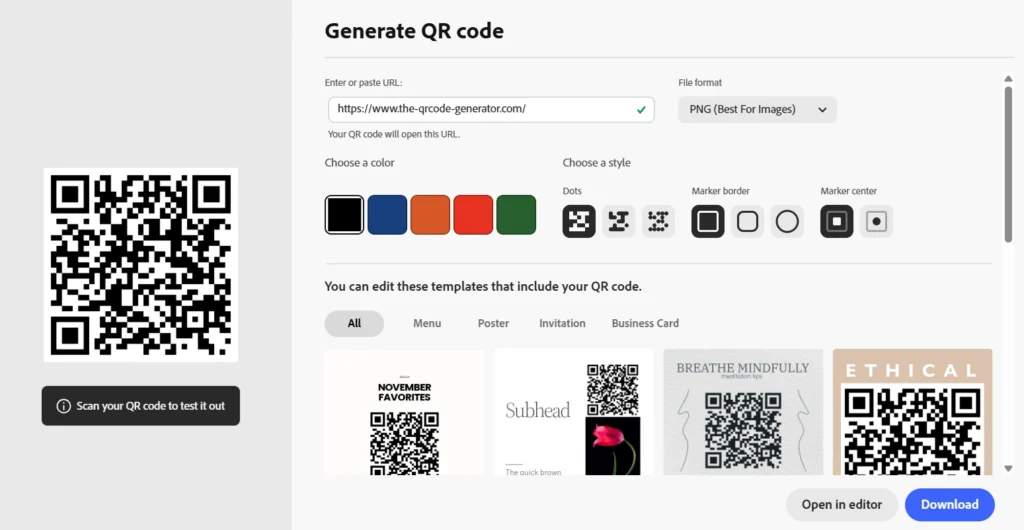
Adobe Express includes a static QR Code generator inside its design suite. It supports URL-only QR Codes with limited customization in the free tier, and users need an Adobe account to download codes.
No dynamic QR Codes or scan analytics are available at any tier. The best use case is simple: you already work inside Adobe Creative Cloud, the destination link is permanent, and you want to place a QR Code directly into a design project without switching tools.
Benefit over Canva: Native to Adobe Creative Cloud, making it convenient for Adobe-first design teams
Strengths:
Built into Adobe Express
No extra tool required for Adobe users
Limitations:
Static QR Codes only
URL-only support
No scan analytics
Account required for downloads
5. Uniqode
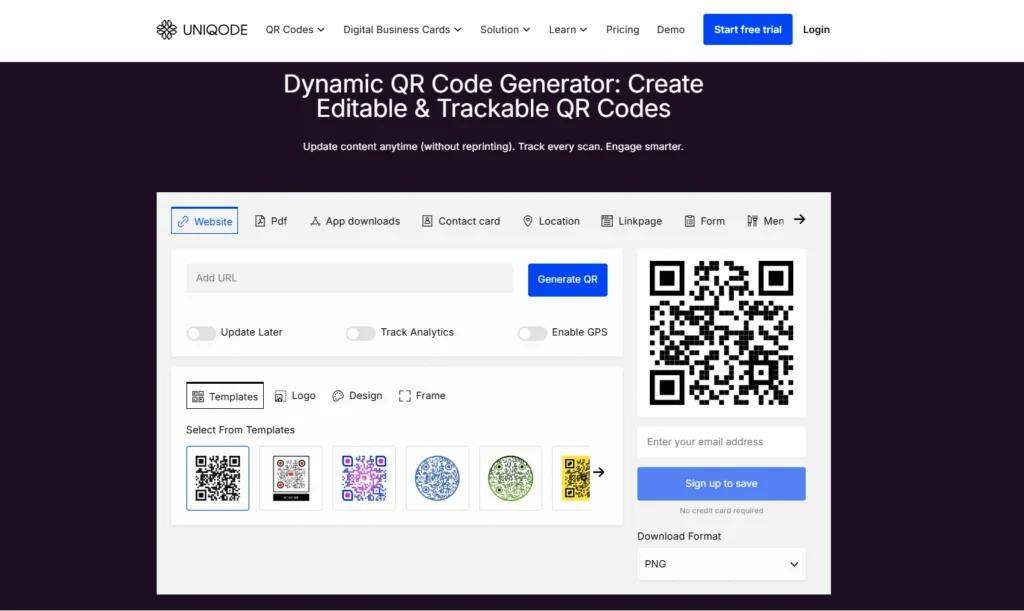
Uniqode is designed for businesses that want to scale beyond basic QR Code campaigns without having to rebuild their workflows later. While Canva focuses on simple static QR Codes inside a design editor, Uniqode adds dynamic QR Code management, analytics, team collaboration, and integrations for ongoing campaigns.
Beyond creating and tracking QR Codes, Uniqode supports digital business cards, team-level permissions, and integrations with tools like Salesforce and Zapier, allowing scan data to connect with CRM and marketing workflows.
Uniqode also integrates directly with Canva through the Canva Apps marketplace, so teams can create and manage dynamic QR Codes without leaving their design environment.
Benefit over Canva: Dynamic QR Code management, integrations, analytics, and team collaboration tools beyond Canva’s built-in generator
Strengths:
Dynamic QR Codes with advanced analytics
Salesforce and Zapier integrations
SSO, SOC 2 Type 2, and HIPAA compliance
Digital business cards
Canva app integration
Team access controls and campaign management
Limitations:
More features than casual or one-time users may need
6. Flowcode
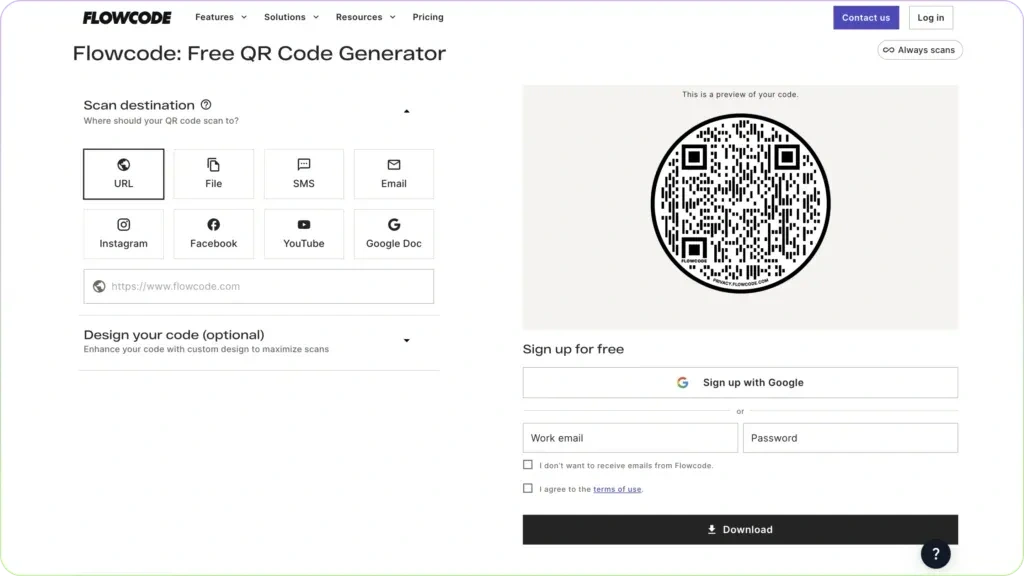
Flowcode’s free plan includes two dynamic QR Codes with no scan limit, real-time analytics, custom shape and logo design options, and Google Analytics integration. The platform also supports GDPR and CCPA compliance standards, which can matter for businesses handling customer data in regulated environments where Canva’s static QR Codes provide no privacy or tracking controls.
Benefit over Canva: Free dynamic QR Codes with real-time analytics, GDPR/CCPA compliance, and Google Analytics integration
Strengths:
2 free dynamic QR Codes with no scan limits
Real-time analytics
Custom shapes and logo options
Google Analytics integration
Limitations:
Free plan limited to 2 dynamic QR Codes
Analytics limited to up to 500 scans in free plan
Advanced features require paid tiers
Learn more: Top Flowcode alternatives
How to choose the right alternative to Canva’s QR Code generator
Most Canva users outgrow static QR Codes once they need editable links or scan tracking. TQRCG covers those needs while staying simple and free to start, while other tools are better suited for advanced design workflows, privacy controls, or larger-scale campaign management.
| Your priority | Best choice | Why it fits |
|---|---|---|
| Free dynamic QR Codes with analytics | TQRCG | Includes 2 dynamic QR Codes that never expire, plus scan analytics at no cost |
| An easy upgrade from Canva | TQRCG | Adds editable QR Codes and scan tracking without the complexity of larger QR Code management tools |
| Advanced static QR Code customization | QRCode Monkey | Offers gradients, logo uploads, SVG/PDF exports, and no signup requirement |
| QR Codes inside Adobe workflows | Adobe Express | Fits teams already designing inside Adobe Creative Cloud |
| Privacy-focused dynamic QR Code campaigns | Flowcode | Includes GDPR/CCPA compliance and unlimited scans on free dynamic QR Codes |
| Large-scale QR Code management | Uniqode | Supports SSO, SOC 2 Type 2, HIPAA compliance, CRM integrations, and team permissions |
| One-time static QR Codes | Canva | Works well for simple designs where the link never changes and tracking is unnecessary |
How to use a Canva QR Code alternative inside your Canva design
You do not need to leave Canva to benefit from a dedicated QR Code tool. Create the code externally, then import it as an image.
Let’s create a QR Code in TQRCG and bring it into your Canva design:
- Log in to your TQRCG dashboard and click + Create QR Code.
- Select the QR Code type you need, such as URL, email, phone number, PDF, or vCard.
- For a URL, paste the link into the field provided.
- Toggle between Static and Dynamic as needed, then click Next.
- Design your QR Code: choose a color, upload a logo, select a frame, and pick a pattern or style.
- Click Save, then download your code as a PNG or SVG.
To use it in Canva, open your design, click Uploads in the left sidebar, upload the file, and drag it onto your canvas. No Canva Pro subscription is needed for this. The code retains all its dynamic capabilities, so if you created a dynamic QR Code in TQRCG, it still tracks scans and can have its destination updated even after it is placed in your Canva design.
Make your next QR Code editable, trackable, and free
Canva works well for creating quick static QR Codes inside a design project. But once you need editable destinations, scan tracking, or campaign flexibility, its built-in generator starts to feel limiting.
The QR Code Generator (TQRCG) is one of the easiest upgrades because it adds dynamic QR Codes, analytics, and multiple QR Code types without adding complexity or forcing a paid subscription upfront. You get two forever-free dynamic QR Codes with scan analytics, unlimited static QR Codes, and support for more than eight QR Code types.
The workflow is also simple: create the QR Code in TQRCG, download it, and place it into your Canva design like any other image. The QR Code keeps all of its dynamic capabilities, including the ability to change the destination later without reprinting the design.
Frequently Asked Questions
Does a Canva QR Code expire?
No. Canva QR Codes do not expire because it generates static QR Codes. However, it can stop working if the URL it links to returns a 404 error, if the domain expires, or if the linked page is taken down. And in such instances, the code breaks permanently, and reprinting all affected materials is the only solution.
Can Canva generate dynamic QR Codes?
No. Canva cannot generate dynamic QR Codes natively. Its built-in generator creates only static, URL-only codes. To use a dynamic QR Code inside a Canva design, you need to install a third-party app from the Canva Apps marketplace (such as Uniqode). The dynamic functionality, including link editing and scan tracking, is entirely provided by the external tool.
What is the best free alternative to Canva's QR Code generator?
The QR Code Generator (TQRCG) and QRCode Monkey are two of the best free alternatives to Canva's QR Code generator. QRCode Monkey is the stronger option for free static QR Codes with deep design customization, including logo upload, custom patterns, and vector downloads, all without creating an account. TQRCG is the better choice when dynamic QR Codes matter: it offers 2 forever-free dynamic codes with no expiration date, scan analytics, and support for multiple QR Code types beyond URLs.
Which Canva QR Code alternative is best for small businesses?
The QR Code Generator (TQRCG) is one of the best Canva QR Code alternatives for small businesses. It offers 2 free dynamic QR Codes that never expire, unlimited static codes with no account required, and scan analytics to track campaign performance without paying for a subscription. Small businesses that only need static codes and prioritize design flexibility may prefer QRCode Monkey, which delivers more visual customization at no cost.