
10 Best QR Code Generators for Business in 2026

Harshajit
Last updated: May 12, 2026
21 min read

Key Takeaways
- The best QR Code generator depends on campaign scale, tracking needs, and whether the destination must stay editable after printing.
- Dynamic QR Codes support editing and scan tracking after launch, while static QR Codes stay permanent and non-editable.
- TQRCG includes 2 forever-free dynamic QR Codes with analytics and no trial expiry, making it a strong option for small businesses and marketers.
- Canva and Adobe Express work best for simple static QR Codes inside existing design workflows.
- Uniqode is best suited for enterprise campaigns that need compliance certifications, advanced analytics, and integrations.
Your team spends weeks building a campaign, and everything looks ready to launch, but your QR Codes send users to the wrong page, stop working after a trial ends, or offer no insight into scans. That’s why choosing the right QR Code generator is not a small decision. It directly affects performance, tracking, and long-term reliability.
A QR Code generator is a software tool that creates scannable codes and manages what happens after someone scans them, including destination control, analytics, and design customization. The differences between tools show up only after you launch, when edits, tracking, and scale start to matter.
This guide compares 10 QR Code generators across pricing, analytics, customization, and reliability. You will see which tools support campaign edits, detailed scan tracking, high-quality exports, and multi-location management.
What makes a QR Code generator worth using
A good QR Code generator gives you the ability to edit your code after printing, track every scan, and download in print-ready formats, without worrying about QR Codes expiring after creation.
Below are the five hallmarks of a reliable QR Code generator.
1. Dynamic vs. static support
Static QR Codes encode the destination directly into the pattern, making them permanent, uneditable, and non-trackable. Dynamic QR Codes, on the other hand, use a short, controllable redirect URL, so you can update the destination or pull scan data without touching the physical code.
Tools that only create static QR Codes work for one-off projects, but any campaign that involves physical materials needs dynamic QR Codes. The ability to change the destination URL after printing prevents costly reprints.
2. Scan analytics
QR Code analytics show how people interact with your codes by tracking scans, locations, devices, and timing. These analytics turn QR Codes into a measurable marketing channel instead of a static link. This visibility matters after launch when performance needs validation.
QR Code analytics include four core data points: total scans, location, device type, and time. These data points show which placements drive engagement and which locations underperform. Analytics improve when connected to tools like Google Analytics using UTM parameters, which track what users do after the scan and link offline activity to online results.
3. Customization depth
Customization depth improves scan rates by aligning QR Codes with your brand while preserving scannability. Customization ensures your QR Codes stand out without breaking functionality. This balance matters when design changes affect how easily a code scans.
Customizable QR Codes include three core elements: logo placement, color contrast, and shape styling. These elements help you match brand identity while keeping the code readable. Customization depth works when tools provide real-time feedback on scannability, preventing design choices that degrade performance.
4. Download formats
Download formats determine whether your QR Code stays sharp across digital and print use cases. These QR Code formats ensure your code scales without losing clarity or scan reliability. This difference matters when the same QR Code appears on both screens and large-format prints.
Download formats include two main types: raster and vector. Raster formats like PNG suit digital use, while vector formats such as SVG or EPS scale to any size without pixelation. Download formats matter because print materials require vectors to maintain quality at larger sizes.
5. Pricing transparency
Pricing transparency prevents QR Codes from breaking after trials or hidden limits expire. It ensures your QR Codes stay active for as long as your campaign runs. This reliability matters when codes are printed on physical materials.
Pricing transparency includes two clear signals: whether dynamic codes remain active on free plans and what triggers deactivation. These signals help you avoid tools that disable codes after 14 days or restrict access without notice. Pricing transparency protects campaigns from unexpected failures.
The Heinz ketchup incident from 2015 remains one of the clearest examples of why QR Code reliability matters. Heinz printed QR Codes on bottles of Heinz Tomato Ketchup Hot as part of its “Spread the word with Heinz” campaign, which ran between 2012 and 2014.
However, when the campaign ended, the company allowed the associated domain name to lapse. A third party later acquired it and redirected the QR Code destination to explicit content. The campaign bottles were still sitting in households across Germany, meaning consumers scanning the codes were taken to an unintended site.
Which are the 10 best QR Code generators?
Not all QR Code generators are built for the same job.
Some QR Code generators are designed for quick, simple code creation, ideal for small businesses, designers, and marketers who need reliable code without a steep learning curve or a heavy price tag. Others are built for scale, handling bulk campaigns, enterprise compliance, and advanced analytics across large teams and multiple locations.
The tools below are grouped accordingly.
| Tool | Best for | Free plan | Paid plans (starting) | Review |
|---|---|---|---|---|
| QR Code Generator Pro | Bulk creation, API access, multi-user teams | 14-day trial | From $5/month, billed annually | 3.5/5 |
| The QR Code Generator (TQRCG) | Small businesses and marketers that need free dynamic QR Codes | Yes | From $5/month (billed annually) | 4.8/5 |
| QR Code Monkey | Free static QR Codes with advanced customization | Yes (static only) | Free | 1.8/5 |
| Canva | Creating static QR Codes inside Canva design workflows | Yes (static only) | Part of Canva Pro | N.A.* |
| Adobe Express | Adobe-based creative workflows and static QR Codes | Yes (static only) | Part of Adobe Express plans | N.A.* |
| Uniqode | Enterprise teams and compliance-heavy workflows | 14-day trial | From $9/month, billed yearly | 4.8/5 |
| Flowcode | Lead generation and data-driven marketing campaigns | Yes | From $25/month | 4.6/5 |
| QR Tiger | Diverse QR Code types and multi-campaign management | Yes | From $7/month | 4.8/5 |
| Scanova | QR Code campaigns with analytics and lead capture | 14-day trial | From $5/month | 4.6/5 |
| QR Code Chimp | Highly customized branded QR Codes | Yes | From $6.99/month | 4.9/5 |
* The G2/Trustpilot ratings and reviews of Canva and Adobe Express talk about their entire suite as a whole and are not indicative of their QR Code creation features.
Let’s dive deeper into these comparisons.
Category 1: Best for simple QR Code creation
These tools are the right starting point for small businesses, solo marketers, designers, and anyone who needs QR Codes without complex setup or large budgets. Most offer generous free tiers, and some require no account creation.
1. QR Code Generator Pro
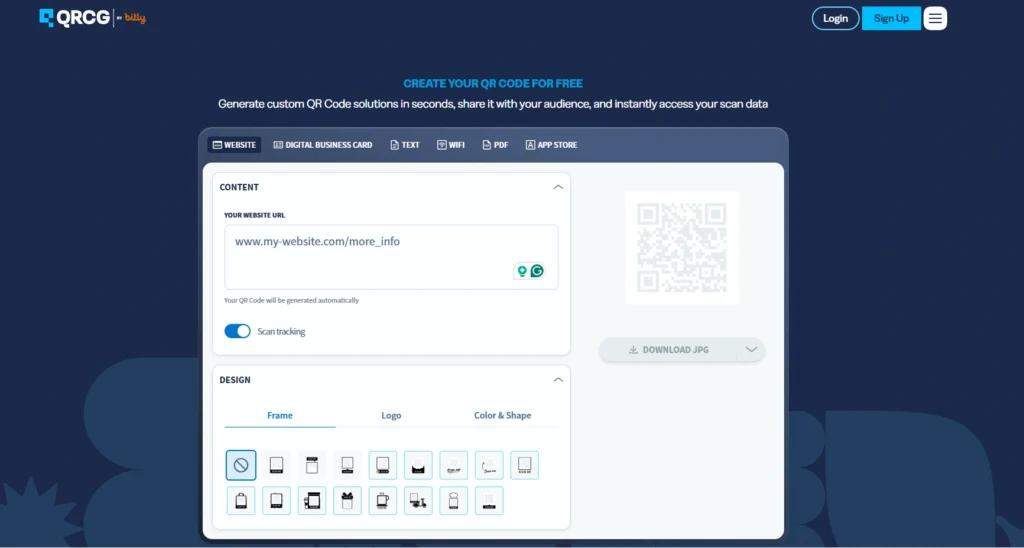
QR Code Generator Pro (QRCG Pro), part of Bitly, is a capable tool for agencies and growing teams that need bulk QR Code generation, API access, and multiple user seats in one dashboard.
Key features:
- Supports dynamic and static QR Codes across all major types (URL, vCard, PDF, social media, etc.)
- The analytics dashboard tracks total scans, location, device type, and scan time, with CSV export on all plans
- Bulk creation via CSV upload, available from the Advanced plan
- GDPR compliance and SOC 2 Type 2 certification
- Full customization of colors, logos, frames, and eye shapes on all tiers
Pricing:
- Starter: $5/month (annual) or $10/month2 dynamic QR Codes, 10,000 scans, 2 users
- Advanced: $12.50/month (annual)50 dynamic QR Codes, unlimited scans, 100 bulk creation, 3,000 API, 2 users
- Professional: $37.50/month (annual)250 dynamic QR Codes, unlimited scans, 500 bulk creation, 10,000 API, 5 users, premium support
What users like:
“I really appreciate the dynamic QR code option which allows me to advance on certain aspects of my work with the confidence that the redirect link can be modified at any time. Additionally, access to data such as scan tracking is very important to me to assess the level of usage of the QR codes I generate. The initial installation of QR Code Generator Pro was simple and quick, with a very intuitive handling. Overall, I am very satisfied because the service meets my current needs.”— Karim B
What users dislike:
“Sounded great on paper until we set up the features we wanted and then found out after paying for the “Pro” plan that we needed the “Enterprise” plan to get the White label features. Ok, we get the green light and then we can’t even make contact except for some crappy AI chat bot that is completely worthless and wastes our time…” — Michael K
2. The QR Code Generator (TQRCG)
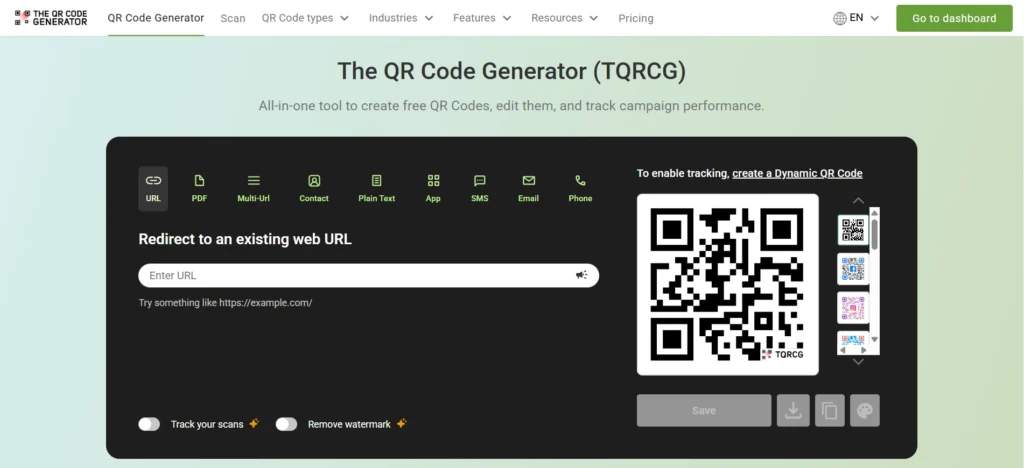
The QR Code Generator (TQRCG) is one of the best free QR Code generators for small businesses and marketers who need dynamic QR Codes without a credit card requirement or a trial that expires after 14 days.
TQRCG focuses on ease of use, which helps businesses launch QR Code campaigns quickly without technical complexity.
Unlike many free QR Code generators that limit dynamic features to short trials, TQRCG includes two forever free dynamic QR Codes. This setup lets businesses edit destinations after printing, which prevents expensive reprints when landing pages, promotions, menus, or product links change. TQRCG also keeps campaign setup straightforward with a clean dashboard, guided customization controls, and built-in scan tracking.
Key features:
- 2 free dynamic QR Codes with editable destinations and basic scan analytics
- Unlimited free static QR Codes for URL, text, email, phone, SMS, PDF, and more use cases
- QR Code customization with brand colors, logo uploads, custom eye shapes, and frames and CTAs
- Real-time scannability checker that flags low-contrast designs and readability issues before export
- Dashboard for managing multiple QR Codes in one place
- Analytics covering scans by device, location, city, country, and time
- Exportable scan data for campaign reporting and CRM workflows
- SVG downloads for print-ready QR Codes on paid plans
- Team collaboration for businesses managing multiple campaigns
- Bulk QR Code creation for generating and managing large volumes of QR Codes at once
- Secure and privacy-protected QR Codes with reliable data protection
- Upgrade path into the Core Plan (powered by Uniqode) or Plus Plan (powered by Uniqode) for larger-scale deployments
Pricing:
- Free: 2 dynamic QR Codes, unlimited static QR Codes, PNG downloads, and basic scan analytics
- Flex: $5/month billed annually5 dynamic QR Codes, advanced customization, detailed analytics, SVG downloads, and no ads or watermarks
If your business is outgrowing the Flex plan, you can upgrade to Uniqode’s Core Plan or the Plus Plan directly from the TQRCG pricing page. You scale up without migrating your existing QR Codes or starting over.
What users like:
“I am using this QR code generator for the last 1-2 years for free; moreover, generated several QRs and shared them to get videos and reviews. It’s absolutely helpful.” — Dr. Pramod K
What users dislike:
“The free QR Codes show a 2-second ad, which might be frustrating for some, but haven’t impacted our campaigns yet, so the free QR Codes work great as well.” — Krishanu Borah
3. QRCode Monkey
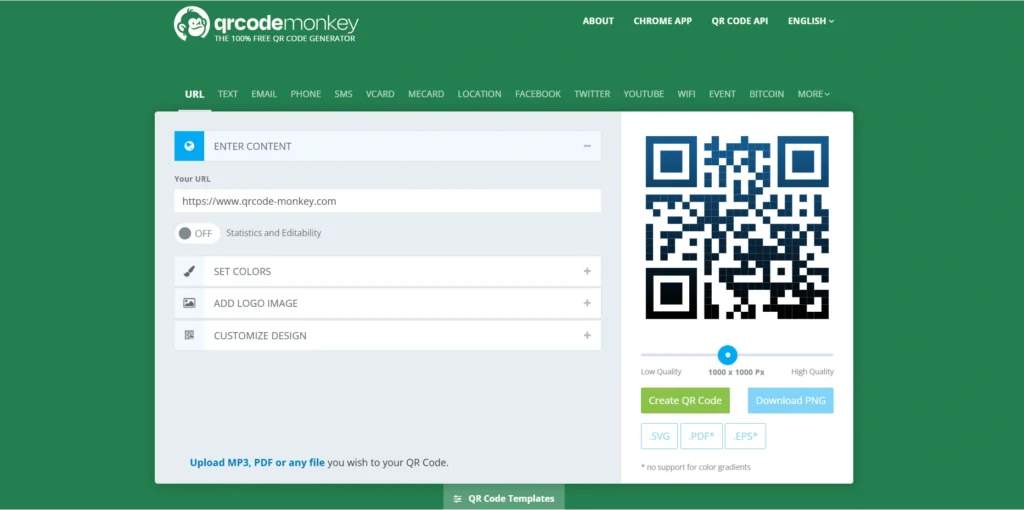
QRCode Monkey is the go-to free static QR Code generator for users who want extensive design customization without creating an account. QR Code Monkey is the right tool for permanent one-off codes, such as business cards with a fixed website URL, Wi-Fi access signs, or any asset where the destination will never change, and tracking is not needed.
Key features:
- Supports different QR Code types, such as URL, text, email, phone, location, and Wi-Fi
- Free customization, including gradient colors, custom body and eye shapes, and logo insertion
- Download formats: PNG, SVG, PDF, and EPS
- Dynamic editing and scan tracking are available only through QR Code Generator Pro, a separate paid product
What users like:
“Came here after using another site that scammed me… (aka QR generator and other sites that belong to the same company). QR Code Monkey does the job and is most importantly free, it creates a static QR and is not misleading. Thank you so much – I wish I found this site before.” — Sofiia Merzlikina
What users dislike:
“Don’t use it on printed stuff. It is a great thing to start with and it all worked and looked great. Easy to use and design etc. However, when I got stuff printed with it on, it now doesn’t work. It sends the use to the QRCode Monkey site. I can’t find contact information, I don’t even have an option to pay to ‘unlock’ it!” — Rhys Thomas
4. Canva
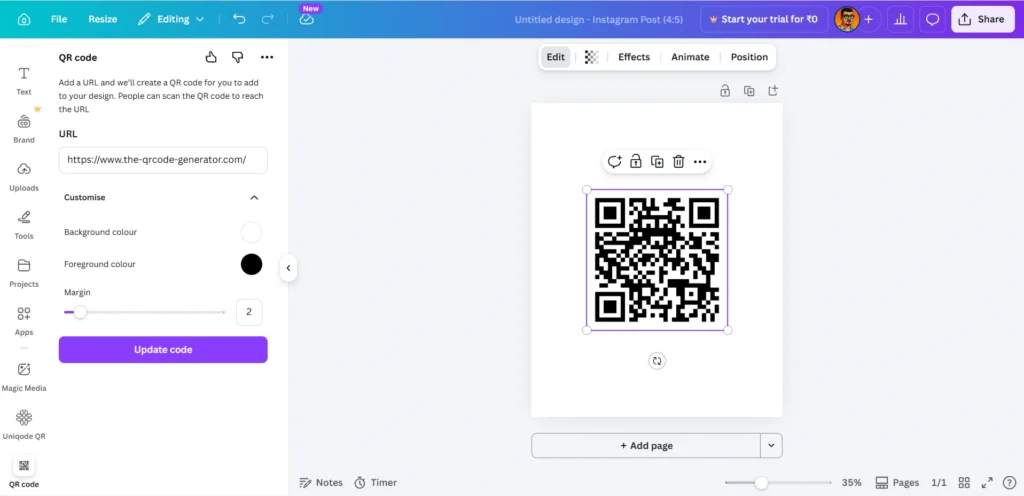
Canva offers a built-in QR Code generator, so if you are already building a flyer, business card, or social post in Canva and need a QR Code inside, you do not need to leave the editor.
Key features:
- Access via Apps marketplace. Search QR Code, select the app, enter a URL, click Generate, and the code is added to your design
- Customization for background color, foreground color, and margins
- Download formats: PNG, JPEG, SVG, and PDF
- Static QR Codes only. No dynamic editing, no scan analytics, no ability to update the destination after creation
If the URL behind the code ever changes, you need to generate a new code and update every design file. Canva QR Codes works well for permanent, print-once assets.
5. Adobe Express
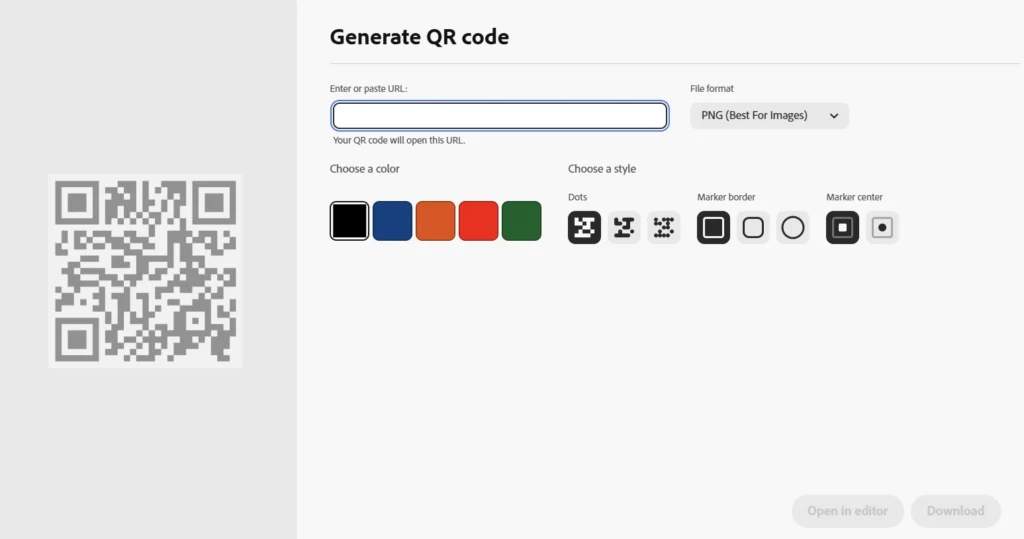
Adobe Express offers free static QR Code generation within its design ecosystem, with no account required for basic use. It is the right pick for anyone already working inside Adobe’s tools who needs a quick, permanent code.
Key features:
- Built into the same dashboard used for flyers, business cards, social posts, and presentations, reducing tool-switching and speeding up the creative process
- Customization options for colors and styles
- Download formats: PNG, JPEG, and PDF
Adobe Express supports static QR Codes only, so changing the destination later requires creating a new code.
Category 2: Advanced and scalable QR Code generators
Several QR Code generators are built for teams that need enterprise compliance, advanced analytics, first-party data infrastructure, or operations across many locations and large budgets. They involve more setup and higher price points, but deliver capabilities that simple-creation tools cannot match.
6. Uniqode
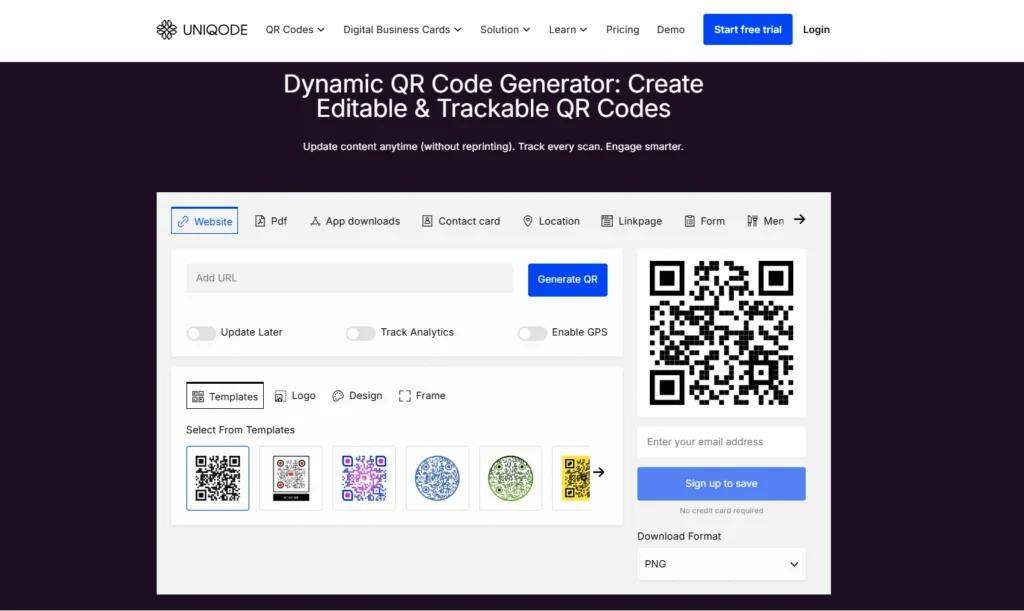
Uniqode is an enterprise-grade QR Code solutions provider built for teams that need advanced analytics, compliance certifications, and deep integrations with tools such as Salesforce, Google Analytics, and Zapier.
Key features:
- 20 dynamic QR Code types, including URL, PDF, vCard, multi-URL Linkpages, app download, and digital business cards with two-way contact sharing
- Analytics dashboard tracking with over eight data points per scan: total scans, unique scans, device type, operating system, city, country, scan time, and anomalous scan detection to filter bot traffic
- Meta Pixel and Google Ads integrations for retargeting and conversion tracking, plus UTM parameter support for campaign attribution
- SOC 2 Type 2, GDPR, ISO 27001:2022, and HIPAA compliance certifications
- Bulk QR Code generation of up to 1,000 codes per batch via CSV upload or API
- Role-based permissions, shared brand templates, SSO via Okta and Azure, and 1,000+ integrations including HubSpot, Salesforce, and Zapier
- Customization with logo integration, brand color matching, custom eye shapes, and CTA frames
- Download formats: PNG, JPG, SVG, EPS, and PDF
Pricing:
- Essential: $9/month billed annually – 15 dynamic QR Codes, 60 days of analytics, and 1 user seat
- Core: $49/month billed annually – Expanded QR Code limits, advanced analytics, and team collaboration features
- Plus: $99/month billed annually – 500 dynamic QR Codes, 180 days of analytics, and 3 user seats
- Business+: $399/month billed annually – 2,000 dynamic QR Codes, lifetime analytics, and 5 user seats
- Enterprise: Custom pricing – Custom QR Code limits, enterprise security, dedicated support, and advanced admin controls
What users like: “As Digital Marketing Specialist I’ve been tasked with finding a good QR code generator, which would allow us to generate dynamic QR codes – some thorough reserach done on the market has led me to Uniqode. Having a nice talk with Senior Account Executive regarding a higher plan than I’m currently using has confirmed me that Uniqode “has it all” for our company’s needs. For now we’re using the Uniqode Pro plan, but it might change in the future, as we’re still in demand for QR codes.
What is great for me so far:- ease of use- comprehensive, but still user-friendly editor with multitude of functions and customization options- high usage limits – we still use the lowest paid plan and we still have enough resources for now- good pricing – 1-year subscription is well worth it- excellent support – any issue I’ve had with registration has been solved in less than 1 business day, mostly in 1-2 hours- great set of codes’ statistics – it’s still amazing how much we can find out in just a QR code” — Bartosz Dąbrowski
What users dislike:“As a small non-profit, I’m sometimes bothered by the big jumps in package pricing. I would very much like to see more pricing/package levels, so we can scale up consistent with our growth rather than Uniqodes. — Toni Taylor
7. Flowcode
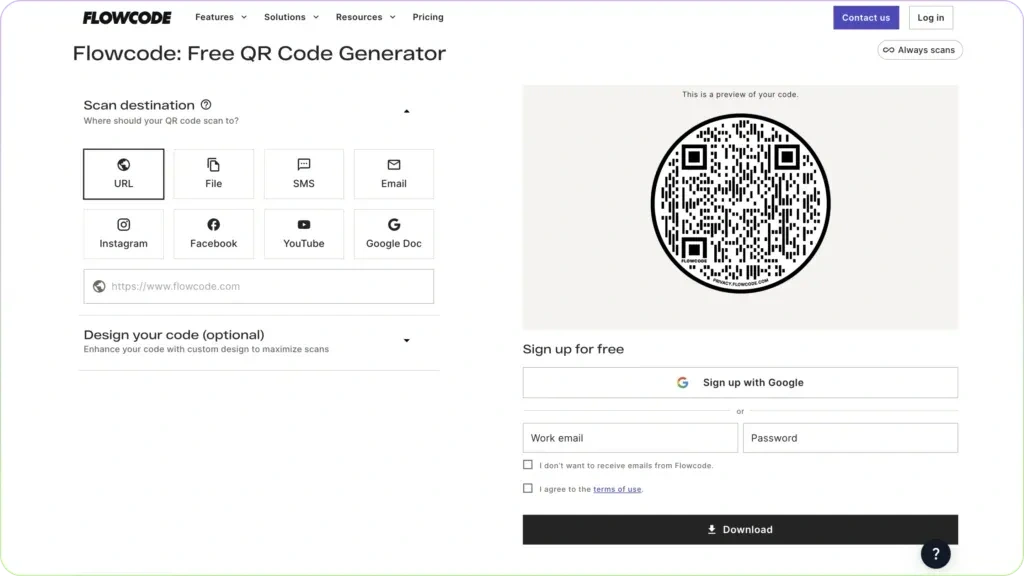
Flowcode is a design-forward QR Code generator focused on first-party data collection and conversion tracking for brands that prioritize data ownership. Its proprietary circular code design is its visual signature, though it also supports standard square codes.
Key features:
- First-party data capture through conversion pixels, contact collection forms, and a landing page builder (Flowpage)
- Real-time analytics tracking scans by time, location, and device
- GDPR and SOC 2 Type 2 certifications
- Some features that other generators include by default, such as geo-level analytics, are only available on higher-tier plans
Pricing:
- Free: 2 dynamic QR Codes with analytics capped at 500 scans
- Pro Plus: $25/monthExpanded QR Code limits, higher scan capacity, and additional customization features
- Growth: $250/monthAPI access, CRM integrations, and advanced audience insights
- Enterprise: Custom pricing
What users like:“I like the ability to track the scans on a QR code. There are lots of free ones on the market but don’t provide any real data for you to use regarding the thing that needs to be tracked.” — Shimonta Dickerson
What users dislike:“Fee structure, has gotten more expensive over time and more limiting.” — Daniel Duran
8. QR Tiger
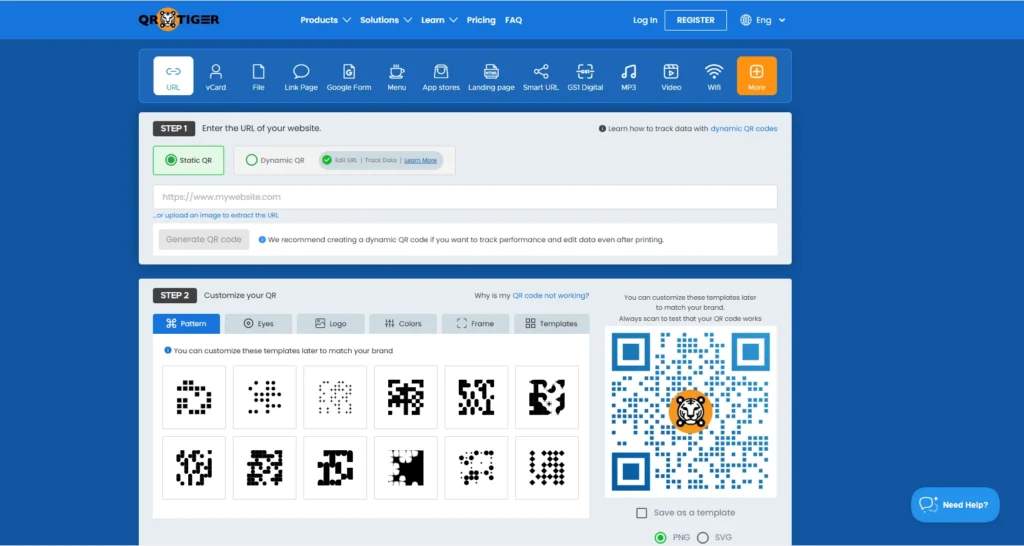
QR Tiger offers one of the largest QR Code type libraries available; 20 code types covering restaurant menus, app downloads, payments, coupons, social media, and more.
Key features:
- Over 20 QR Code types for diverse use cases
- Geo-fencing to redirect scans based on the scanner’s location
- Time-based redirection that directs scanners to different destinations at different times of day
- 3 dynamic QR Codes on the freemium plan, with each code capped at approximately 500 scans
- White-label options available on the Premium plan
- Extensive design library with customizable frames, logos, and patterns
- Download formats: PNG, SVG, EPS, and PDF
Pricing:
- Regular: $7/month or $65/yearBasic QR Code management and campaign features
- Advanced: $16/month billed annuallyHigher QR Code limits and expanded analytics features
- Premium: $37/month billed annuallyAdvanced customization, tracking, and collaboration tools
- Professional: $89/month billed annuallyLarge-scale QR Code management and premium support
- Enterprise: Custom pricing
What users like:“QR tiger allows me to control the url of the codes which is great because we had a lot of switching around while developing our website. The tracking is also very helpful to know what people are interested in scanning.” — Jenn Carter
What users dislike:“The free plan has limited scans, which isn’t clear until it expires. Also, it would be helpful if account switching or QR transfers could be done more easily without needing support.” — Eyad Waleed
9. Scanova
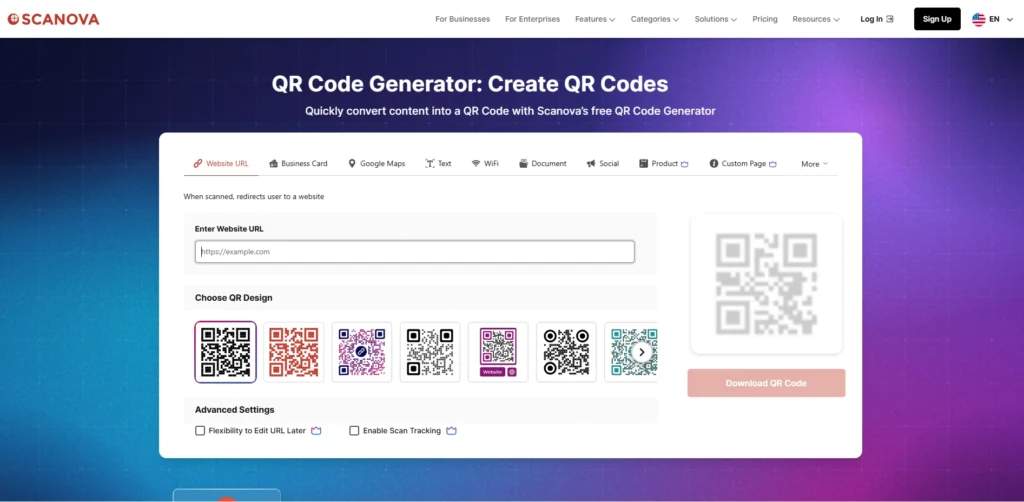
Scanova is another well-known choice for QR Code generation. It offers QR Code-linked landing pages purpose-built for lead capture, allowing businesses to collect contact information from the scan itself and not just send people to a website.
Key features:
- Dynamic QR Codes connected directly to landing pages with embedded lead capture forms
- Analytics tracking for location, device, and scan time
- White-labeled landing pages and a dedicated account manager on Enterprise plans
- 16+ QR Code categories across industries, including events, hospitality, retail, and healthcare
Pricing:
- Basic: $5/month billed annually3 QR Codes, unlimited scans, and basic analytics
- Lite: $9/month billed annually10 QR Codes, vector downloads, and dynamic QR Codes
- Standard: $35/month billed annually50 QR Codes, advanced analytics, and marketing integrations
- Pro: $75/month billed annually or $100/month billed monthly500 QR Codes, bulk operations, and team collaboration features
- Enterprise: Custom pricingEnterprise-scale management, security controls, and dedicated support
What users like:“You can create and implement dynamic QR codes seamlessly. The analytics are the best part of the platform. Being able to track and analyze QR code performance is beyond efficient. I also love that you can export a variety of file types as well.” — Ryan Snow
What users dislike:“As a very small business, I really wish there were a package available that better suited both our needs and our budget.” Marnie Overton
10. QR Code Chimp
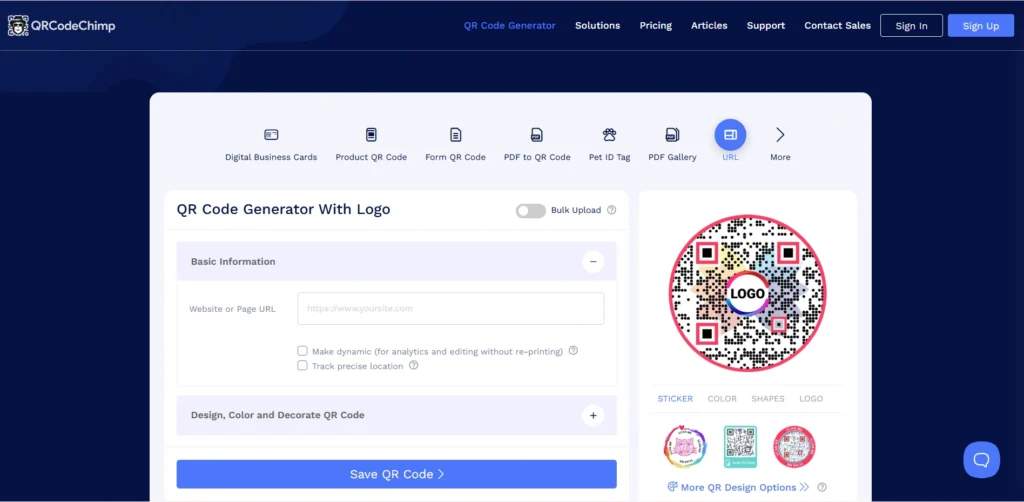
QR Code Chimp offers non-square shapes (hearts, stars, pet paws, and custom brand logo silhouettes) for brands whose QR Code design is part of the campaign.
Key features:
- 60+ non-square QR Code shapes for distinctive branding
- Built-in landing page builder with forms, CTAs, and multimedia content, no separate tool needed
- Multi-URL support that lets a single QR Code redirect to multiple destinations
- Dynamic QR Codes with moderate scan analytics on paid plans
- Free tier with a limited number of dynamic codes and a monthly scan cap
Custom shapes are a genuine visual differentiator, but they introduce a real scannability risk: insufficient contrast or missing quiet zones around the code can cause scan failures in low-light conditions or at small print sizes. Test every custom-shaped code on multiple devices, and in lighting conditions that match where it will be displayed.
Pricing:
- Starter: $6.99/month billed annually or $9.99/month billed monthly50 dynamic QR Codes, 10,000 monthly scans, and basic analytics
- Pro: $13.99/month billed annually or $19.99/month billed monthly300 dynamic QR Codes, advanced analytics, bulk uploads, and API access
- Ultima: $34.99/month billed annually or $49.99/month billed monthly900 dynamic QR Codes, unlimited scans, white labeling, and priority support
- Enterprise: Custom pricingCustom limits, enterprise controls, and dedicated support
What users like:“QRCodeChimp is incredibly reliable and easy to use. I love the ease of customization, allowing me to design QR codes that perfectly match my needs. It’s convenient to have all my social media links in one place, which I can easily share with my customers.” — Stefen Robert.
What users dislike:“I find the pricing a bit high, and I believe the app would offer better value if a lifetime plan were available. It would be a great option for long-term users.” — Saddam Al-Khamayseh
How to choose the best QR Code generator
Choosing the right QR Code generator boils down to these questions: what you are putting the QR Code on, what you need to happen after the scan, and whether the code needs to stay flexible after printing. Work through these five questions to find your fit.
1. Are you creating QR Codes for print materials?
If you need QR Codes for packaging, menus, flyers, signage, business cards, or other print materials, the code must not expire when a trial ends, because you cannot un-print it.
Use a QR Code generator that guarantees codes stay active on the free plan like TQRCG or on a clear paid plan with no surprise deactivation. Avoid any tool that uses a 14-day trial for dynamic codes, as once that window closes, your printed materials stop working.
If you aren’t creating QR Codes for print materials (digital use only, such as websites, email, or social media), any tool on this list works, including static-only generators like QR Code Monkey or Canva.
2. Do you need to change the QR Code destination later?
If yes, you need a dynamic QR Code generator. Static codes cannot be edited after creation. TQRCG gives you two free dynamic QR Codes that never expire, and paid plans support more codes as your campaigns grow.
If no, a static code works, and any free tool (QR Code Monkey, Adobe Express, or Canva) handles it well.
3. Do you need QR Code scan analytics and tracking?
If yes, narrow to tools with analytics, specifically scan count, device type, city-level or country-level location, and scan time. On a free plan, only TQRCG provides this for trackable QR Codes. For campaign-level attribution with UTM parameters or Google Analytics integration, Uniqode and Flowcode are the stronger options on paid plans.
If not, any generator on this list works.
4. Do you need multiple QR Codes for campaigns, products, or locations?
If yes, look for folder organization, bulk code creation, and team access controls. TQRCG’s Flex plan supports multiple codes and users added incrementally. For larger operations, QR Code Chimp’s Pro and Ultima plans offer bulk generation, subaccounts, and folder-level analytics. Scanova is another strong option for teams managing high-volume campaigns across multiple locations.
5. Do you need compliance, such as GDPR, SOC 2, HIPAA, or ISO 27001?
If yes, only Uniqode meets enterprise compliance standards across all 4 certifications. QR Code Chimp holds SOC 2 Type 2 and GDPR compliance, making it a viable option for teams that need security credentials without the full enterprise overhead. QR Tiger has GDPR compliance but does not hold SOC 2 or ISO 27001 certifications.
What is the best QR Code generator for popular use cases?
Different QR Code generators work best for different campaign goals. A restaurant menu needs editable dynamic QR Codes, while a large retail rollout needs bulk creation and analytics. The table below matches common use cases with the tools that handle them best.
| Use case | Recommended tool | Key reason |
|---|---|---|
| Restaurant menus, hospitality, retail signage | TQRCG | Free dynamic codes, seasonal updates without reprinting, no trial expiry |
| Business cards (permanent contact info) | QR Code Monkey, Adobe Express, or Canva | Static is fine; free, no account needed, professional output |
| Product packaging at scale (10+ SKUs or locations) | Uniqode | Bulk CSV generation, custom domains, compliance, vector output |
| Marketing campaigns with scan tracking | TQRCG | Basic analytics on free dynamic codes |
| Enterprise campaigns with retargeting | Uniqode | Retargeting pixels, Google Analytics integration, anomalous scan detection |
| One-off design assets in Canva or Adobe | Canva / Adobe Express | Static codes embedded directly in the design workflow |
| High-volume event ticketing or lead gen | Scanova | Bulk generation, lead capture landing pages, enterprise support |
| Branded codes with custom shapes | QR Code Chimp | 60+ unique shapes, SOC 2 certified, folder-level analytics for teams |
These are representative use cases. Match the tool to your specific campaign type, volume, and budget; the right answer varies depending on all three.
Pick the best QR Code generator for what you’re building
The best QR Code generator is one that supports dynamic editing, tracks every scan, exports files for print, and keeps your codes live after the trial ends. Most small businesses and marketers need all four.
TQRCG is one of the best starting points for all situations. It has two forever-free dynamic QR Codes, no credit card required, no expiration, and real scan analytics from the first code you create. Start a campaign in under five minutes and track it from the dashboard.
For teams that need more custom domains, bulk generation, retargeting, advanced analytics, and enterprise compliance, the Core Plan (powered by Uniqode) and Plus Plan (powered by Uniqode) are accessible directly from the TQRCG pricing page. No new vendor, no migration, no disruption to existing campaigns.
Frequently Asked Questions
What is the best QR Code generator for small businesses?
TQRCG is one of the strongest options because it provides two forever-free dynamic QR Codes that never expire, with no credit card required. When you need more codes, deeper analytics, or team access, you can switch to Flex or to Core and Plus (Uniqode) plans directly from the TQRCG pricing page. You don’t need to migrate, rebuild from scratch, or lose your existing QR Codes if you’re switching to the Core or Plus plans.
What is the difference between a free and paid QR Code generator?
Free QR Code generators typically produce static codes, which cannot be edited after creation and offer no scan tracking. Paid plans unlock dynamic QR Codes (editable after printing), analytics dashboards showing scan location, device type, and timing, and additional download formats for professional print. TQRCG is an exception: it offers two free dynamic QR Codes with basic analytics on its free plan.
Do QR Codes expire?
Static QR Codes never expire because the data is encoded directly into the pattern. Dynamic QR Codes depend on the generator's servers and are deactivated if a subscription lapses, a common complaint among small business owners who printed materials during a free trial. TQRCG's two free dynamic QR Codes are an exception: they never expire and are never deactivated, even on the free plan.
What QR Code file format is best for print?
SVG and EPS are the best formats for printed QR Codes because they are vector files that scale to any size without losing quality. PNG is enough for digital use, but it becomes pixelated at large print sizes. Most professional QR Code generators, including TQRCG on the Flex plan and above, and Uniqode, offer SVG exports. Confirm format availability before committing to a tool if large-format printing is part of the campaign.