
5 Best QR Code and Barcode Scanner Apps in 2025

Shreesh
Last updated: December 4, 2025
12 min read
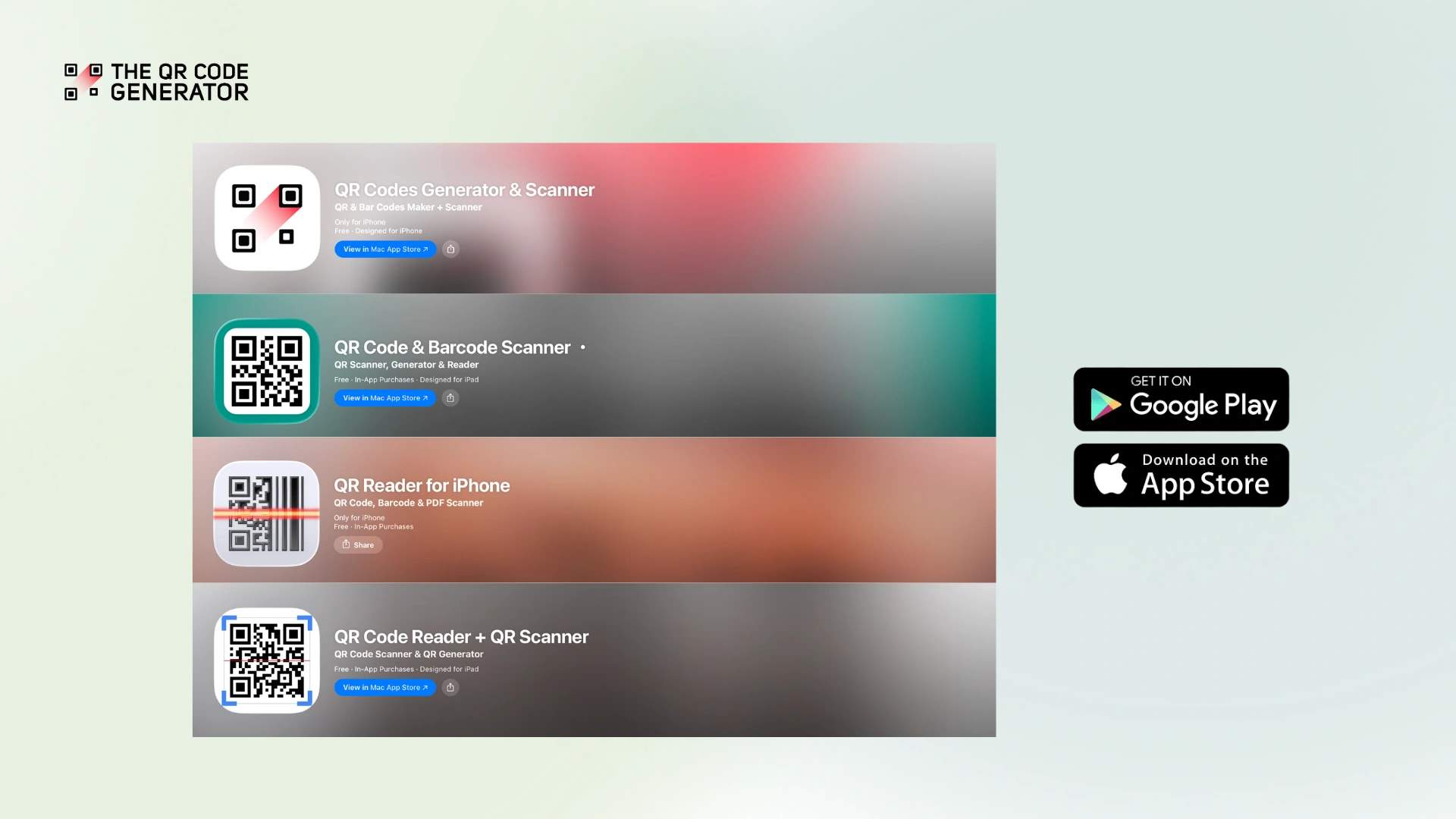
With QR Codes becoming the norm across all walks of life, having a reliable scanner app on your phone is no longer optional. While most modern smartphones include basic QR Code scanning in their cameras, dedicated scanner apps offer robust features that can transform how you interact with QR Codes.
However, not all QR Code scanner apps deliver on their promises. Many free scanners are plagued by intrusive ads that can lead to accidental clicks. Some lack essential features, such as bulk scanning or scan history, and others have been reported to redirect users to fraudulent sites through deceptive ad placement.
A quality QR Code scanner must offer quick, accurate scanning from various distances and angles, secure redirect handling to protect against malicious links, and ideally, features such as bulk scanning and history management for professional use.
In this guide, we’ll compare the following top QR Code scanner apps to help you find the best tool for your needs:
- The QR Code Generator Scanner (TQRCG): A comprehensive scanner with unique business features and bulk scanning capabilities
- QR & Barcode Scanner by GammaPlay: A popular scanner with concerning ad placement issues
- QR & Barcode Scanner by TeaCapps: A feature-rich scanner with CSV export capabilities
- QR Code Scanner by Triple Tap Limited: An ad-free Android scanner with mixed performance
- QR Reader for iPhone by TapMedia: An iOS-exclusive scanner with multi-functionality
By understanding each app’s strengths, limitations, and real user experiences, you’ll be equipped to choose a scanner that meets your needs without unwelcome surprises.
Key features to look for in a QR Code scanner app
Before diving into specific apps, let’s establish the features that matter most when choosing a QR Code scanner.
Scanning speed and accuracy
The best scanners capture QR Codes instantly, even from awkward angles or distances. Look for apps that don’t require perfect positioning or statue-like stillness. Advanced scanners can read codes from blurry images, low-light conditions, or even damaged codes with partial data loss.
Bulk scanning capabilities
For business users, bulk scanning is invaluable. Whether you’re:
- Processing inventory shipments
- Checking in event attendees
- Managing document workflows
- Conducting stock audits
The ability to scan multiple codes in succession without interruption saves a significant amount of time and reduces errors.
Offline functionality
Critical for fieldwork, travel, or areas with poor connectivity, with offline scanning, you can capture codes without internet access and sync the data later. This ensures you never miss essential scans due to network issues.
History and organization
Professional use requires more than just scanning—you need to manage your scan data. Key features include:
- Searchable scan history
- CSV export for spreadsheet analysis
- Categories or folders for organization
- Notes and annotations for context
Security and privacy
Because anyone can link a QR Code to any destination, security features are essential:
- Preview URLs before opening
- Malicious link detection
- Safe browsing integration
- Minimal data collection
- No unnecessary permissions
Ad placement and user experience
While free apps need revenue, intrusive or deceptive ad placement can ruin the experience, or worse, lead to security issues. The best apps strike a balance between monetization and usability, clearly marking and positioning ads away from action buttons.
QR Code generation capabilities
Some scanner apps also include QR Code generation features, eliminating the need for separate apps. Look for generators that offer customization options (colors, logos, patterns), multiple code types (URLs, vCards, SMS, Wi-Fi), and quick creation times. This dual functionality is particularly valuable for businesses that need to both scan incoming codes and generate their own for marketing or operational purposes.
Overview of the top QR Code scanner apps
Here’s a detailed comparison of the leading QR Code scanner apps, starting with a quick-reference table followed by in-depth reviews.
| Feature | TQRCG | GammaPlay | TeaCapps | Triple Tap | TapMedia |
|---|---|---|---|---|---|
| Platform | Android/iOS | Android/iOS | Android/iOS | Android only | iOS only |
| Price | Free | Free (with ads) | Free (with ads)/Pro | Free (no ads) | Free/Pro |
| QR Code generator | Yes (customizable features) | Basic | Basic | No | Basic |
| Bulk scanning | Yes | Yes | Paid upgrade or 3 video ads | No | Database mode |
| Offline mode | Yes | Yes | Yes | Yes | Yes |
| Scan from gallery | Yes | Yes | Yes | Yes | Yes |
| History export | CSV | CSV/TXT | CSV/TXT | TXT | CSV |
| Searchable archive | Yes | No | No | No | No |
1. The QR Code Generator Scanner (TQRCG)
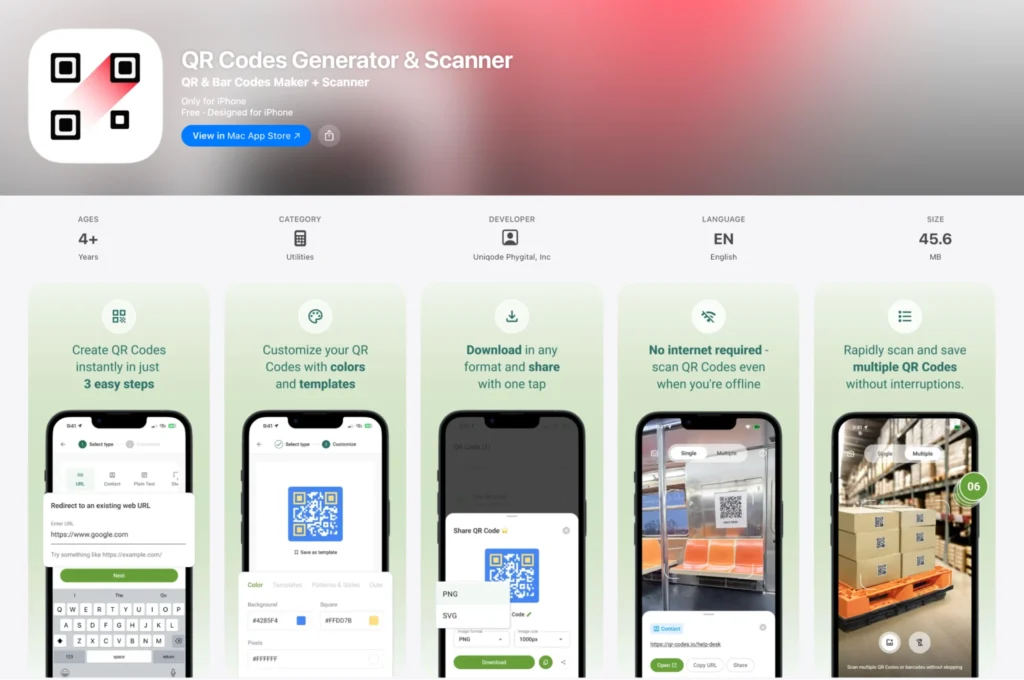
TQRCG scanner app delivers professional-grade scanning capabilities suitable for both business and personal use, all in a completely ad-free experience. The scanner features lightning-fast capture with automatic detection and works both online and offline.
The app’s standout feature is its searchable archive system—every scan is automatically saved and indexed, allowing you to find any past scan using keywords. Whether you’re tracking business shipments, organizing personal receipts, or managing event tickets, this feature makes finding old scans effortless. The app also features a bulk scanning mode, allowing users to process dozens of codes without interruption.
The app includes QR Code generation capabilities, allowing users to create custom codes in their brand colors—a convenient bonus that eliminates the need for a separate generator app.
Pros:
- 100% ad-free: No advertisements or interruptions
- Searchable scan archive: Unique feature for finding past scans by keywords
- Bulk scanning mode: Process multiple codes efficiently
- Complete offline capability: Scan and save without internet
- Gallery scanning: Decode codes from photos
- CSV export: Easy data management
- Clean, professional interface: Suitable for all users
- Bonus generator: Also creates basic customizable QR Codes when needed
- Chrome extension: Over 600,000+ active users on the web platform
Cons:
- Newer mobile app: Limited user reviews as recently launched
- Business-heavy features: May be more than casual users need
Best for: Anyone wanting a professional, ad-free scanner with a searchable history—from business users managing inventory to individuals scanning restaurant menus, Wi-Fi QR Codes, or event tickets.
2. QR & Barcode Scanner by GammaPlay
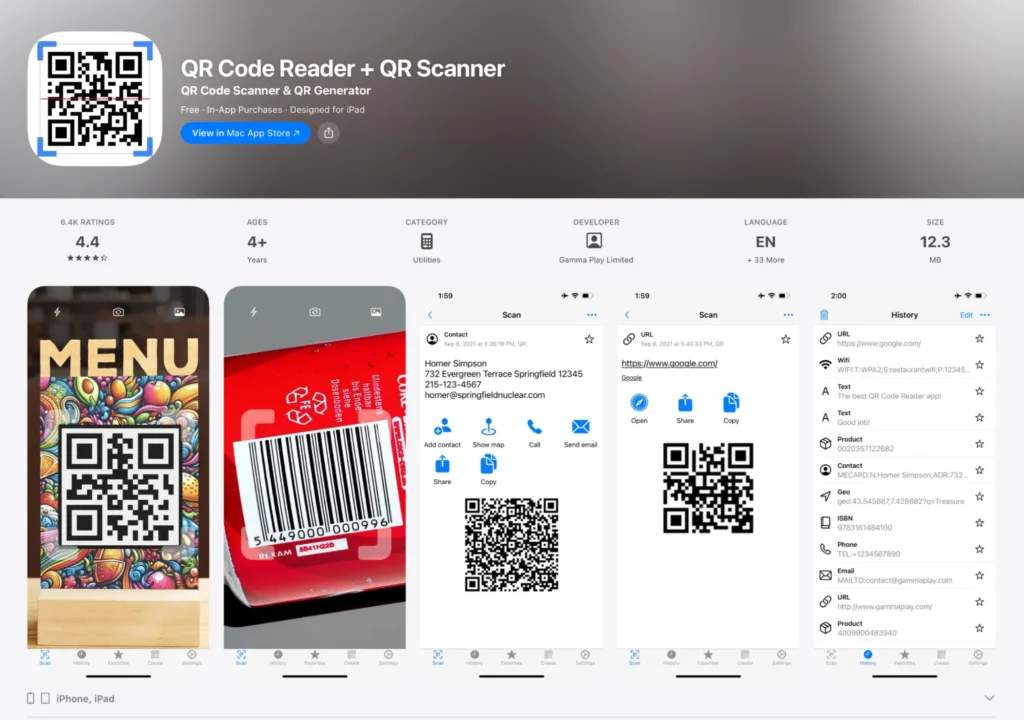
GammaPlay’s scanner is one of the most downloaded QR Code apps. While the app offers comprehensive scanning capabilities and supports all major barcode formats, issues with ad placement have significantly impacted its reputation.
The scanner features include batch scan mode, CSV export, pinch-to-zoom functionality, and the ability to scan from gallery images.
Pros:
- Broad format support: Handles all common QR Code and barcode types
- Batch scanning: Available for processing multiple codes
- Gallery scanning: Can decode codes from saved images
- Export options: CSV and TXT export capabilities
Cons:
- Deceptive ad concerns: Users report fraudulent charges from misplaced ads and being directed to malicious sites
User feedback:
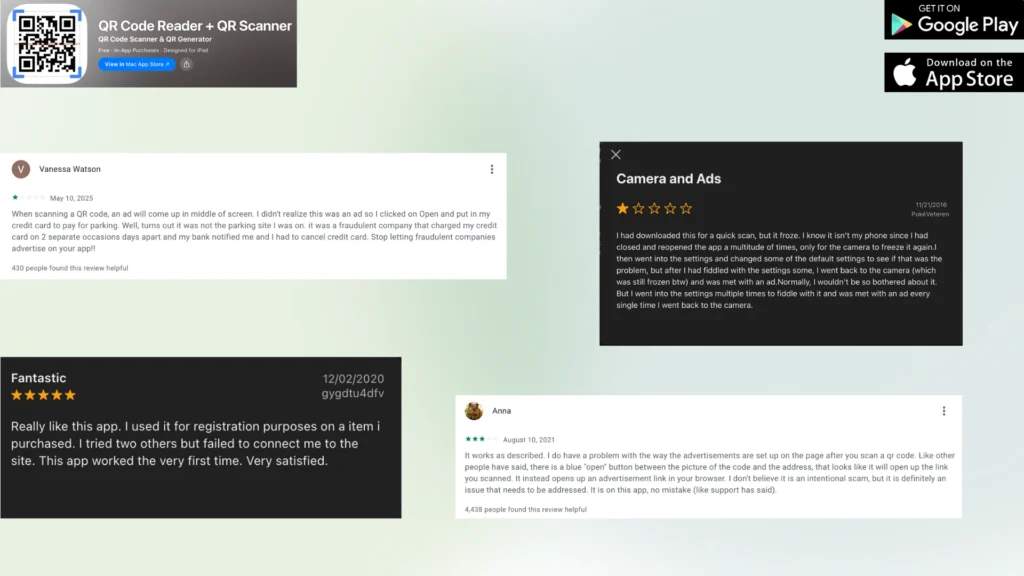
While users do appreciate the app for its speed, efficiency, and user-friendly interface, the app has received low ratings from users regarding its ad implementation.
One reviewer reported being misled by deceptive ad placement during QR code scanning, which led them to unknowingly provide payment information to a fraudulent company that subsequently made unauthorized charges to their credit card. Another user noted confusion over a prominently placed button that appeared to open scanned content but instead redirected to advertising links in their browser.
Best for: Users who need broad format support and batch scanning capabilities. The app has the technical features many users want, including gallery scanning and CSV export.
⚠️ Important note: If you choose to use this app, be careful to verify any buttons or links before clicking, and consider alternatives if handling sensitive information.
3. QR & Barcode Scanner by TeaCapps
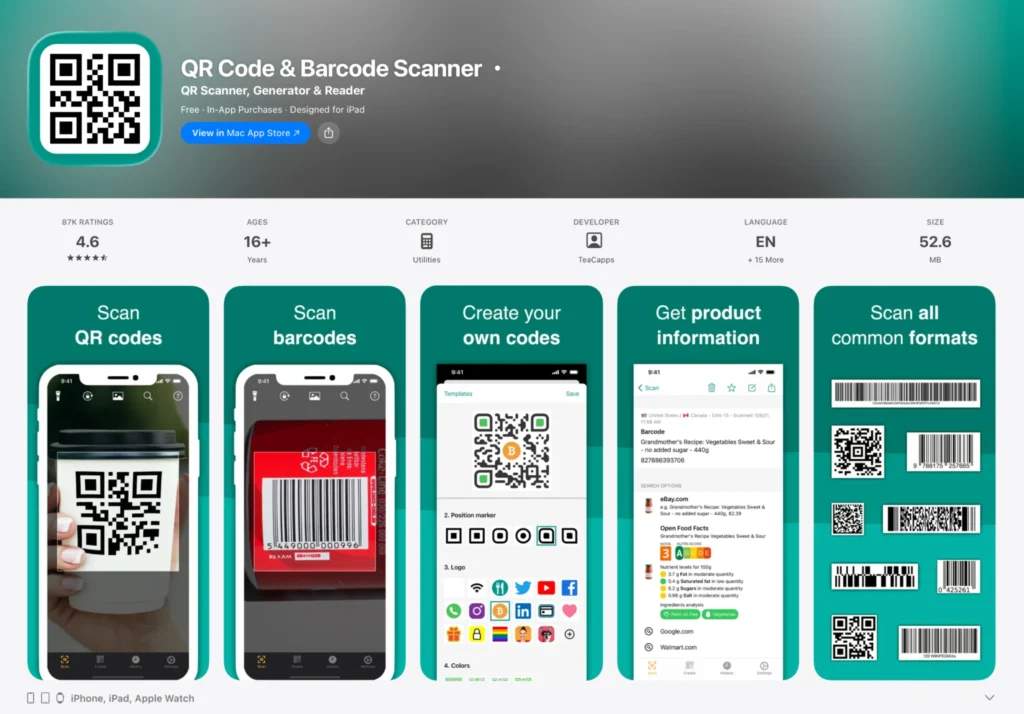
TeaCapps offers a feature-rich scanner with both free and pro versions. The app includes comprehensive barcode support and custom search options for price comparison. It’s available on both Android and iOS, with the iOS version branded as “QRbot” offering slightly different features.
The Android version emphasizes security with Chrome Custom Tabs and Google Safe Browsing integration, while requiring minimal permissions. The iOS version (QRbot) adds unique features such as Apple Watch support and Spotlight search integration.
Pros:
- Security focus: Chrome Custom Tabs with Safe Browsing technology
- Minimal permissions: Doesn’t require unnecessary access
- CSV export: With annotations for inventory management
- Cross-platform sync: iCloud sync on iOS version
Cons:
- Consent issues: Users say recent updates require accepting third-party cookies or payment
- Mixed reviews: Inconsistent user experiences reported
- Feature confusion: Some advertised features redirect to paid versions
- Complex interface: Multiple modes can be overwhelming
User feedback:
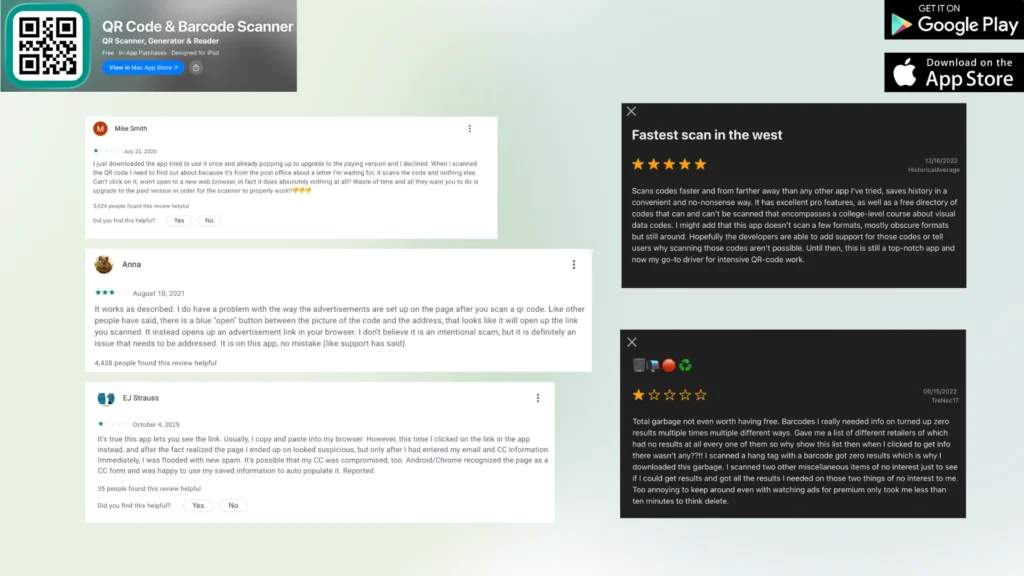
Reviews are mixed, with technical praise balanced by concerns about recent changes. One reviewer expressed frustration that recent updates force users to choose between paying for an upgrade or accepting third-party cookies, which they considered problematic for privacy. Another user highlighted the app’s superior scanning speed and range compared to competitors, as well as its straightforward history-saving features.
Best for: Users requiring advanced features and those who value security features.
4. QR Code Scanner – without ads by Triple Tap Limited
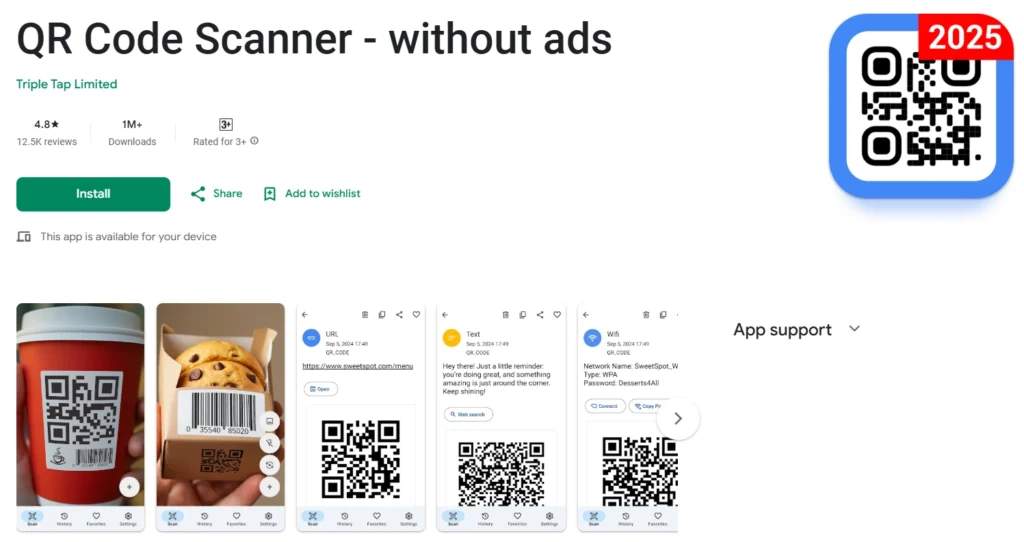
Triple Tap’s scanner adopts a minimalist approach, providing an ad-free experience with no in-app purchases. It offers completely ad-free scanning, albeit with a more limited feature set. The app is Android-only.
The scanner emphasizes speed and simplicity, with users reporting quick QR Code detection even from imperfect angles or distances. However, this simplicity comes with trade-offs in features and consistency.
Pros:
- Completely ad-free: No advertisements or premium upsells
- Fast scanning: Multiple reviews praise instant detection
- Simple interface: No learning curve or complex features
- No account needed: Use immediately without signing up
Cons:
- Android only: No iOS version available
- Limited features: No export options or advanced functionality
- Inconsistent performance: Some users report recognition issues
- Over-eager scanning: Automatically scans everything in view
User feedback:
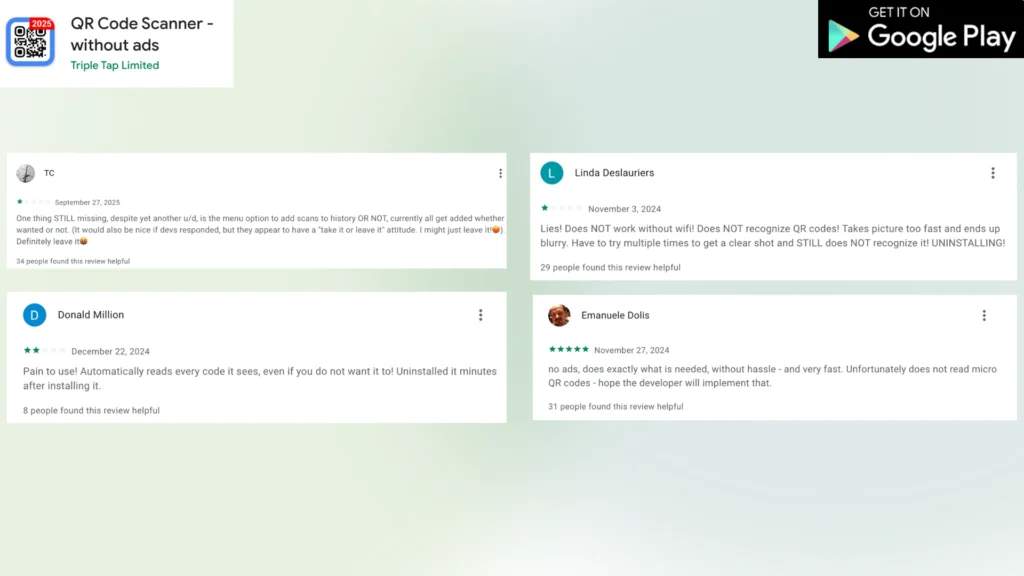
Reviews are polarized. Positive reviews praise the speed, with users reporting successful scans from surprising distances and within seconds of pointing their phone at codes.
However, others report issues including Wi-Fi dependency despite claims of offline functionality, poor QR Code recognition, and blurry photos from overly rapid capture speeds.
One frustrated user noted the app’s tendency to automatically scan every visible code, even when users don’t intend to scan it.
Best for: Android users who prioritize simplicity and an ad-free experience over advanced features, as well as casual users who need basic scanning without data management or organization requirements.
5. QR Reader for iPhone by TapMedia
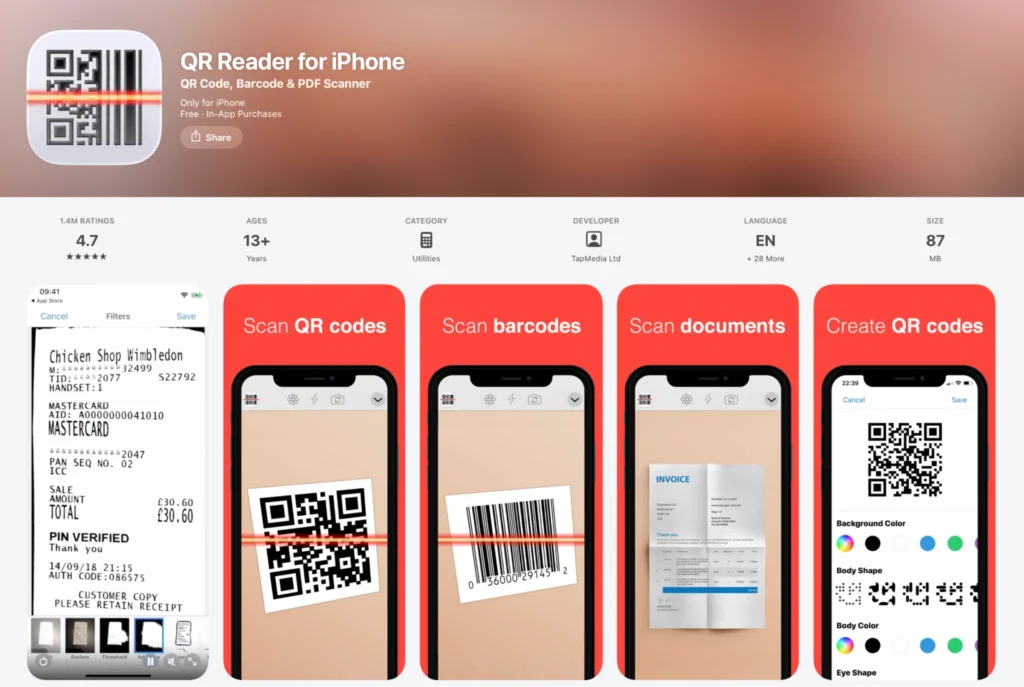
This iOS-exclusive app goes beyond simple scanning, offering a multi-tool approach with PDF scanning, business card recognition, and NFC capabilities on compatible devices. However, most advanced features require a subscription.
The app includes database scanner functionality for sending barcodes to servers, making it useful for business applications. However, the subscription model and mixed reviews raise concerns.
Pros:
- Multi-functionality: PDF scanner, business cards, puzzles
- NFC support: On compatible iOS devices
- Database mode: For server/API integration
- Export capabilities: CSV export available
Cons:
- iOS only: No Android version
- Subscription push: Constant prompts to upgrade
- Large file size: 85 MB without updates
- Feature restrictions: Many capabilities for QR Code customization, including the shape and color of the QR Code body and eyes, can be accessed only with the premium plan.
- Mixed reliability: Inconsistent scanning performance reported
User feedback:
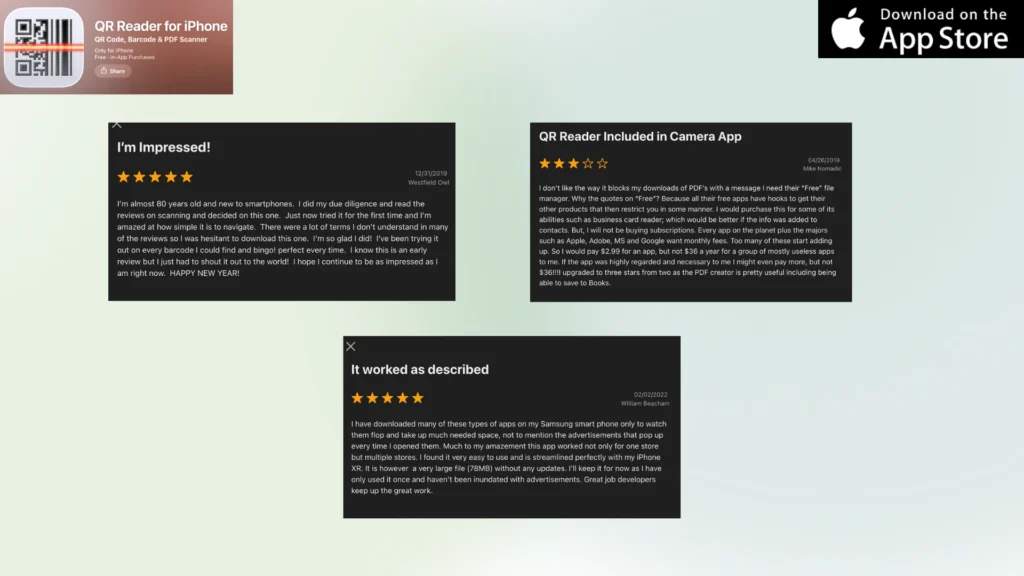
Reviews range from enthusiastic to frustrated. One elderly user praised the app’s simplicity and ease of navigation, noting how manageable it was despite being new to smartphone technology.
However, others expressed frustration about the app blocking PDF downloads while promoting its file manager, with complaints about the prevalence of monthly subscription models across apps.
Best for: iOS users already invested in subscription services, those needing PDF scanning alongside QR Codes, or users requiring NFC functionality.
Choosing the right scanner for your business
Now that we understand each app’s capabilities, let’s match them to specific needs:
Here’s your comparison converted into a clean table:
| Your need | Best choice | Why |
|---|---|---|
| Ad-free scanning | TQRCG or Triple Tap | Both offer completely ad-free experiences |
| Business scanning with the organization | TQRCG | Searchable archive and bulk capabilities |
| Maximum format compatibility | TeaCapps | Supports all formats with security features |
| Simple, no-frills Android | Triple Tap | Basic but fast scanning |
| iOS multi-tool | TapMedia | Only iOS option with PDF and NFC support |
| Need scanner + generator | TQRCG | The only app that also includes QR Code creation |
For inventory and logistics
TQRCG stands out for inventory management with its searchable archive system and bulk scanning mode. The ability to scan multiple items rapidly, organize them in a searchable database, and export to CSV makes it ideal for:
- Warehouse receiving
- Stock audits
- Asset tracking
- Supply chain management
For event management
Both TQRCG and TeaCapps offer suitable features for events. TQRCG’s bulk scanning mode excels at rapid check-ins. Consider it for simpler setups.
For retail and point of sale
TQRCG excels in retail with its bulk scanning capabilities for processing multiple items quickly, perfect for inventory management and checkout. The searchable archive helps track product movements and scan history over time. The offline functionality ensures operations continue even during connectivity issues. As a bonus, staff can also generate QR Codes for promotions or product information when needed, all from the same app.
For personal use
For everyday scanning like restaurant menus, Wi-Fi passwords, or social media profiles, both TQRCG and Triple Tap offer ad-free experiences.
TQRCG provides more value with its searchable archive (helpful for finding that restaurant you visited months ago) and the ability to scan from gallery images (great for screenshots). Triple Tap works well for basic needs on Android if you don’t need organization features. iOS users might find the built-in camera app sufficient unless they need advanced features from TapMedia.
For fieldwork and remote locations
TQRCG and Triple Tap both excel in offline scenarios. TQRCG offers more data management features for syncing later, while Triple Tap provides simple, reliable scanning without any internet dependency.
Security considerations
Recent user reviews highlight critical security concerns with some scanner apps:
- Deceptive ad placement: Can lead to fraudulent charges
- Malicious redirects: Some apps don’t properly verify destinations
- Data privacy: Consider what information apps collect
- Permission creep: Avoid apps requesting unnecessary access
TQRCG and Triple Tap appear to have the cleanest security profiles.
The bottom line
For most business users, TQRCG offers the best balance of features, reliability, and a clean user experience. Its focus on business logistics, combined with bulk scanning and searchable archives, addresses real professional needs without the ad-related issues plaguing other apps.
For those prioritizing an ad-free experience on Android, Triple Tap provides basic but reliable functionality. iOS users have fewer quality options, with TapMedia being serviceable despite its subscription push.
Most importantly, avoid apps with documented security issues, regardless of their technical capabilities. The risks to your data and finances far outweigh any feature advantages.
Don’t want a third-party scanner app? While dedicated scanner apps offer powerful features, they come with potential drawbacks. Third-party apps can be intrusive due to ads and excessive permissions, device-specific compatibility issues, storage space requirements, and privacy concerns related to data collection.
If you prefer not to install another app on your device, consider using an online QR Code scanner instead. TQRCG offers a free web-based scanner that works directly in your browser without any downloads or installations.
Benefits of TQRCG’s online scanner:
The online scanner is ideal for occasional use, privacy-conscious users, or when you need to quickly scan a code on a device where you don’t want to install apps. Simply visit the URL, grant camera permission to your browser, and start scanning immediately.
Frequently Asked Questions
Do I need a dedicated QR Code scanner app if my phone camera can scan codes?
While built-in camera scanning is sufficient for basic needs, dedicated apps offer valuable additions, including bulk scanning for multiple codes, scan history and organization, offline capability, CSV export for data analysis, and enhanced security features. Business users, in particular, benefit from these advanced capabilities.
Which scanner app is best for bulk scanning?
TQRCG specifically designed its bulk scan mode for business logistics, allowing rapid scanning of multiple codes without interruption. Each scan saves directly to your searchable archive. TeaCapps also offers batch scanning, though with a more complex interface.
Can these apps scan damaged or partial QR Codes?
Most modern scanners include error correction capabilities. TQRCG and TeaCapps specifically mention handling codes in poor condition. However, success depends on the level of damage—QR Codes have built-in error correction up to 30% data loss, but beyond that, no app can recover the information.
Which apps work completely offline?
TQRCG and Triple Tap offer full offline functionality—you can scan, save, and organize without any internet connection.
Are free QR Code scanner apps safe to use?
Safety varies significantly. Apps like TQRCG and Triple Tap have clean security records, while GammaPlay has numerous reports of security issues. Always verify URLs before clicking, be wary of apps with deceptive ad placement, check user reviews for security warnings, and avoid apps requesting unnecessary permissions.
Can I export my scan history to Excel or Google Sheets?
TQRCG, GammaPlay, TeaCapps, and TapMedia all support CSV export, which opens directly in Excel or Google Sheets. TQRCG goes further with its searchable archive system, making it easier to find specific scans before exporting.
Which scanner has the best detection speed?
Based on user reviews, Triple Tap and TeaCapps receive the most praise for instant detection speed. TQRCG advertises "lightning-fast scanning" with positive user confirmation. Speed often depends more on your device's camera quality than the app itself.
Do any of these apps require registration or sign-up?
TQRCG, Triple Tap, and GammaPlay work immediately without registration. TeaCapps may require accepting terms for full functionality. TapMedia pushes heavily for account creation to access features. For maximum privacy, choose apps that don't require personal information.
Which app uses the least storage space?
While specific sizes vary by device, Triple Tap likely uses the least storage due to its minimal features. TapMedia is notably large, at 78MB for the base installation. TQRCG balances size with functionality, though exact figures aren't specified. Consider your device's storage when choosing feature-rich apps.
Can these apps scan other barcode types beyond QR Codes?
Yes, most support various formats. TQRCG handles standard business barcodes, as well as TeaCapps and GammaPlay, which support extensive formats, including EAN, UPC, Code 128, and more. Even Triple Tap scans standard barcodes despite its simple interface. Check specific format support only if you need unusual barcode types.