









 New Dynamic QR Code
  New Static QR Code
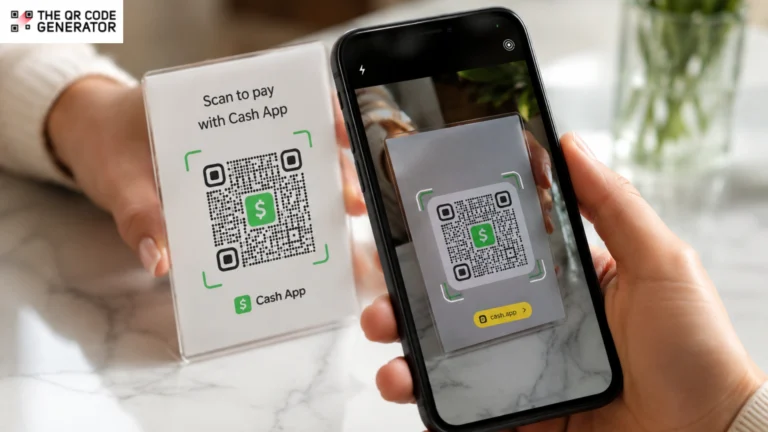
You want customers to pay you quickly, and Cash App makes peer-to-peer payments simple. However, sending Cashtags or payment links often creates friction. People mistype usernames, links open to login screens, and in-person customers hesitate when they have to search for the right account. A Cash App QR Code removes those steps.
A Cash App QR Code is a scannable payment QR Code that links directly to a Cash App account, making it easier to send and receive money without manually entering account details. It serves as a fast payment method for individuals, creators, side hustlers, and small businesses that accept Cash App payments.
This guide explains how to find your Cash App QR Code, print it, use it safely in physical and digital spaces, troubleshoot common issues, and understand when a more flexible solution may be a better fit.
Table of contents
- What is a Cash App QR Code?
- How to find and scan a Cash App QR Code
- How to save or share your Cash App QR Code
- Using Cash App QR Codes for personal and business payments
- Cash App payment QR Codes vs. dynamic QR Codes
- Are Cash App QR Codes safe? Common scams and security tips
- Common Cash App QR Code problems and fixes
- Take payments faster with the right QR Code
- Frequently asked questions
What is a Cash App QR Code?
A Cash App QR Code is a unique scannable code tied to your Cash App account. When someone scans it, their phone opens the Cash App payment screen directly, pre-filled with your account. All this without typing a Cashtag (Cash App usernames) or searching for the right profile. Just scan and pay. It works for both sending and receiving money, and is faster than any manual alternative.
How do Cash App QR Codes work?
The Cash App QR Code encodes a payment deep link — a URL that tells the app exactly which account to open and what action to take. When someone scans the code, their phone reads the link and automatically launches the Cash App payment flow without any additional steps.
Cash App QR Code vs. payment link
Both get money moving, but they serve different situations. Use a QR Code when someone is standing in front of you. Use a payment link when you’re sending a digital invoice or asking for payment over text.
| QR Code | Payment Link | |
|---|---|---|
| Best for | In-person payments | Remote sharing |
| How it works | Scan-to-pay | Tap or click-to-pay |
| Ideal use | Print, signage, tabletop | Email, text, social |
| Format | Visual code | URL |
If you’re comparing payment methods, note that Cash App QR Codes are designed for person-to-person payments within the Cash App ecosystem. Other payment tools, such as an Apple Pay QR Code, focus on different checkout and wallet experiences.
How to find and scan a Cash App QR Code
Your Cash App QR Code lives on your profile screen inside the app. Here’s how to get to it.
- Open the Cash App on your phone.
- Tap the $ icon at the bottom center of the screen.
- Tap your profile photo or the person icon in the top-right corner.
- Your QR Code appears on the profile screen. Tap it to expand it to full screen.
That’s your personal QR Code for payment. Anyone who scans it can send you money instantly.
How to scan someone else’s Cash App QR Code
Scanning someone else’s Cash App QR Code is where most users run into problems, and the fix is simple once you know it.
Cash App has two ways to scan:
- In-app scanner (recommended): From the Cash App home screen, tap the QR Code icon or use the scanner within the app’s send flow. This scanner is built specifically for Cash App payment codes. It correctly reads the deep link and opens the payment screen in the app.
- Phone camera: Most modern smartphones can scan QR Codes with the native camera. For Cash App codes, the camera will detect the link and offer to open it. This usually works, but in-app scanning is more reliable because it handles the deep link directly without routing through a browser.
When reliability matters, especially for business transactions, always use the in-app scanner.
How to save or share your Cash App QR Code
Whether you’re sending your QR Code to a friend or adding it to a flyer, you’ll need a copy you can easily access outside the Cash App app.
- Screenshot method: Expand your QR Code to full screen inside the app, then take a screenshot. Now, you have a clean image to your camera roll.
- Share directly from the app: On the profile screen, look for a share icon near your QR Code. This lets you send it directly through messages, email, or any other app.
- Save for print: Take a screenshot, then AirDrop it to a Mac, email it to yourself, or upload it to cloud storage to access it on a computer for design use.
How to print a QR Code for Cash App
If you run a food truck, sell at a farmers market, or freelance, printing your Cash App QR Code is often how you actually get paid.
To print your Cash App QR Code, first save a full-screen screenshot of the code and transfer it to your computer using AirDrop, email, cloud storage, or a photo-sync service. Once the image is on your desktop, you can add it to flyers, signs, invoices, business cards, or other printed materials.
Before printing, make sure the QR Code remains clear and easy to scan. Use a high-contrast design, avoid stretching or distorting the image, and print it at least 1 × 1 inch. For countertop signs, posters, or market displays, a larger size is usually more reliable. Always test the printed version with a phone before producing multiple copies.
Tools such as Canva, Google Slides, Microsoft Word, and Google Docs make it easy to place a Cash App QR Code on payment signs or invoices. Add a short call to action, such as “Scan to pay with Cash App,” so customers know exactly what to do.
Using Cash App QR Codes for personal and business payments
Cash App QR Codes work anywhere you need to exchange money quickly, whether you’re splitting a restaurant bill with friends or collecting payments for your business.
Everyday personal uses
Cash App QR Codes cut out the friction in everyday money moments.
- Splitting dinner: Pull up your QR Code at the table so everyone can pay their share instantly. The experience is similar to using a Venmo QR Code, but payments stay within Cash App.
- Paying a friend back: Faster than opening a chat and typing a Cashtag. Just show the code.
- Collecting for a group gift: Set your code as a phone wallpaper temporarily so anyone nearby can scan and contribute.
- Tipping service workers: Some workers display their QR Codes on their phone lock screens for easy tipping.
Using Cash App QR Codes for small businesses
Small business owners consistently underuse the Cash App QR Code, even when it would simplify their entire payment flow.
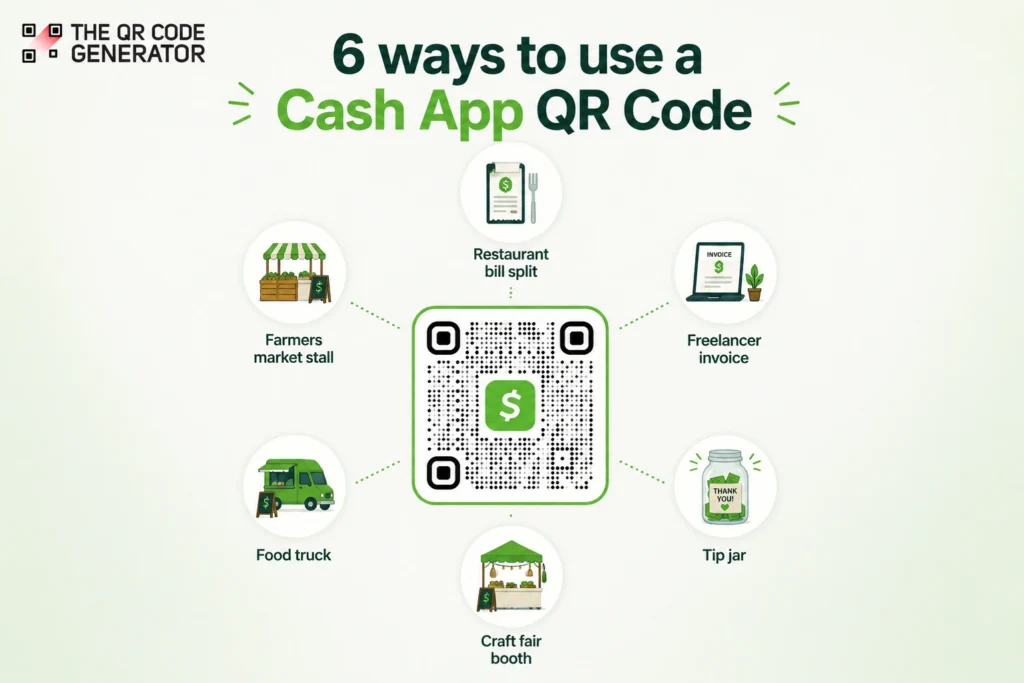
- Food trucks and pop-up vendors: Mount a laminated QR Code on the order window. Customers scan while they wait, and payment clears before pickup. No card reader required, no split-second friction at handoff.
- Craft fair and market stalls: Place a tabletop sign with your QR Code next to your products. Include your Cashtag as text backup in case a customer prefers to type it.
- Freelancers: Add your QR Code to your invoices, email signature, or proposals. Clients who prefer mobile payments can pay without opening a browser.
- Tip jars: A physical tip jar with a QR Code on it collects digital tips from customers who don’t carry cash. This is especially effective in coffee shops, salons, and food service.
- Countertop displays: A small acrylic stand with your printed QR Code looks professional and requires zero explanation, as customers know what to do.
Businesses that already accept multiple payment methods often display a Cash App QR Code alongside options such as a Zelle QR Code, giving customers more flexibility at checkout.
| 💡Pro tip: Cash App Business accounts incur payment processing fees on customer payments. Check Cash App’s current pricing before relying on it as your primary payment method, especially if you process a high volume of transactions. |
Cash App payment QR Codes vs. dynamic QR Codes
Cash App’s built-in QR Code is designed for one purpose: sending people directly to your Cash App account. It’s simple, free, and works well for personal payments and small-scale business use.
The tradeoff is that it offers little flexibility. You can’t track scans, change where the code leads, or use the same QR Code for multiple payment methods.
| Feature | Cash App Native QR Code | Dynamic QR Code |
|---|---|---|
| Links directly to Cash App | Your Cash App account | Any URL |
| Editable after printing | No | Yes |
| Scan analytics | No | Yes |
| Supports any URL | No | Yes |
| Best for | Personal payments and simple business use | Businesses, campaigns, and multi-payment setups |
A dynamic QR Code can link to a custom payment page that includes Cash App, along with other payment options such as PayPal or Venmo.
Instead of printing separate QR Codes for each platform, you can direct customers to a single page and update your payment options over time without reprinting the QR Code. Because the destination lives behind the QR Code, you can update the payment page, swap providers, or change account details without reprinting the code.
Dynamic QR Code tools like The QR Code Generator (TQRCG) also provide scan analytics, helping you measure engagement from flyers, signs, invoices, and other marketing materials.
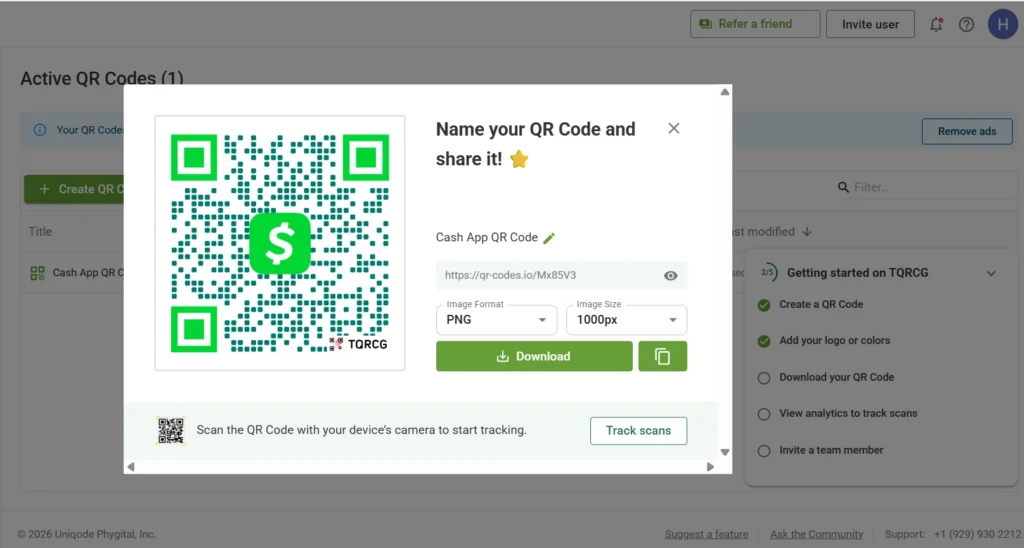
For most people, Cash App’s native QR Code is all they need. However, businesses that want payment flexibility, scan tracking, or a QR Code that can evolve may benefit from using a dynamic QR Code linked to a payment page.
Are Cash App QR Codes safe? Common scams and security tips
Every Cash App payment, including those initiated by a QR Code scan, goes through multiple layers of verification.
Cash App requires a PIN or biometric authentication (Face ID or fingerprint) before any money leaves your account. A confirmation screen shows the recipient’s name and amount before you commit. This means that scanning a QR Code doesn’t automatically send money; you always confirm before paying.
Common Cash App QR Code scams
Knowing how scams work is the clearest defense against them.
- Fake overlay stickers: A common physical scam involves placing a sticker printed with a fraudulent QR Code directly over a legitimate one. This happens at events, markets, and public displays. The design looks identical, but the destination changes.
- Phishing QR Codes: Scammers print or distribute QR Codes that link to fake Cash App login pages instead of a real payment screen. Entering your credentials on one of these pages gives the scammer access to your account.
- Fake support or payment redirect pages: Some scams send you to a page that appears to be a payment confirmation but actually collects your payment information for fraud.
While Cash App QR Codes themselves are not inherently unsafe, users should remain cautious when sending money.
Read more: Are QR Codes Safe To Scan? How To Identify Fake QR Codes
Common Cash App QR Code problems and fixes
If your Cash App QR Code isn’t working as expected, don’t assume it’s broken. The most common issues stem from image quality, app behavior, or account changes, and each has a straightforward solution.
| Problem | Likely cause | Fix |
|---|---|---|
| QR Code won’t scan | Low resolution or poor lighting | Expand to full screen, improve lighting |
| Printed code blurry | Screenshot taken zoomed out | Retake screenshot at full zoom |
| App doesn’t open after the scan | Camera opened a browser link | Use the in-app scanner instead |
| Payment failed after scan | Insufficient balance or connection issue | Check balance and internet connection |
| Code not working for the recipient | Cashtag changed after the code was printed | Reprint with updated QR Code |
Take payments faster with the right QR Code
A Cash App QR Code removes friction from the payment process. Instead of sharing usernames or payment links, you can let customers, clients, or friends pay with a single scan. Whether you’re splitting a dinner bill, collecting tips, sending invoices, or accepting payments at a market stall, a QR Code makes the experience faster for everyone involved.
For most people, Cash App’s built-in QR Code is all they need. However, if you want more control over the payment experience, such as the ability to update destinations, offer multiple payment methods, or measure engagement, a dynamic QR Code from The QR Code Generator can provide additional flexibility.
Create a dynamic payment QR Code with The QR Code Generator today!
Frequently asked questions
Yes. Every Cash App account has a unique QR Code tied to it. You can find it by tapping your profile icon within the app. The code links directly to your payment screen, so anyone who scans it can send you money instantly without having to type your Cashtag.
Open Cash App and use the in-app scanner, which you can access from the home screen or the send flow. You can also use your phone’s native camera, but the in-app scanner is more reliable for payment QR Codes because it handles the deep link directly.
Yes. Take a full-screen screenshot of your QR Code in the app, transfer the image to your computer via email or AirDrop, and use it in Canva, Google Slides, or any design tool. Print it at a minimum of 1 inch square, use high contrast, and test it before producing in bulk.
Yes, sharing your QR Code is safe. It allows others to send you money, but it doesn’t give anyone access to your account or the ability to withdraw funds. Cash App also requires a PIN or biometric confirmation before any payment goes through. Be cautious about scanning QR Codes from unknown sources.
Cash App QR Code payments are most commonly accepted by Square sellers and other merchants that support Cash App Pay. This includes many independent retailers, food vendors, market stalls, cafes, and small businesses that use Square’s payment ecosystem. Acceptance varies by merchant, so there is no definitive list of stores that support Cash App QR Code payments. While some larger retailers may offer Cash App Pay at checkout, many major chains rely on their own apps, card payments, or NFC-based wallets instead.
This usually happens because social media apps such as Instagram, Facebook, and LinkedIn open links inside their own built-in browsers rather than passing them directly to installed apps. As a result, a Cash App payment link that opens correctly in a text message or email may instead load a web page or a login screen when tapped in a social app.
If you frequently share payment links online, consider using a dynamic QR Code that directs users to a payment page containing your Cash App details and other payment options. This creates a more consistent experience for customers, regardless of where they access the link.
