









 New Dynamic QR Code
  New Static QR Code
Getting paid quickly without losing a cut to processing fees is still one of the biggest problems for small businesses. You finish the job, send an invoice, and then wait. Sometimes for days.
Zelle has been changing that. In 2025, the platform processed $357 billion in small-business payments, a 26% jump from the year before, according to Zelle’s 2025 annual report. With 7.7 million small businesses now enrolled, the platform isn’t just for splitting dinner bills anymore.
But enrollment alone doesn’t make collecting payments effortless. That’s where the Zelle QR Code comes in.
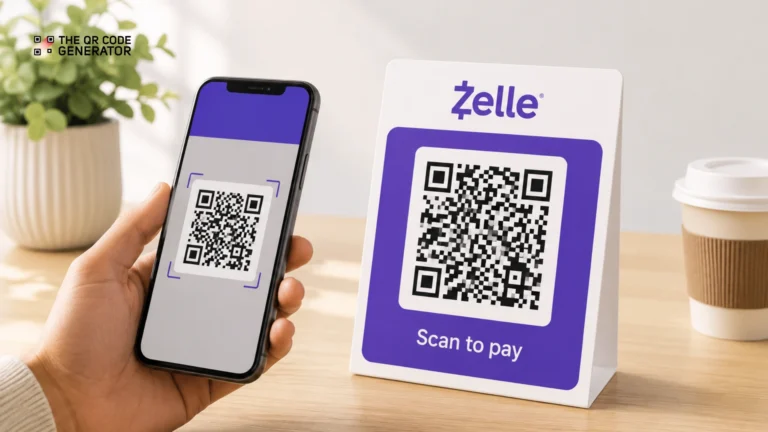
A Zelle QR Code is a scannable payment tool that auto-fills your Zelle account details when a customer scans it, turning what used to be a manual, error-prone handoff into a single scan.
This guide covers what a Zelle QR Code is, how to get one, where to display it, and how it compares to other payment QR Codes, such as Venmo, PayPal, and Cash App.
Table of contents
- What is a Zelle QR Code?
- What are the benefits of using a Zelle QR Code?
- How to get a Zelle QR Code
- Where to put your Zelle QR Code
- Zelle QR Code vs. other payment QR Codes
- Zelle QR Code security tips
- Start collecting payments with a single scan
- Frequently asked questions
What is a Zelle QR Code?
A Zelle QR Code is a scannable payment code linked to your Zelle account. When a customer scans it, your Zelle payment profile opens in their banking app, so they do not have to manually enter your phone number or email. They enter the amount, tap send, and enrolled businesses typically receive the money within minutes.
Most customers do not need to download a separate app because Zelle is already built into the mobile apps of more than 2,300 U.S. banks and credit unions, according to Zelle. If your customer banks with one of them, they can usually pay you right away.
Zelle also moves money differently from many payment apps. Many payment apps first place funds into a separate digital wallet or a stored balance. You then have to transfer that money to your bank account manually. Zelle skips that extra step. The payment moves directly from your customer’s bank account to yours, usually within minutes after they send payment.
What are the benefits of using a Zelle QR Code?
Zelle already gives small businesses a fast, fee-free way to collect payments. The QR Code feature makes the actual collection process easier. Here are the three main benefits specific to using a QR Code over sharing your details manually.
No extra hardware needed
You don’t need a card reader, a POS terminal, or any additional equipment to accept Zelle QR Code payments. A printed QR Code on a countertop sign or an invoice is all it takes. This makes Zelle practical for any business that operates without a fixed checkout setup, including freelancers, tutors, and mobile service providers.
Less friction at checkout
Without a QR Code, a customer has to ask for your email or phone number and type it manually into their banking app. That process takes time and leaves room for mistakes. With a Zelle QR Code, your payment details load automatically when the customer scans. They confirm the amount and tap send. That’s it.
Fewer payment errors
Zelle payments sent to the wrong person are hard to reverse. A typo in an email or phone number is all it takes to send money to a stranger, with no way to get it back. A Zelle QR Code removes that risk. Your details load automatically from the scan, so the customer never has to type anything.
How to get a Zelle QR Code
Zelle shut down its standalone app on April 1, 2025. The service itself is still fully operational, but you now primarily access it through your bank’s mobile app or website. That change also affects how you get your QR Code.
Get a Zelle QR Code through your banking app
If your bank supports Zelle’s QR Code feature, you can find it in the bank’s mobile app. The steps vary by bank, but the general process is the same:
- Open your bank’s mobile app and go to the Zelle section, usually found under Pay and Transfer or Payments.
- Tap Send or Request, then look for a QR Code icon near the top of the screen or inside your Zelle settings.
- Select My Code to view your personal Zelle QR Code.
- Save, print, or share the code via text or email.
Banks that currently support this feature include Bank of America, Wells Fargo, U.S. Bank, Chase, and Huntington.
What to do if your bank doesn’t support Zelle QR Codes yet
Not every bank has rolled out the QR Code feature. If yours hasn’t, you can still accept Zelle payments by sharing your enrolled email or mobile number directly with customers.
The simplest workaround is to display your Zelle contact details clearly at the point of payment, on a printed sign, your invoice, or a business card. Customers open their banking app, search for your email or phone number, and send the payment manually. It adds one extra step, but still gets the job done.
Some business owners also use a QR Code generator to create a code that displays their Zelle details when scanned. This is not an official Zelle payment QR Code. It does not automatically open Zelle or fill in a payment screen. It simply shares your payment details so customers do not have to type them manually.
If your bank does not yet support Zelle QR Codes, free tools like The QR Code Generator (TQRCG) can help you create a simple QR Code that displays your Zelle contact information for faster payments.
Where to put your Zelle QR Code
A QR Code only works if customers actually see it at the right moment. The best placement puts the code directly in front of the customer when they are ready to pay. Here are the four most effective placements depending on your business type.
Retail and food businesses
Place your Zelle QR Code on a countertop sign near the register and on table tents at each table. You can also print it directly on receipts. Customers are already used to scanning QR Codes for menus, so a payment code at the same spot feels like a natural next step rather than something new to figure out.
Service businesses
Add your Zelle QR Code to both printed and PDF invoices, and to your business cards. If you’re a contractor finishing a job on-site, a printed code on your clipboard means you can collect payment before you leave. You don’t have to follow up later or wait days to get paid.
Events and pop-ups
Display your Zelle QR Code on banner stands and flyers at your booth. A QR Code for farmers’ markets or food festivals, with a clear “Scan to Pay with Zelle” sign, eliminates the need for cash or card readers. This is especially useful at outdoor events where connectivity for card terminals can be unreliable.
Online sellers
Add your Zelle QR Code to order confirmation emails and your website’s checkout page. For small sellers on Instagram or Facebook, sharing the code through your Instagram Stories, profile link, or DMs removes the back-and-forth of sharing payment details in DMs. Customers see the code, scan it, and pay without manually entering your payment details.
Zelle QR Code vs. other payment QR Codes
Payment apps like Venmo, PayPal, and Cash App all support QR Codes, but the scan-to-pay experience works differently on each one.
The biggest difference is what happens after the customer scans: Zelle loads your details directly into their banking app, while Venmo, PayPal, and Cash App require a separate app to be installed and route funds through a stored balance first.
| Feature | Zelle | Venmo | PayPal | Cash App |
| App required to scan? | Usually, no, if the customer’s bank supports Zelle | Yes, Venmo app required | No, phone camera opens PayPal checkout page | Yes, Cash App required |
| Funds go to | Bank account directly | Venmo balance first | PayPal balance first | Cash App balance first |
| Auto-fills payment details on scan? | Yes | Yes, opens Venmo profile | Yes, opens PayPal checkout | Yes, opens Cash App profile |
| Buyer/seller protection | No | Limited | Yes | Limited |
| Works outside the U.S.? | No | Limited | Yes | Limited |
Zelle QR Codes work best for businesses collecting payments from customers they already know and trust. The QR Code opens the payment flow directly inside the customer’s banking app without requiring a separate payment app in most cases.
For repeat clients, local customers, and service-based businesses, the zero-fee and near-instant deposit combination is difficult to match.
Read more: A Complete Guide to Using Venmo QR Codes for Business
Zelle QR Code security tips
Zelle’s speed is its biggest strength and its biggest risk. Payments are near-instant and difficult to reverse, so it can be very difficult to recover funds once they leave your account. Knowing the four most common Zelle scams helps you avoid them before they cost you.
- Fake payment confirmations. Scammers send a screenshot or email that appears to be a real Zelle confirmation, but no money ever actually arrives. Always verify every payment in your own banking app before handing over goods or completing a service.
- “Payment sent” pressure. A buyer insists they have paid you, but the funds have not been deposited into your account. They then pressure you to release the product while blaming a bank delay. Zelle payments usually arrive within minutes. If the money does not appear in your account, verify the payment inside your banking app before releasing anything.
- Overpayment tricks. A buyer sends more than the agreed amount on purpose, then asks you to refund the difference. The original payment may later be flagged as unauthorized or fraudulent, and you lose whatever you sent back. Never refund a Zelle overpayment before confirming the original payment is fully cleared with your bank.
- QR Code tampering (quishing). Scammers place a fake QR Code sticker over your legitimate one at your place of business, redirecting customer payments to their own account. Inspect any publicly displayed QR Code regularly for signs of tampering.
Protect yourself from these scams by following these five steps:
- Verify every payment in your own banking app before releasing goods or services.
- Share your QR Code only through channels you control, like your own signage and website.
- Inspect physical QR Codes regularly for stickers or tampering.
- Remind customers that legitimate Zelle payments never require upfront fees or extra charges.
- If you suspect a code has been compromised, contact your bank and replace the QR Code immediately.
Start collecting payments with a single scan
Zelle QR Codes remove the most common friction point in getting paid — the back and forth of sharing your details every time a customer wants to pay. For small businesses that deal with repeat customers and in-person transactions, a Zelle QR Code is one of the fastest ways to collect payments without adding any cost or equipment.
Check your bank’s mobile app today to see if the Zelle QR Code feature is available. Open the Zelle section, look for the QR Code icon, and save or print your code. The whole setup takes just a few minutes.
If you don’t see it, your bank hasn’t rolled out the feature yet. Display your Zelle email or phone number clearly at your point of payment in the meantime, and check back after your next app update.
Frequently asked questions
No. Zelle does not charge any fees for sending or receiving payments, whether through a QR Code or by entering an email or phone number. Your bank may have its own policies, so check directly with them to confirm.
Yes, but with limitations. You can still accept Zelle payments by sharing your enrolled email or phone number directly with customers. Some business owners create a QR Code that displays their Zelle contact details when scanned. This is not a native Zelle payment flow. It does not open Zelle or auto-fill any payment screen. It simply shows your contact information so customers don’t have to ask for it.
Your bank sets the limit, not Zelle. Sending and receiving limits vary by financial institution and account type. Contact your bank directly to find out your specific thresholds.
The customer can enroll in Zelle directly through their banking app if their bank supports it. If their bank is not part of the Zelle network, they cannot use the service. In that case, offer an alternative payment method.
Yes. Your Zelle QR Code is tied to your enrolled account, not to a physical location. Print the same code and display it at as many locations as you need. Just make sure all payments are going to the correct business account.
