









 New Dynamic QR Code
  New Static QR Code
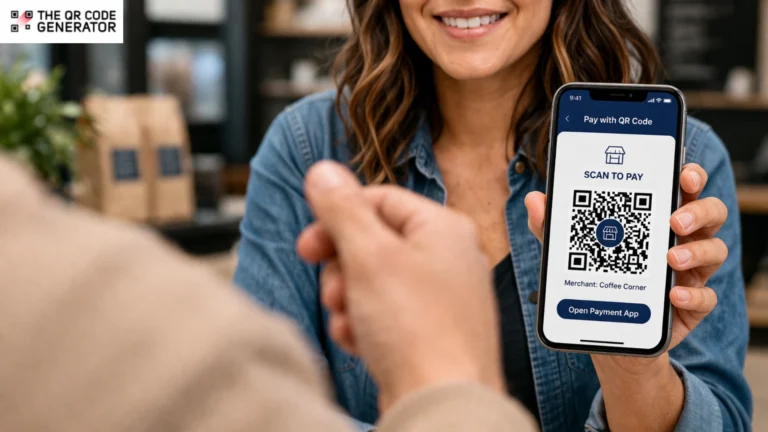
Payments are moving contactless, mobile-first, and real-time, and QR Code payments are becoming the default checkout experience. This may sound like a tall claim, but the numbers make the case. QR Code payments hit $5.4 trillion in 2025, according to Juniper Research’s 2025–2029 market report.
Businesses are switching to QR Code payments because they offer faster checkout, lower hardware costs, support more payment methods, and help money reach accounts more quickly. Meanwhile, consumers are opting for it because scanning is faster and easier than carrying a card.
In this article, you will know exactly how QR Code payments work, how to create one, and how to put it to work for your business.
Table of contents
- Why accepting payments is still harder than it should be
- How do QR Code payments work?
- Benefits of QR Code payments for businesses
- How are QR Code payments used across industries?
- How to set up a QR Code for payment
- How can businesses measure the impact of QR Code payments?
- Is QR Code payment secure? What businesses need to know
- Start accepting QR Code payments today
- Frequently asked questions
Why accepting payments is still harder than it should be
Payment friction is a direct revenue leak, and for most U.S. businesses, it appears in everyday issues such as slow systems, payment failures, and abandoned checkouts.
Slow and outdated payment systems
Most small and mid-sized businesses are still running on payment infrastructure that was not built for how customers pay today. Card readers malfunction, POS systems incur several thousand dollars per month, and contactless terminal upgrades remain out of reach for small businesses.
For event-based and mobile businesses, accepting on-site payments often means dealing with unreliable connectivity, device setup issues, long queues, and missed transactions during peak hours.
Chargebacks and fraud
Unlike large enterprises with dedicated fraud and finance teams, small businesses absorb chargeback losses directly. These losses show up in reduced revenue, staff time spent disputing claims, and processing penalties levied by payment providers.
A single fraudulent transaction can trigger a chargeback cycle that takes weeks to resolve and still ends in a loss. For SMBs running on thin margins, that is not an edge case.
Lost sales and poor customer experience
About 42% of U.S. consumers abandon a purchase if their preferred payment method isn’t available. Also, more than half say they would stop a purchase entirely if the checkout process feels too complicated.
For businesses, that friction translates directly into lost revenue and operational inefficiencies. Every slow or confusing checkout increases the risk of abandoned transactions, ties up staff time, and creates a frustrating customer experience.
Not meeting customers’ expectations
Customers expect fast, frictionless payment. While cash seems to be a solution to this problem, it’s actually not. There are major drawbacks for businesses that rely solely on cash payments. They end up spending hours on cash management tasks, including counting, reconciling, and depositing funds. Add in shrinkage, theft risk, and the cost of cash-in-transit services, and the operational burden becomes significant.
On the other hand, QR Code payments offer a solution that is fast, hardware-free, and settled in real time.
Why accepting payments is still harder than it should be
The QR Code payment process starts with the merchant generating a code linked to their payment account, either with a fixed amount or an amount the customer enters. The code is then displayed at the payment point, such as on a stand, a screen, an invoice, or a table.
The customer scans the code using their phone camera, which opens a supported banking or payment app. They verify the merchant name and amount, then approve the transaction using a tap, PIN, or biometric authentication.
Within seconds, the merchant receives confirmation, and the funds are transferred directly to their account.
Push vs. pull payments: How QR Codes fit in
The way funds move in a QR Code transaction is different from a card swipe, and that difference has direct implications for fraud and chargebacks.
A pull transaction occurs each time the customer uses the card to swipe or tap the card. The merchant initiates the transaction and pulls the funds directly from the customer’s account. The customer agrees to the transaction, yet the merchant controls how it proceeds. This is why card-present fraud and chargebacks are integrated into the system, as the merchant is accessing the customer’s account.
A push payment, however, works in the opposite direction. Here, the customer initiates the payment and then pushes the funds directly to the merchant. The QR Code payment process is essentially the same: the customer scans, confirms, and sends the payment, and the merchant receives the funds.
Fraudsters find it much harder to dispute the payment because the customer initiated it. There is no intermediary, such as the card networks, to move the funds, so the risk of chargeback is much lower.
This shift from pull to push payments reduces friction, lowers risk, and simplifies transaction processing. For businesses, the benefits are immediately visible at checkout.
How do QR Code payments work?
QR Code payments remove many of the barriers associated with traditional payment systems. Businesses can accept payments quickly without complex hardware because customers scan using their own mobile device.
No additional hardware
QR Code payments eliminate the need for POS terminals and card readers, which are expensive to set up and often come with ongoing monthly costs. All that is required is a generated QR Code, which can be displayed on a stand, screen, receipt, or invoice.
Lower transaction costs
Traditional card payments typically carry processing fees. For example, standard credit card processing fees usually hover around 1.5% to 4% per swipe, dip, or tap. Because QR Code payments often utilize push payment rails or direct account-to-account transfers, they bypass many of the traditional card network interchange fees.
Broader payment acceptance
Limited payment options are a major cause of cart abandonment. About 54% of customers abandon checkout when only debit and credit cards are available. QR Codes offer payments through digital wallets and banking apps that customers already trust.
Better cash flow
Traditional merchant accounts and card networks often hold funds for two to three business days before they reach your account. In contrast, many modern QR Code payment systems settle payments in real time or within one business day. This means you can use the money sooner to pay suppliers, restock inventory, or cover daily expenses without waiting.
Greater flexibility
Dynamic QR Codes are useful because they can be edited after printing. You can change the payment link, update the amount, or switch the account without creating a new code. This makes them ideal for reusable setups such as permanent displays, multiple locations, or changing prices. You can also disable or redirect a code instantly if needed.
Benefits of QR Code payments for businesses
QR Code payments are used across industries wherever speed, flexibility, and low setup matter most. Here is how different sectors apply them in practice.
Retail and e-commerce
In retail, QR Codes placed on shelves or product tags let customers pay instantly without queuing at a register, creating a self-checkout experience. For ecommerce, embedding a QR Code in packaging inserts or delivery notes drives repeat purchases from the moment of unboxing.
Restaurants and food service
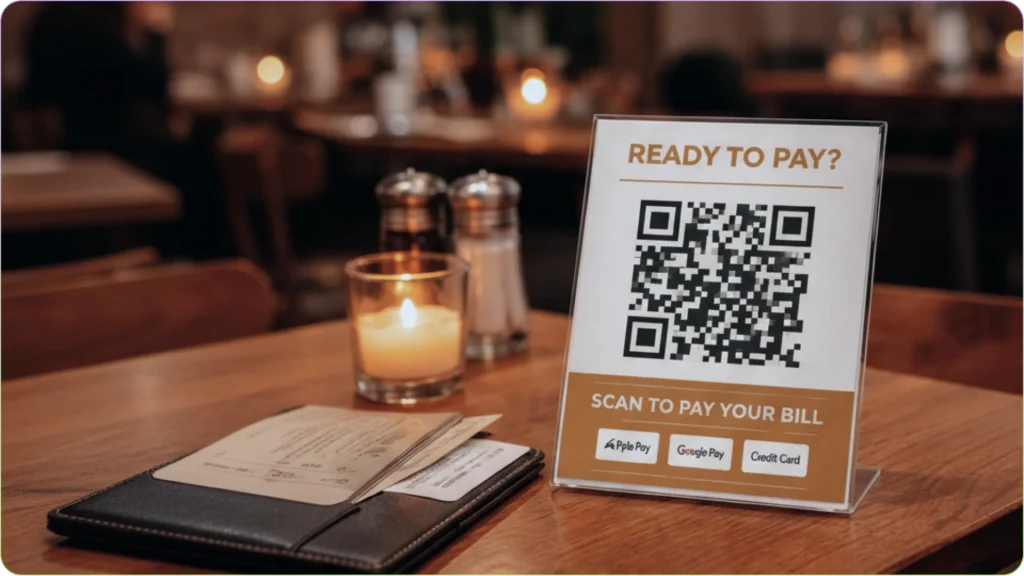
Table-side QR Codes let diners pay when they are ready, without having to flag down staff or wait for the check. For food trucks and counters, a QR Code on the order window keeps the line moving without a card terminal in sight. The result is faster table turns and fewer staff bottlenecks during peak hours.
Events, conferences, and pop-ups
At events, a QR Code on a banner, lanyard badge, or booth table eliminates the need for a card reader. Vendors can accept payment from any angle, in any crowd density, with nothing more than a printed code. For ticketed entry or merchandise sales, a single dynamic code can be updated between sessions without reprinting anything.
Service businesses and freelancers
For freelancers and service providers, a QR Code embedded in a digital invoice or email signature turns a payment request into a one-scan transaction. Clients pay on the spot at job completion or at the end of a consultation.
Healthcare and professional services
In healthcare, QR Codes on appointment cards or at the reception desk let patients pay co-pays or pending bills using their own phones. This reduces the need to use shared card machines and helps maintain better hygiene in clinics and hospitals.
For professional services like legal or accounting firms, QR Codes on client-facing documents streamline billing without requiring a follow-up call.
Once you understand where QR Code payments fit, the next step is to put them into practice.
How to set up a QR Code for payment
Setting up QR Code payments is straightforward once you understand the basic flow. Follow these steps to get started.
Step 1: Choose the right QR Code type
Before setting up your QR Code payment flow, you must decide whether to use a static or dynamic QR Code. This choice is crucial, as the type determines your control after deployment.
- Static QR Code: Fixed and cannot be changed after creation. Best for simple, low-volume use cases where payment details stay the same.
- Dynamic QR Code: Can be updated without creating a new code. Better for ongoing use where amounts, accounts, or locations may change.
Choose based on how often your payment setup needs to change and whether you want the option to update it later.
Step 2: Generate a QR Code through your payment provider
Start by signing up with a payment provider and linking your bank account. Then:
- Go to the payment link or QR Code section in the dashboard
- Enter payment details (fixed amount or open amount, currency, account)
- Generate the QR Code
- Test it on both iOS and Android devices
- Download it for print or use it digitally
This is the standard setup for most businesses, and in many cases, it’s all you need to start accepting payments.
Step 3: Use a QR Code platform (if needed)
You only need a separate QR Code platform if your use case goes beyond basic payments. Consider using one if you need to:
- Manage multiple QR Codes across locations
- Update destinations without relying on your payment provider
- Add branding, custom designs, or campaign-specific codes
If your payment provider already offers what you need, it’s simpler to use that instead of adding another tool.
Step 4: Deploy across your business
Place your QR Codes wherever customers naturally complete a transaction, such as counter displays, table stands, printed receipts, invoices, product packaging, event signage, email signatures, or even your website checkout page.
Before going live, walk your team through the payment flow so they can assist customers, handle failed scans, and manage refunds if needed.
To ensure your QR Codes work reliably in different environments, follow these practical guidelines:
- Use the right size based on scanning distance. For close-range scans (up to 12 inches), a minimum of one inch is enough. For longer distances, use two inches or larger.
- Add clear instructions near the code, such as “Scan to pay” or “Scan to complete payment,” so customers know exactly what to do.
- Use brand colors, logos, or frames to make the code look intentional and trustworthy.
- Protect printed QR Codes with lamination or sturdy stands to prevent damage or fading.
- Periodically scan your codes to confirm the payment link works correctly and has not been tampered with or replaced.
💡 Pro tip: To encourage QR Code payment adoption, offer a small first-time incentive, such as a limited-time discount. Pair this with clear on-site guidance next to each code.
How can businesses measure the impact of QR Code payments?
Once your QR Code payment flow is in place, you can track performance using data from your payment provider and, in some cases, QR Code scan activity.
Here are some important metrics available through most platforms:
- Scan volume vs. payment conversion: Track how many scans result in completed payments. A high scan rate but low conversion rate signals a friction point in the payment flow.
- Time and location data: When and where payments are being initiated, useful for staffing decisions and placement optimization.
- Payment method breakdown: Which apps and wallets customers are using most, informing which platforms to prioritize or promote.
- Customer contact capture: Where permitted, some platforms capture email or phone at checkout, building a direct remarketing list.
- Repeat payment behavior: Identifies returning customers and average time between transactions, a proxy for retention.
Once your QR Code is live, monitor these KPIs weekly for the first 90 days:
| KPI | What does it tell you | Business outcome |
| Checkout completion rate | Share of initiated payments that settle successfully | Revenue recovered from abandoned transactions |
| Average transaction value | Mean spend per QR Code payment | Identifies upsell or bundling opportunities |
| Time to payment | Seconds from scan to confirmation | Staff time saved, queue length reduced |
| Payment support tickets | Volume of customer payment issues logged | Operational efficiency and customer experience |
| Checkout satisfaction | Post-transaction survey score or NPS | Retention and repeat visit likelihood |
A measurable drop in support tickets and an improvement in checkout completion rate are the clearest early indicators that QR Code payments are delivering returns.
How can businesses measure the impact of QR Code payments?
QR Code payments are built on the same security infrastructure as digital banking. But, like any payment method, the risk is real if the right precautions are not in place.
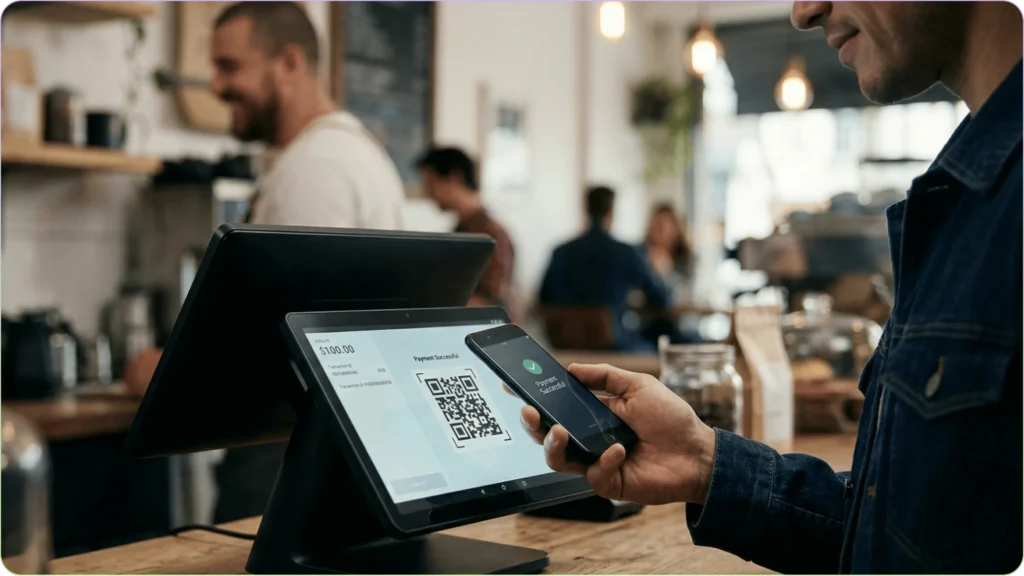
How legitimate QR Code payment systems protect transactions
Reputable QR Code payment platforms protect transactions through four layers:
- Encryption: Transaction data is encrypted end-to-end, meaning payment details cannot be intercepted in transit.
- Tokenization: No card or account data is stored inside the QR Code itself. The code contains only a payment URL; sensitive data never touches the physical code.
- Two-factor authentication (2FA): Most payment apps require biometric verification, PIN, or a one-time passcode before a transaction is approved.
- Real-time fraud detection: PCI DSS-compliant processors monitor transactions continuously and flag anomalies before they settle.
QR Code phishing and how to prevent it
The primary threat to QR Code payments is physical tampering, specifically “quishing,” where a fraudulent QR Code is placed over a legitimate one. This redirects customers to a fake payment page, requires no technical skill, and is hard for customers to spot.
Businesses can prevent it by:
- Using tamper-evident frames that show visible damage if the code is interfered with
- Scanning their own codes regularly to verify the destination is correct.
- Using dynamic QR Codes, either through your payment provider or a reliable QR Code platform, that can be deactivated and redirected instantly if compromised.
- Displaying the business name clearly on or around the code so customers can verify it at the point of scan.
💡 Pro tip: Help customers feel confident when paying via QR Codes by encouraging a few simple checks:
- Preview the payment URL before proceeding
- Use a trusted banking or payment app
- Confirm the merchant name on the payment screen
- Avoid scanning codes that look tampered with or out of place
Start accepting QR Code payments today
Payment technology has a reputation for being complicated, expensive, and disruptive to implement. QR Code payments are none of those things. Businesses that have made the switch are not running sophisticated fintech operations; they are simply meeting customers where they already are: on their phones, in the apps they use every day.
The friction is real, the cost of ignoring it is measurable, and the barrier to entry has never been lower. Pick a provider, generate a code, and present it to your next customer. That is genuinely all it takes to start.
Frequently asked questions
A business displays a QR Code linked to its payment account. The customer scans it using their phone, which opens a payment app. They confirm the amount and complete the payment, and the money is transferred to the business account.
Sign up with a payment provider, link your bank account, and generate a payment QR Code from their dashboard or app. You can then print it or display it digitally for customers to scan.
Yes, QR Code payments are secure because transactions are handled by trusted payment apps that use encryption and verification steps such as PINs or biometrics. The main risk is fake QR Codes, so businesses must check their codes regularly, and customers must verify payment details before paying.
Yes, small businesses can accept payments using just a printed QR Code or a phone display. Customers scan the code and pay directly through their banking or wallet app, no POS system needed.
