









 New Dynamic QR Code
  New Static QR Code
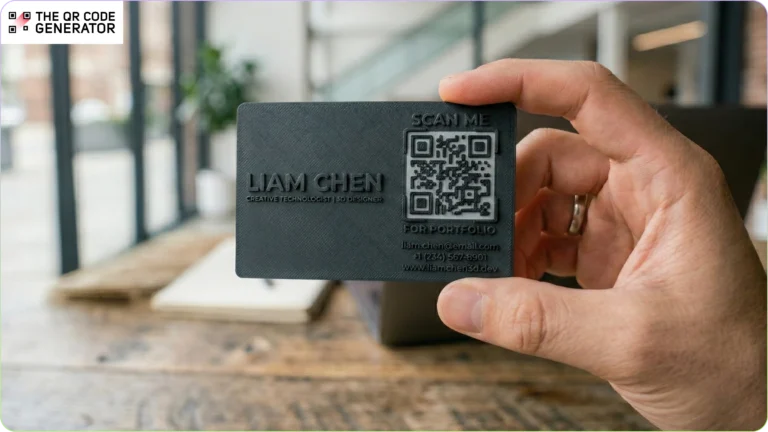
Most QR Codes are 2D barcodes printed on advertisements, posters, or flyers. But QR Codes are no longer limited to short-term marketing use cases. They are increasingly used across public infrastructure and industrial environments to share information about assets, safety instructions, or transit updates.
However, QR Codes placed in outdoor or high-use environments face constant wear. Stickers can fade, peel, or get damaged, breaking the connection between the physical object and its digital information.
If your QR Codes need to last for months or even years without frequent replacement, 3D-printed QR Codes offer a more durable alternative.
In this article, we’ll explore the benefits of 3D-printed QR Codes, how to create them, and expert tips to help ensure they perform reliably in real-world conditions.
Table of contents
- Why QR Code stickers and labels don’t work for all cases
- How to use 3D-printed QR Codes across industries
- How to 3D print a QR Code that scans reliably
- Expert tips for creating scannable 3D printed QR Codes
- Create reliable 3D-printed QR Codes with TQRCG
- Frequently asked questions
Why QR Code stickers and labels don’t work for all cases
Many QR Code deployments still rely on stickers or printed labels that can degrade quickly. Below are some common challenges organizations face when using traditional QR Code labels.
Degradation in high-traffic and harsh environments
Exposure to harsh conditions, such as UV light, moisture, and cleaning chemicals, can wear QR Code stickers down. Outdoor signage often fades or peels over time. QR Code labels on equipment or industrial surfaces can also wear down due to abrasion, frequent handling, and chemical exposure. These QR Codes are in regular use, so their breakdown can affect services.
Security and counterfeit risks
QR Codes in outdoor surface labels can be easily removed, swapped, or cloned, enabling scams. The UK’s Action Fraud centre logged 1,386 such incidents in 2024, up from just 100 in 2019. Because printed stickers offer no physical authentication, counterfeit products or components can reuse copied QR Codes and undermine trust.
Ongoing maintenance and replacement costs
Manual labeling becomes a recurring operational headache, with reprinting and reapplying stickers driving up labor expenses. Damaged signage causes downtime, visitor confusion, and lost engagement opportunities.
These challenges can be easily navigated by switching to 3D-printed QR Codes.
How to use 3D-printed QR Codes across industries
Because traditional QR Code stickers can fade, peel, or be tampered with, many organizations are turning to more durable alternatives. 3D-printed QR Codes create permanent, tamper-resistant digital touchpoints across different environments.
Here are some ways they can be used.
Networking with 3D-printed vCard QR Codes
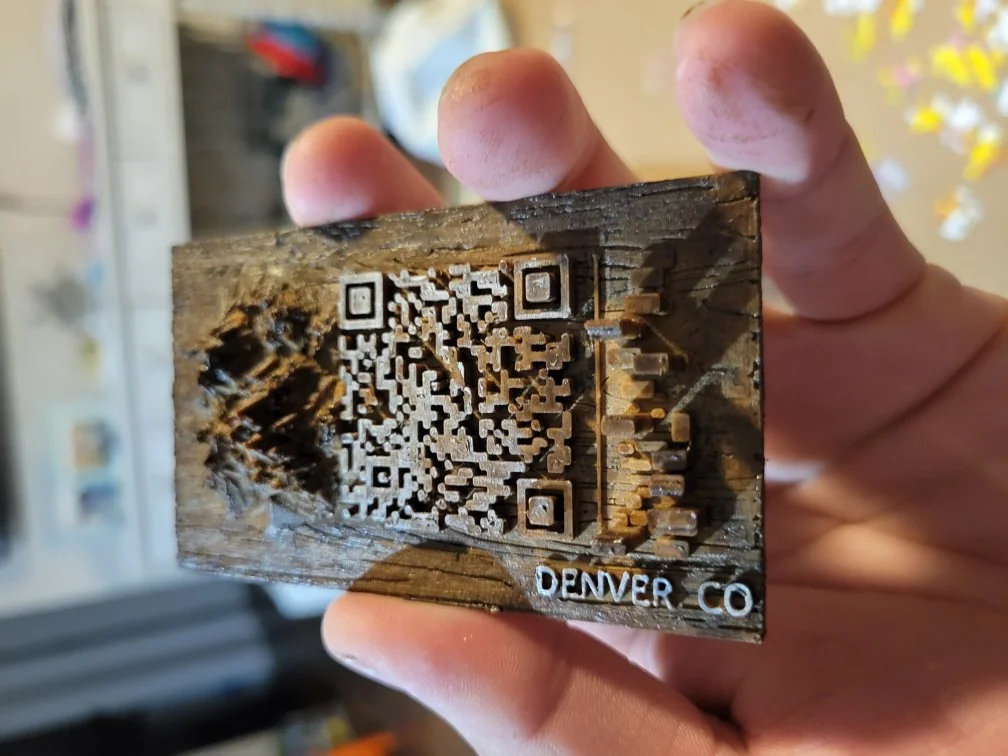
Create QR Code business cards, desk plaques, or name badges that link directly to your contact information. Unlike paper cards that get lost or discarded, 3D-printed vCard QR Codes offer a more durable and memorable way to share details.
Public Wi-Fi access in high-traffic locations
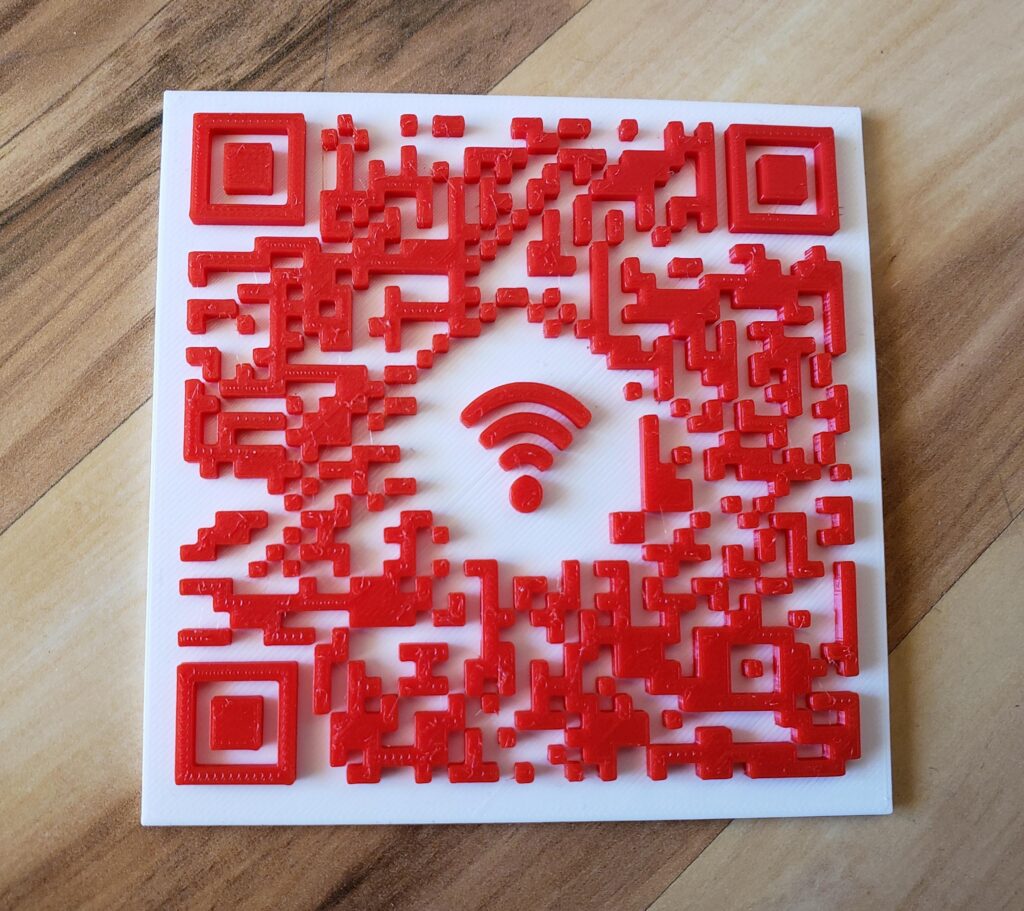
Install weather-resistant Wi-Fi login points on park benches, transit hubs, hotel tables, or café tables using a Wi-Fi QR Code. Users can scan the 3D QR Code to connect instantly without relying on stickers that fade or peel. In restaurants or cafés, you can also create one-of-a-kind custom coasters with these QR Codes.
Government and public infrastructure signage
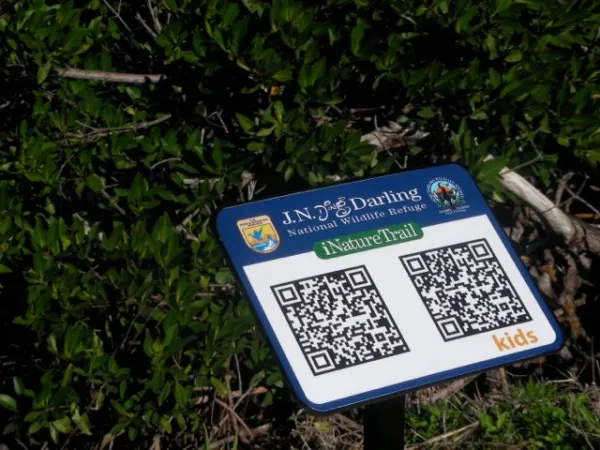
Embed 3D QR Codes on historical markers, park signs, utility poles, or bus stops to provide access to city updates, maintenance reports, or event information. They remain readable despite weather and frequent public use.
Industrial asset tracking
Print QR Codes directly onto tools, machinery, or equipment for foolproof identification, even after years of heavy use. Teams can scan the QR Code for inventory management or to access asset records and service history.
Accessing digital manuals on-site
3D QR Codes can link physical components to digital manuals, assembly guides, or troubleshooting videos at the point of use. Technicians can simply scan a machine part to access the information they need without searching through documentation.
Branded merchandise and promotional items
Embed 3D QR Codes into swag such as keychains, mugs, or apparel for lasting links to loyalty programs, exclusive content, or AR experiences. Unlike stickers that peel off, these endure daily use and washing, turning giveaways into ongoing engagement tools.
The benefits of 3D-printed QR Codes transform everyday touchpoints into reliable digital gateways. The next step is understanding how you can generate durable QR Codes tailored to your sector.
How to 3D print a QR Code that scans reliably
Creating a 3D-printed QR Code is straightforward, but before printing, you need to generate the QR Code using a reliable platform such as The QR Code Generator (TQRCG).
Step 1: Choose the right QR Code type
Decide what users will do after the scan and choose the appropriate QR Code type. You choose a Wi-Fi QR Code, a PDF QR Code, or a simple URL QR Code based on your use case.
Step 2: Generate the QR Code
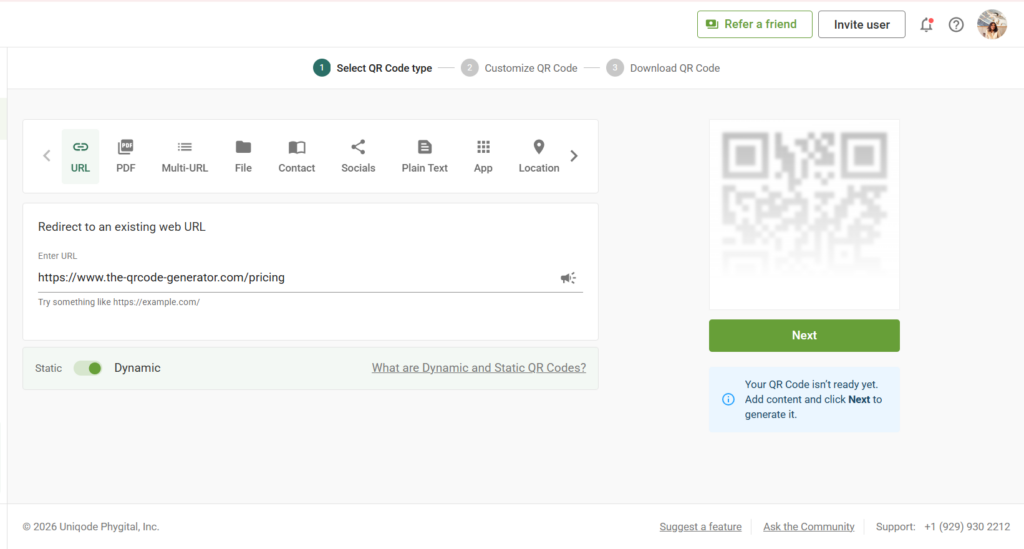
Sign in to The QR Code Generator (TQRCG), paste your URL or upload content (e.g., a PDF manual), and click Next.
Step 3: Customize the QR Code design
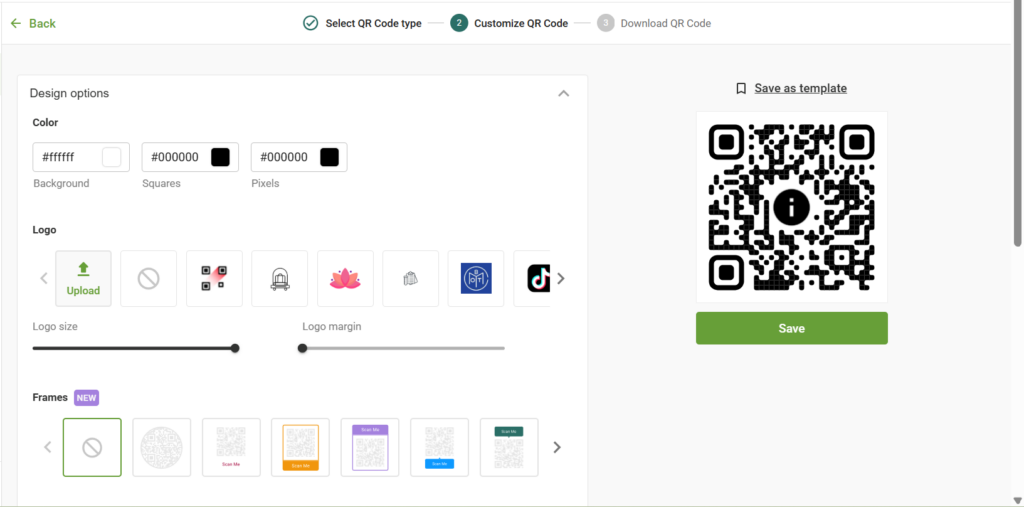
Because the QR Code will be 3D printed, it’s best to keep the classic QR Code structure. You can add a simple logo for brand recognition and adjust the colors if needed. Once the design is finalized, download the QR Code.
Step 4: Convert the SVG into a 3D model

Download the QR Code in SVG format and import it into a CAD tool to convert the vector paths into solid geometry. Tools such as Fusion 360, Blender, FreeCAD, and Tinkercad allow you to extrude the QR Code pattern so it can be raised, recessed, or embedded into a surface.
Step 5: Set the correct QR Code height
Extrude the QR Code modules to about 0.5 mm in raised or recessed depth. This height helps smartphone cameras detect edges clearly, even on textured surfaces.
Step 6: Prepare the model for 3D printing
Export the final model as an STL file and load it into slicing software such as Cura, PrusaSlicer, and Bambu Studio. Slicing software controls layer height, nozzle resolution, and material settings, which affect the sharpness of the QR Code modules.
Step 7: Test the printed QR Code
Before scaling production, test the printed QR Code thoroughly. Scan it with different smartphone models, under varied lighting conditions, and from multiple distances to confirm reliable performance.
Beyond these steps, a few best practices can further improve how well your 3D-printed QR Codes scan in real-world environments. Let’s look at them next.
Expert tips for creating scannable 3D printed QR Codes
These best practices help ensure your 3D printed QR Codes remain scannable even after long-term use, surface wear, or environmental exposure.
Maximize error correction
Set your QR Code to error correction Level H (High) before converting it into a 3D model. This level restores up to 30% of damaged data, allowing the QR Code to remain scannable even if parts of the surface develop scratches or printing defects. It is especially useful for engraved or raised QR Codes used in outdoor or industrial environments.
Opt for dynamic QR Codes
Dynamic QR Codes allow you to update the destination URL or content without reprinting the QR Code. This means the same 3D-printed QR Code can continue to work even if credentials, manuals, or Wi-Fi passwords change. Dynamic QR Codes also provide scan analytics to track performance.
Scale the QR Code for reliable scanning
Although 3D printers can produce fine details, smartphone cameras require a sufficiently large module to scan accurately. For most 3D printing applications, a QR Code size of at least 50 mm × 50 mm works reliably, though larger sizes are recommended for outdoor signage or long-distance scanning.
Manage contrast and surface finish
Strong contrast between the QR Code pattern and its background improves scan reliability. Use matte, flat-colored filaments instead of glossy materials, as reflections can interfere with camera recognition. Light sanding with fine-grit sandpaper can also reduce shine and improve visibility.
Use filament swapping for clear separation
For dual-color prints, swapping filaments helps create a strong contrast between the QR Code modules and the base surface. Use the M600 command in your G-code to pause the print and change filaments at the correct layer. This produces cleaner color separation and improves scan reliability without additional post-processing.
Once your 3D QR Code is printed, testing it across different phones, lighting conditions, and scanning distances will help you validate performance before scaling production or embedding it into finished products.
Create reliable 3D-printed QR Codes with TQRCG
Surface-level stickers simply can’t keep up in harsh or high-traffic environments. 3D printed QR Codes offer a permanent, tamper-proof way to link physical assets to digital data. This makes your deployments in manufacturing, events, or public spaces truly indestructible and future-proof.
Creating 3D-ready QR Codes with The QR Code Generator (TQRCG) is simple and scalable. Whether you’re linking industrial parts to service manuals, enabling public Wi-Fi access, or connecting physical products to live data, TQRCG gives you the flexibility and reliability 3D-printed QR Codes demand.
Start creating dynamic 3D-print-ready QR Codes with The QR Code Generator (TQRCG) today.
Frequently asked questions
To 3D print a QR Code, start by generating the QR Code digitally and exporting it in a vector format (SVG) to preserve sharp edges. Convert the SVG to a 3D model (usually an STL) using CAD or slicer software, with the black modules raised or recessed. Print the QR Code with high contrast, sufficient module size, and consistent depth to ensure scanners can read it reliably after printing.
Yes, 3D-printed QR Codes are fully scannable when designed correctly. Scannability depends on factors such as the contrast between raised and recessed areas, adequate module size, clean edges, and proper lighting. Using high error-correction levels also helps maintain scan reliability even when minor surface imperfections occur during printing.
The best file format for 3D printable QR Codes is SVG. SVG files are vector-based, meaning they scale without pixelation and retain precise geometry, which is critical for accurate QR Code modules. Raster formats such as PNG or JPG can introduce blurring or distortion when converted to 3D models.
A 3D-printed QR Code should typically have a depth or height difference of at least 0.6–1 mm between the raised and recessed areas. This ensures enough physical contrast for scanners while avoiding overly deep grooves that can cause shadowing or printing defects.
Yes, 3D printed QR Codes are considered permanent compared to stickers or labels. Because the QR Code is physically integrated into the object, it won’t peel, fade, or wear off easily. This makes them ideal for long-term use cases such as industrial assets, medical equipment, signage, and hospital infrastructure.
High error correction (Level Q or H) is recommended for 3D-printed QR Codes. Because 3D printing can introduce minor surface inconsistencies, higher error correction allows the QR Code to remain scannable even if parts of it are slightly damaged, dirty, or imperfect.
