
How Bitcoin QR Codes Help With Safer Crypto Payments

Harshajit
Last updated: May 29, 2026
9 min read
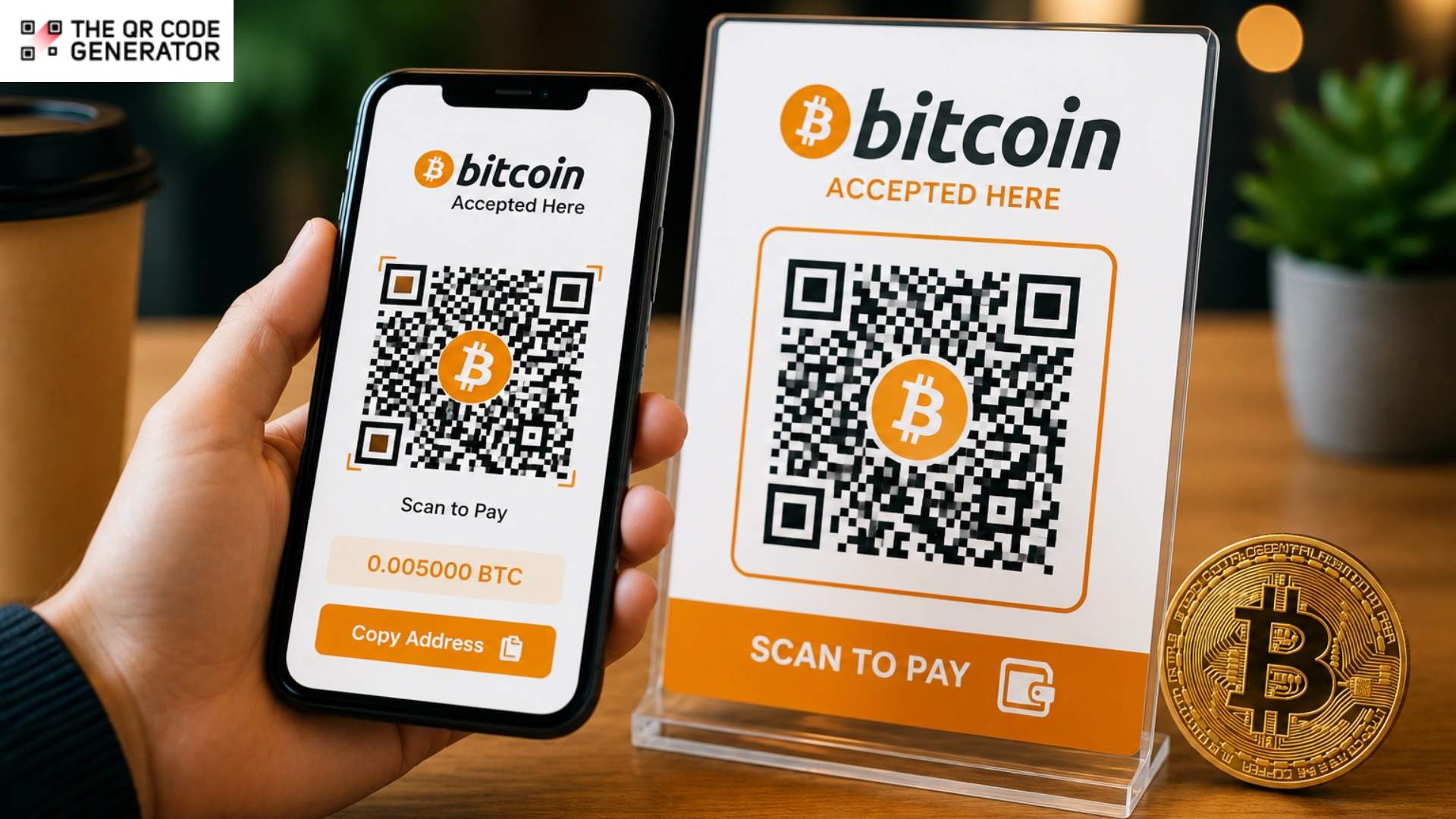
A Bitcoin (BTC) wallet address looks something like this: 1A1zP1eP5QGefi2DMPTfTL5SLmv7DivfNa. It is a long, case-sensitive alphanumeric string with no pattern a human eye can reliably verify. Typing it manually on a phone is frustrating for customers, but for businesses and individuals accepting Bitcoin payments, even a single typo can permanently send funds to the wrong wallet. So, many merchants now use Bitcoin QR Codes to simplify crypto payments.
A Bitcoin QR Code is a scannable payment QR Code that stores a Bitcoin wallet address and lets users complete transactions without manual entry. Customers can scan the code, confirm the amount, and pay in seconds instead of copying and pasting wallet strings.
This guide explains how Bitcoin QR Codes work, how to create one, where businesses use them, and the best practices for secure crypto payments. You’ll also learn how dynamic QR Codes simplify payment management and tracking.
What is a Bitcoin QR Code?
A Bitcoin QR Code is a scannable image of a machine-readable, black-and-white graphical pattern that encodes a Bitcoin wallet address. When someone scans the QR Code with a wallet app, the app automatically reads the address, fills in the payment details, and lets the sender confirm the transaction.
It is worth clearing up what the QR Code is not. A Bitcoin QR Code doesn’t hold any Bitcoin, it’s not a wallet, and it can’t receive or store funds on its own. Think of it the way you would think of a printed bank account number on an invoice. The number tells you where to send the money, but the slip of paper holding it is not the bank account itself. A Bitcoin QR Code works the same way. It simply carries the destination address in a format that machines can read instantly and that humans never have to type.
How a Bitcoin QR Code works
The Bitcoin transaction flow begins with the receiver, whether that is a merchant, a freelancer, a non-profit, or just someone splitting dinner.
Most crypto apps today have built-in QR Code generators for receiving payments. So, the receiver simply click Receive/Deposit, selects the coin (in this case, BTC), chooses the network, and the app generates a QR Code for your deposit address.
That QR Code is then shared with the sender, either displayed on a screen, printed on an invoice, or sent via a message.
From there, the process follows a simple sequence:
- Scan: The sender opens their wallet app, taps Send, and points their camera at the QR Code.
- Auto-fill: The app reads the QR Code and populates the recipient’s wallet address. If the QR Code also encodes a specific amount or payment label, those fields fill in automatically as well.
- Review and confirm: The sender checks every detail on screen and approves the transaction.
The reason this process works consistently across different wallet apps comes down to a formatting standard called BIP 21. It is an agreed-upon structure that tells any compatible wallet how to read the data inside a Bitcoin QR Code.
Static vs. dynamic Bitcoin QR Codes: Which one is right for you?
A static Bitcoin QR Code encodes the wallet address directly into the code. Once generated, that information is permanently locked in.
On the other hand, a dynamic Bitcoin QR Code works through a redirect URL instead of encoding the address directly. Meaning, you can update the Bitcoin wallet address, payment amount, or label at any time without reprinting or resharing the QR C?ode. It also enables scan tracking, analytics, and expiration controls.
Here’s a quick comparison:
| Static QR Code | Dynamic QR Code | |
|---|---|---|
| Wallet address | Hardcoded into the QR Code | Stored behind a redirect URL |
| Editable after creation | No | Yes |
| Scan tracking and analytics | Not available | Available |
| Expiration controls | Not possible | Configurable |
| Best suited for | Personal use, fixed donation addresses, one-time payments | Businesses, invoices, recurring payments, rotating addresses |
How to choose between static and dynamic Bitcoin QR Code?
The decision comes down to two straightforward questions.
- Will your wallet address ever need to change?
If you rotate Bitcoin wallet addresses for privacy, serve multiple clients with different invoices, or simply want the flexibility to update payment details without reprinting, the answer is yes, and that points you toward dynamic.
- Do you need to track scan activity or analytics?
If knowing how many times your Bitcoin QR Code was scanned, when, and from where matters to your workflow, that again points to dynamic.
If your answer to both questions is no, a static QR Code will do the job perfectly well. It is simpler to set up, requires no server, and works exactly as expected every time. But even a single “yes” is a strong signal that the dynamic QR Code is the better fit.
How to create a Bitcoin QR Code
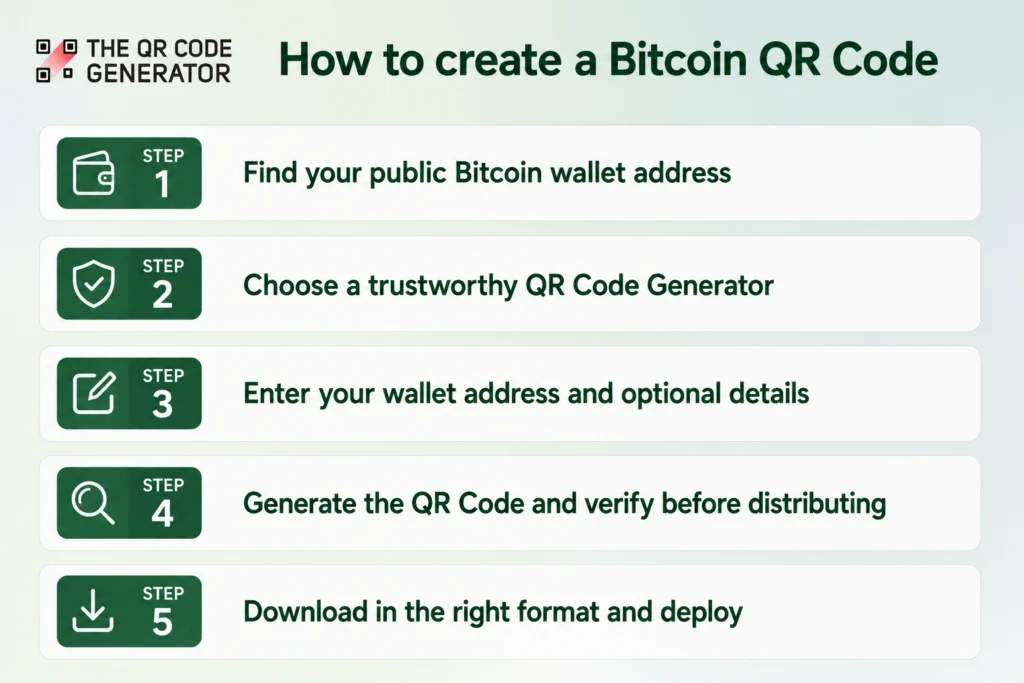
Most crypto wallet apps and exchanges already offer built-in QR Code generators for receiving payments. But if you need more control, such as creating dynamic QR Codes, a dedicated QR Code generator is the way to go.
Here is how to create one:
Step 1: Find your public Bitcoin wallet address
Open your crypto wallet app and tap Receive/Deposit. You will find your wallet address there, usually with a copy button next to it. Copy it.
This is the only piece of information you need going forward.
Step 2: Choose a trustworthy QR Code Generator
Head to a reputable QR Code generator. But before you paste anything, evaluate the tool:
- Does it process data client side, in your browser, rather than uploading it to a server?
- Does it have a clear privacy policy and a visible track record?
- Does it ask for anything beyond a wallet address and optional payment details?
If the answer to that last question is yes, close the tab and find another tool.
Step 3: Enter your wallet address and optional details
Paste your public Bitcoin wallet address into the generator’s input field. If the tool supports it, add the payment amount and a reference label.
These optional fields pre-fill details for the sender when they scan, which cuts down on manual entry errors and speeds up the transaction.
Step 4: Generate the QR Code and verify before distributing
Hit generate, then immediately test. Open a wallet app on a separate device, scan the QR Code, and check:
- Does the address match yours exactly, character for character?
- If you encoded an amount or label, do those show up correctly?
This test scan is non-negotiable. A single wrong character means funds go to the wrong address permanently.
Step 5: Download in the right format and deploy
Choose your format based on where the QR Code will live:
- For digital use (websites, emails, social media): download as PNG or SVG.
- For print (posters, invoices, packaging): go with SVG, because it scales without losing sharpness.
In either case, ensure a strong contrast between the dark modules and the background, and keep the code no smaller than 2 × 2 cm in print so phone cameras can read it comfortably.
Best practices for using QR Codes for Bitcoin payments
Getting the QR Code right is only half the job. How you deploy and maintain it determines whether Bitcoin payments actually go through without friction or errors.
- If you accept multiple cryptocurrencies, use a separate QR Code for each and label them clearly. A customer using an Ethereum wallet who accidentally scans a Bitcoin QR Code could permanently lose funds.
- If your wallet address is likely to change or you want scan analytics, go dynamic before printing at scale.
- A desktop shopper cannot scan a Bitcoin QR Code displayed on the same screen, so always show the full wallet address alongside it for easy copy and paste.
- Before distributing your Bitcoin QR Code publicly, send a small amount of Bitcoin through it yourself using a different wallet app than the one that generated the code.
- For privacy and cleaner accounting, generate a new receiving address from time to time.
- Any Bitcoin QR Code on public display should be inspected weekly for tampering, whether that is peeling, stickers placed over the original, or visible damage.
How Secure Are Bitcoin QR Codes and What Can Go Wrong?
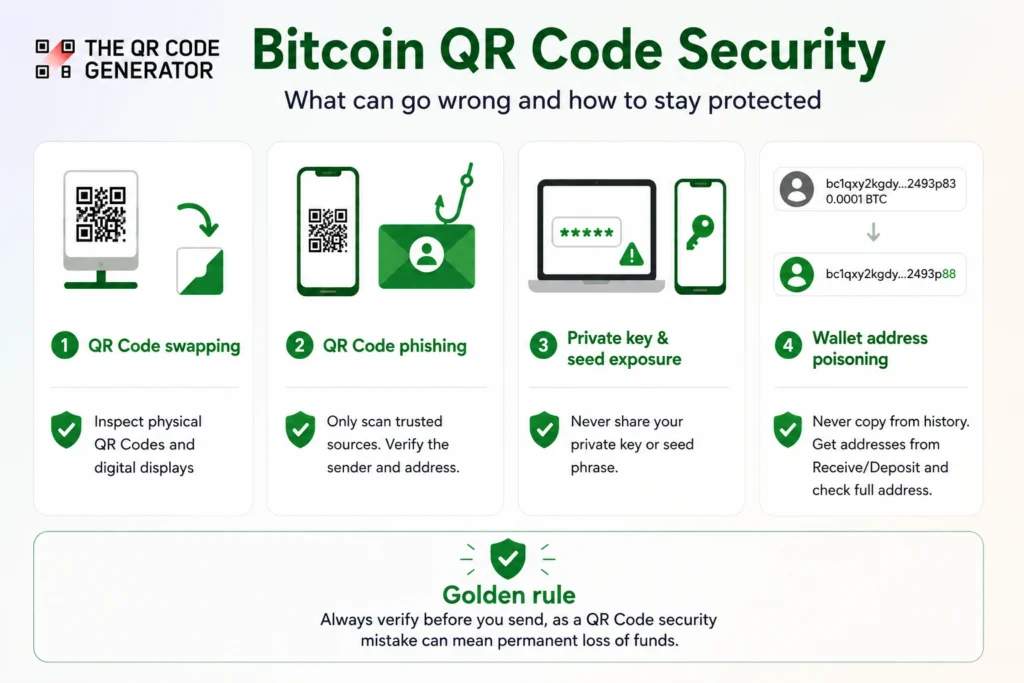
Bitcoin transactions cannot be reversed, so a security mistake with a QR Code means permanent loss of funds. Every risk listed below has happened in practice, and each one is preventable.
QR Code swapping
An attacker physically replaces a legitimate QR Code with one pointing to their own wallet. The customer scans what appears to be the merchant’s code, confirms the transaction, and the funds are transferred to the attacker.
How to mitigate: Print QR Codes on tamper-evident materials or under transparent protective covers. Inspect physical codes regularly for stickers, peeling, or repositioning. For digital displays, restrict editing access and log any changes.
QR Code phishing (quishing)
Attackers distribute QR Codes through emails, flyers, or fake websites that mimic trusted brands. Scanning the code leads to a spoofed wallet interface or a malicious site designed to harvest private keys.
How to mitigate: Never scan a Bitcoin QR Code from an unsolicited source. If you receive one via email or messaging, verify the sender independently before scanning. Always check that the wallet address the QR Code resolves to matches the one the recipient has shared through a trusted channel.
Private key and seed phrase exposure
Some fraudulent QR Code generators or phishing pages ask users to enter their private key or seed phrase to verify or link their wallet. There is no legitimate reason any QR Code tool would ever need this information. Handing it over gives the attacker full control of the wallet.
How to mitigate: Only ever input your public wallet address when generating a QR Code. If any tool, website, or person asks for your private key or seed phrase, it is a scam.
Wallet address poisoning
An attacker sends a tiny transaction to your wallet from an address that closely resembles yours. The goal is to get that lookalike address into your transaction history so that you accidentally copy and reuse it later, sending funds to the attacker instead of yourself.
How to mitigate: Never copy a wallet address from your transaction history. Always pull it fresh from the Receive/Deposit section of your wallet app. When verifying, check the full address rather than just the first and last few characters.
Start creating your Bitcoin QR Code today
Every section of this guide was designed to get you to one point: confidently creating and deploying a working Bitcoin QR Code. You now know how the transaction flow operates, which type of QR Code fits your use case, how to generate one securely, and what risks to watch for.
All that is left is to create your first code, test it with a small transaction, and put it wherever your audience is ready to pay, whether that is an invoice, a checkout counter, or a donation page.
Frequently Asked Questions
Does a Bitcoin QR Code change?
A static Bitcoin QR Code encodes a fixed wallet address and never changes. A dynamic Bitcoin QR Code uses a redirect URL, allowing you to update the underlying wallet address, amount, or label at any time without generating a new code.
Does a Bitcoin QR Code expire?
Static Bitcoin QR Codes have no expiration. They remain valid as long as the wallet address they encode is active. Dynamic QR Codes can be configured with an expiration date, which is useful for time-sensitive invoices or limited fundraising campaigns.
Is a Bitcoin address the same as a QR Code?
No. A Bitcoin address is a string of 26 to 62 alphanumeric characters that identifies your wallet on the blockchain. A Bitcoin QR Code is simply a scannable image that contains the address, making it easier to share and eliminating the risk of manual typing errors.
Can I include a dollar amount in a Bitcoin QR Code?
You can include a Bitcoin amount using the BIP 21 standard, which most major wallet apps support. However, the amount is denominated in BTC, not dollars. Some dynamic QR Code generators and payment processors offer real-time fiat to BTC conversion at the point of generation.
How do I know if a Bitcoin QR Code is safe to scan?
Only scan Bitcoin QR Codes from sources you trust, such as a verified website, a known contact, or your own wallet app. After scanning, always verify that the wallet address displayed in your app matches the one the recipient shared through a separate, trusted channel before confirming any transaction.
Can you receive Bitcoin just by sharing your QR Code?
Yes. Sharing your Bitcoin QR Code is the equivalent of sharing your wallet address. Anyone who scans it can use their wallet app to send Bitcoin to your address. The QR Code itself holds no funds and gives the sender no access to your wallet beyond the ability to pay into it.