
How Businesses Use QR Codes on Mirrors for Engagement

Shreesh
Last updated: January 30, 2026
11 min read
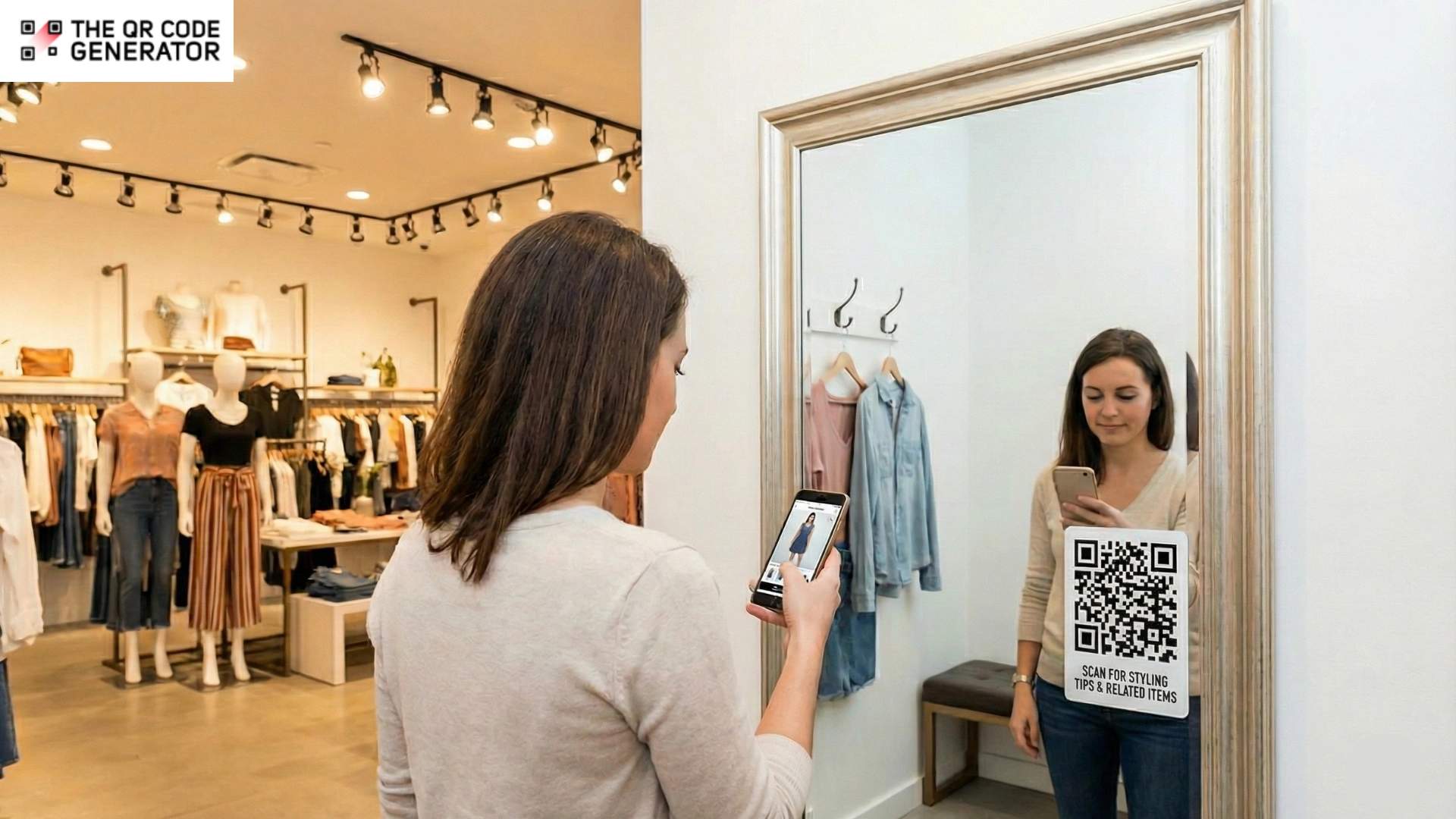
Mirrors are everywhere, from fitting rooms and salons to gyms and hotel bathrooms. And they do something no other surface reliably does: they make people stop and pay attention.
Yet most businesses treat them as purely functional and miss the opportunity sitting right in front of them.
The challenge has always been interaction. Touch-based smart mirrors promised a solution but brought their own problems, such as smudged screens, hygiene concerns, and costs that don’t scale.
QR Codes offer a simpler path. They turn any mirror into a digital touchpoint without expensive hardware or awkward interfaces by utilizing a medium that customers are already familiar with.
Read on as we break down how you can turn your mirrors into customer engagement touchpoints without breaking the bank.
Why mirrors should be used as a digital touchpoint
Mirrors are one of the few surfaces that reliably stop people in their tracks. Yet, most businesses treat them as purely functional objects rather than opportunities for engagement.
This is what you’re missing out on:
High attention, zero interaction
When customers look into mirrors, they are engaged in a moment of self-assessment. This means they’re already in an evaluative mindset.
In fact, 71% of shoppers who tried on clothes in fitting rooms bought something, versus 10% of shoppers who didn’t use a fitting room.
They’re thinking about how they look, what they might need, and whether something works for them. That’s fertile ground for a well-timed prompt or offer. But most mirrors just sit there, reflecting, and nothing else.
Limits of touch-based smart mirrors
Smart mirrors have attempted to solve this problem, and you may have seen a few in high-end retail stores or beauty counters. They look impressive; you tap the screen, browse products, and see yourself with virtual makeup applied. However, the reality of touch-based smart mirrors is more complex than the demos suggest.
- The hygiene factor: After the past few years, people are more conscious than ever about touching shared surfaces. A screen that dozens of strangers have tapped throughout the day isn’t exactly appealing.
- The maintenance headache: Fingerprints accumulate fast, and a smudged smart mirror loses its premium feel quickly. Staff end up wiping screens constantly, or worse, they don’t, and customers notice.
- The cost barrier: Smart mirrors require specialized hardware, software integration, and ongoing technical support. For most businesses, especially smaller retailers or hospitality venues, the investment doesn’t make sense. You end up paying premium prices for technology that creates as many friction points as it solves.
This is where QR Codes come in, and the elegance of the solution is in its simplicity. Instead of building expensive interactive hardware into the mirror itself, you let customers use the powerful computer they’re already carrying in their pocket.
Your customers already know how to scan QR Codes. In a survey of over 4,100 consumers across the US, UK, France, Germany, China, and Japan, 83% reported having scanned a QR Code.
There’s no learning curve, no instructions needed, and no fuss. They point their phone camera, tap the notification, and they’re in. All you need to do is add a QR Code sticker or engrave the QR Code on the mirror itself, and you’re good to go.
Now, let’s understand how they actually work in principle.
Which digital experiences do QR Codes trigger on a mirror
A QR Code placed on a mirror offers a natural way to draw people looking at it towards your offering. Once a customer scans a QR Code, they can access the experience that you’ve designed for them. It keeps the interaction private, personal, and entirely within the customer’s control.
They can engage as much or as little as they want, take their time without feeling watched, and even continue the experience after they’ve walked away.
A single scan can open the door to a range of experiences, depending on what makes sense for your business and your customers:
- Product videos: Video QR Codes can display products or campaigns in motion. They can highlight the minutest details about your product.
- Virtual try-on tools: These let customers experiment with colors, styles, or accessories using their phone’s camera (a more personal and hygienic alternative to shared testers or samples).
- Appointment booking: You can create QR Code forms so customers can schedule their next visit while they’re still in the moment.
- Feedback forms: QR Codes for feedback can request reviews from customers in the moment, rather than being emailed days later when the experience has faded.
- Loyalty program sign-ups: It’s easy to enable loyalty programs with QR Codes. Customers can opt in privately on their own device, without a salesperson hovering nearby.
You don’t want to overwhelm customers with options. You just have to meet them where they already are, and offer something useful.
Now, let’s see how you can create QR Codes easily.
How to create QR Codes for mirror displays
Mirror displays have a few quirks (glare, reflections, viewing angles), so the best QR Code workflow is one that lets you iterate fast, test in real conditions, and update destinations without reprinting.
For this, The QR Code Generator, or TQRCG, is the perfect fit.
It’s a cost-effective and reliable option because you can create unlimited static QR Codes and keep two dynamic QR Codes active for free, which can be edited and tracked.
Step 1: Define the scan goal for the mirror
Start by deciding what should happen after someone scans:
- Open a booking page, product page, or menu
- Join Wi-Fi, download an app, or open a form
- Show a short “mirror-specific” landing page with clear next steps
Step 2: Choose static vs. dynamic based on how often you’ll change things
The dynamic vs. static QR Code decision matters a lot.
Static QR Codes are great to display permanent information, such as a fixed URL. Static codes generally do not expire.
Dynamic QR Codes are best suited for mirror displays because you can change the destination later (for seasonal promotions or rotating campaigns) and track scans to learn what works.
Step 3: Create the QR Code for the mirror
In TQRCG, you can generate both static and dynamic QR Codes, and the platform clearly separates the two, so you don’t accidentally lock yourself into something uneditable.
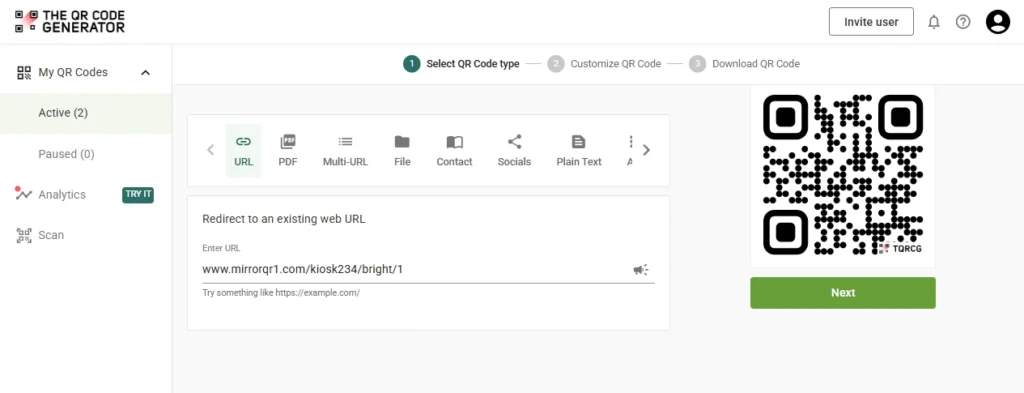
A dynamic QR Code is perfect for most mirror placements, such as “Book Now” and “Leave Feedback”.
- Pick the QR Code type (a URL QR Code solves most of the primary use cases)
- Paste your destination link (or create a destination such as a PDF or form, depending on your campaign)
- Generate the code
Step 4: Customize the design for mirrors
Mirror environments punish low contrast and busy designs. Some best practices to design QR Codes for mirrors include:
- Stick to dark code on a light background for reliable scanning
- Avoid overly glossy finishes if you’re printing stickers for mirrors
- Keep the design simple. You can opt for a coloured QR Code, add a logo to the QR Code, opt for a frame, but don’t over-style the modules.
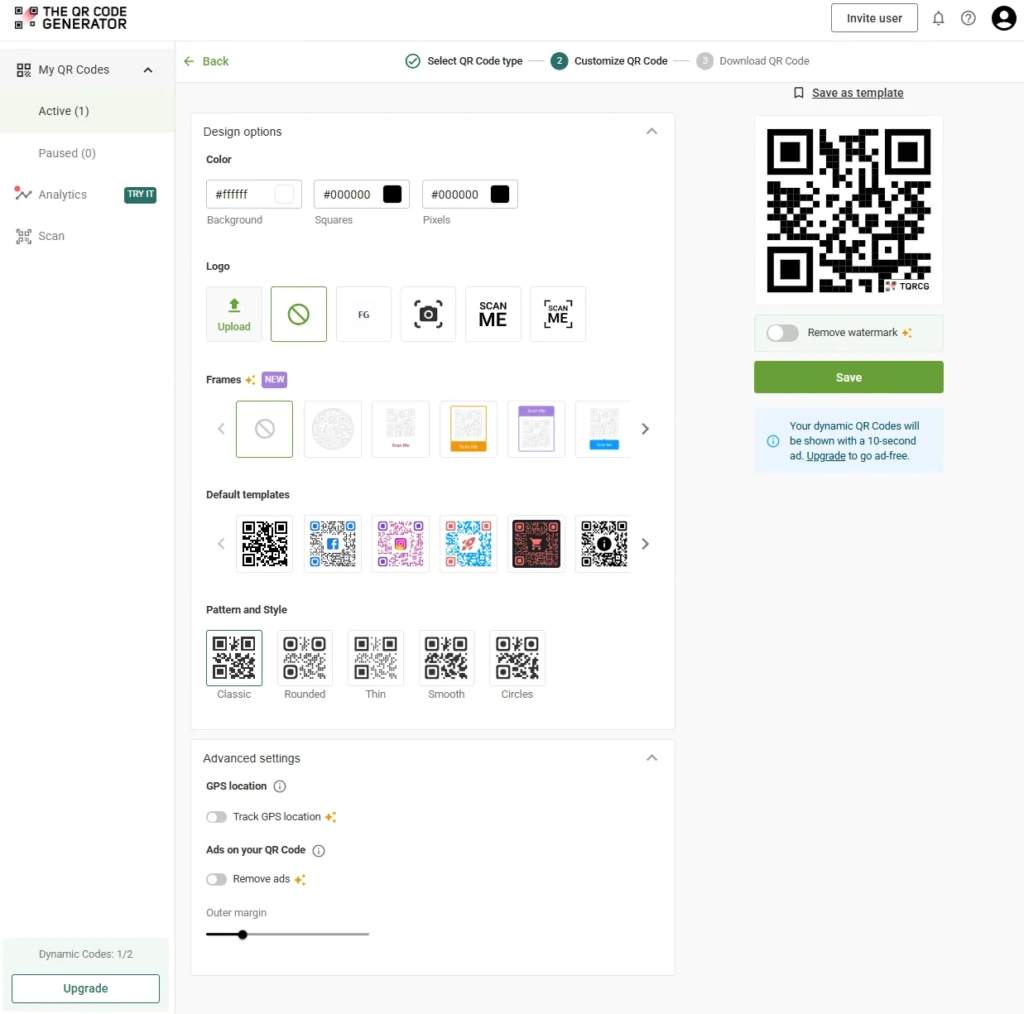
TQRCG supports QR Code customization and also offers high-resolution and vector downloads, which matter when you need crisp edges for print or vinyl cutting.
Step 5: Size and placement on the mirror
The size of the QR Code depends on how close people stand to the mirror to scan it.
- If users scan from 30–60 cm, a smaller code can work.
- If users scan from 1–2 meters (such as a smart mirror kiosk), go larger and keep generous whitespace around the code.
Step 6: Test scans under real mirror lighting
Before you finalize production, you should test it:
- On multiple phones (iOS and Android)
- At different times of day (sunlight changes reflections dramatically)
- From the intended scan distance
TQRCG also provides a browser-based QR Code scanner (helpful for quick checks without installing anything)
Step 7: Deploy on the mirror
For physical mirrors
- Use vinyl decals, matte stickers, or etched acrylic plaques mounted near the mirror.
- If you must print directly onto glass, prioritize high-contrast ink and enough quiet zone for the QR Code.
For digital mirror displays (smart mirrors)
- Render the QR Code at high resolution (vector export is ideal)
- Avoid animated backgrounds directly behind the QR Code
- Keep the QR Code on-screen long enough for slow scanners
Step 8: Track performance and update without reprinting
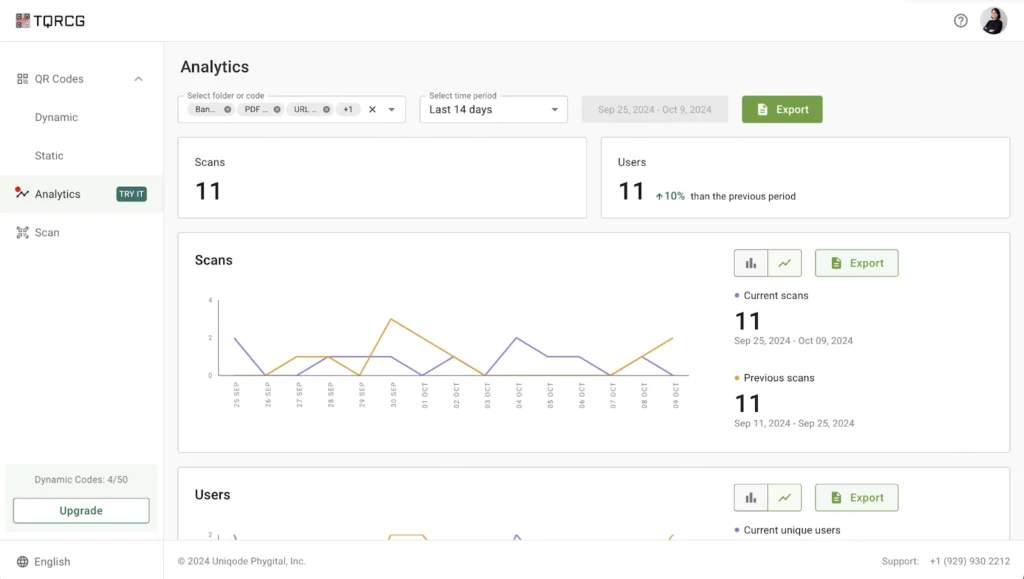
If you used a dynamic, trackable QR Code in TQRCG, you can edit the destination later and track scans, which is especially useful for A/B testing different calls-to-action on the mirror.
Step 9: Keep it reliable over time
One standard failure mode with QR Code tools is that codes stop working after a trial ends.
However, TQRCG is built differently. Its static codes are always active, and you also get two free dynamic QR Codes for life.
Maintenance checklist:
- Re-test scans monthly in case the QR Code sicker fades, gets scratched, or altered for any reason.
- If you update the destination, test again from the mirror’s typical distance.
- Replace scratched decals as they can break scan reliability.
Now that you know how to create effective QR Codes for mirrors, let’s take a look at the industries that benefit the most.
Industries that benefit most from QR Codes on mirrors
The mirror plus QR Code combination works because mirrors already exist in specific contexts where people are primed to engage.
Some industries are naturally better positioned to capitalize on this than others, and the use cases vary depending on what customers actually need at that moment.
Beauty salons and makeup studios
If you run a salon or makeup studio, you already know that the mirror is central to the entire experience. In these contexts, the mirror is an obvious place to extend the conversation beyond the chair.
- A QR Code on the styling station can link to tutorials that show clients how to recreate the look they just got. Instead of trying to remember verbal instructions about blending techniques or product application, they walk away with a video they can reference at home.
- For skincare-focused services, you can deliver personalized skin analysis results directly to the client’s phone. Rather than printing out a sheet they’ll lose or forget, the information lives on their device, ready to reference when they’re shopping for products later.
For example, Sephora has experimented with digital mirrors that give product suggestions, and then offer a QR Code so shoppers can buy the recommended items online or find them in the store.
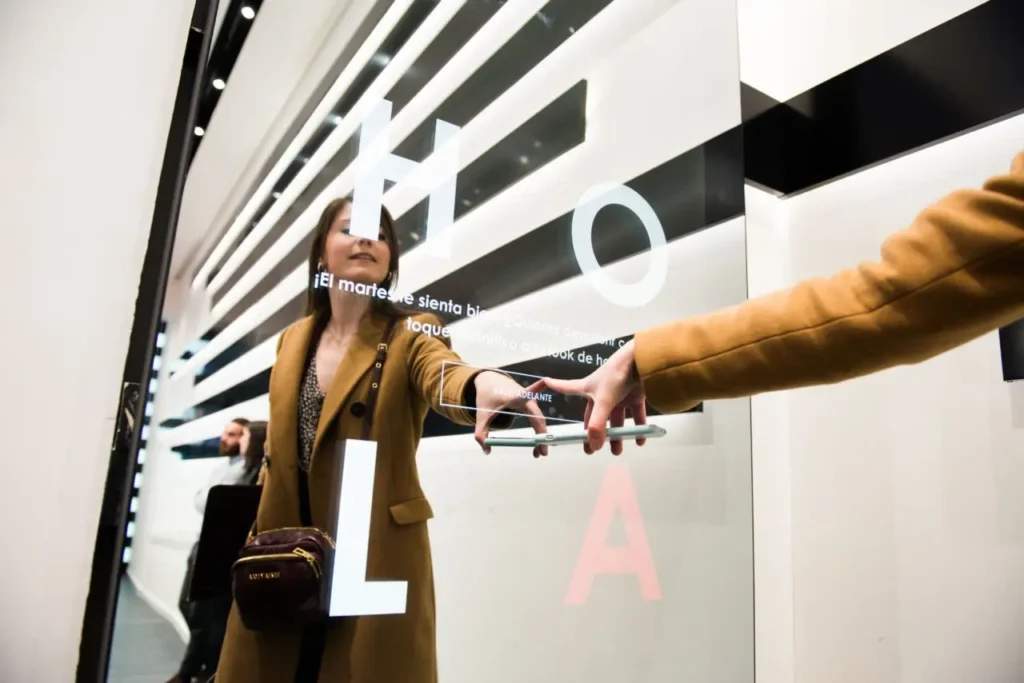
Retail and fashion stores
A QR Code on a fitting room can do a lot of work without requiring staff intervention or expensive technology upgrades.
Virtual try-on tools work particularly well in this context.
- A customer trying on a dress can scan the code to see how different accessories might look, or preview the same piece in colors the store doesn’t have in stock.
- You can also use the QR Code to find your whole product catalog without physically crowding the fitting room with additional inventory. If someone loves the fit of a jacket but wants to see other styles from the same line, they can browse instantly.
- Personalized styling guides take this further. They can link to curated looks based on the item they’re trying on, complete with suggestions for what to pair it with. It’s the kind of attentive service that used to require a dedicated personal shopper, now available to every customer who scans the QR Code.
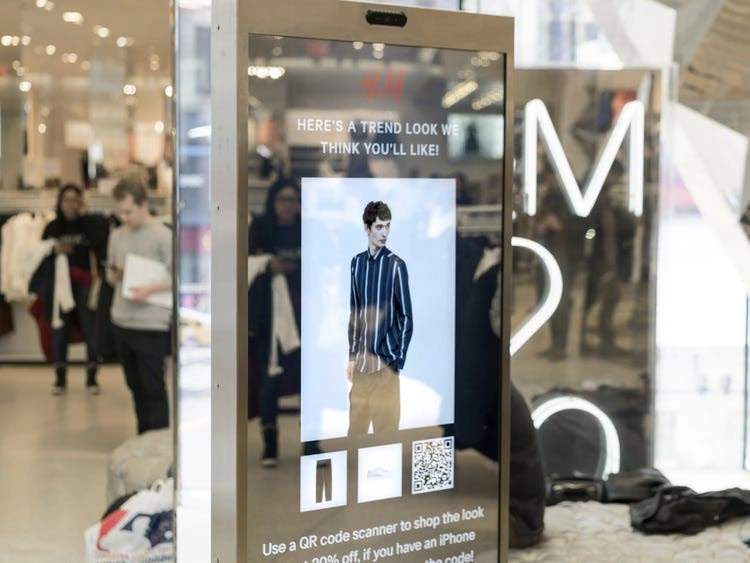
H&M has used interactive mirrors that let shoppers take a photo and then move it to their phone by scanning an on-screen QR Code.
That makes the mirror experience easy to share, without requiring customers to type a URL or download files manually. H&M also provides specific discounts in retail stores for members who shop by scanning a QR Code.
Hospitality and corporate spaces
Hotel bathrooms might seem like an unusual place for digital engagement, but consider the context. Guests are alone, relaxed, and often planning their day. A QR Code on the bathroom mirror can link to spa bookings, room service menus, local restaurant recommendations, or concierge requests.
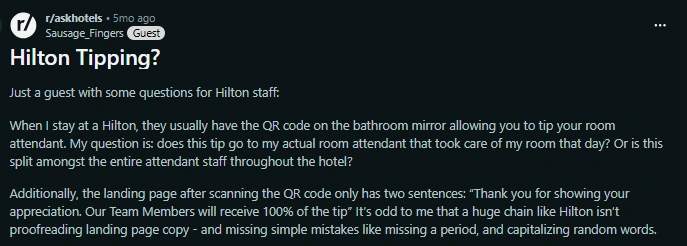
Some Hilton guests specifically describe QR Codes placed on the bathroom mirror to tip their room attendant.
Corporate offices can use the same principle for internal communication. A QR Code on a restroom or breakroom mirror can link to wellness program sign-ups, benefits information, HR announcements, or employee resource hubs. It meets people in a moment of pause, which tends to be more effective than yet another email that gets buried in an inbox.
Create your first mirror QR Code with The QR Code Generator
Mirrors already have your customers’ attention. They pause, they look, they linger. That’s behavior that’s hard to replicate with any other surface.
QR Codes provide a way to bridge that gap without the complexity, cost, or maintenance associated with touch-based smart mirrors.
They work with infrastructure you already have, rely on devices your customers already carry, and require no learning curve on either end.
If you’re ready to turn your mirrors into something more than decoration, start with The QR Code Generator.
Frequently Asked Questions
Can QR Codes work on any type of mirror surface?
Yes. QR Codes can be printed on stickers, etched onto glass, displayed on small digital screens near the mirror, or even printed on frames and stands. The code doesn't need to be on the mirror itself; it just needs to be visible and scannable from where customers naturally stand.
Do customers actually scan QR Codes, or is adoption still low?
Adoption has increased significantly because the pandemic normalized QR Code usage for menus, payments, and check-ins. Most mobile device cameras now recognize QR Codes automatically without requiring a separate app, which removes the friction that held back earlier adoption.
How do I track whether my mirror QR Codes are working?
Dynamic QR Codes enable you to track QR Code scans in real-time, including metrics such as scan count, location, device type, and time of day. This data helps you understand which placements perform best and whether specific mirrors or locations drive more engagement than others.
What's the ideal size for a QR Code on a mirror?
The ideal QR Code size should be at least 2×2 centimeters for close-range scanning, but larger is better for mirrors where customers might stand a few feet away. Test the code from the typical scanning distance to make sure it registers quickly and reliably.
Can I change where the QR Code links after I've printed it?
If you use a dynamic QR Code, yes. Dynamic QR Codes let you update the destination URL anytime without reprinting the code itself. This is useful for seasonal promotions, rotating content, or fixing a broken link without needing to replace physical materials.
Are there accessibility concerns with using QR Codes on mirrors?
QR Codes require a mobile device and a functional camera, which may exclude some users. It's worth offering alternative access methods, such as a short URL printed alongside the code to improve QR Code accessibility.