
How Publishers Use QR Codes in Print Advertising for Books

Shreesh
Last updated: December 30, 2025
13 min read
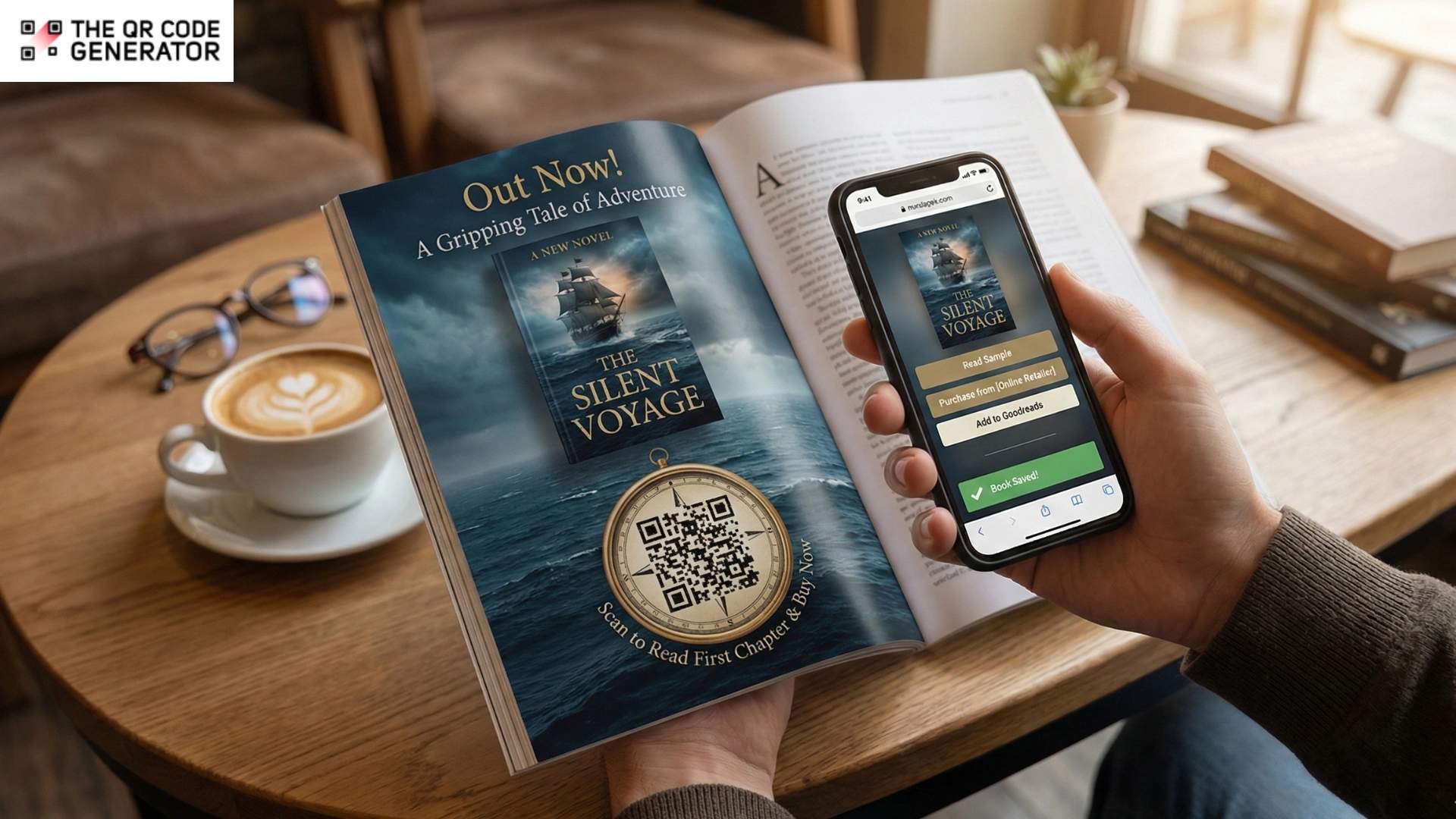
Printed book ads have a unique appeal. A full-page spread or a striking cover can spark instant interest and create that “I should read this” moment.
But print ads often lose momentum after that first impression. Readers forget titles by the time they reach a bookstore, postpone buying, or never follow through. Publishers have little insight into whether an ad actually leads to a sale.
Adding a QR Code to the book changes how print ads perform. It does not disrupt the ad’s design, but gives readers a clear next step: scan to buy the book, save it on Goodreads, or read a free chapter.
This article explores how QR Codes fit into print book advertising, with practical guidance on when to use them, how to design them well, and how to track what works.
The limitations of traditional print ads for books
Print advertising for books still works. Magazine ads, café posters, and festival bookmarks cater to an industry that values paper and can spark genuine interest.
The issue is what happens next. Modern readers don’t move neatly from curiosity to purchase, and traditional print ads ask for too many steps in between. They also have some other limitations:
Offer no direct path to purchase or engagement
A print ad typically ends with the basics: title, author, and maybe an International Standard Book Number (ISBN). However, it cannot compel readers to buy or engage with it immediately. There’s no clickable link and no “Buy” button hovering in the corner. So the reader must remember the title, or take a photo, or tell themselves they’ll search later, which basically translates to “I will absolutely forget.”
Even when they do search, they might type it slightly wrong, land on the wrong edition, or get lured away by a shiny recommendation or something else entirely.
Make performance difficult to track
Digital marketing spoiled us, in a good way. You can see what’s working, what isn’t, and where people fall off.
Print, meanwhile, is far off from this. If you place an ad in a literary magazine or run posters at an event, how do you know which one actually sold copies? You might get a general sense, or some anecdotal feedback, but hard numbers are elusive.
Without a way to track responses, the return on investment remains unclear, making it difficult to justify spending, compare placements, or make informed decisions next time.
Limit space for copy, links, and offers
Print ads have the spatial generosity of an airplane tray table. You want to mention a variety of options: hardcover, paperback, ebook, audiobook, signed copies, bonus chapters, a reader’s guide, and a limited-time discount. But you’ve only got room for about twelve words.
Also, once it’s printed, it’s frozen in time. If your offer changes, switch retailers, or add a new format, the ad can’t change with you. Meanwhile, the print ad just sits there, advertising last month’s deal, which can surprise buyers in the wrong way.
So, you see, traditional print ads for books, while exciting, leave money on the table. But if you add a QR Code to them, you can solve many of these problems we just discussed.
Let’s see how.
Why QR Codes are a smart fit for print ads for books
When you add a QR Code to a book print ad, it removes friction. Readers get a direct, no-fuss way to buy the book or learn more about the author without relying on memory or follow-up searches. Additionally, scanning is no longer a niche behavior but a familiar and low-effort action, so adding QR Codes to print ads for books has many benefits.
Turn curiosity into an instant path to action
A single scan can take a reader from a magazine page or café poster straight to a book-specific landing page or retailer link.
This eliminates the gap where readers promise themselves they will remember the title later, then get distracted. It also turns print from a passive format into an interactive one. QR Code-initiated journeys see an average click-through rate of 37%, reflecting the high intent behind a scan.
Keep print ads relevant with dynamic QR Codes
Print ads are fixed the moment they are published. If an offer ends, a retailer link changes, or a new format launches, the ad cannot adapt. But add dynamic QR Codes, and you can effectively solve the issue of print ads being static.
You can update where the code leads without reprinting anything, allowing posters, bookmarks, flyers, and magazine ads to remain useful over time. The same printed ad continues to support your campaign as it evolves.
Deliver more than a sales message
Readers often want more than a title and a cover before committing. QR Codes let you extend the experience beyond the page. After scanning, readers can access:
- a sample chapter or short excerpt
- a brief author video or behind-the-scenes note
- an audiobook preview
- supplementary content such as playlists, maps, glossaries, or book club kits
- email sign-ups paired with a meaningful bonus
This added value makes the ad feel helpful rather than transactional, offering an invitation to explore instead of a hard sell.
Measure what worked with QR Code analytics
Print advertising has traditionally been difficult to measure. Ads run, exposure happens, and results are often inferred rather than tracked. With QR Codes, print ads become measurable. Publishers can see scan volume, timing, and location, then compare performance across posters, flyers, magazine ads, or events.
This makes it possible to answer practical questions with real data:
- Which placement drove the most scans?
- Which city or event performed best?
- When do readers engage most?
- Which destination converts better: a retailer link or a landing page?
With QR Codes, print advertising becomes testable, optimizable, and easier to justify.
With the benefits clear, the next question is placement. Let’s look at where QR Codes work best in print book advertising.
Best placements for QR Codes in print book ads
QR Codes do not require a reinvention of your marketing strategy. They simply extend the formats you already use. Because the destination can be simple or layered, QR Codes work equally well for large publisher campaigns and independent authors.
The key is placing them where readers are already engaging with print.
- Magazine and newspaper ads: Print publications are effective at capturing attention, but they rarely enable immediate action. A QR Code closes that gap by linking directly to a purchase or pre-order page. This is especially useful for new releases, where timing and momentum matter.
- Bookstore and library posters: In bookstores and libraries, readers are already in a browsing mindset. Posters or flyers with QR Codes can link to a landing page offering a sample chapter or short preview, followed by a clear option to buy or borrow.
- On-book QR Codes: Placing a QR Code on the cover, inside flap, or final pages reaches readers after they have already committed to the book. This is an effective place to link to the author’s website, a newsletter sign up, or a catalog of related titles.
- Direct-mail postcards and print mailers: Direct mail is most effective when the offer is clear, and the next step is straightforward. A QR Code can direct readers to a discounted purchase page or bundle offer without requiring them to manually enter a URL, while also allowing you to track campaign results.
- Bookmarks and pack-in inserts: ̌Bookmarks and inserts tend to linger. They are tucked into bags, shared, and rediscovered weeks later. A QR Code here can direct readers to an ebook edition, an audiobook sample, or a bonus, such as an extra chapter.
Once placement is confirmed, the next step is to create QR Codes that are easy to scan, well designed, and optimized for print.
How to create and embed QR Codes in book advertisements
You’ve understood why QR Codes are such a cheat code for book marketing. You also know where and how to use them. The next step is to choose a tool that makes the entire process of distributing your QR Code seamless, doesn’t exceed your budget, and won’t leave you with a code that doesn’t work once the trial period ends.
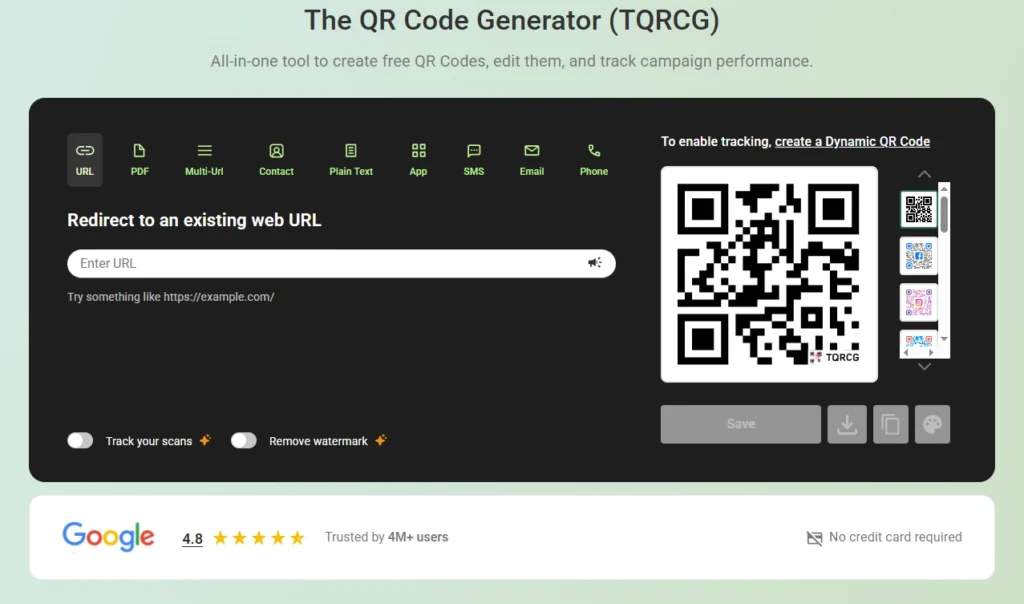
That’s why many teams end up using QR Code generators like The QR Code Generator (TQRCG). You can create unlimited static QR Codes and two dynamic QR Codes for free.
Step 1: Define your campaign goal and campaign action
Start with the single action you want a reader to take immediately after scanning.
Trying to force multiple calls to action into one QR Code usually leads to weak results. For print book ads, the strongest actions are typically:
- Buy now, linking directly to a retailer or your store
- Preorder, often paired with a bonus
- Read a sample, such as a chapter download, PDF, or web reader
Step 2: Choose between a dynamic or static QR Code
Once a print ad goes to press, it cannot change. That is why the choice between dynamic and static QR Codes matters.
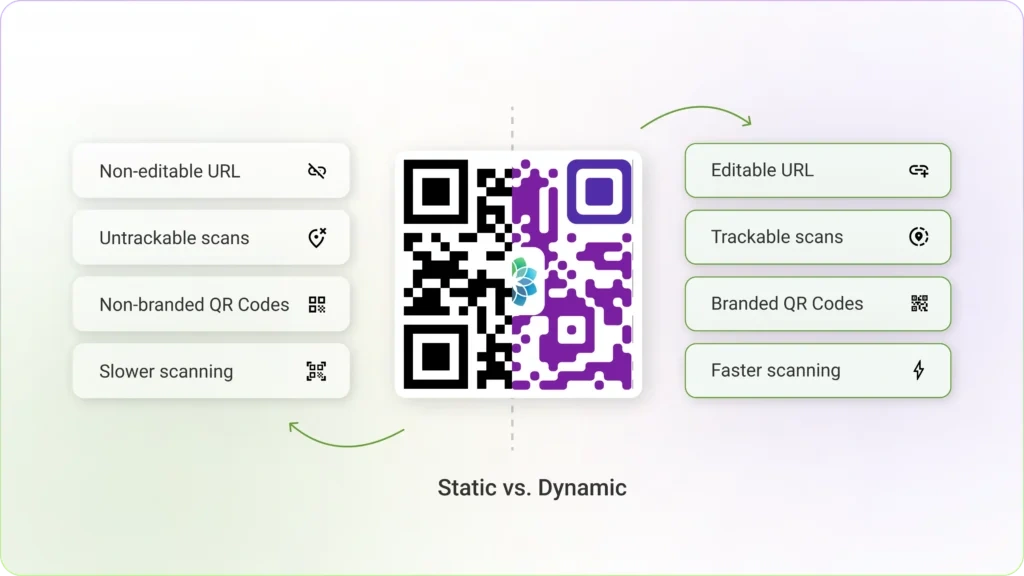
Static QR Codes are fixed. Once created, their destination cannot be edited. Dynamic QR Codes enable you to update the destination later and provide scan tracking, making them better suited for most campaigns.
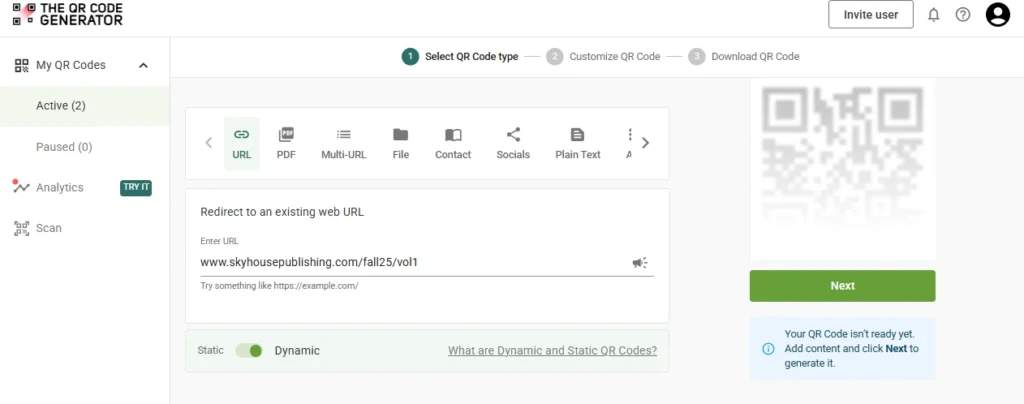
In TQRCG, the free plan includes two dynamic QR Codes and unlimited static QR Codes. A practical setup looks like this:
- Use dynamic QR Codes for primary placements that run for weeks or months
- Use static QR Codes for smaller, low-risk placements where the link will not change
Step 3: Finalize design and placement for print ads
A QR Code can look great and still fail if it is hard to scan.
Common issues include low contrast, blurry output, overly small codes, broken links, or heavy customization that interferes with the code structure. Branding is fine, but scan reliability always comes first.
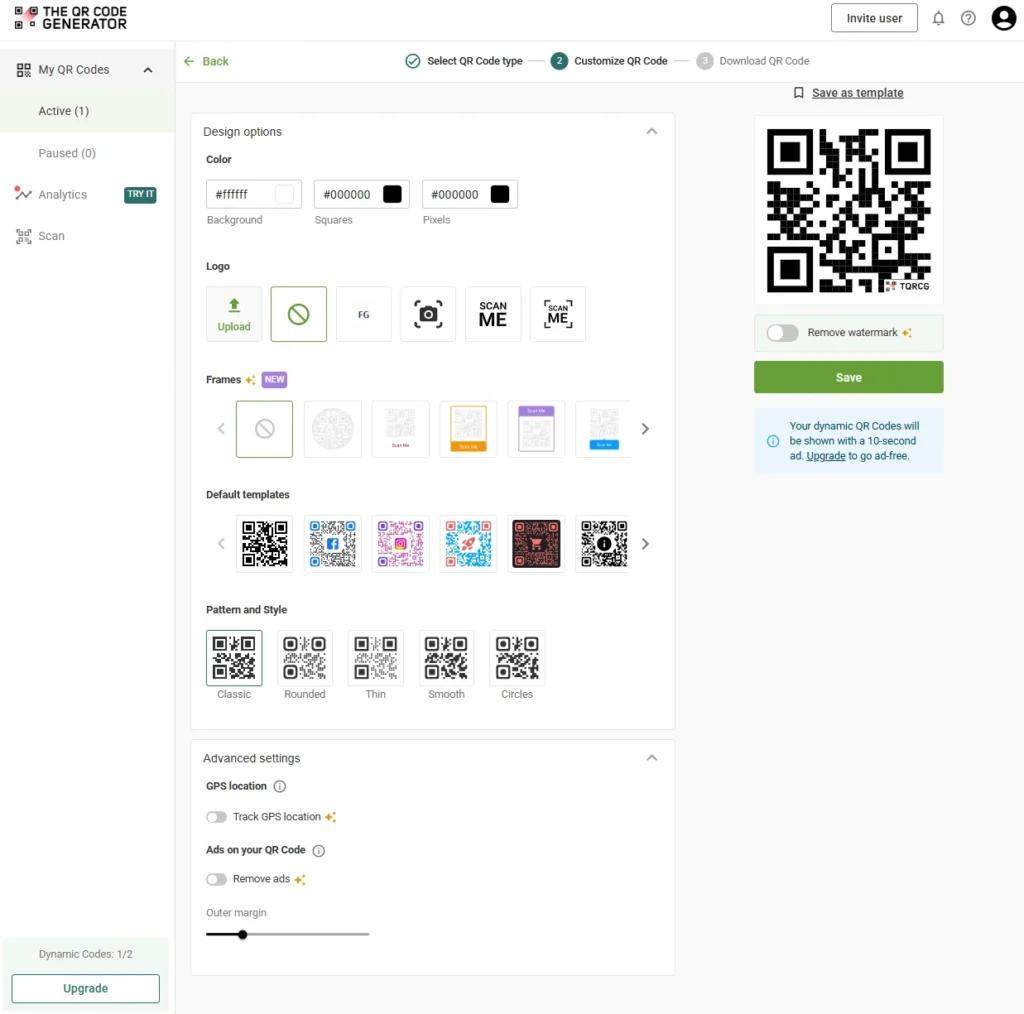
Start with a clean QR Code, then add branding in safe areas. TQRCG supports QR Code customization and logo placement, while prompting you to maintain enough contrast for reliable scans.
For placement, treat the QR Code as part of the call to action. Keep it away from folds, spines, heavy textures, and glossy areas that cause glare.
Step 4: Prepare landing pages for mobile and conversion
The scan is not the conversion. The page is. Readers scanning a book ad are almost always on a phone, often with limited attention. Your landing page should be designed for that context:
- One clear headline that matches the ad
- One primary button visible immediately
- No clutter or slow-loading elements
If your goal is “buy now,” a simple mobile page with retailer buttons works well. If your goal is “read a sample,” a PDF or web-based reader is often more effective. TQRCG supports PDF QR Codes and allows PDF uploads up to 50 MB, which is useful for sample chapters.
Dynamic QR Codes act as a safety net here. If an offer ends, pricing changes, or a new review quote needs to be added, you can update the destination without reprinting the ad.
Step 5: Testing before print and go-live
Before printing thousands of copies, test everything.
Print a proof at actual size and scan it:
- on at least one iPhone and one Android device
- in low or uneven lighting
- from a realistic viewing distance
Ask your printer for a sample and scan it before approving the full run. Colors can shift during printing, contrast can weaken, and QR Codes may end up smaller than intended. These issues are easy to fix early and painful to fix later.
Step 6: Set up tracking and analytics
Once your ads are live, tracking is what turns effort into insight. Many publishers add a QR Code and never review performance data. That makes it hard to justify spend or improve future campaigns.
A reliable trackable QR Code setup includes:
- UTM-tagged links for Google Analytics attribution
- Dynamic QR Code scan analytics to capture behavior beyond web data
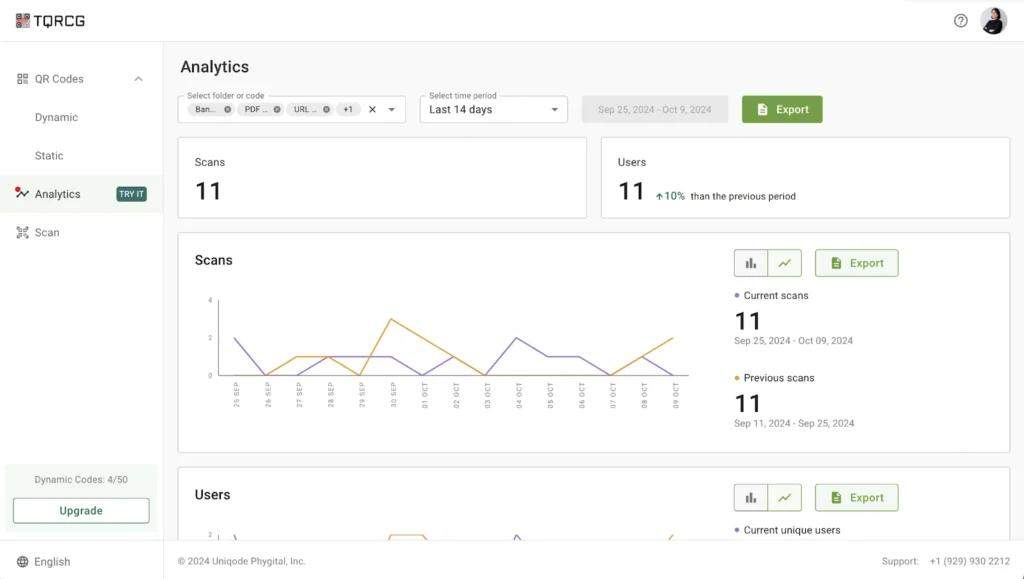
TQRCG’s dynamic QR Codes support scan analytics such as total and unique scans, device type, and location patterns on paid plans. It also offers a Campaign URL Builder for creating Google Analytics parameters, along with reports like scans by city, country, device, or operating system, with additional options available as add-ons.
With the foundations in place, it helps to see how this works in practice. Let’s look at real-world cases of how publishers use QR Codes in print book advertising.
Real-world examples of QR Codes in book advertising
Before diving in, it’s worth noting that none of these examples use QR Codes for novelty. In every case, the QR Code does one job well: it removes friction at the exact moment of interest.
Case study 1: Back-cover QR Codes that unlock exclusive content
HarperCollins ran a mobile marketing pilot that placed QR Codes on the back of book jackets and on related marketing materials. Scanning the code took readers to a mobile site with exclusive content such as author videos and Q&As.
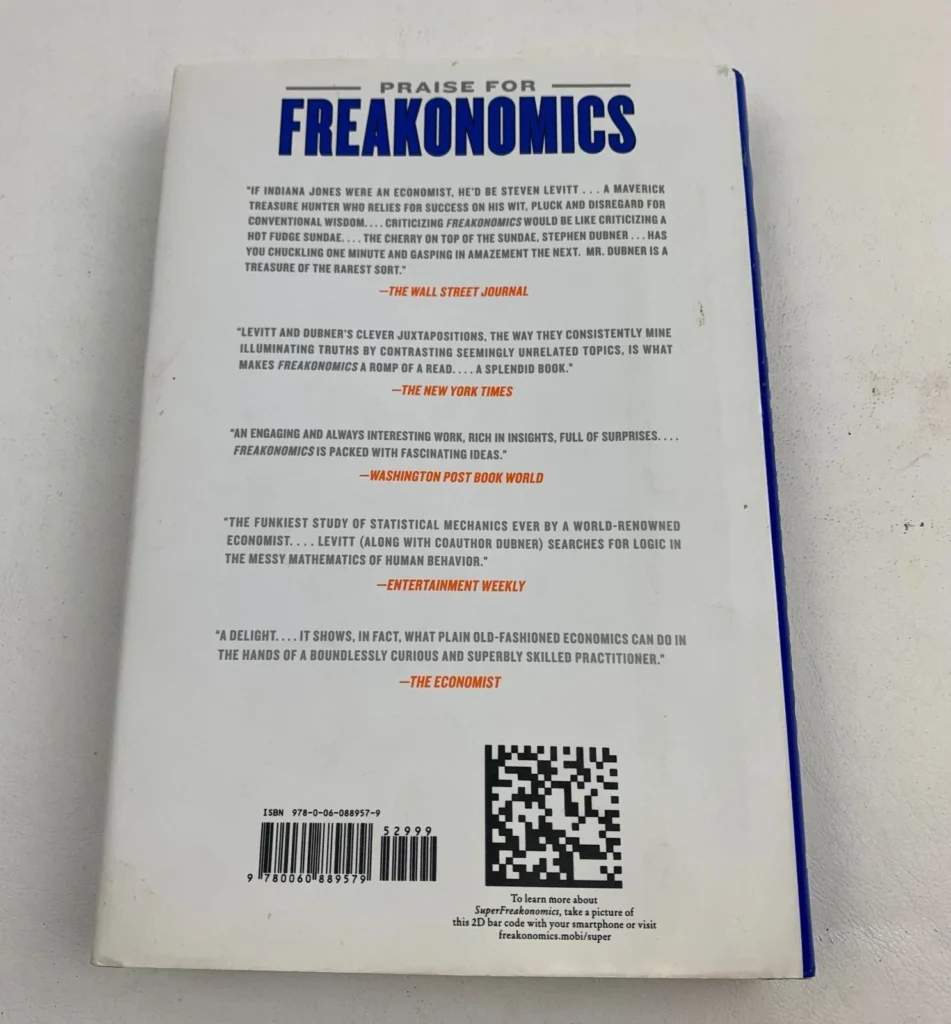
What makes this effective is intent. The QR Code does not point to a generic homepage. It promises something specific and valuable, which gives readers a clear reason to scan.
Case study 2: Out-of-home book ads that make discovery immediate
In Madrid, a partnership involving Penguin Random House installed book-shaped benches, known as “bancolibros,” across the city. Each bench featured a QR Code that directed passersby to information about the book and its author.
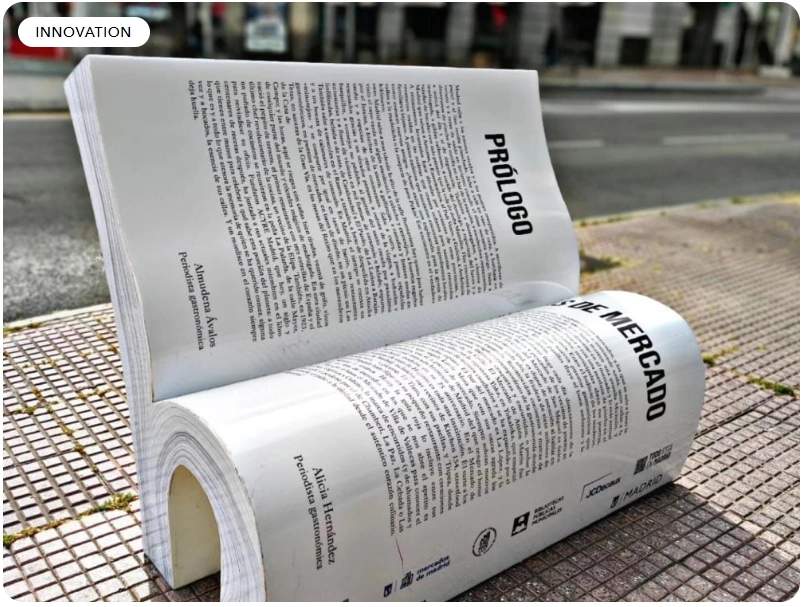
This is not a traditional book ad, and that is the point. The physical object sparks curiosity, and the QR Code becomes the fastest way to satisfy it.
Case study 3: In-book QR Codes that add value and support follow-on engagement
One Book | One Minnesota, a statewide reading program, includes QR Codes in its discussion and activity guides to give readers easy access to supplementary resources.
These codes help link printed guides to online content such as educational supplements and discussion materials, making the printed work expandable and updatable.
Case study 4: Textbooks using QR Codes as a bridge to learning content
Educational publishers have made QR Codes a core part of their learning ecosystems. Merit Box by Goyal Brothers Prakashan promotes “Scan, Watch & Learn,” using QR Codes to connect textbooks to video lessons and interactive content.
Pearson also integrates QR Codes into its mobile access flow, including QR Code-driven handoffs into the Pearson+ app.
This works because the QR Code matches the moment. The learner is already holding the book, and the scan removes the friction of typing long URLs or searching for the right resource.
Turn your print ad into a buy button with QR Codes
Print ads are great at capturing attention. The challenge is what comes next. When readers have to remember a title, search for it later, find the right listing, and choose a format, many drop off at each step.
QR Codes shorten that journey. They reduce the distance between interest and action, turning a moment of curiosity into something immediate. When done well, they make print ads easier to act on, easier to measure, and easier to adapt as campaigns change.
If you want a simple, cost-effective way to get started, The QR Code Generator (TQRCG) makes it easy. You can create branded QR Codes, use dynamic QR Codes when you need flexibility and analytics, and keep your print ads connected to real results.
Frequently Asked Questions
Should I use static QR Codes or dynamic QR Codes for book advertisements?
If the ad will remain live for a while or you might change the destination later (e.g., preorder to “out now,” new retailer links, updated bonus), opt for dynamic QR Codes. If the link will never change and you only need basic scanning, static QR Codes can work.
Where should QR Codes go in a print book advertisement?
Place QR Codes where the eye naturally lands after the hook, such as near the cover image or the CTA line. Avoid folds, spines, glossy glare zones, and low-contrast backgrounds.
What should the QR Codes link to for the highest conversions?
A mobile-first page with one primary action. For most campaigns, this means a clean buy page, preorder page, or sample chapter page with a clear next step to complete the purchase. A cluttered homepage is usually a conversion killer.
How do I track ROI from QR Codes in print ads?
Use UTM parameters on the destination link so your analytics can attribute traffic correctly, and pair that with dynamic QR Codes that provide scan-level reporting. This gives you both marketing attribution and scan behavior.
How many QR Codes should I put on one advertisement?
Usually one. Print ads are most effective when you ask for a single action. If you truly need multiple options (buy, sample, event), use one destination page that offers those choices, or a multi-link experience, rather than scattering multiple QR Codes across the layout.