
How To Use QR Codes in Hotel Rooms To Enhance Guest Services

Shreesh
Last updated: February 5, 2026
15 min read
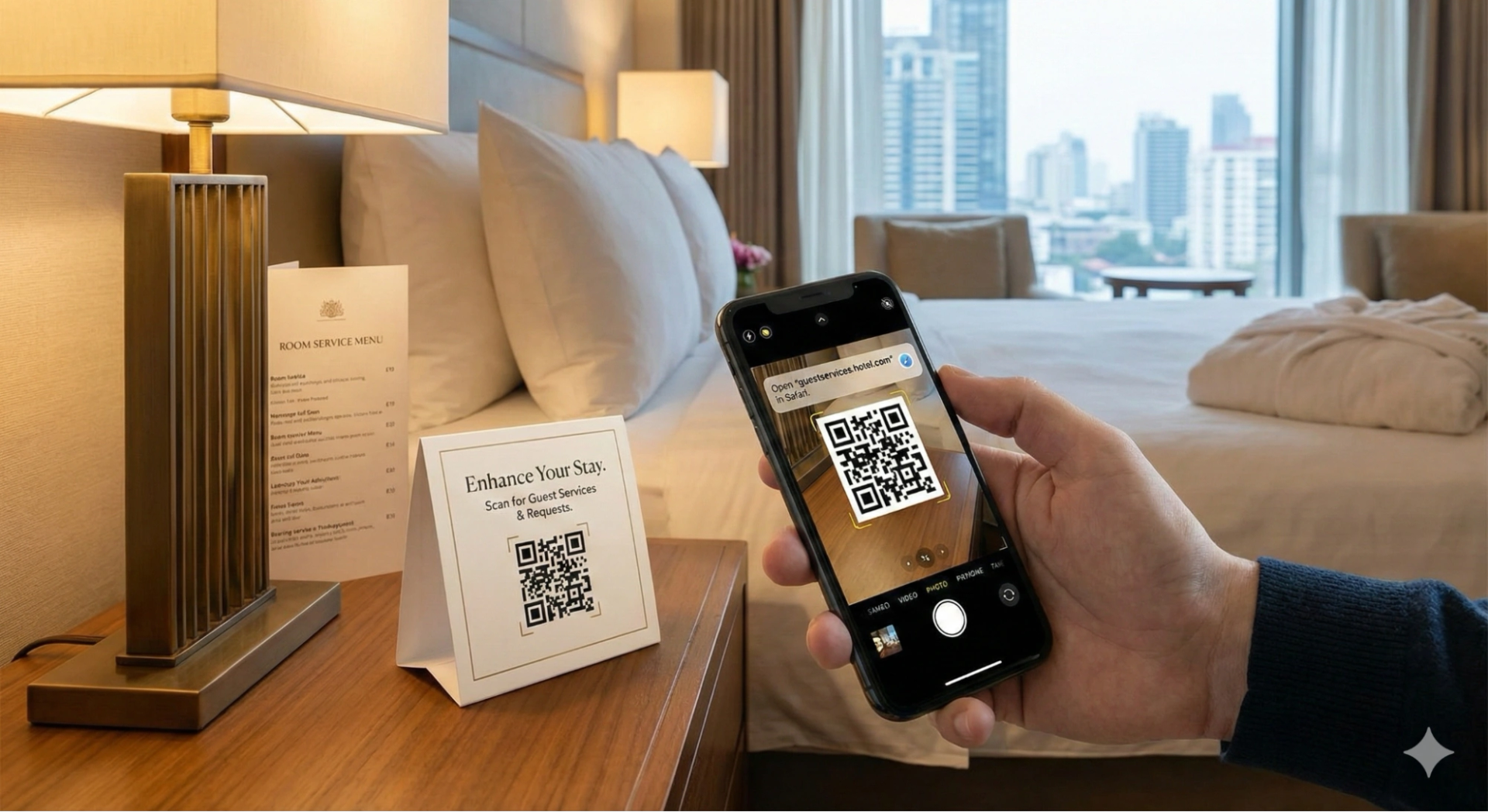
Your hotel guests love convenience. However, many hotels fail to deliver it, despite their best efforts to offer excellent service.
Consider this: someone needs an extra towel, so they pick up the phone and call the reception desk. Or they’re trying to connect to Wi-Fi but can’t find the password. These aren’t huge problems on their own. But they add up and chip away at the guest experience in ways that matter.
Modern hotels have found a completely effortless way to handle such guest requests. In fact, they’re also using it to deliver in-room services and sell add-ons, such as spa services.
And it’s built using something simple yet powerful: QR Codes. You scan, you tap, and you get what you need. Guests feel in control, and your staff can stay focused on the aspects that truly require a human touch.
In this guide, we walk you through the many ways you can use QR Codes in your hotel and the best ways to set them up.
What are you losing without using QR Codes in your hotels?
Most hotels still run on the phone-and-paper method from a decade ago. Guests call the front desk for everything. Printed menus sit in rooms, and service directories are slipped under doors. And sure, it all works. But it’s far from ideal. The cost of sticking with this approach isn’t always felt upfront until you begin to see stressed staff, annoyed guests, and a gradual dip in your revenue.
Here’s exactly how you are at a disadvantage without the convenience and automation of QR Codes:
Your front desk is overloaded in peak hours
It’s an issue when every single guest request has to go through the front desk phone. Towel requests, Wi-Fi passwords, amenity questions, spa bookings, it all funnels through the same overwhelmed reception desk. During peak times, this can quickly turn into a disaster with guests having to redial or staff forgetting requests. This is also bad for your operations and reputation.
Not to forget, the staff is also checking in and out departing guests, which can make the process highly inefficient. Research shows that U.S. guests’ satisfaction declines sharply when check-in wait times exceed about five minutes, with satisfaction scores dropping by roughly 50 points on a 100-point scale.
Your printed materials can get outdated fast
Printed menus, directories, and room service guides become outdated the moment something changes. This forces you into two costly traps:
- The constant reprint cycle: Hotels must continuously print and distribute new documents to hundreds of rooms for minor changes. This is a massive waste of money (in terms of printing, paper, and labor) and staff time, severely reducing efficiency.
- Guest confusion and dissatisfaction: Allowing outdated, incorrect information to remain visible suggests a lack of attention to detail. For guests, encountering incorrect numbers, unavailable items, or outdated prices causes frustration, service failures, and ultimately undermines their experience and satisfaction rating.
You have no data on guest preferences or service usage
Phone-based and in-person guest requests don’t leave a trail. You know guests are making requests, but you have no visibility into the patterns behind them. Are they consistently requesting slippers or dental kits? Or are they complaining about noise from the road? If you don’t know for sure, you cannot fix these problems.
QR Codes change this completely.
With a trackable QR Code setup, for instance, each code can be given its own identity, like “Room 1203,” “Lobby,” or “Gym,” and tied to a specific use, like room service, housekeeping, or Wi-Fi help. You can also analyze which codes get scanned, how many times, and when. This information can help you make practical decisions to improve stay experiences.
Suppose the housekeeping QR Code in higher-floor rooms gets a rush of “extra towels” requests between 6 and 9 AM, you can stock supplies closer to that area and schedule someone for that window. Alternatively, if the “report noise” link is frequently scanned in road-facing rooms, you can proactively address the issue by offering earplugs at check-in for those rooms or flagging them for follow-up.
You miss out on upselling and personalized offer opportunities
Most hotels have tons of ancillary revenue sitting right there. Spa services, room upgrades, late checkout, dining experiences, local tours, packages, seasonal deals, you name it. The trick is getting these offers in front of guests at the right moment, with low enough friction that they’ll consider it.
But printed flyers? Guests toss them or ignore them completely. Front-desk mentions during check-in? That’s when people are tired, distracted, and just want to get to their room.
Digital upselling through in-room touchpoints solves both problems. Guests can discover offers when they’re actually relaxed and receptive. And they can book directly with a quick scan, without having to trudge back to the lobby.
Your operational costs are emptying your pockets
Finally, if you’re still printing menus, directories, and promotional materials every now and then, you’re dealing with higher operational costs. Someone is distributing them. Someone is collecting outdated versions, and then there’s disposal. This adds up fast for large properties.
But the real cost isn’t even that. It’s your staff’s time.
They’re spending hours answering the same basic questions over and over: “What time is breakfast?” “What’s the Wi-Fi password?” “Where’s the gym?” Meanwhile, the high-value work that differentiates your property, like personalized service, problem-solving, and creating moments guests remember, gets pushed aside.
How hotel QR Codes make stays more convenient
What can QR Codes do for your hotel? Let’s break down the real, practical applications that are currently working.
Enable contactless check-in and acts as a digital key
With QR Codes, your guests can check in to your property without requiring a person to guide them. Guests can scan a QR Code from their reservation email or in the lobby, complete mobile check-in, upload their ID and payment details, and get a digital room key sent straight to their phone.
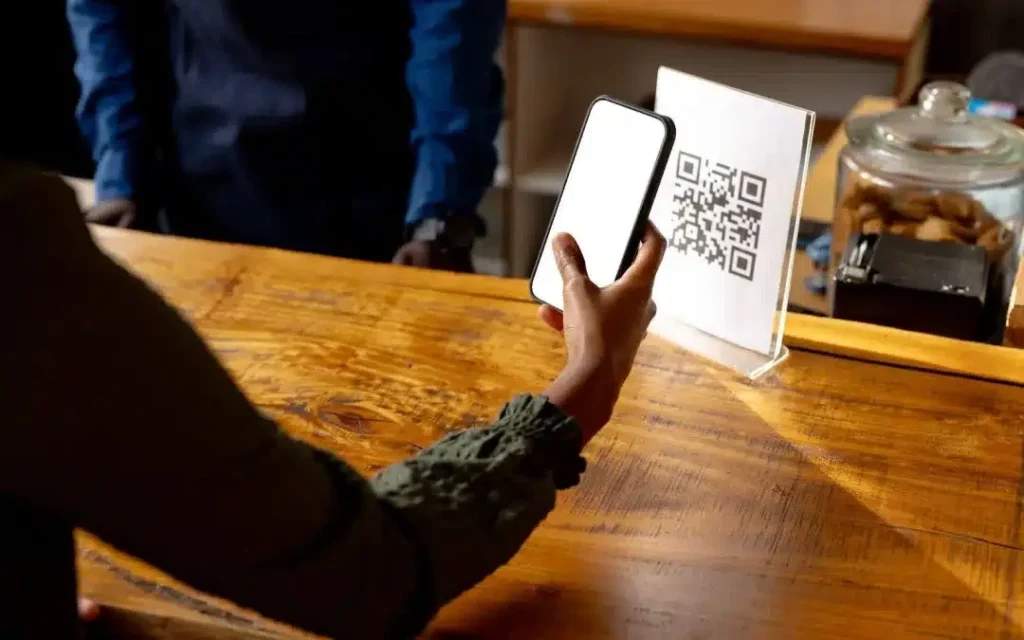
Moreover, during check-in rushes, guests who want to can bypass the line entirely. QR Codes can also prove to be a game-changer for late-night arrivals or early morning departures.
Offer an always available digital guest directory & information hub
The great thing about QR Codes is that you have complete control over where they land after scanning. This means you can create bespoke information hubs that provide guests with instant access to everything they need to know about your hotel. Many hotels now use digital concierge service QR Codes to centralize guest information and services in one mobile-friendly hub.
Guests can scan QR Codes to access key information, including your complete amenities list, Wi-Fi password, spa and pool hours, local restaurant recommendations, hotel policies, and emergency contacts. The advantage is that you can update it in real time.
For example, if your pool closes early for maintenance, you can update it once, and every guest sees the change immediately. You can even include local area guides, transportation schedules, and dining recommendations that change seasonally, ensuring guests always have the most current information at their fingertips.
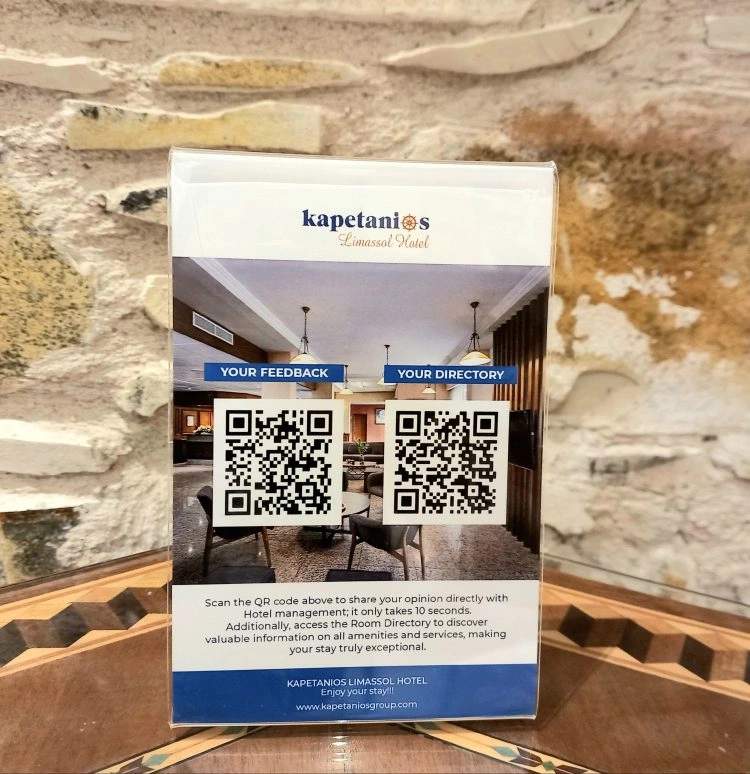
Bring digital room service to every guest room
Guests can scan a code to browse updated menus, order room service, request extra towels or toiletries, book laundry service, or report a maintenance issue, all without picking up the phone.
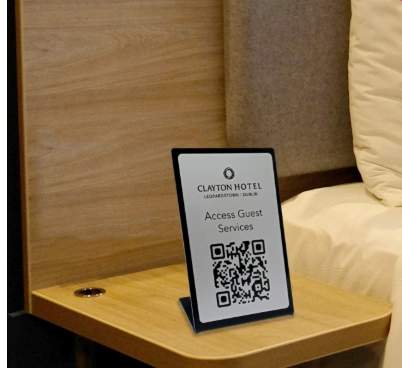
This is also a great fit for a multi-URL QR Code. A multi-URL QR Code allows people to land on a page with multiple URLs after scanning just one QR Code. For example, instead of placing a different QR Code for every service, you can put one code in the room that opens a simple menu of links, such as Room service, Housekeeping, Spa, Gym slots, Restaurant reservations, and Local tours.
Guests tap what they need in seconds, and you can add, remove, or reorder those links anytime as services change.
On the backend, these requests feed directly into your management systems. Orders and requests are accurately processed, timestamped, and routed to the correct department automatically.
Make it easy to collect guest feedback and reviews
With QR Codes at checkout guests can leave feedback in the moment, when they’re experiencing something worth commenting on. The AC isn’t working? They can report it right then. Loved the turndown service? They can say so while it’s fresh.
For example, Sun Hall Hotel uses QR Codes to collect feedback as it is one of the quickest ways to get to know how guests feel about your services.
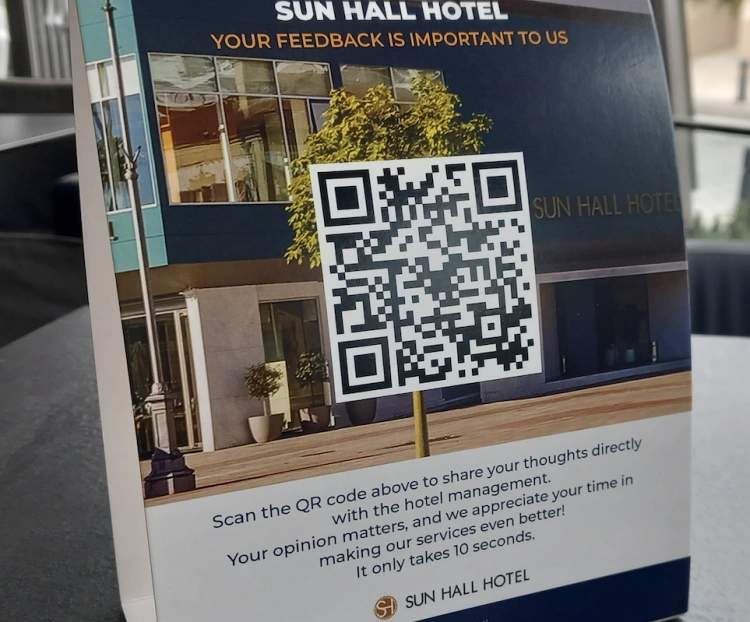
With QR Codes, you can also track patterns through codes, identify recurring issues, and measure satisfaction across different room types, floors, or time periods.
Helps drive room upgrades and timely offers
In-room QR Codes work well for room upgrades because they catch guests at the right moment.
They are already settled in, browsing, and more open to a simple “make this stay better” option. A small prompt, such as “Upgrade to a suite” or “Add late checkout,” can direct them straight to a quick booking flow, with the charge added to the room automatically.
You can use the same approach with QR Codes for seasonal offers, too. Swap the offer based on the month or event, like a festive dinner package, monsoon spa deal, weekend brunch, or summer pool pass, without changing the printed code.
Now that we are aware of all the benefits of QR Codes, let’s learn to implement them to maximize their effectiveness.
How to create and implement a hotel room QR Code strategy
When a guest walks into a room after a long trip, they usually want Wi-Fi, food, and a sense of how things work. A good QR Code setup turns all of that into a couple of easy scans.
You already know the concept. Let’s turn it into a workable strategy for your hotel, using The QR Code Generator as the foundation.
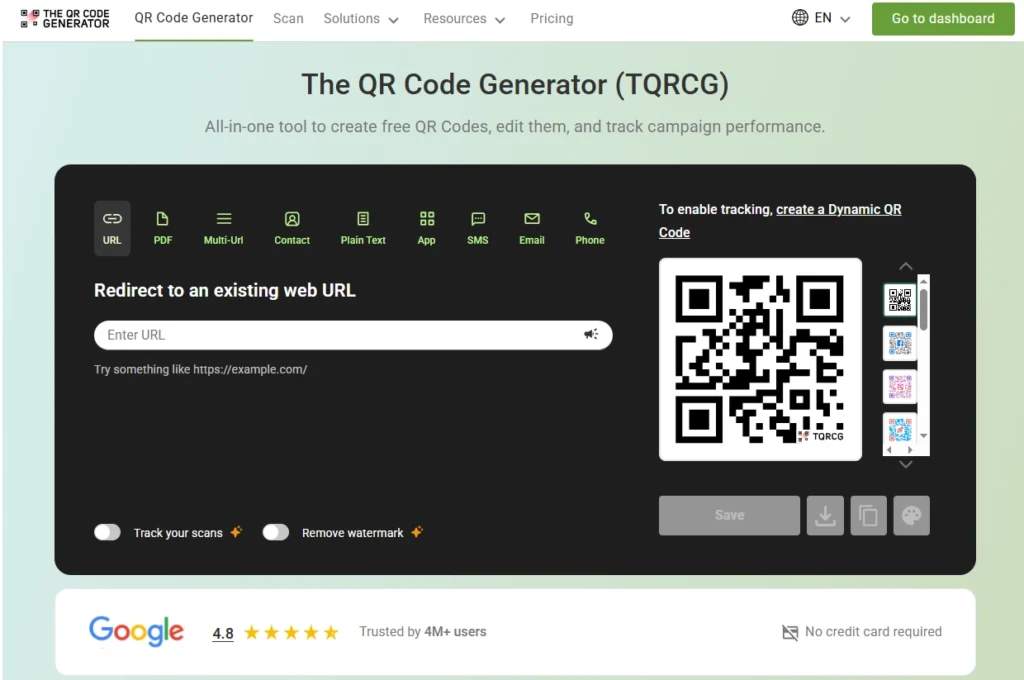
Step 1: Start with goals and a guest journey
Before opening any QR Code tool, sit with your team and talk through what you are trying to change. This can be:
- Too many calls to the front desk for routine information
- Paper menus and directories that are expensive to reprint
- Spa and restaurant slots that go unused
- Guests who leave happy but never leave a review
Write those goals down and keep them in plain sight. Then map out your guest journey from arrival to checkout. Identify where a QR Code would make things easier (check-in, in-room service requests, dining options, local recommendations) instead of just adding a code for the sake of having one.
Step 2: Choose between static and dynamic codes
The QR Code Generator lets you create both static and dynamic QR Codes, so you can mix them in a way that suits your operation instead of forcing everything into one category.
Static codes are fixed. Once created, they always lead to the same thing. They are suitable for information that rarely changes, such as emergency contacts, fixed policies, or Wi-Fi details that remain the same. TQRCG allows unlimited free static codes, which makes it easy to roll them out across every room.
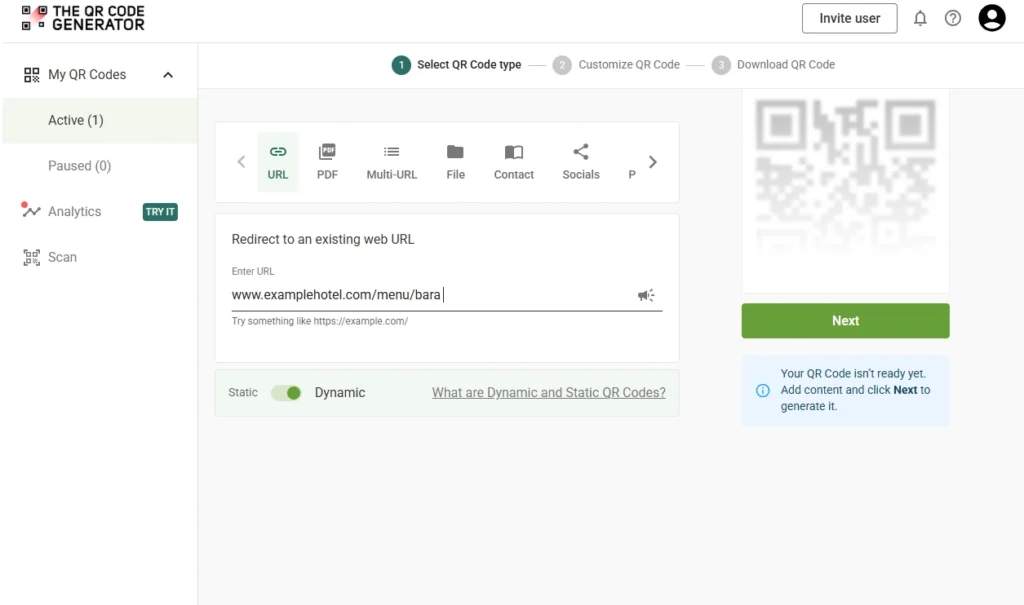
Dynamic codes are flexible. You can change the destination later and track how often they are scanned. This is where you can add any content that may change over time, such as menus, spa offers, seasonal packages, local guides, and event information.
Revenue and guest experience flows belong on dynamic codes, and background information sits on static codes.
Step 3: Decide what happens after each scan
A QR Code is just a doorway. The room behind it matters more.
For a hotel, the most useful destinations tend to be:
- A room service or F&B order page
- A spa or restaurant booking flow
- A maintenance report form with the room number and issue
- A checkout and feedback page
Whatever you choose, design it for small screens. Use clear headings, concise forms, and large, tap-friendly buttons.
The real payoff comes when that page connects to the rest of the guest journey. Tie requests to the room number, route them to the right team, and log key actions into your property management system (PMS) or customer relationship management (CRM) tool. Then you can use the same flow for post-stay engagement.
Now, there are a few ways to build this layer. Some hotels collaborate with their web agency to create lightweight mobile pages that integrate seamlessly into their existing site. Others can use third-party providers to set up these pages.
Step 4: Build a hotel QR Code with The QR Code Generator (TQRCG)
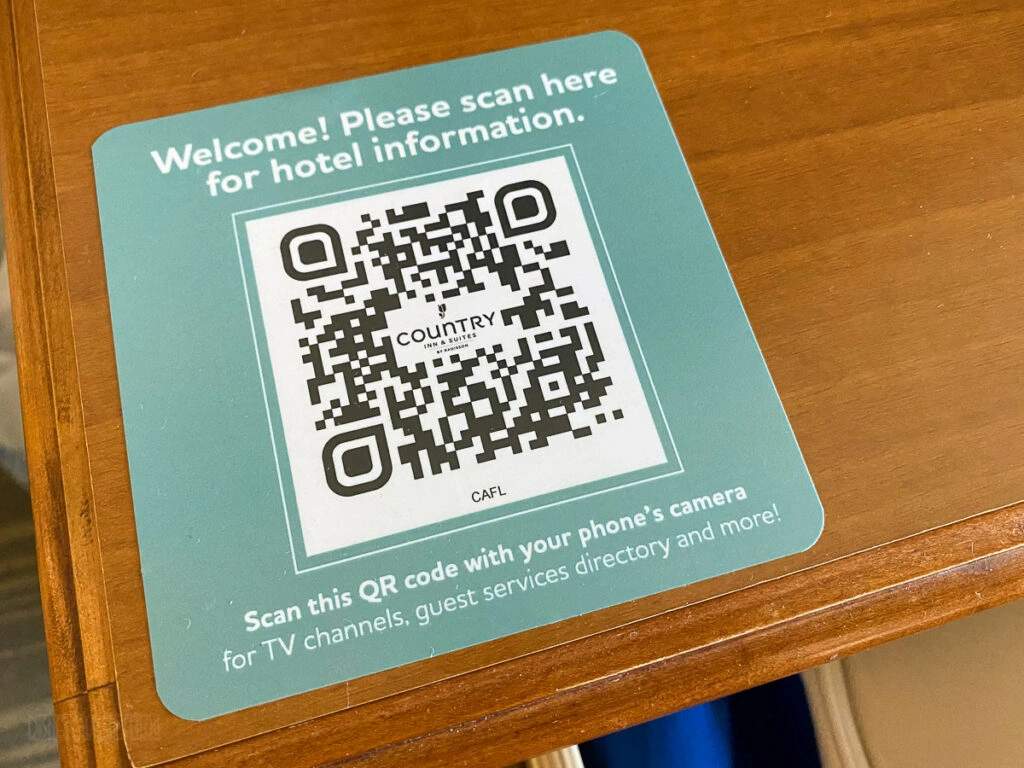
TQRCG supports multi-URL QR Code type, which effectively provides a mini landing page with multiple options behind a single scan.
In practice, your setup might look like this
- You sign up on the site and choose a dynamic QR Code
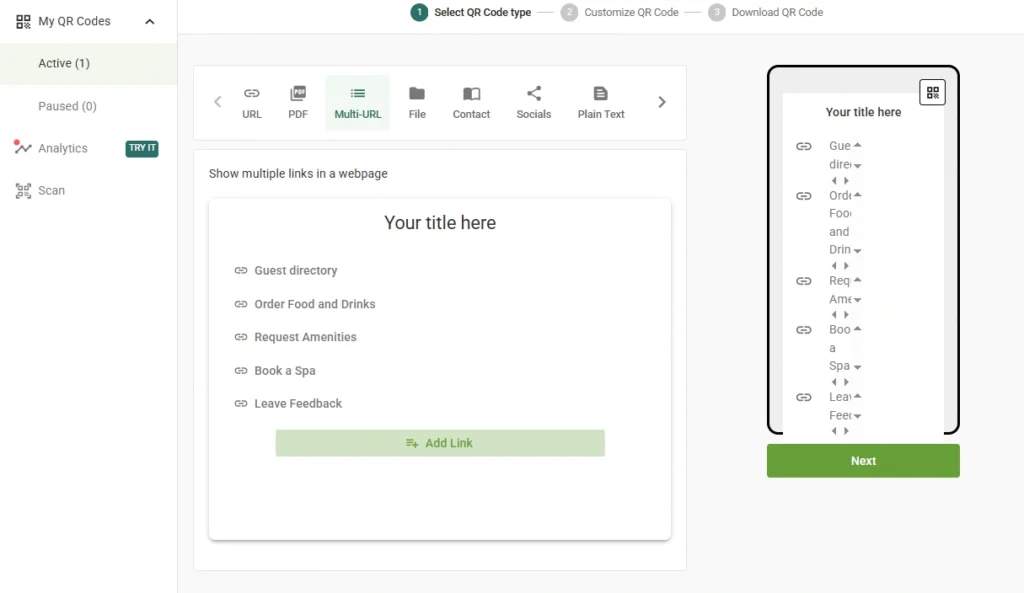
- You select the Multi-URL option and start adding links
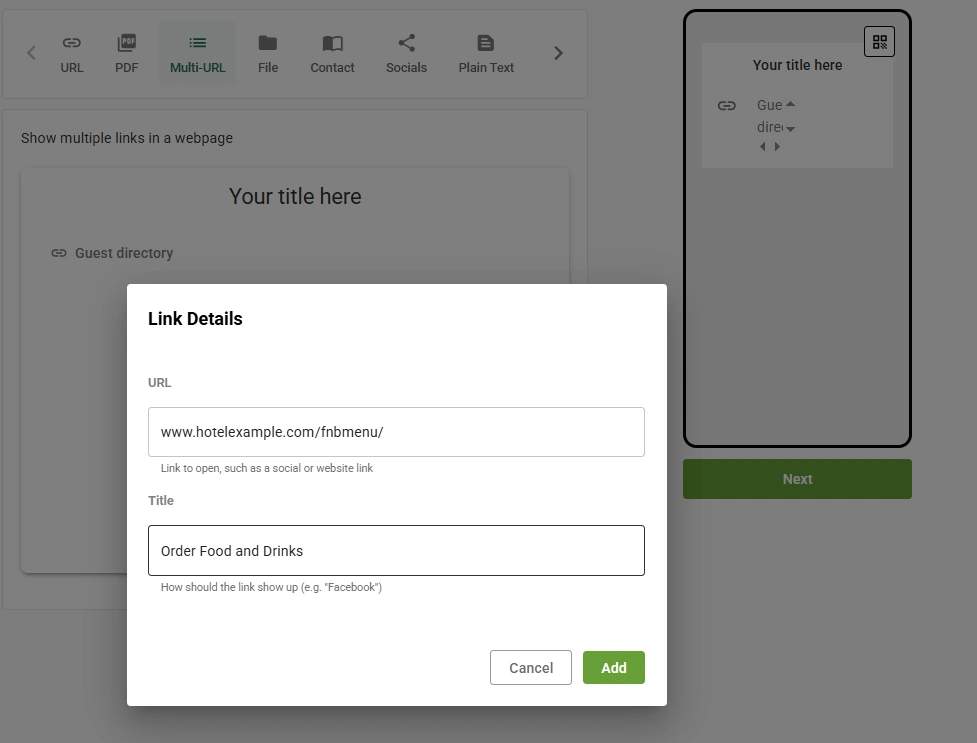
- You create a small menu that reads like a concierge, for example Guest Directory
- Order Food and Drinks
- Request Towels or Amenities
- Book Spa or TreatmentsLocal Tips and Recommendations
- Leave Feedback or Request a Call
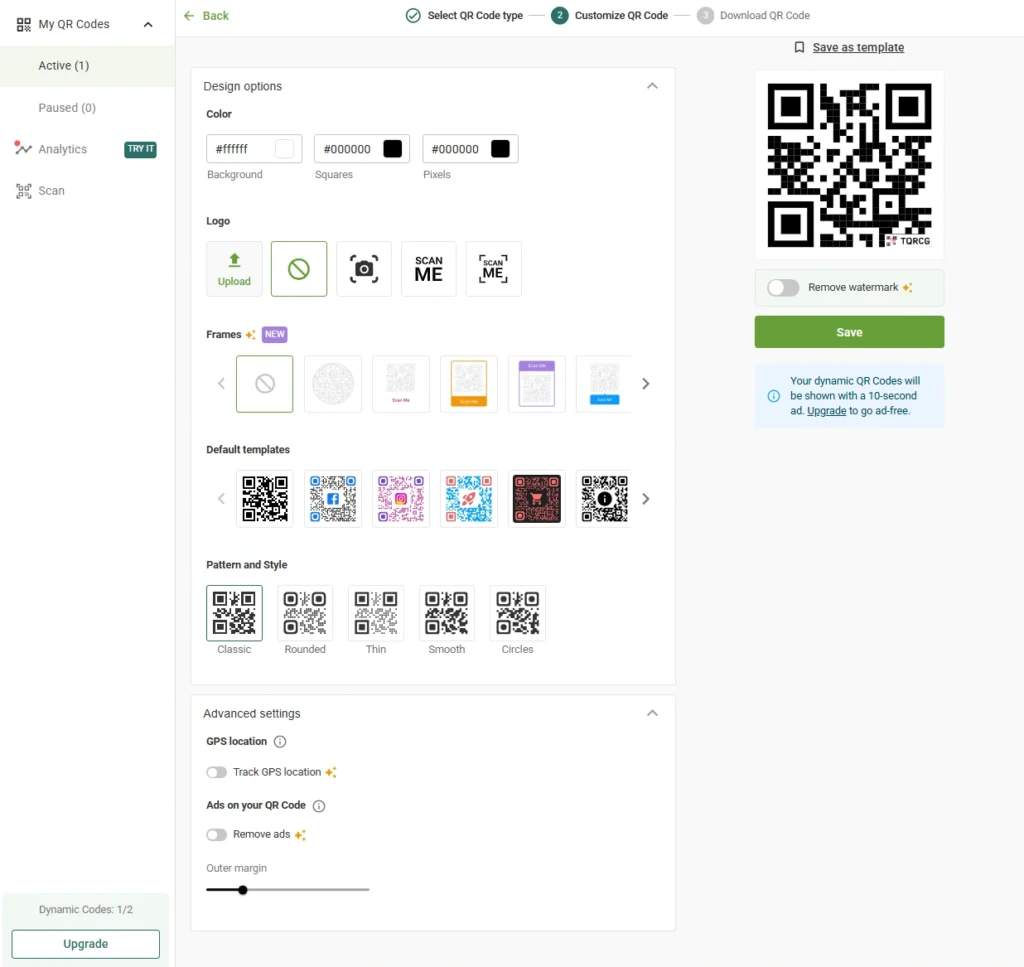
- Inside The QR Code Generator (TQRCG) dashboard, you customize the code itself. You can add your logo, adjust the colors, and use a clean frame so that guests recognize it as interactive, while the system ensures it remains scannable.
- You download a high-resolution PNG or SVG for printing, and you keep the dynamic link editable in the background.
Step 5: Tie QR Code flows to the way your team already works
QR Codes are only as good as the response on the other side. If you operate with a full tech stack (PMS, POS, service management tools), you can link your codes directly to existing online forms and flows that already push data into those systems.
If your setup is straightforward, you can keep things simple and still reap significant benefits. Many hotels start with web forms that send emails to specific departments or fill rows in a shared spreadsheet. A guest taps “extra pillows,” fills out a two-field form, and housekeeping receives an email with the room number and request type. It’s that simple.
Step 6: Use analytics to understand what guests actually use
Once your dynamic codes are live, The QR Code Generator begins to show you how often they are scanned and, on paid plans, more detailed analytics like device and time patterns.
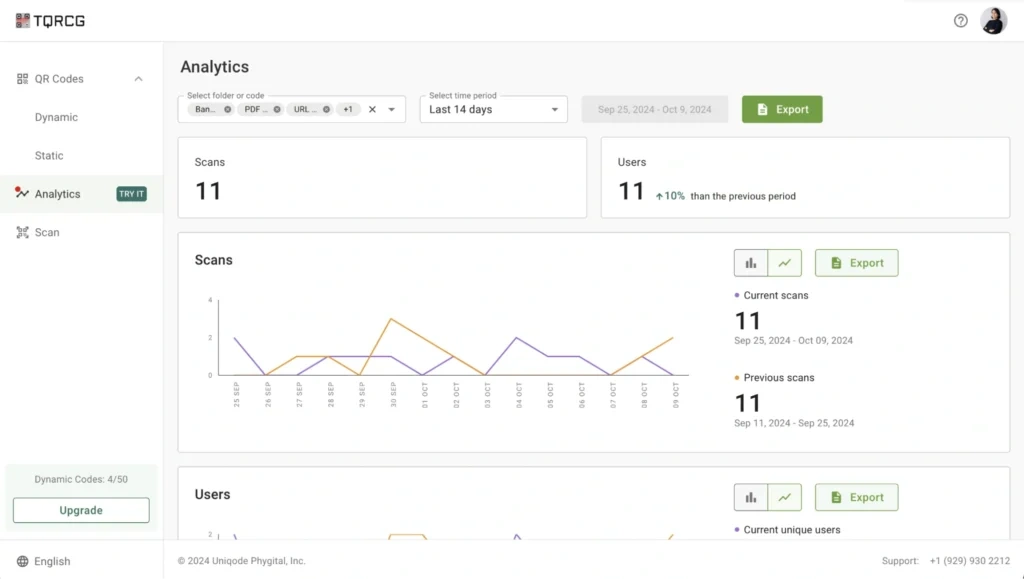
You might notice that the local guide link receives barely any scans, while room service is consistently used at certain hours, or that suite-level rooms show higher spa booking scan rates than standard rooms. Those patterns help you adjust. You can move the QR Code card to the desk instead of the TV stand or offer spa discounts on lower-tier rooms. Over a few weeks, your digital experience becomes sharper simply by watching and responding to real behavior.
And because The QR Code Generator keeps your dynamic codes active even on the free tier, you can learn over a long period instead of rushing decisions to beat a trial deadline.
Step 6: Test the experience
Before rolling anything out across all rooms, take an evening and test like a traveler.
Print a sample of your QR Code cards at the actual size. Then scan each code:
- In dim lamp light, bright overhead light, and the slightly awkward light of early morning
- On hotel Wi-Fi and with Wi-Fi off, using mobile data
Walk through the full flows. Order a pretend snack, request extra towels, book a test spa slot, and complete a feedback form. If you ever feel a twinge of confusion, experience too many taps, or encounter a slow-loading page, treat it as a warning sign.
The advantage of using dynamic code from The QR Code Generator is that you can keep the printed code, return to the dashboard, tweak the destination pages or their order, and try again.
The physical cards stay on the bedside table while the digital experience improves behind the scenes.
Best practices for effective hotel QR Codes
To make QR Codes work as intended in hotels, you have to design around your guests’ behavior. Here are some best practices:
- Assign each code a single purpose, like “Order food,” “Request amenities,” or “Read hotel info.” Don’t assign too much to a single code.
- Use dynamic QR Codes for anything that can change, such as menus, spa offers, or seasonal guides, so you can update links without reprinting room materials.
- Place the code where a tired guest naturally looks first, like a bedside table, desk, or just inside the room near the light switches.
- Add a short, friendly label so guests know what happens when they scan, for example, “Scan for food, towels, and hotel info.”
- If one feature is rarely used, try moving the card, changing the label text, or rearranging links in a multi-URL QR Code.
The main pitfalls are cluttering the room with too many codes, sending guests to unoptimized pages, or failing to respond quickly to QR Code-based requests. And don’t stick a QR Code wherever you feel like. Putting a QR Code for the dining menu next to the toilet is not the best placement. A small, well-planned set of codes almost always delivers a better result than a dozen uncoordinated stickers.
Take your guest experience up a notch with QR Codes
A hotel QR Code strategy works best when it feels natural—one or two codes in the right places, clear promises on what they do, and simple paths to food, help, and information.
The QR Code Generator (TQRCG) brings these pieces together in a single, easy dashboard with unlimited static codes, two free dynamic QR Codes that never expire, plus customization and scan tracking. This makes it ideal for both boutique hotels testing the waters and larger properties ready to scale.
If you are ready to modernize in-room service, start your setup today with The QR Code Generator.
Frequently Asked Questions
When should a hotel use static vs. dynamic QR Codes?
Use static for stable information, such as Wi-Fi or emergency contacts. Use dynamic for anything that may change or needs tracking, such as menus, promotions, or service request flows.
What if a guest does not have a smartphone or does not want to use QR Codes?
Keep printed information and a simple phone option available. Train staff to offer “scan or call” as equal choices so guests never feel forced into a digital path.
How can hotels track which rooms or services generate the most QR Code-based requests or orders?
Create separate dynamic codes for different room types, floors, or services. The QR Code Generator dashboard can show scan data for each code, so you can see what is used most.
How do you measure ROI for QR Code implementation?
Compare reduced printing and call volume against increased orders and bookings. Combine scan counts and conversion rates with guest satisfaction scores and review mentions of convenience.
Are QR Code-based services safe, secure, and trustworthy for guests?
QR Codes are generally safe when created and managed by the hotel, especially when they link to your own domains or trusted tools. Encourage guests to scan codes placed only by your property.
Can small or budget hotels implement QR Code-based guest services without heavy technical infrastructure?
Yes. With The QR Code Generator, a smaller hotel can use the free forever plan for unlimited static and two dynamic QR Codes, simple forms, and basic analytics, without custom development or significant upfront spend.