
How Hotels Use QR Codes at Checkout for Guest Feedback

Kritika
Last updated: February 5, 2026
10 min read
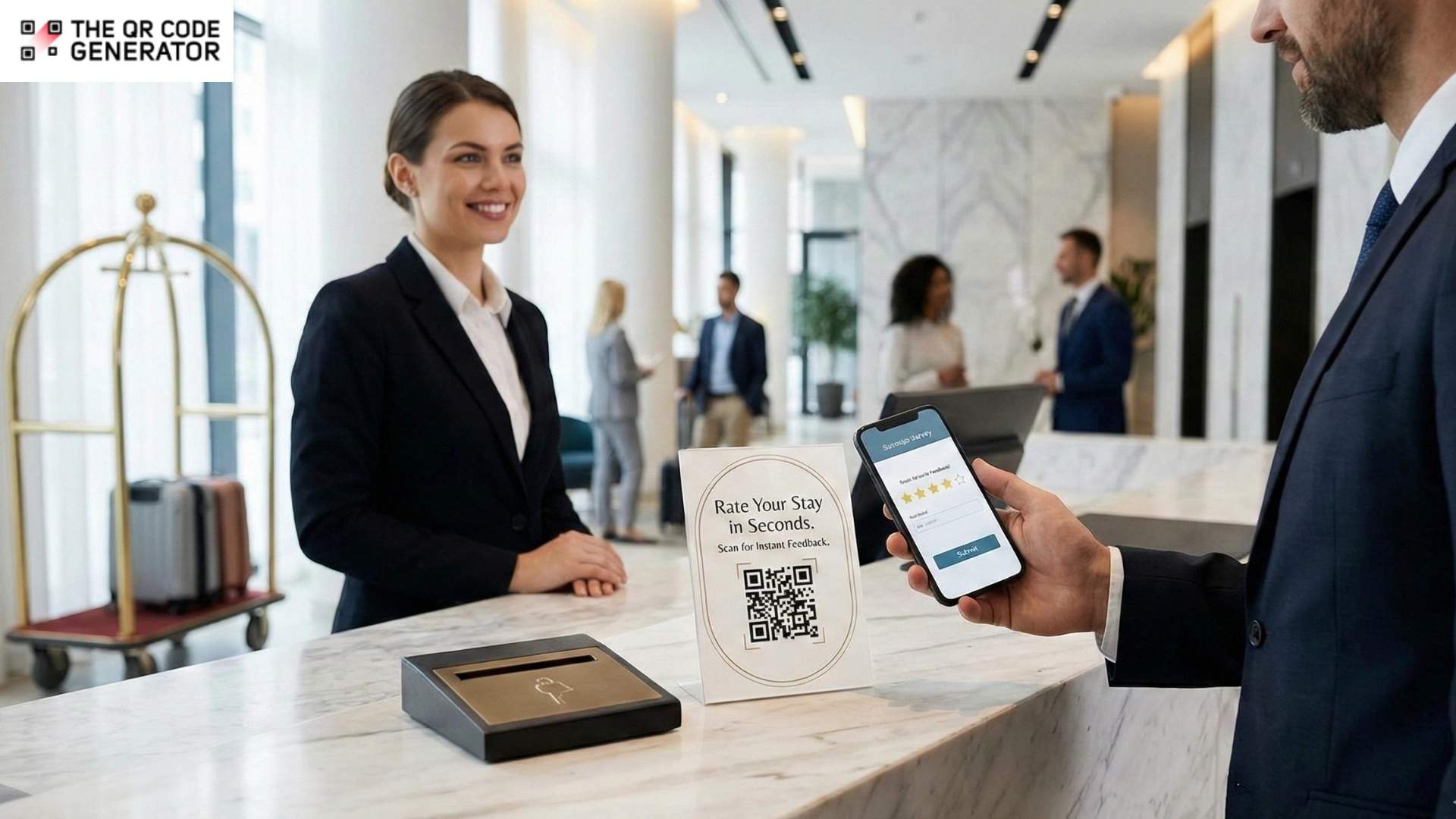
Check out is one of the few moments when hotels have a guest’s full attention. All their opinions or feedback about lumpy pillows or exceptional concierges are lost once they step out of the property.Despite this, most feedback collection happens later, when engagement has dropped, and details are forgotten. Post-stay emails arrive after the experience has ended, leading to low response rates and incomplete feedback.
Research from GuestRevu, based on over 1,500 hotel survey campaigns, found that the average response rate is just 20%. Four out of five guests leave without sharing a word through traditional methods.
QR Codes change this. Placed at the checkout counter, a quick scan directs guests to a 30-second survey and collects actionable insights while the experience is still fresh.
How QR Codes at hotel checkouts increase guest feedback completion rates
The checkout moment carries psychological weight that most hotels ignore entirely. Guests have just experienced the whole arc of their stay, and their opinions have crystallized. But those opinions haven’t yet been filtered through nostalgia or sharpened by frustration yet. So it’s the perfect time to gather feedback.
QR Codes offer a no-nonsense way to capture this feedback quickly as your guests checkout. They’re easy to install, they work as expected, and there’s very little friction involved in the feedback process. Here’s how QR Codes benefit you.
Catch private feedback before it goes public
J.D. Power’s 2025 Study quantifies exactly how much checkout friction costs hotels.
When guests experience problems such as billing confusion, checkout disputes, or unexpected charges, their satisfaction scores plummet by 217 points on a 1,000-point scale. Even though only 12% of guests report experiencing such problems, it still has an outsized impact on reputation and repeat bookings.
Unhappy guests who feel unheard post negative reviews online, but the same unhappy guests who feel heard often don’t.
Hotels using platforms such as TrustYou and Medallia have figured this out. They capture private feedback during checkout, then follow up separately with public review requests only when sentiment registers as positive.
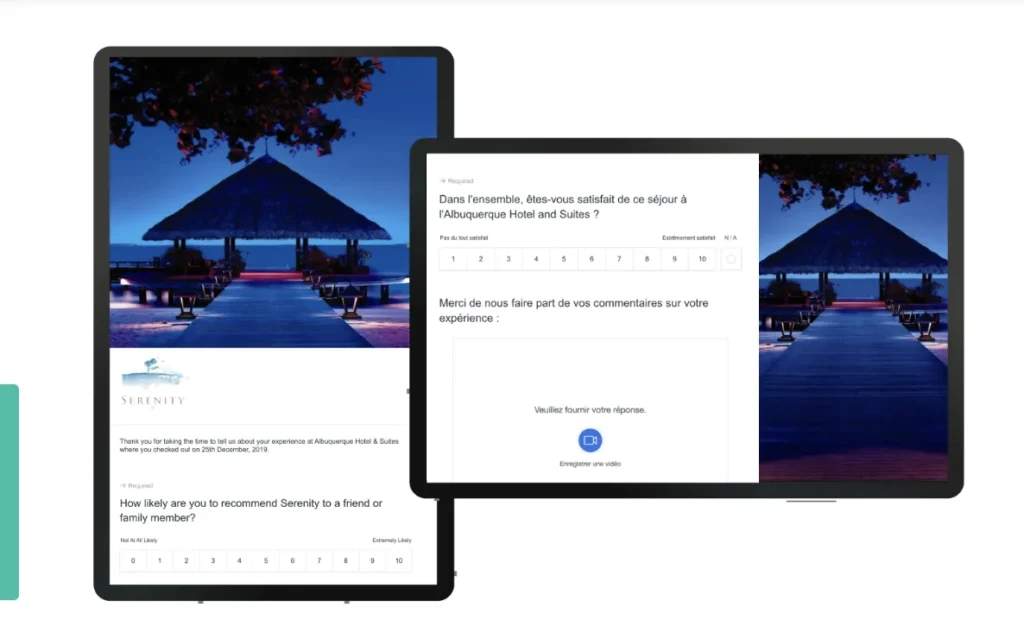
When you place a QR Code at the front desk that links to a short internal feedback form, guests get the satisfaction of being heard. And the hotel gets the chance to respond before that complaint becomes a one-star review on a booking website.
Discover friction points to address
Guests rarely complain about checkout-specific problems to front desk staff. They don’t want confrontation, nor do they want to delay their departure.
That’s why confusion about billing or a 20-minute wait during peak morning hours might go unmentioned. It’s also why the rushed interaction with a staff member handling three guests simultaneously never gets flagged for management review.
QR Code-based surveys find these friction points without putting anyone in an awkward position. For example, a guest can note that their invoice included unexpected charges without having to explain it in person.
Collect feedback while the experience is fresh
Timing determines everything in feedback quality. Surveys sent within 24 hours of departure achieve higher response rates than those sent several days later.
A guest who waited 15 minutes in line at 6 AM remembers every excruciating second right now. But a few days later, that memory blurs. They might skip the question entirely in a post-stay survey or conflate the wait with other minor irritations into vague disappointment.
With QR Codes, you can capture guest feedback not within 24 hours but within seconds of the experience ending.
Make it easy to share feedback, without downloading apps
A 2025 PYMNTS study that surveyed over 2,200 U.S. consumers found that more than 7 in 10 prefer using mobile devices for travel-related tasks. It’s quite clear that the mobile device has become the default tool for everything from booking to check-in to departure.
QR Codes glue onto this existing behavior. Guests don’t need to download an app; they don’t need to check their email later.
They just have to point their phone camera at a square and tap once, and the survey loads instantly. This frictionless experience explains why QR Code-based feedback consistently outperforms email alternatives.
Keep front desk teams focused during rush hours
Peak checkout hours are stressful times. That’s when guests want to share feedback, but staff need to process departures quickly.
QR Codes deflate this tension by creating a parallel feedback channel. They allow front desk teams to stay focused on processing departures while giving guests an effortless way to share their thoughts.
Now, to enable this feedback system, you first need to create a QR Code that links to a form or website to collect the guest’s suggestions.
How to create guest feedback QR Codes using TQRCG
There are many different ways to create QR Codes. The easiest and most effective method is to use The QR Code Generator, or TQRCG.
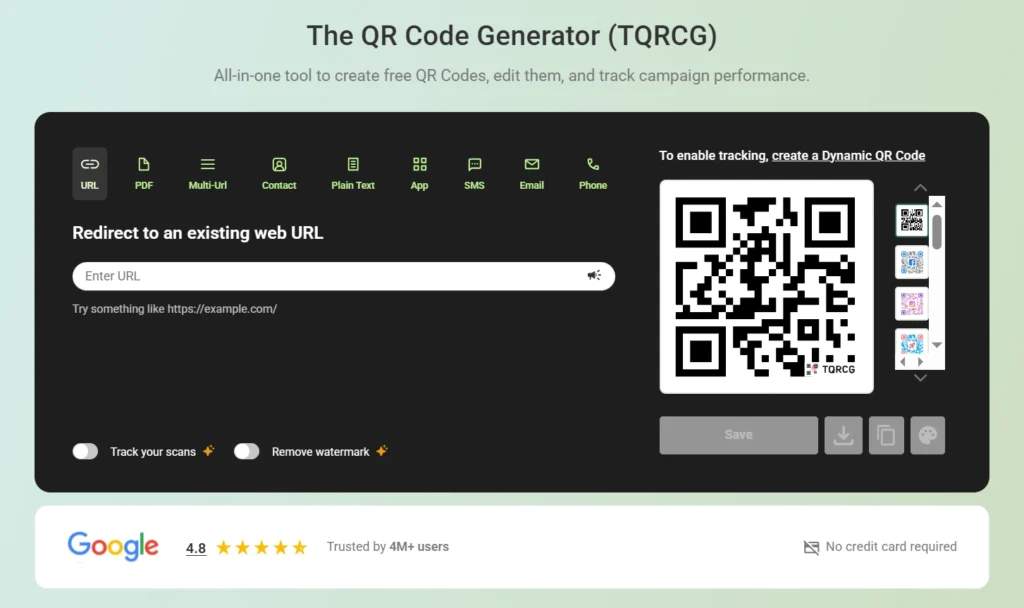
TQRCG is a cost-effective and reliable option to create unlimited static QR Codes and keep two dynamic QR Codes active for free, which can be edited and tracked. Here’s how you can get started:
Step 1: Define your feedback goal first
Your first step is deciding what you want to learn at checkout. It dictates everything that follows.
Common checkout goals include:
- Identifying service issues before guests leave
- Measuring overall satisfaction
- Capturing quick qualitative comments about the stay
You have to keep the goal narrow. Checkout isn’t the moment for deep exploratory research. (Save that for longer post-stay surveys sent to guests who’ve already indicated positive sentiment.)
Step 2: Build a mobile-first survey
The survey itself determines whether guests complete it or abandon halfway through. Build something that loads quickly and works flawlessly on phones.
Also, keep these pro tips in mind while you build that survey:
- Limit questions to five or eight maximum; you can start with a simple rating question that requires just a tap
- Add one optional open-text question at the end for guests who want to elaborate
- Avoid mandatory personal details that feel invasive.
Guests are eager to complete surveys that take less than 1 minute. They abandon surveys that demand their email address before they can share a single opinion.
Step 3: Generate a dynamic QR Code
Here’s where you’ll need The QR Code Generator (TQRCG). Log-in and create a new dynamic QR Code using your survey link.
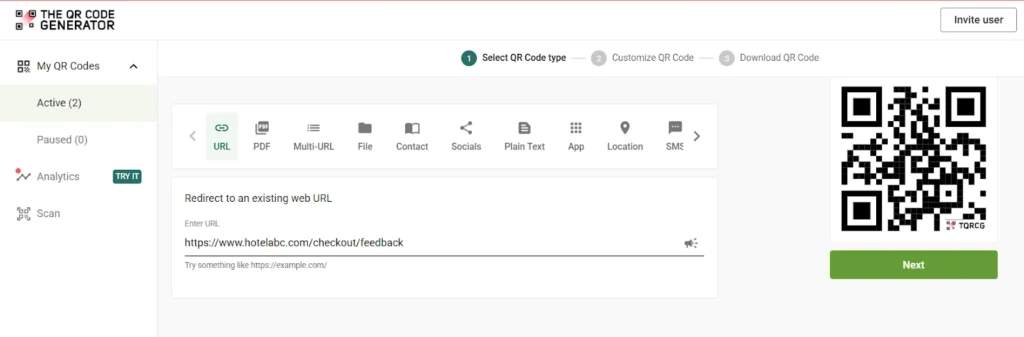
Dynamic QR Codes matter enormously for hotel operations.
With dynamic QR Codes, you can,
- Update the survey link later without reprinting a single card or sign.
- Get data and analytics to track QR Code scans.
- Reuse the same QR Code across campaigns, seasons, and promotional periods.
Name your QR Code clearly in the dashboard. Something such as Checkout Survey Q1 2026 makes management easier than QR Code 1, especially if you deploy multiple codes across different touchpoints.
Step 4: Customize for clarity and trust
Customize the QR Code to align with your hotel brand while prioritizing scannability above aesthetics.
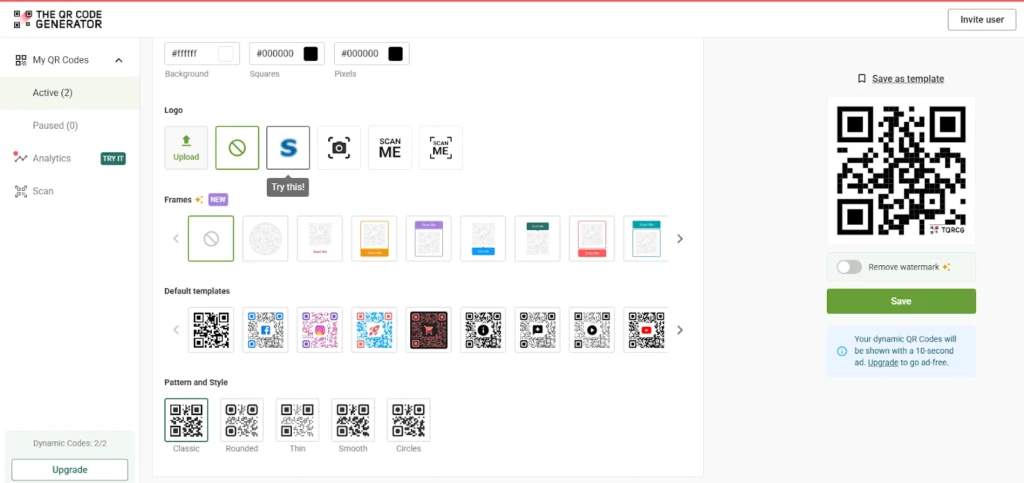
Focus on high contrast for easy scanning. Keep the design clean with minimal styling that doesn’t interfere with the code pattern. You can also add a logo to your QR Code to improve brand recognition for higher scans.
Step 5: Place the QR Codes at the right checkout points
Placement directly impacts scan rates. QR Codes should appear at the exact moment guests mentally transition from staying to leaving.
High-performing placements include the front desk checkout counter itself and printed invoices or room key sleeves returned at checkout. Small tabletop signs near payment terminals also work well.
Guests should notice the code naturally during the checkout flow rather than having it thrust at them awkwardly.
Step 6: Train your staff to mention the QR Code naturally
A brief word about the feedback QR Code can massively improve participation, even with perfectly placed signage.
You can ask your staff to say something such as “If you have a moment, we’d love your quick feedback” or “You can scan here to tell us how your stay was.” The prompt can feel optional and low-pressure; guests also respond better when feedback feels invited rather than demanded.
Step 7: Test everything in real conditions
Before rolling out, widely test the QR Code in actual checkout conditions. Try scanning the QR Code with different devices, under bright lobby lighting, and with mobile connections rather than the hotel Wi-Fi. Identify and fix these issues before guests encounter them.
Step 8: Monitor engagement using analytics
Once you have deployed your QR Codes, use scan data to understand how guests actually interact with your feedback system.Track the number of scans per day, peak scan times during checkout hours, and differences between locations or placements on the TQRCG QR Code analytics dashboard.
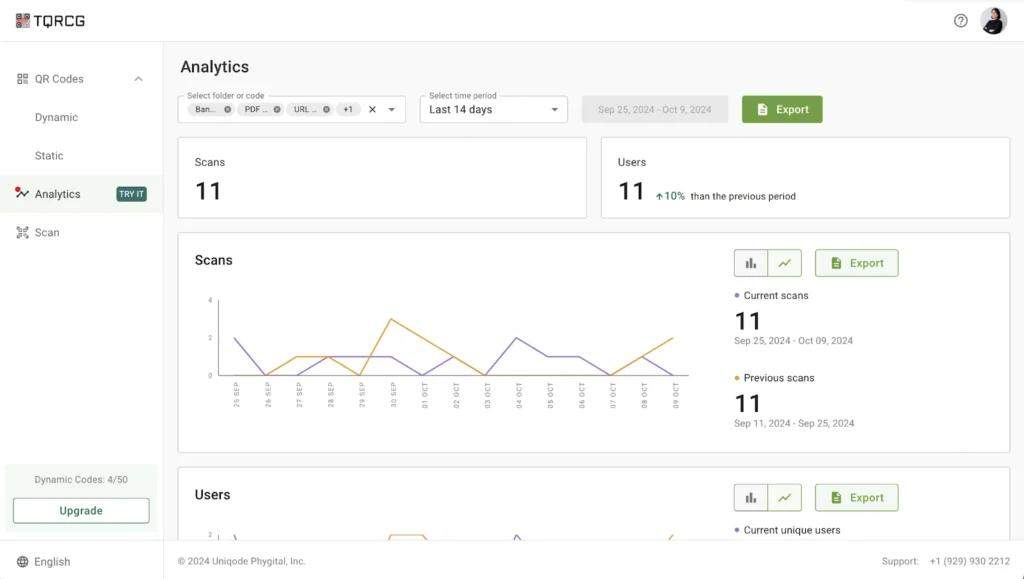
This data can help you identify placements that work better or messaging that leads to higher scans.
Step 9: Act quickly on negative feedback
QR Code feedback delivers maximum value only when it triggers action.
Review feedback daily, not weekly. Flag low ratings or critical comments immediately and route urgent issues to the right team before the guest leaves the property.
When possible, follow up with dissatisfied guests before they drive away because the speed of response matters almost as much as the response itself.
Scan analytics and feedback management can only take place if most of your guests actively share their feedback with you. Here are a few best practices to ensure guests come across your QR Codes and actually scan them.
5 Best practices that improve feedback collection
To truly understand the guest experience, you need to tap into human psychology and timing. Follow these best practices for the best results:
- Ask for feedback at the emotional peak: Capture guest feedback when their feelings are strongest, rather than waiting for the neutral or stressful moment of settling the bill. Place access points near elevators so you reach people while the experience is fresh in their minds.
- Frame feedback as help, not evaluation: No one wants to get into an argument at the beginning of their day. Shift your language to ask for help rather than demanding a rating. Phrases such as “tell us what we could do better” remove the pressure of passing judgment and encourage honest responses.
- Separate private feedback from public reviews: Clarify that their comments remain internal. Hence, they feel safe sharing minor annoyances or genuine praise without the stage fright that comes with public platforms.
- Rotate survey questions periodically: Update your questions to reflect current operational priorities, keeping data relevant and preventing frequent travelers from answering on autopilot. A dynamic hotel QR Code lets you do this easily without having to design another QR Code.
- Design for incomplete responses: Structure the survey to deliver immediate value by placing your most critical question right at the start. This strategy ensures you still walk away with vital data even if a guest abandons the form halfway through the process.
Make the feedback loop work for your hotel with QR Codes
QR Codes at checkout don’t solve every feedback challenge, but they solve one specific problem really well: capturing guest opinions at the precise moment they’re freshest.
Hotels using QR Code-based checkout feedback consistently report higher response rates than email-only approaches. They catch issues before they become public complaints and gather data that drives improvements.
Start small. Place one QR Code at your checkout counter tomorrow. Link it to a three-question survey.
Sign up for free and create your first dynamic QR Code for free and see what your departing guests have been waiting to tell you.
Frequently Asked Questions
How do hotels collect guest feedback using QR Codes at checkout?
Hotels place QR Codes at checkout touchpoints such as the front desk counter or key return areas. Guests scan the QR Code with their mobile device camera, which opens a short mobile survey. Responses go directly to the hotel's feedback system for review and action.
Where to place a feedback QR Code for the highest response rates?
The most effective placements for QR Codes are where guests naturally pause during checkout: on the counter near the card reader, on the printed invoice, or on small tabletop signs in the departure area. Pair each code with clear messaging about survey length and purpose.
Are QR Code feedback surveys better than post-stay email surveys?
QR Code surveys and email surveys have different purposes. QR Code surveys capture immediate reactions with high accuracy about specific moments, but email surveys gather more reflective feedback about the overall experience. Most hotels benefit from strategically combining both approaches.
How can hotels prevent negative online reviews using QR Code feedback?
When guests can share dissatisfaction privately at checkout, they're less likely to post emotional public reviews later. Hotels that respond quickly to negative QR Code feedback often convert unhappy guests into loyal customers.
What should a hotel ask in a checkout feedback QR Code survey?
Hotels can follow these basic rules while designing a feedback survey to be shared during checkout: - Keep surveys under five questions.- Start with an overall satisfaction rating.- Add one or two questions about specific checkout-related experiences, such as wait time or billing clarity.- End with one optional open-text field for additional comments.