
Custom Domain QR Code: What It Is and Why Brands Use It

Harshajit
Última actualización: 16 de octubre de 2026
9 tiempo estimado de lectura
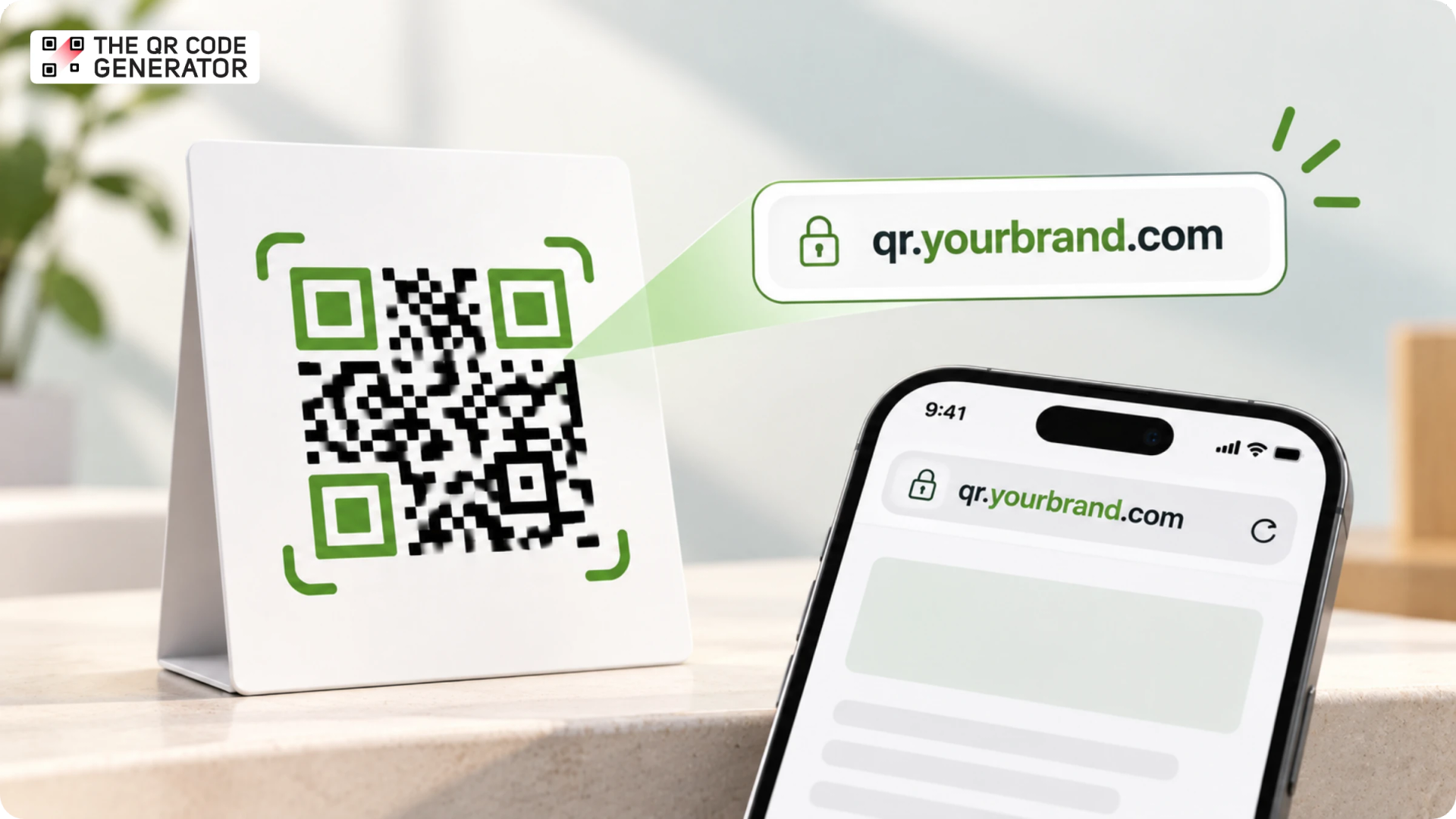
Every dynamic QR Code carries a short link. When someone scans, that short link redirects them to the destination you set, and you can change that destination later without reprinting the code.
On most QR Code platforms, this short URL uses a shared domain owned by the provider. That works well for many campaigns. However, once a business runs QR Codes at scale, such as across packaging, retail shelves, and regional markets, there is real value in switching to a short link on a domain the company owns.
This is where a custom domain QR Code comes in. It is a dynamic QR Code whose short link resolves to your own domain, so the web address people see reflects your brand. This guide covers what a custom domain QR Code is, how to set it up, and when the move makes sense for a growing brand.
What is a custom domain QR Code?
A custom domain QR Code is a dynamic QR Code that routes its scan URL through a domain your business owns. When someone scans, the link resolves on your branded domain or subdomain, so the web address on their phone carries your company name.
Custom domains work with dynamic QR Codes because their editable short links can be configured to use a domain you own. Static QR Codes, on the other hand, encode their destination directly into the pattern and do not use an editable short link that can be routed through your domain.
Consider a coffee roaster running a packaging campaign. A QR Code using a shared generator domain might have a scan URL such as qrcd.io/fall-blend. With a custom domain, the URL could be qr.driftroasters.com/fall-blend. Both URLs can lead to the same landing page, while the second uses the coffee roaster's branded domain.
The branded domain used for QR Code redirects is commonly called a QR Code domain, and the resulting link is known as a branded short URL.
Why use a custom domain for your QR Codes?
A custom domain helps businesses build brand recognition, maintain consistent customer experiences, and manage QR Code links across campaigns.
Here are the practical benefits of using a custom domain for your QR Codes.
1. Build recognition and confidence in your brand
Customers holding a coffee bag are more likely to recognize and trust a destination link like qr.driftroasters.com. This familiarity helps confirm where the link leads, giving shoppers greater confidence to scan.
When QR Codes direct users to promotional deals, product details, warranty sign-ups, or registration forms, brand alignment becomes crucial. A clearly branded domain ties the online experience back to the company they know. Displaying the branded short link directly next to the QR Code further strengthens this recognition prior to scanning.
2. Keep customer touchpoints consistent with your brand
Businesses can use a consistent branded domain across packaging, user manuals, event passes, retail signage, and marketing inserts. This extends the brand identity into the digital experience across different customer touchpoints.
A consistent URL structure also helps marketing teams organize QR Code links as campaigns expand. For example, a coffee brand could use qr.brandname.com/fall-blend for a seasonal product and qr.brandname.com/brewing-guide for preparation instructions. Descriptive paths make links easier to identify and manage across products, regions, and campaigns, provided the QR Code platform supports custom paths.
3. Give customers a clearer reason to click or continue
A custom domain can help customers identify a link's source before they interact with it. This is useful for QR Codes that lead to actions involving personal information, purchases, or account details, where customers may want to verify the business behind the page.
The domain also gives businesses an opportunity to make their links more descriptive. For example, qr.driftroasters.com/trace-your-coffee tells customers more about the intended destination than a randomly generated short URL.
5. Maintain greater control over your branded scan URLs
By using a domain under your company's ownership, you retain control over the brand identity tied to your QR Code links. Your organization manages its own DNS records and sets up the domain in alignment with the redirect requirements of your chosen QR Code platform.
This setup offers significant advantages for companies printing QR Codes on product packaging, labels, user manuals, and other physical assets intended for long-term distribution. Over time, maintaining a unified branded domain helps reinforce customer trust and recognition across multiple campaign cycles.
How do custom domains work?
A custom domain QR Code works by pointing a subdomain you own at your provider's redirect service through a DNS record, so every scan passes through your domain before reaching its destination. The QR Code itself only ever stores the short link, such as qr.driftroasters.com/fall-blend, and the destination lives in the provider's dashboard.
Once that connection is in place, every scan runs through three steps:
- A scan opens the short link, and DNS resolves your subdomain through the CNAME to the provider's redirect server.
- The redirect server matches the short code to your current destination and returns an HTTP redirect, commonly a 302.
- The visitor's browser follows the redirect and loads the destination page you set.
How to set up a custom domain for your QR Codes
You configure a custom domain in two places: your DNS and your QR Code generator. The steps below apply to most generators that offer custom domains on a paid plan.
- Confirm your plan includes custom domains: Check that your QR Code generator supports custom domains on your plan, since this is a paid feature with most tools.
- Choose your subdomain: Decide the subdomain your QR Code links will use, such as qr.yourbrand.com or go.yourbrand.com.
- Add the subdomain in your generator: Enter the subdomain in the generator's domain settings, which produces the DNS record you need to copy.
- Create the CNAME record in your DNS: Add that record at your domain registrar or DNS provider, pointing the subdomain to the host your generator specifies.
- Verify the domain: Confirm the domain in your generator's dashboard once the record propagates, which can take anywhere from a few minutes to a few hours.
- Complete SSL verification: Add any additional records your generator requests, so your branded links load over HTTPS.
- Assign the domain to a dynamic QR Code: Select your custom domain when you create or edit a dynamic QR Code, so its short link resolves on your subdomain.
- Test before you print: Scan the finished QR Code, and confirm it opens on your domain and lands on the correct page.
Create a custom domain QR Code with TQRCG
The custom domain feature is available as an add-on on the Plus plan (powered by Uniqode). Sign up with TQRCG, open the plans, select the Plus plan, and continue into Uniqode.
Once you are in the Uniqode dashboard, here's how you create your custom domain QR Code:
Step 1: Open the Domains menu
Log in to the Uniqode dashboard, click your username in the top-right corner, and select Domains from the drop-down menu.
Step 2: Add your domain
Click +Add Domain, enter your domain name and URL, then click Add.
Step 3: Verify the domain
Add the CNAME record to your DNS configuration to verify it. If your domain is hosted by a domain services provider, open its DNS settings to add the required records. The status changes to verified once the records are in place, after which you request SSL verification.
Step 4: Complete SSL verification
Add your CNAME records to the DNS configuration again to complete SSL verification, which secures your domain. Your domain then appears in the dashboard.
Step 5: Create or edit a QR Code with the new domain
Generate a QR Code, customize it to your brand design, scroll down, and click Show Advanced Settings.
Step 6: Select your domain under URL Domain
Open the URL Domain drop-down, select your newly created domain, and finish customizing your QR Code. Your custom domain QR Code is ready to deploy.
For a detailed walkthrough, check out Setting up your custom domain.
Best practices for custom QR Code domains
A custom QR Code domain needs consistent naming, reliable redirects, and ongoing maintenance. These practices help businesses manage links across campaigns and keep printed QR Codes functional over time.
1. Choose a short, recognizable subdomain
Use a subdomain such as qr.brandname.com, go.brandname.com, or scan.brandname.com. Keep the name easy to recognize and consistent across packaging, retail displays, and marketing materials. Check that it does not conflict with an existing website, application, or internal service.
2. Use a consistent URL structure
Establish naming conventions for individual campaigns and product lines. For example, a coffee brand could use qr.brandname.com/fall-blend for a seasonal product and qr.brandname.com/brewing-guide for preparation instructions. Consistent paths make links easier to identify and manage.
3. Enable HTTPS before publishing QR Codes
Verify the domain and complete the SSL certificate setup before distributing QR Codes. Test that every branded link loads over HTTPS without browser warnings. Follow the DNS records and verification instructions provided by your QR Code platform, as requirements vary by provider.
4. Test redirects before printing
Scan test QR Codes on both iOS and Android devices. Confirm that each link opens the intended destination, loads correctly on mobile, and works without requiring an unexpected login. Test the final printed design at its actual size before approving a large print run.
5. Protect domain ownership and renewal
Keep domain registration under your organization's control, restrict DNS access to authorized personnel, and enable automatic renewal where possible. Document the DNS configuration and certificate renewal responsibilities to prevent staff changes or missed renewals from disrupting active QR Code campaigns.
6. Plan for platform changes
Before committing to a QR Code provider, review its domain migration process, URL mapping exports, and redirect continuity policies. Owning the domain gives you control over its registration and DNS settings, while continued redirects may still depend on the provider's infrastructure. Plan how existing printed QR Codes will remain functional if you migrate platforms.
Get started with custom domain QR Codes
While occasional campaigns may suit a shared domain, brands deploying QR Codes across packaging, retail, and regional markets benefit from custom domains or branded scan URLs.
If you need basic QR Code functionality, choose a plan that covers your current requirements. If branded scan URLs, editable destinations, and campaign analytics are central to your workflow, compare paid plans that offer these capabilities. Businesses managing QR Codes across teams or product lines should also consider domain management, access controls, and scalability.
TQRCG offers a free plan with two dynamic QR Codes that never expire, making it a useful starting point for businesses exploring dynamic QR Codes. For custom domain functionality, TQRCG offers an add-on with its Plus plan, powered by Uniqode.
Preguntas frecuentes
Is a custom domain QR Code free?
A custom domain QR Code is a paid feature on most generators. On TQRCG, it is available as an add-on on the Plus plan, which is powered by Uniqode.
Will switching to a custom domain break QR Codes I have already printed?
It depends on your setup. Configuring a custom domain for new QR Codes leaves existing printed codes working via their original URLs, provided that the domain and redirect service remain active. However, updating the domain of an existing QR Code in Uniqode regenerates its image, rendering previously printed copies inactive. To prevent disruption, use custom domains for new codes while keeping existing ones on their original domain, or check provider migration options before transferring codes.
Can I use my root domain instead of a subdomain?
Most QR Code generators require a subdomain, such as qr. or go., because a CNAME record cannot point a root domain like brandname.com at a provider's redirect service in standard DNS. Set up your custom domain on a subdomain you control.
Do custom domain QR Codes work with static QR Codes?
Custom domains work only with dynamic QR Codes. A dynamic QR Code stores an editable short link that can be hosted on your domain, while a static QR Code encodes its destination directly and has no short link to route to.
What happens to my custom domain QR Codes if I switch providers?
Your domain registration remains under your control, so you keep the domain. The redirects may still run on your current provider's service, which means printed QR Codes can stop resolving if that service ends. Before you migrate, review the provider's domain migration steps, URL mapping exports, and redirect continuity so your printed QR Codes keep working.
Does TQRCG support custom domain QR Codes?
TQRCG offers custom domains as an add-on on the Plus plan, which is an Uniqode-powered plan. After you upgrade to the Plus plan, you continue into Uniqode to add the domain and assign it to your QR Codes.
What happens to my QR Codes and scan data when I upgrade to a TQRCG paid plan?
When you upgrade to the Core plan or Plus plan, both powered by Uniqode, your QR Codes, scan data, and account settings move to Uniqode. Your existing QR Codes continue to work, and you manage them in Uniqode afterward.